
機能深掘り
Claude Code の Checkpoints と /rewind:AI の誤りをコードごと巻き戻す
メッセージを送るたびに、Claude Code は自分が編集したファイルのスナップショットを残します。Esc を2回押して会話が乱れた地点を選び、コードと会話をまとめて巻き戻せます。コミットは不要です。
全 13 ステップの図解ウォークスルーで、読了約 5 分。各ステップはソース動画の対応する瞬間へリンクしています。
TL;DR
送信するメッセージごとにチェックポイントが作られます。中身は、Claude Code が編集したファイルのスナップショットと、その時点までの会話です。一覧は /rewind、または入力欄が空の状態で Esc を2回押して開きます。戻したいメッセージを選び、Restore code and conversation / Restore conversation / Restore code の3つから範囲を決めます。確認画面は書き戻すファイルと増減行数を表示し、Rewinding does not affect files edited manually or via bash という警告も出します。あくまで現セッション用のローカル undo で、Git の代わりにはなりません。
ソース動画
このページは anxious engineer が録画した Claude Code セッションの動画に沿って、rewind の手順を1コマずつ再現しています。各スクリーンショットは映っている正確な瞬間へリンクしています。
スクリーンショットは動画のフレームを制作者へのクレジット付きで使用しています。本文は独自執筆です。手順は 2026 年 9 月に動画と Claude Code 公式ドキュメントで照合済みです。
意識せずに積まれるチェックポイント
保存コマンドは存在しません。送ったメッセージがそのまま戻れる地点になり、その行にどのファイルが変わったまで併記されます。
- 1
これから取り消すことになるセッションを始める
動画は /clear から始まり、続けて1本の長いプロンプトを入力します。React のボタンコンポーネントを作り、作業を複数ステップに分割し、各ステップの終わりに承認を求め、進捗を button.tsx に書き続ける、という指示です。この時点ではまだ何も保存されておらず、ステータス行は 0 tokens。それでもこのメッセージを送ることが、1つ目のチェックポイントの生成になります。
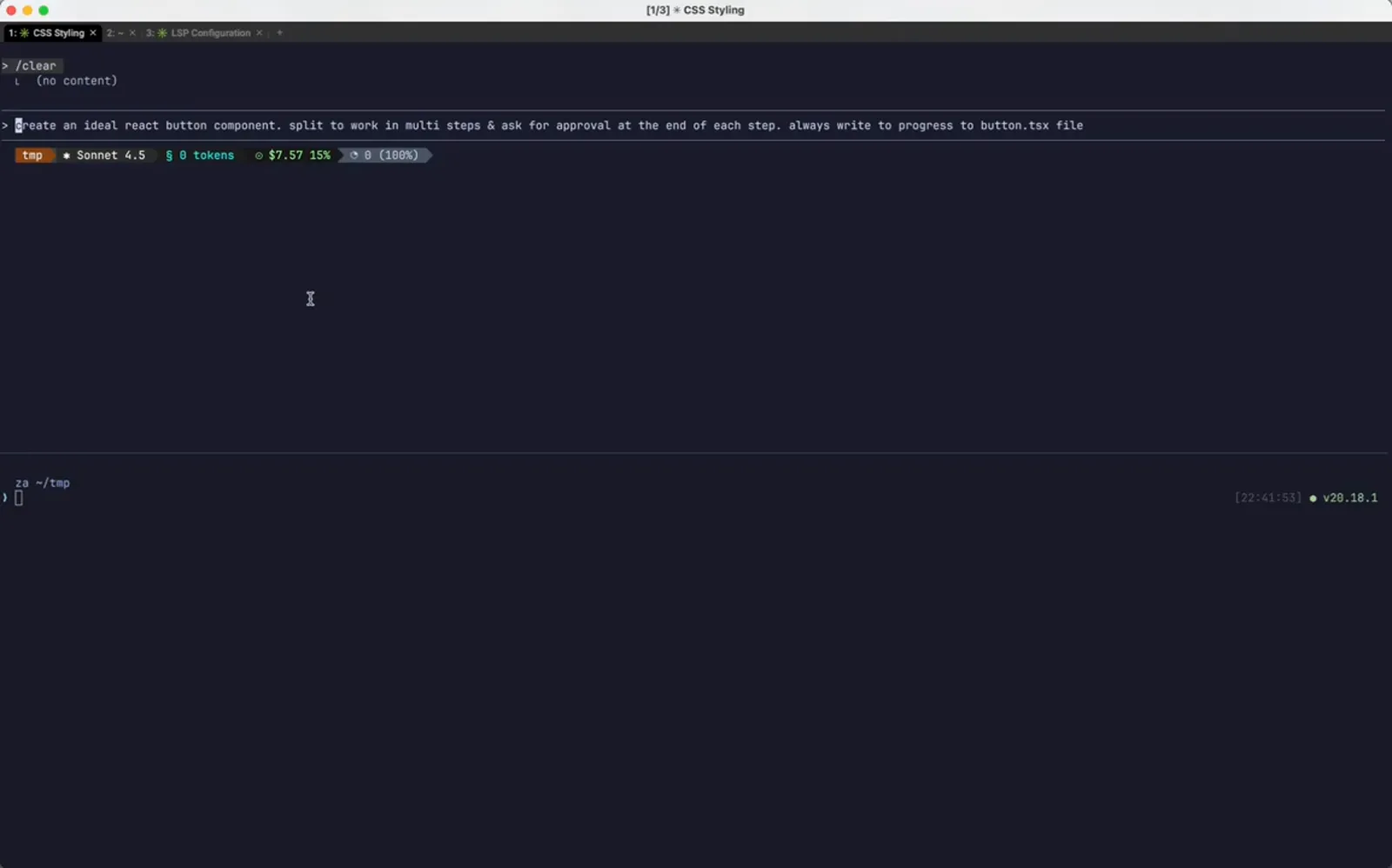
コードが1行も無い時点で、メッセージ1本=チェックポイント1個。0:04 から視聴 - 2
Step 1 が終わり、ToDo にチェックが入る
Claude は button.tsx に型定義、props インターフェース、forwardRef ラッパーを書いて1つ目の ToDo を消し線にし、承認を求めて停止します。ここが綺麗な区切りで、後で rewind が戻すのもこの状態です。
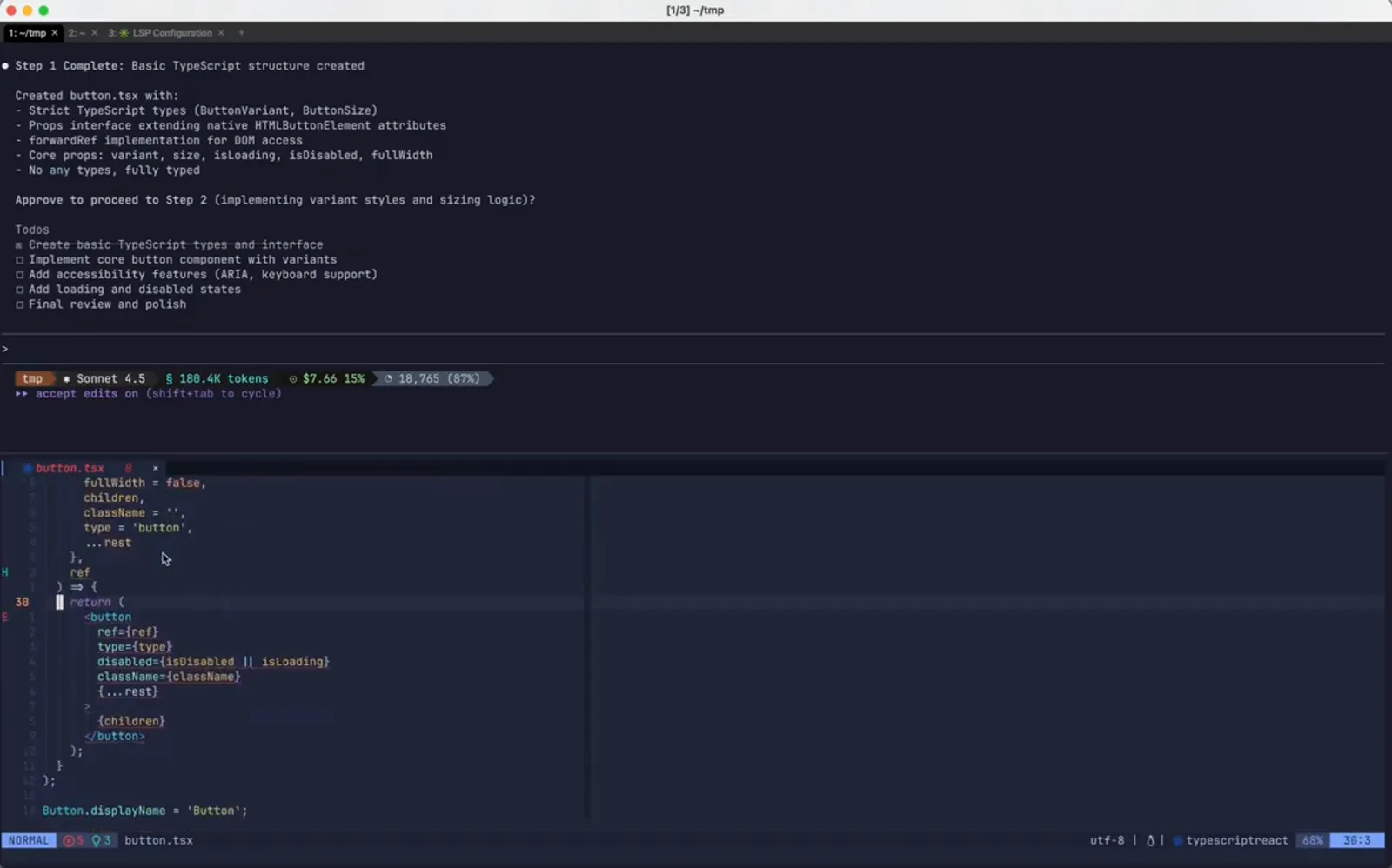
戻れる価値のある、区りの良い地点。0:28 から視聴 - 3
承認メッセージも次のチェックポイントになる
step 1 complete. continue. と入力することは2つのことを同時にします。次ステップの承認と、別の戻し地点の記録です。チェックポイントは Claude の編集ではなく自分のメッセージに紐付くので、介入するほど着地点は増えます。
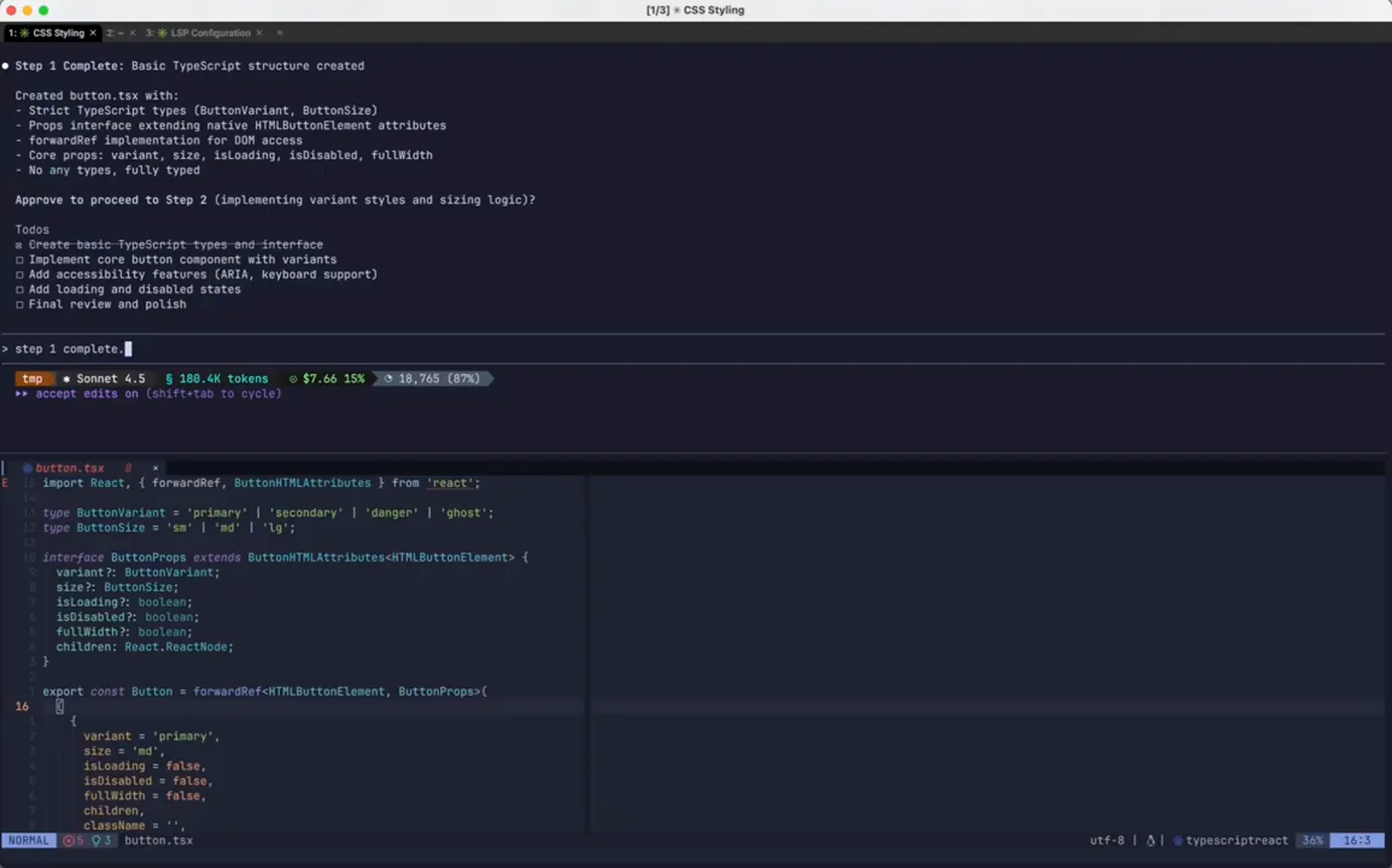
rewind の目標になるこの1本。0:40 から視聴
rewind 一覧を開く
Esc を2回、または /rewind。セッション全体が、自分が送ったメッセージのリストとして現れます。
- 4
後悔したターン
Step 2 Complete は variantStyles と sizeStyles を Tailwind のユーティリティクラスで実装したと報告し、VS Code には bg-blue-600 のような文字列が並んでいます。このプロジェクトは Tailwind を使いません。作業が無駄になったのではなく、方向が違うだけ。まさにチェックポイントの出番です。
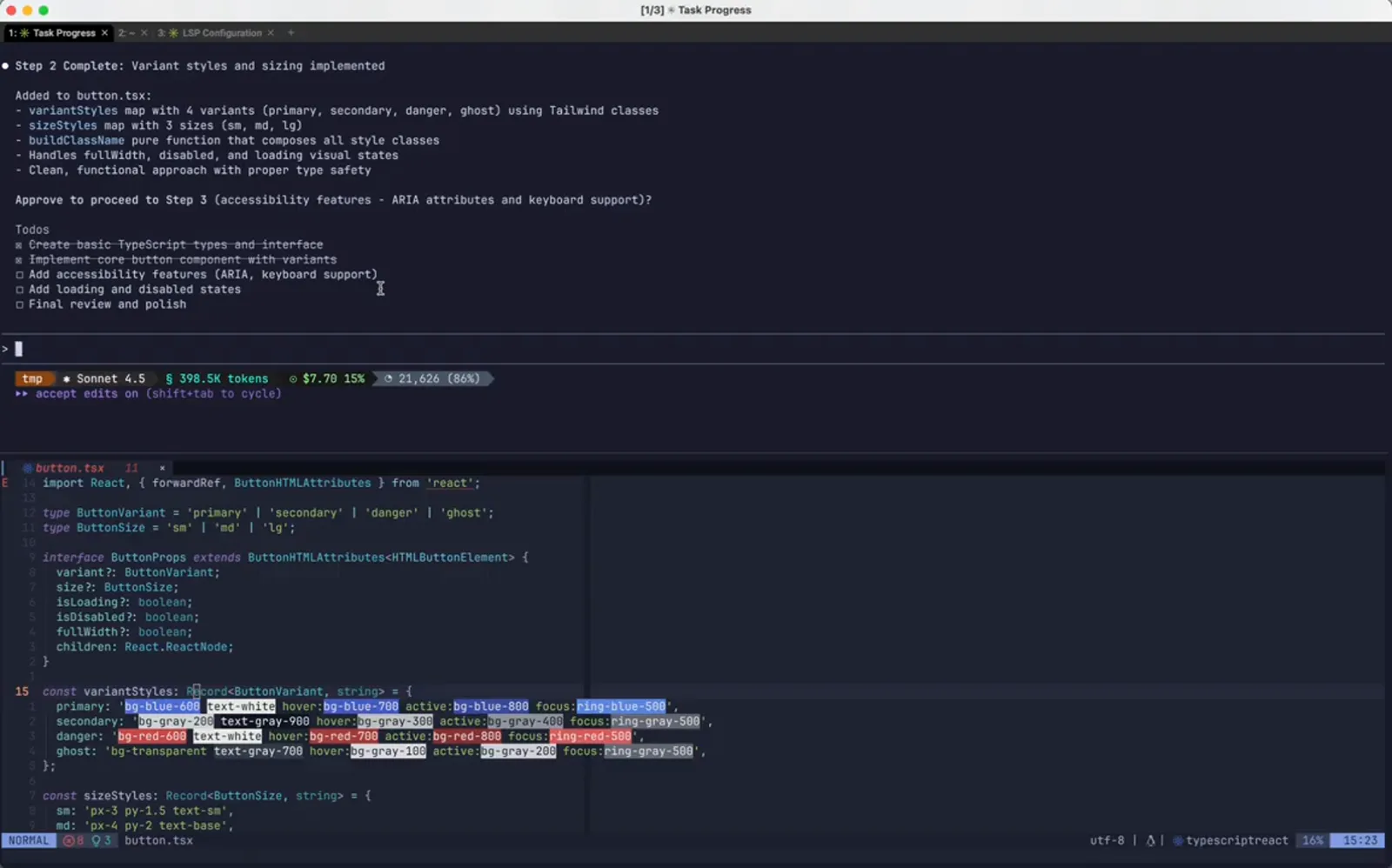
完了したがプロジェクトに合わないステップ。1:10 から視聴 - 5
Esc を2回で Rewind を開く
入力欄が空の状態で Esc を2回押すと Rewind パネルが開きます。/rewind と同じ画面です。見出しは Restore the code and/or conversation to the point before...、その下にこのセッションで送ったメッセージが1行ずつ並び、button.tsx +45 -0 のように変更ファイルと行数が添えられます。/clear も No code changes として表示されます。Enter で進み、Esc で抜けると何も変わりません。
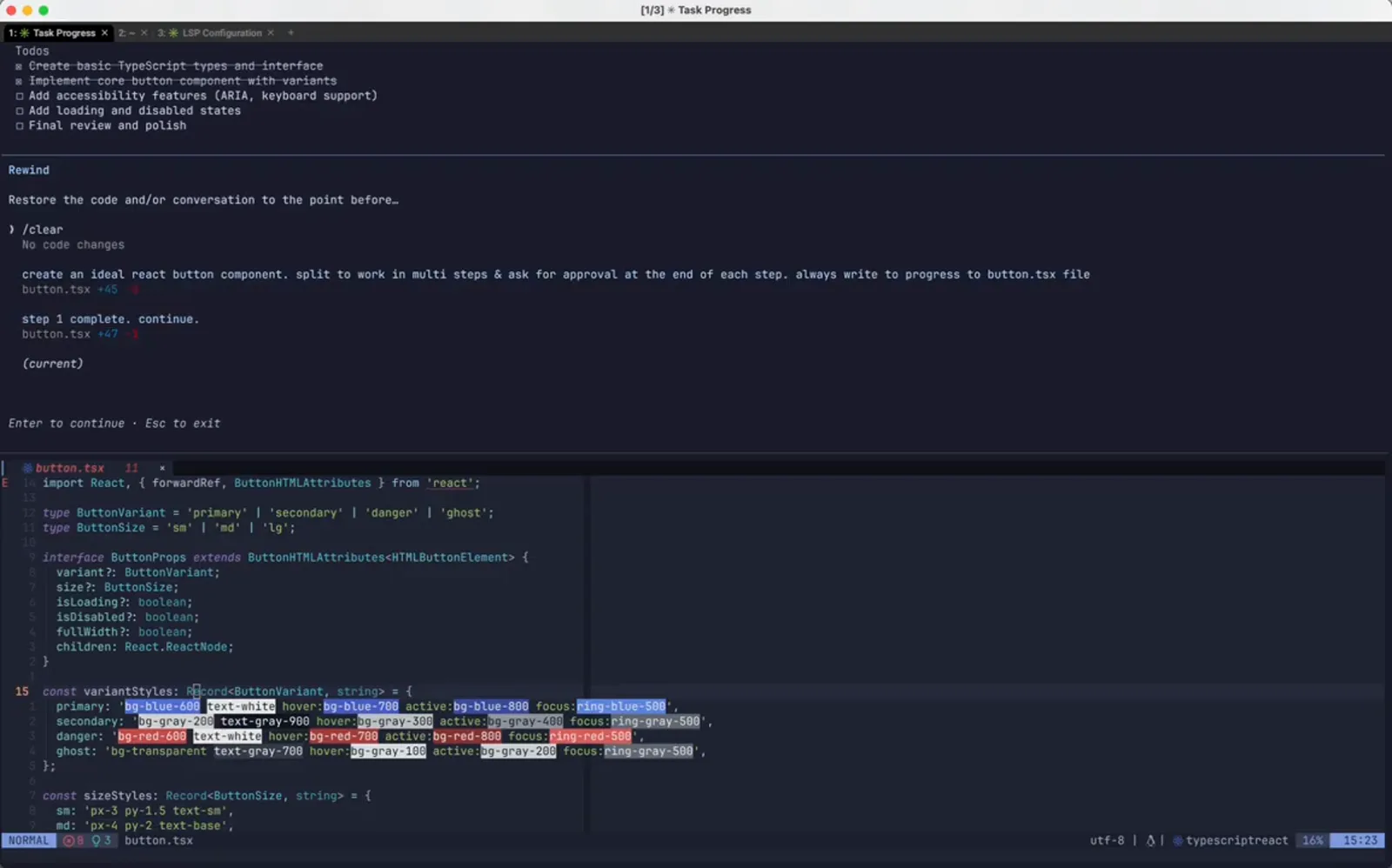
セッション中の全プロンプトと、それぞれが起こした diff。1:18 から視聴 - 6
最後によかったメッセージへマーカーを合わせる
マーカーを step 1 complete. continue.、つまり Tailwind の作業が始まる前に送った1本へ移動して Enter を押します。あるメッセージの前へ戻すということは、その後の全てが巻き戻るということです。再現したい行ではなく、当時まだ健全だった行を選びます。
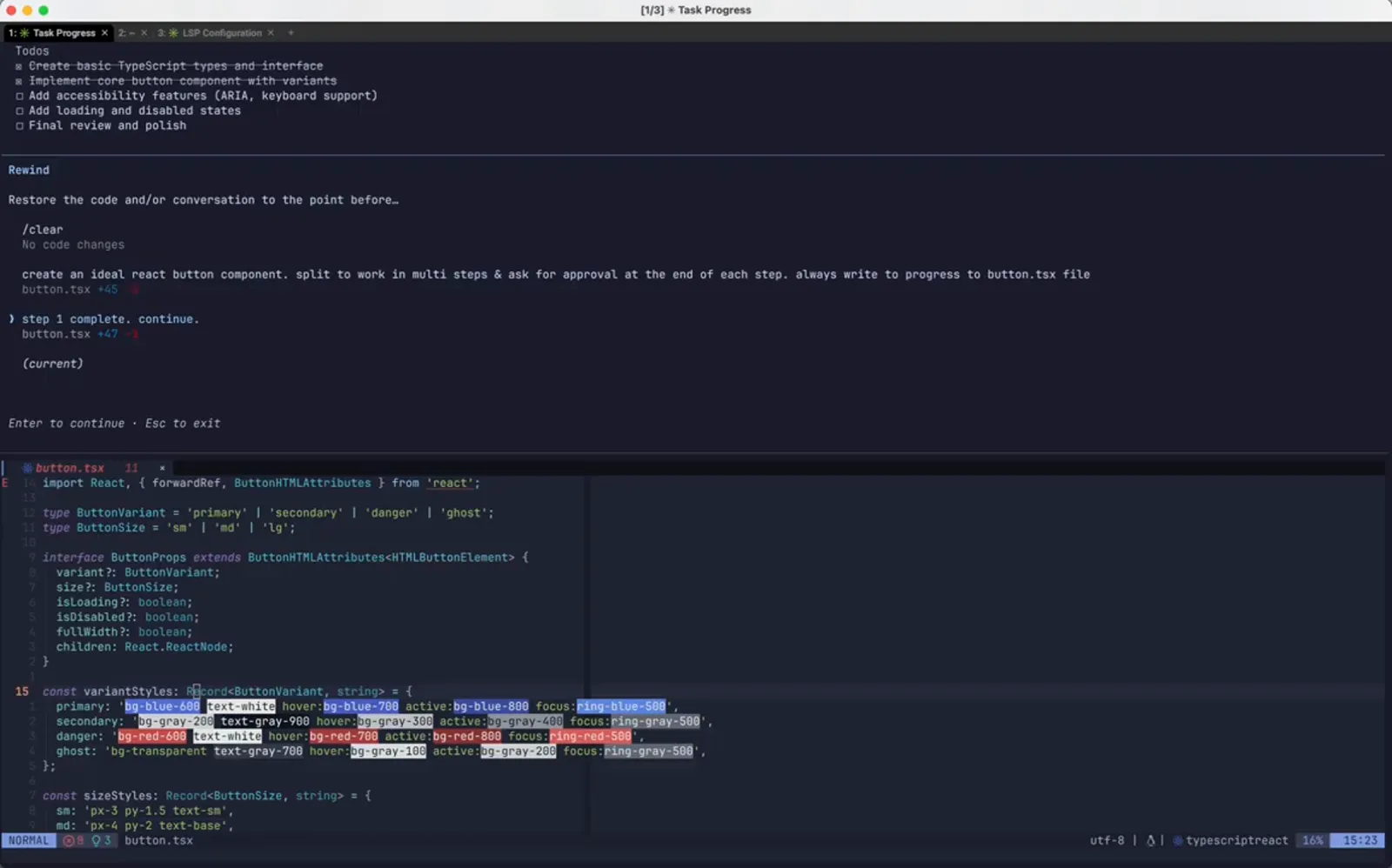
ミスより前のチェックポイントを選択。1:26 から視聴
何を取り戻すか決める
コードだけ、会話だけ、その両方。確認画面は、適用前に diff の行数を見せてくれます。
- 7
復元範囲を選ぶ:コード、会話、あるいは両方
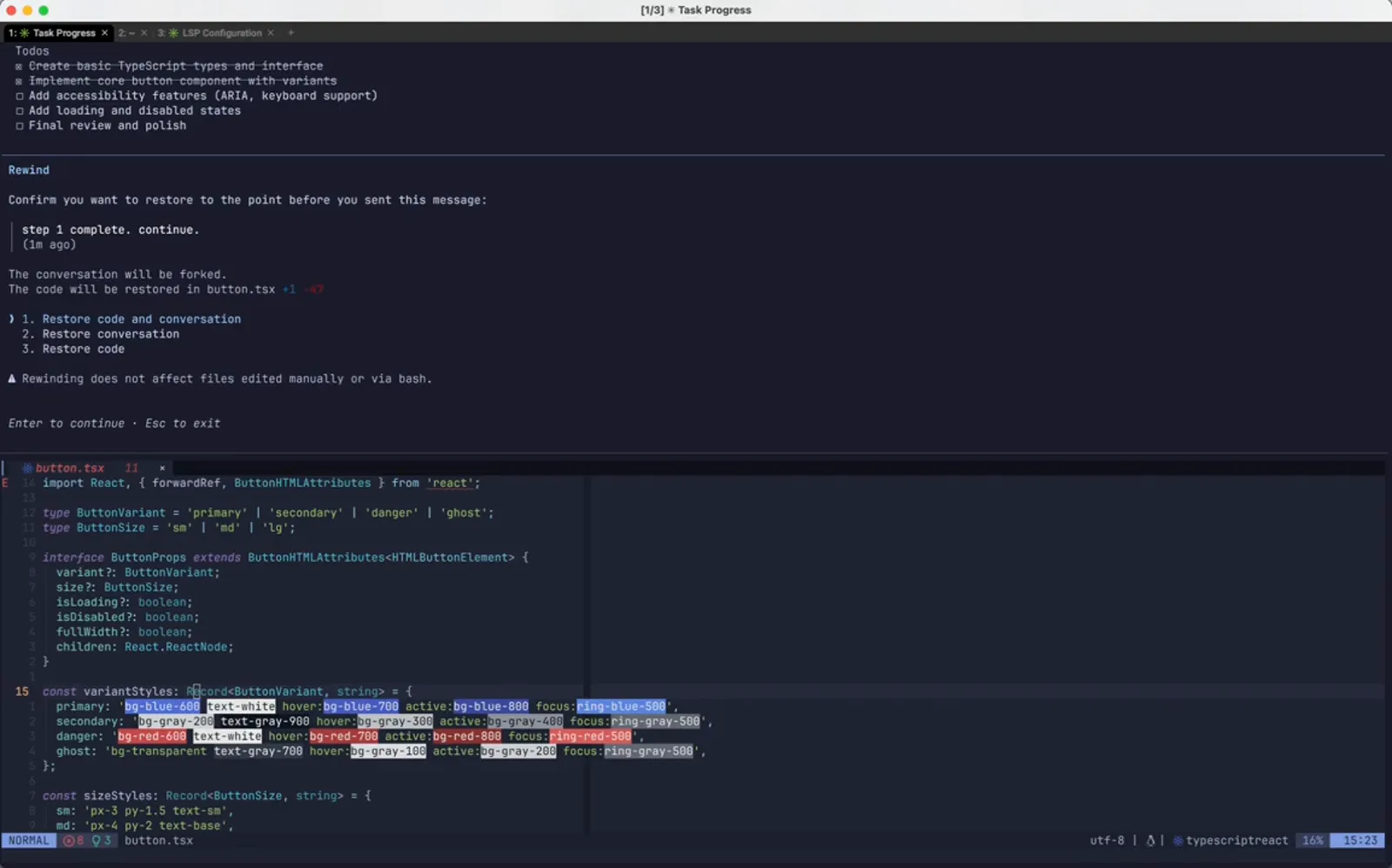
確認画面は選んだメッセージの本文と経過(1m ago など)を表示し、The conversation will be forked. と告げ、The code will be restored in button.tsx +1 -47 という具体的なファイル操作まで印字します。その下に 1. Restore code and conversation、2. Restore conversation、3. Restore code の3択。さらに注意書きが残ります。Rewinding does not affect files edited manually or via bash。
3つの範囲と、届かない変更への警告。1:44 から視聴 - 8
セッションは Step 1 に戻っている
確定すると、transcript は Tailwind の作業より前の位置で終わります。画面には Step 1 Complete、承認への問いは未回答、元のプロンプトは入力欄に戻ってきています。1 を選んだため、ディスク上のファイルもチェックポイント時の状態へ戻っています。
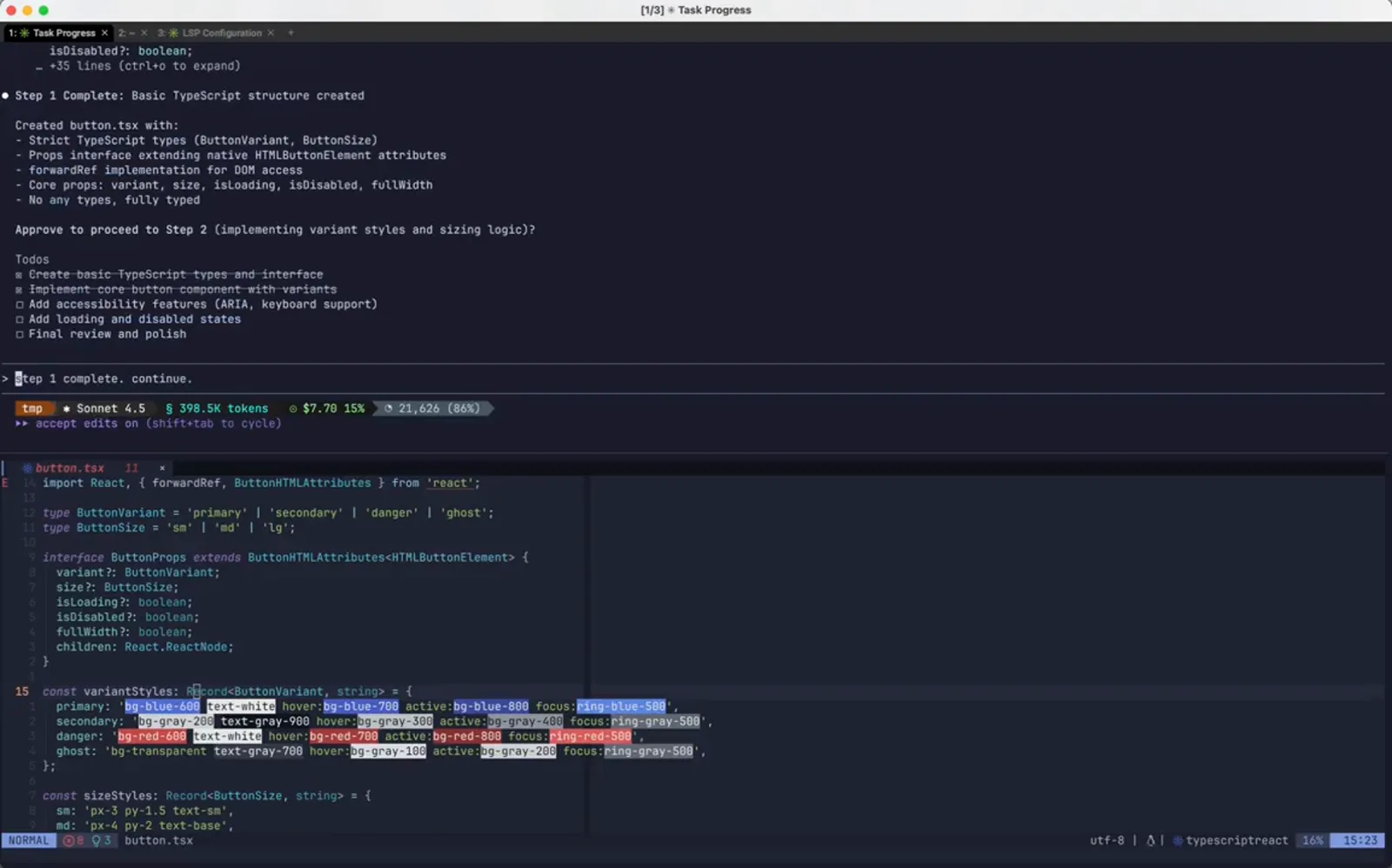
会話とファイルが同時に巻き戻る。1:48 から視聴 - 9
戻ってきたプロンプトを打ち直さず編集する
巻き戻したメッセージは編集可能な入力として戻ってくるため、説明を繰り返す代わりに指示を書き換えられます。ここでは同じ承認文へ please use only vanilla css を挿入しています。undo は rewind がやり、新しい方向はここで与えます。
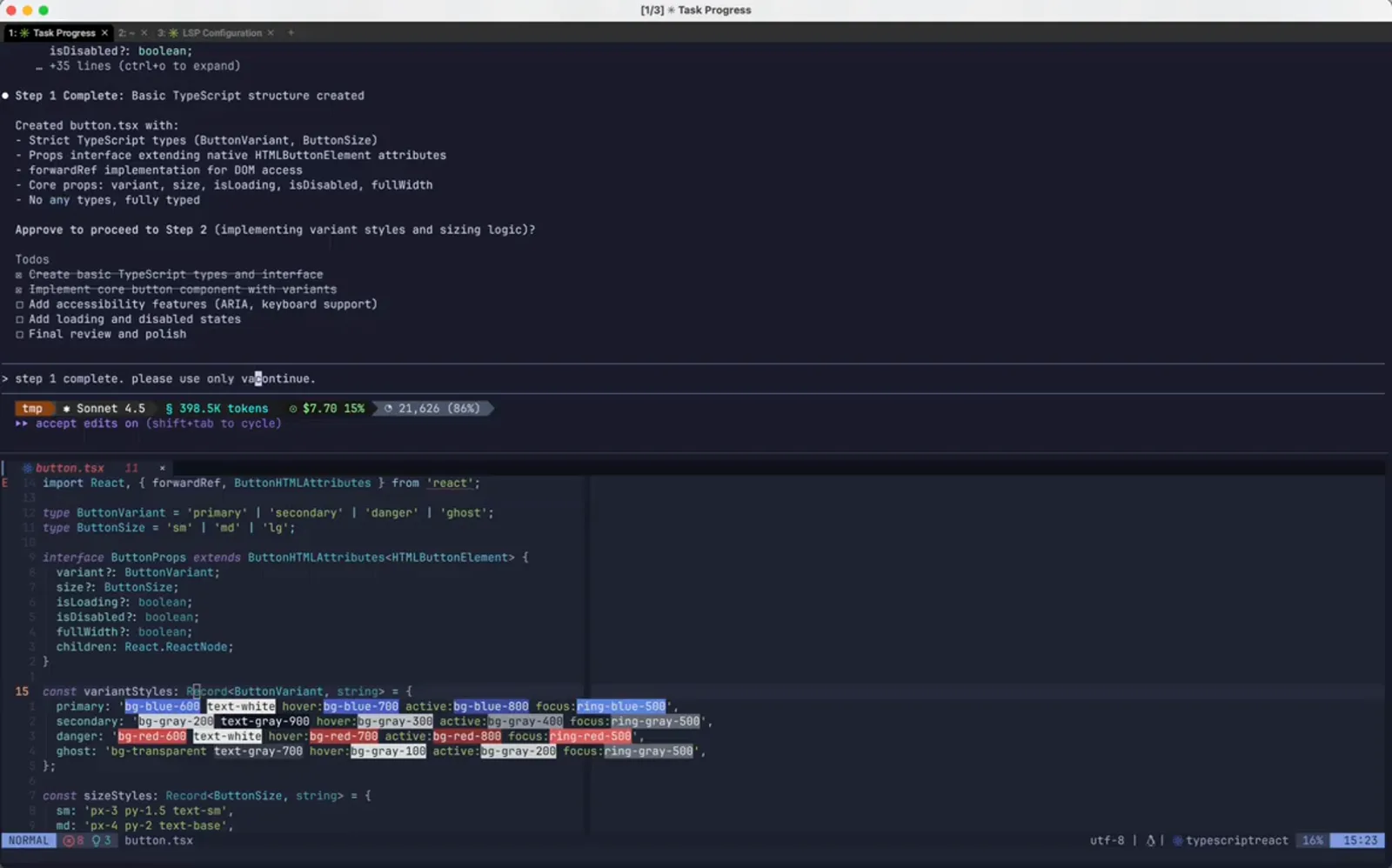
同じプロンプトに制約を1つ足す。1:56 から視聴 - 10
送信してセッションを続行させる
書き換えたプロンプトは分岐した地点から実行されます。Claude Code は esc to interrupt の表示とともに作業を続け、ToDo は巻き戻し前と同じもの。捨てた分岐を新しいターンに引き継ぐものはありません。
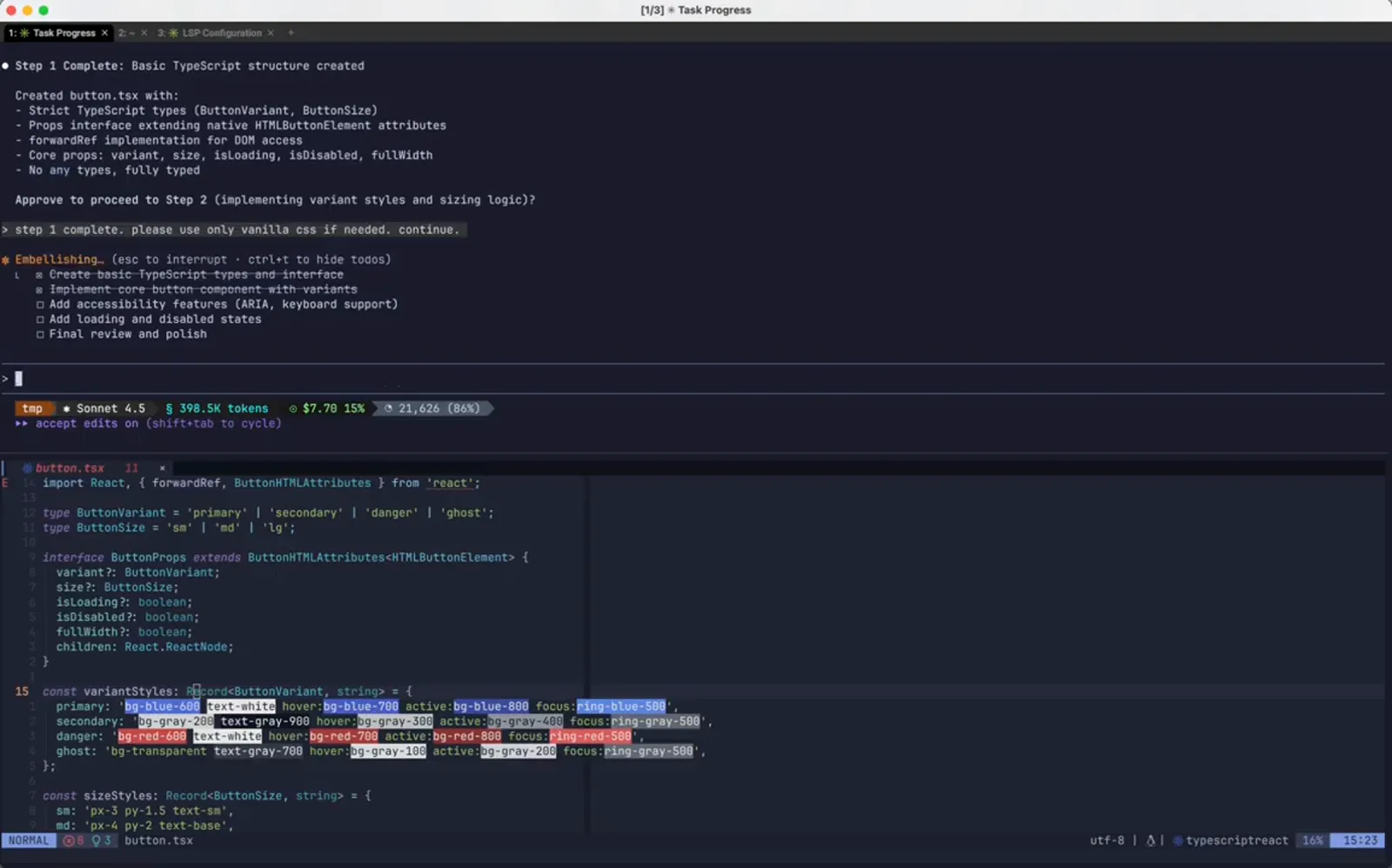
チェックポイントから仕切り直す。2:04 から視聴
巻き戻したあと
プロンプトは編集可能な形で入力欄に戻り、タイムラインは新しいチェックポイントを携えて再び開きます。
- 11
望みどおりに作り直された Step 2
Step 2 Complete は baseStyles、variantStyles、sizeStyles、disabledStyles をプレーンなスタイルオブジェクトとして列挙し、Vanilla CSS via inline styles (CSSProperties) と明記します。同じステップの別実装を、Claude が書いたコードを手で1行も直さずに得ています。
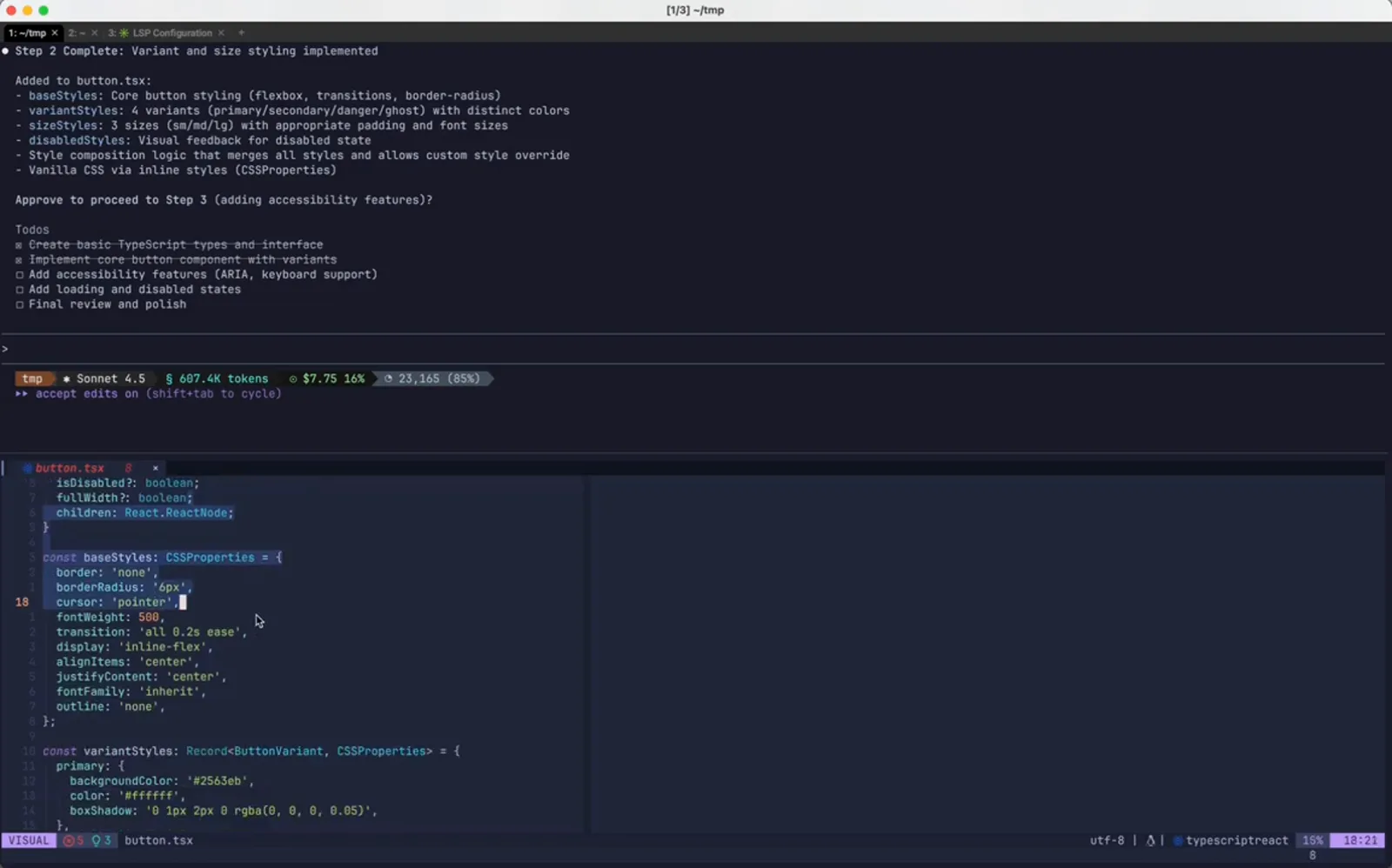
同じステップを Tailwind 抜きで作り直し。2:14 から視聴 - 12
要約ではなくファイルを見る
VS Code 側の button.tsx は react から CSSProperties を import し、border、borderRadius、cursor、transition を持つ baseStyles オブジェクトを開いています。これがファイル単位で復元された証拠で、Tailwind のクラス文字列は transcript から隠れたのではなく、実際に消えています。
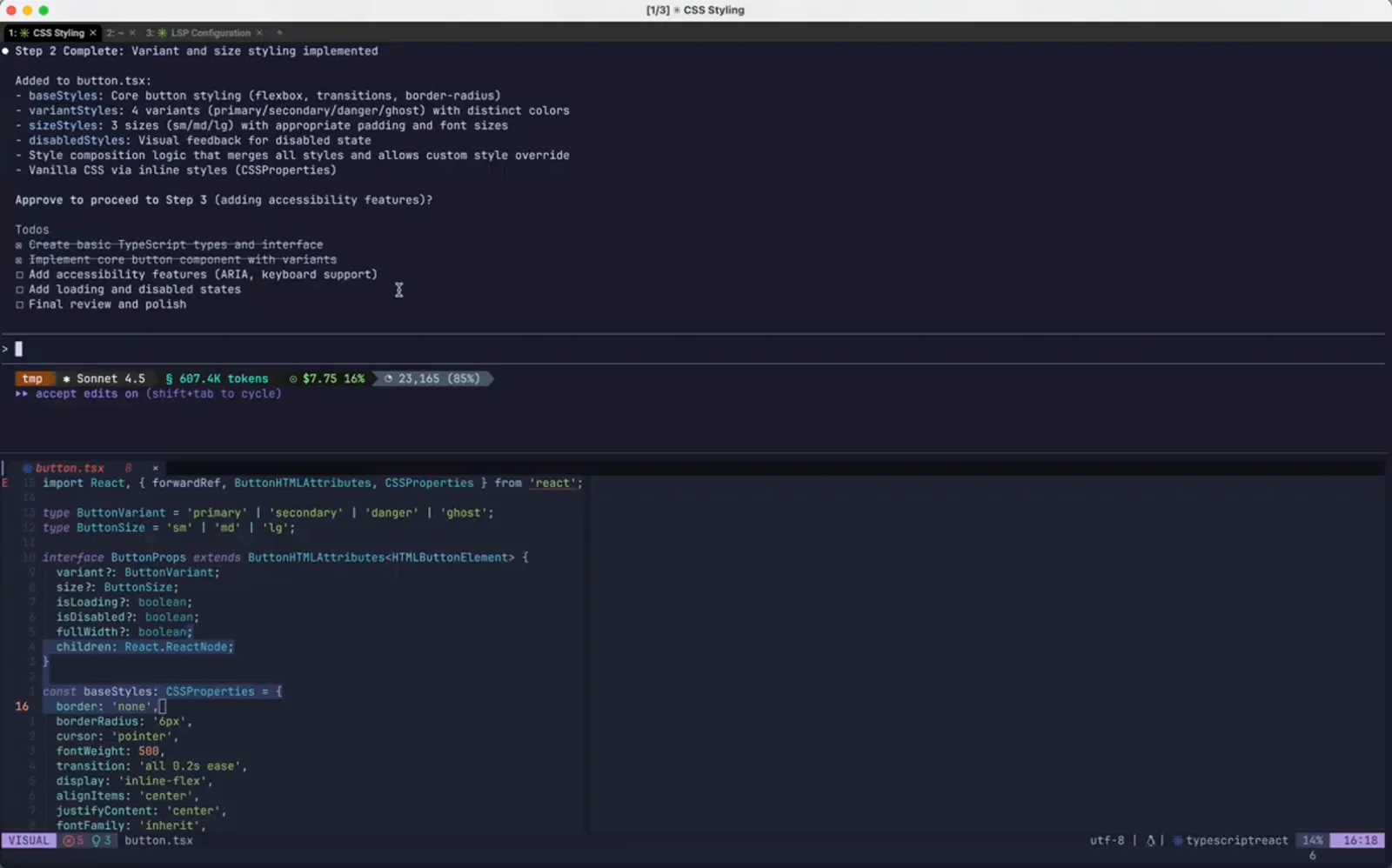
巻き戻し後のファイルをエディターで確認。2:26 から視聴 - 13
もう一度 Rewind を開いて新しい時間軸を見る
一覧を再び開くと、現在のセッションはこう並びます。最初のビルド用プロンプトが button.tsx +45 -0、続いて書き換えた vanilla CSS の1本が button.tsx +71 -1、その下に (current)。巻き戻した分岐は戻し地点として出なくなりました。気に入ったチェックポイントを見つけたら Git のコミットに残すべき理由がここにあります。
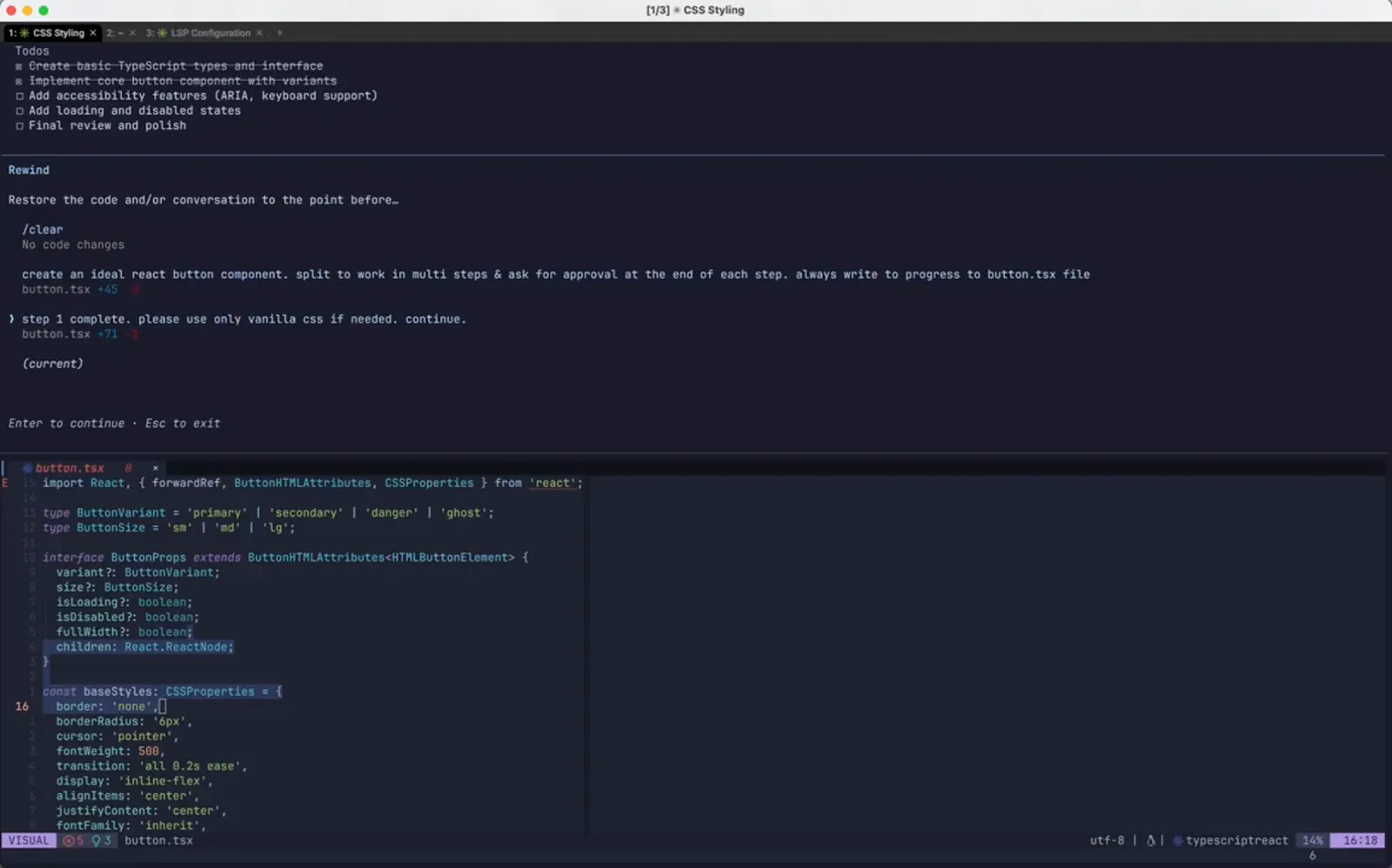
チェックポイントを1つ増やした、巻き戻し後の時間軸。2:38 から視聴