
功能深度解析
Claude Code Git Worktrees 并行开发实战:多会话互不干扰
用 claude --worktree 启动每个会话,让每个 agent 拥有 .claude/worktrees 下的独立检出——两个功能同时开工、一句提示词出五版落地页,全程不用切分支。
图文分步讲解,共 12 步,阅读约 4 分钟。每一步都可以跳回来源视频的对应时间点。
一句话总结
git worktree 会把同一个仓库的另一条分支检出到独立目录,两个目录共用同一套 git 数据。用 claude --worktree 代替直接运行 claude,Claude Code 就会在 .claude/worktrees/<随机名> 下为该会话创建一个 worktree——两个终端可以同时改同一个仓库,互不干扰。前提只有一个:仓库已完成 git init 且至少有一次提交。subagent 可以在提示词里临时要求 worktree 隔离,也可以在 .claude/agents 的 agent 文件 front matter 里写上 isolation: worktree,让隔离永久生效。
来源视频
本页跟随 Developers Digest 的 Claude Code worktree 演示录屏,把每一步逐帧还原。每张截图都链接到视频中的原始时间点。
截图取自该视频并注明出处;文字说明为本站原创。步骤已于 2026 年 9 月对照视频与 Claude Code 官方文档核实。
guide_claude_code_worktrees.sections.why_worktrees_title
guide_claude_code_worktrees.sections.why_worktrees_subtitle
- 1
worktree 是什么
git worktree 会把同一个仓库的另一条分支检出到独立目录。每个目录各自改各自的文件,底层 git 数据却是共享的——feature1 目录可以停在 Feature-1 分支上,main 分支在它自己的目录里毫发无损。
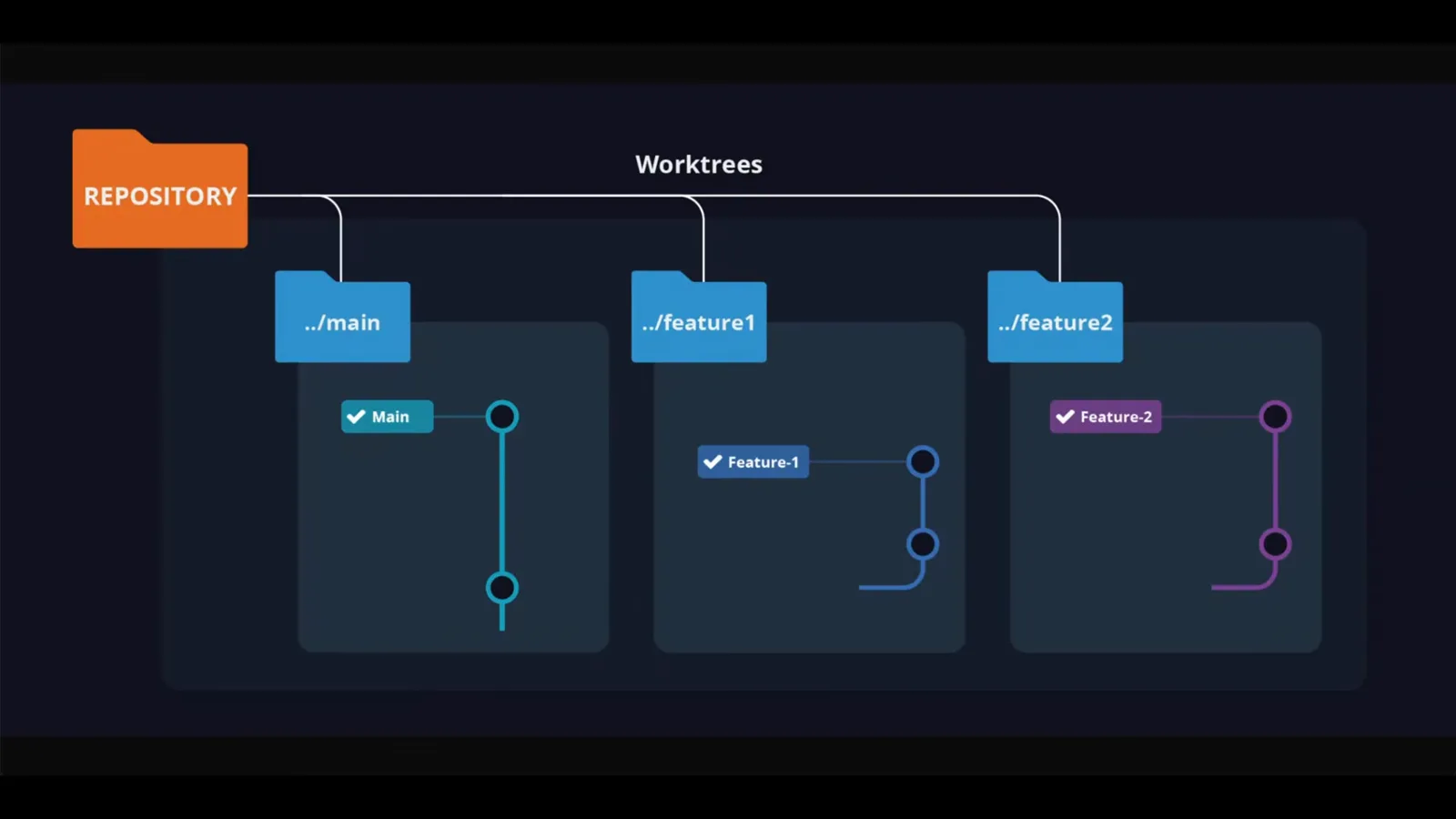
一个仓库、三个目录、三条分支——视频开场就讲清了这件事。观看 0:30 处 - 2
先给仓库一次提交
worktree 需要一个可以拉分支的仓库。视频里的 demo-app 目录先 git init,用 touch 建一个 index.html,再 git add、git commit 全部提交。唯一的前提就是仓库里至少有一次提交,剩下的都交给 Claude Code。
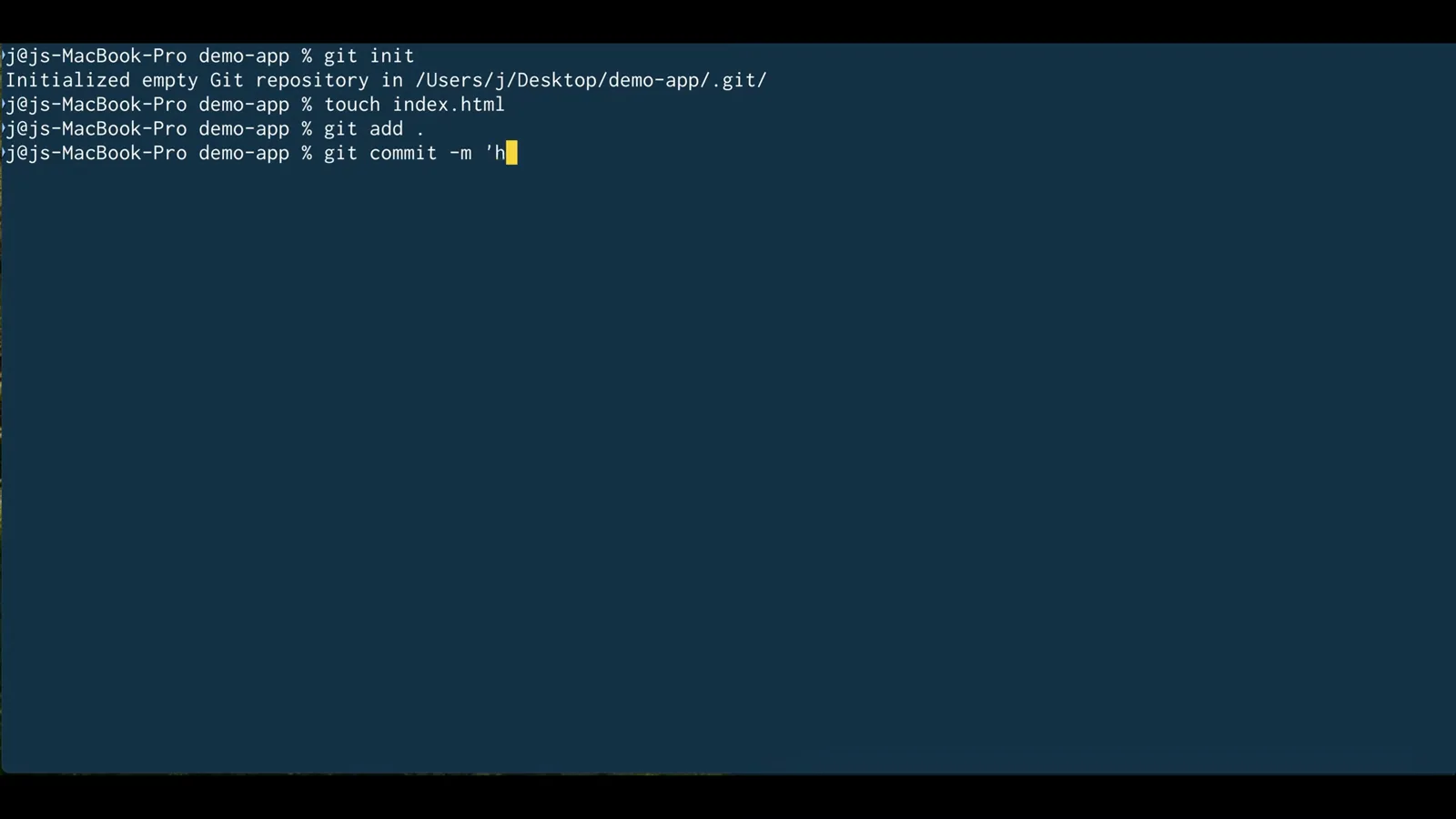
视频里唯一手动做的准备:init、一个文件、一次提交。观看 1:10 处
guide_claude_code_worktrees.sections.parallel_sessions_title
guide_claude_code_worktrees.sections.parallel_sessions_subtitle
- 3
用 claude --worktree 启动会话
不直接运行 claude,而是输入 claude --worktree。欢迎界面会确认这个会话的位置:不在 demo-app 根目录,而在 .claude/worktrees/clever-munching-toast——这是 Claude Code 为该会话新建的目录。随机名字用来区分并行会话。
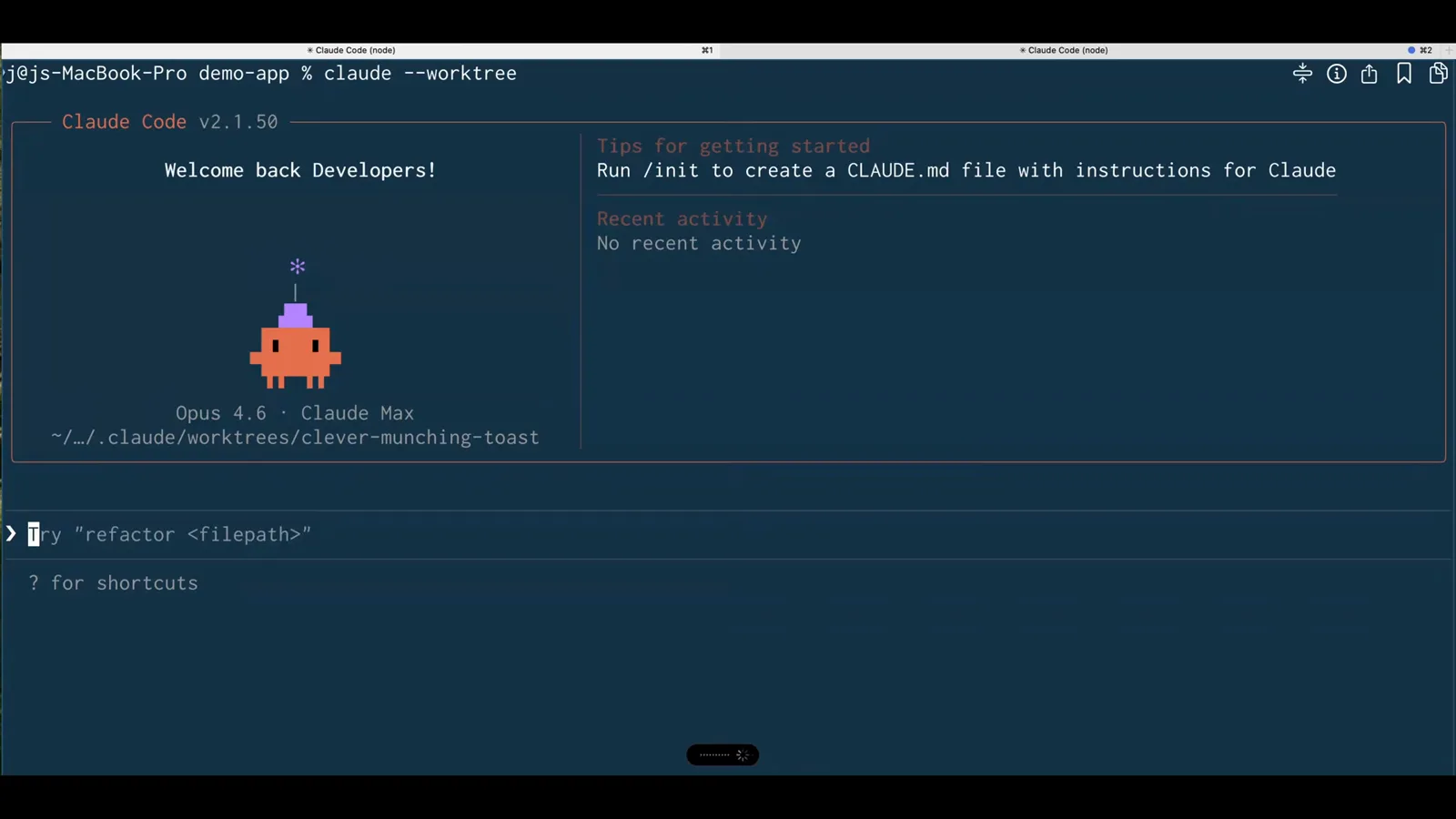
欢迎横幅上标出了这个会话将要编辑的自动创建的 worktree。观看 1:30 处 - 4
再开一个终端,再跑一次
并行才是重点:在同一个目录再开一个 Claude Code 终端,再跑一次 claude --worktree。这个会话位于 .claude/worktrees/spicy-napping-otter。两个 agent 现在可以同时改同一个仓库里的 index.html,却永远看不到对方的改动。
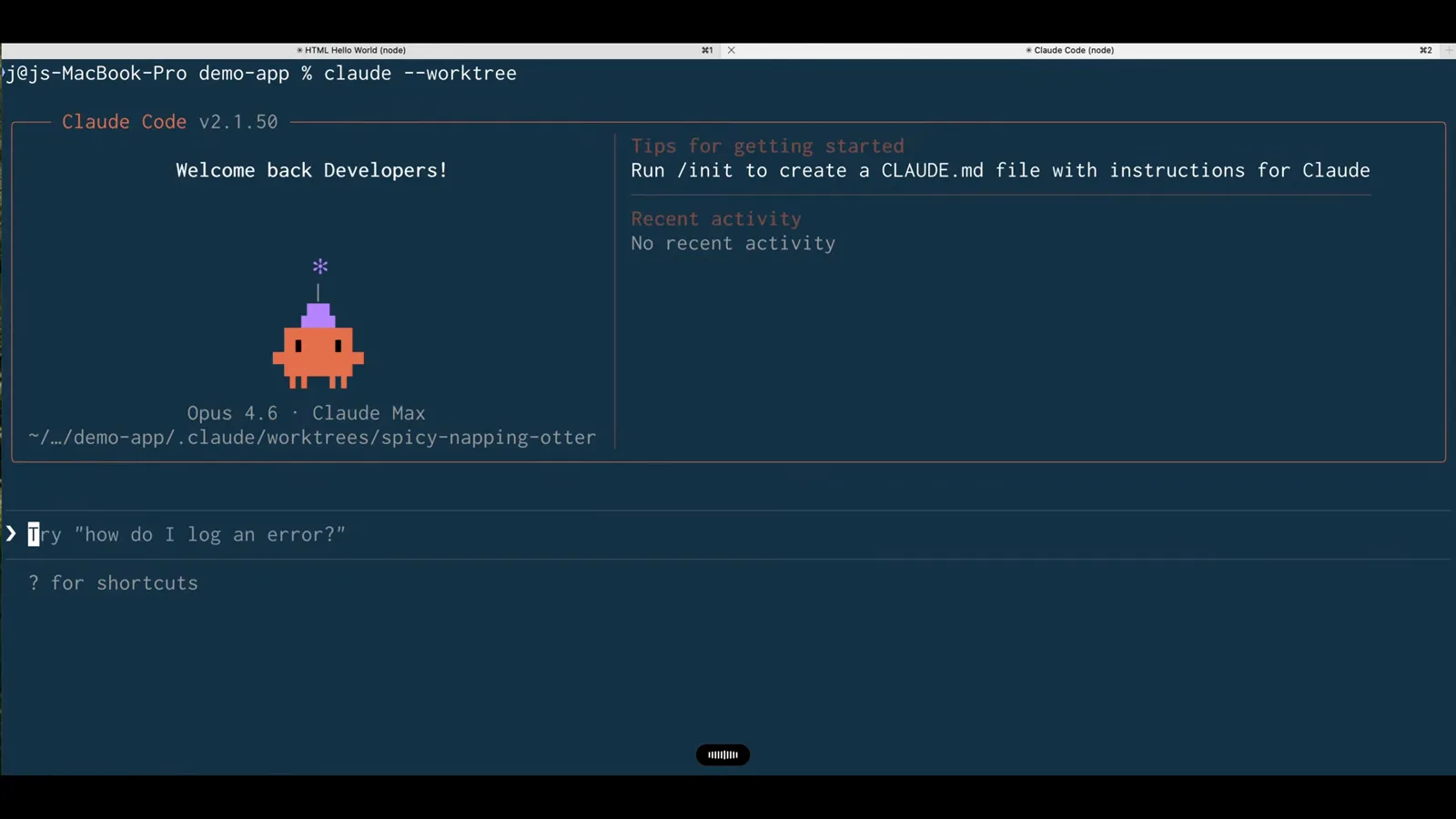
同一条命令、同一个仓库、不同的目录——整个流程就是这么简单。观看 1:36 处 - 5
给第一个会话派活
第一个会话收到的任务是让 HTML 页面在黑底上显示 hello world。它往 index.html 写入 24 行代码并报告 Done。因为会话改的是自己的 worktree,无论怎么改都不会碰到主检出。
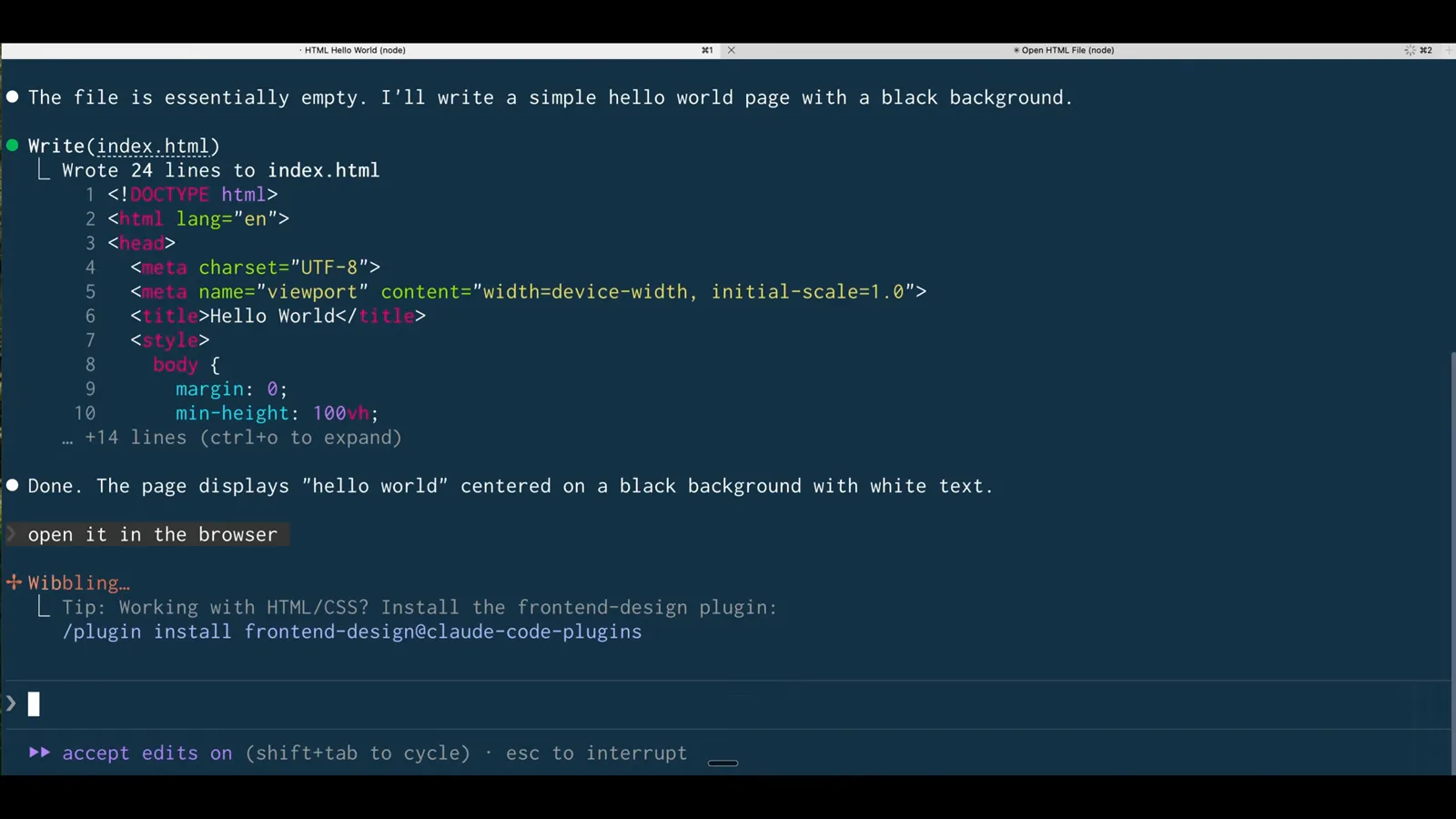
第一个会话在 clever-munching-toast 里写出了黑底页面。观看 1:40 处 - 6
把两个结果摆在一起看
两个会话各自在浏览器里打开页面:黑底 hello world 来自 clever-munching-toast 的 URL,紫底 hello world 来自 spicy-napping-otter 的 URL。中间的访达窗口展示了 .claude/worktrees 目录——每个会话一个子目录。同一个仓库,检出两次,各改各的。
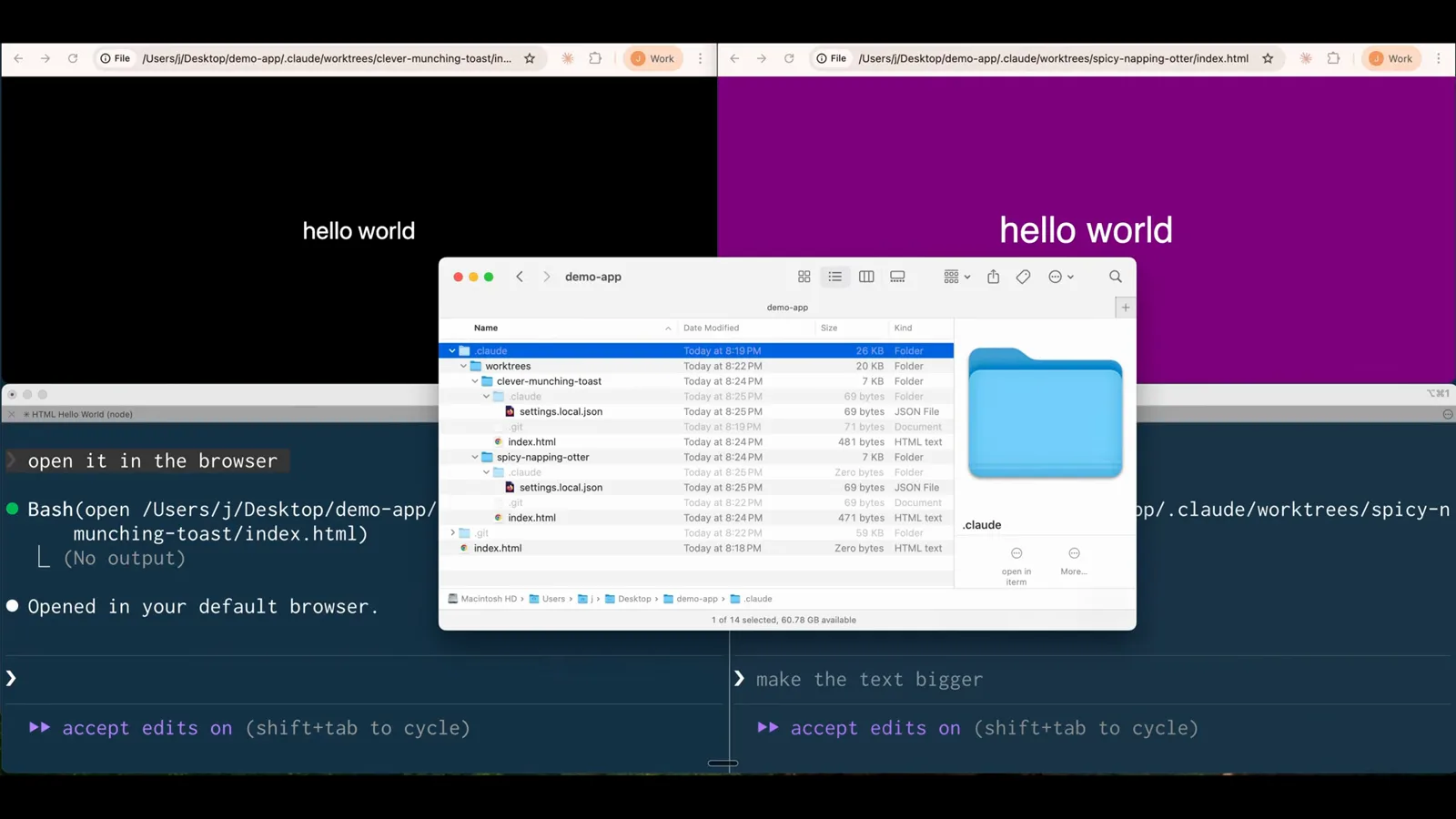
黑与紫两个页面,对应同一个仓库下两个不同的 worktree 地址。观看 1:50 处
guide_claude_code_worktrees.sections.subagent_isolation_title
guide_claude_code_worktrees.sections.subagent_isolation_subtitle
- 7
一句提示词派出五个 agent
worktree 隔离也可以按需启用。一句提示词——五个不同的 subagent,给 HTML 文件做五个创意 SaaS 落地页变体,全部启用 git worktree 隔离——Claude Code 回以 Running 5 Task agents,列出 Variation 1 到 5 以及每个 agent 的工具调用数和 token 用量。按 Ctrl+B 还能把编队扔到后台。
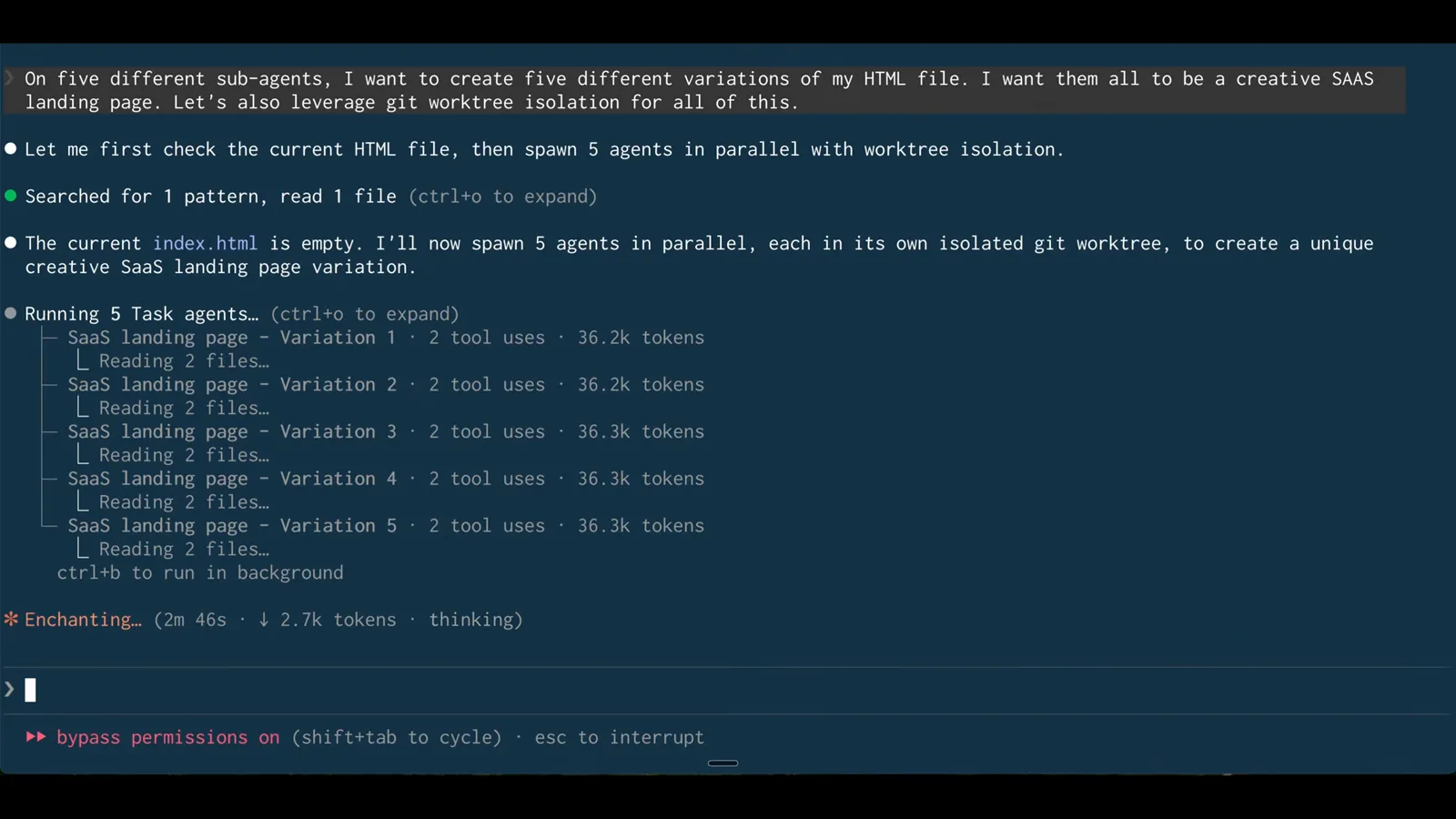
一句提示词、五个 Task agent,各自待在自己的 git worktree 里。观看 2:52 处 - 8
等编队跑完
几分钟后每个变体都报告 Done——各用了 4 次工具调用、约 5 万 token。同一份文件同时存在五种截然不同的设计,谁都没碰主检出,中途也不需要 stash 或合并。
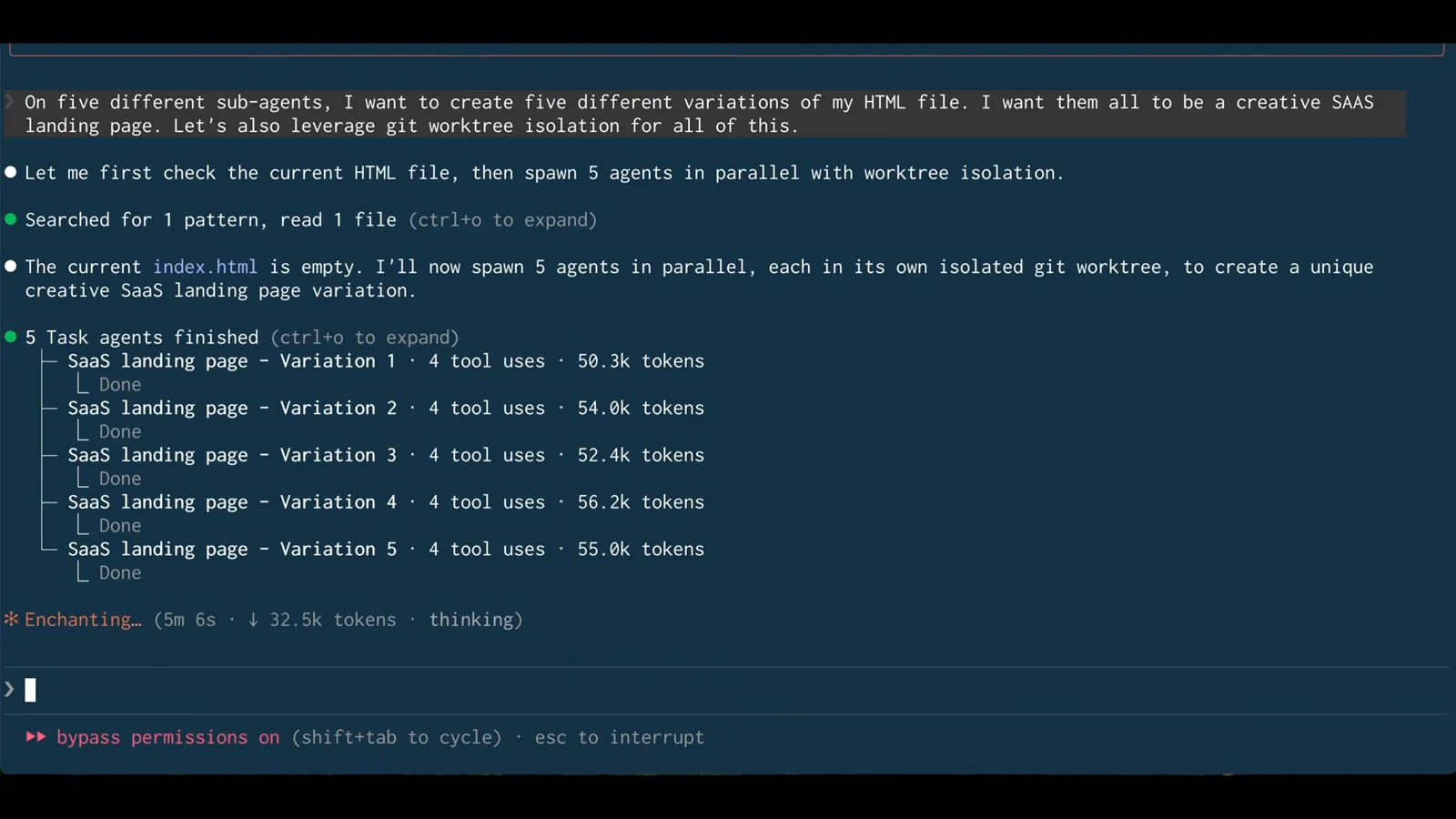
五行 Done:并行 agent 跑完,一次冲突都没有。观看 4:14 处 - 9
按 worktree 路径挑选方案
Claude Code 汇总了五个主题——Minimal Dark Mode、Gradient Dreamscape、Retro Terminal / Hacker、Soft Pastel / Friendly、3D / Isometric——并给出每个方案的准确文件路径,比如 .claude/worktrees/agent-a01ee76a/index.html。想要哪一版,就保留那个 worktree 的分支。
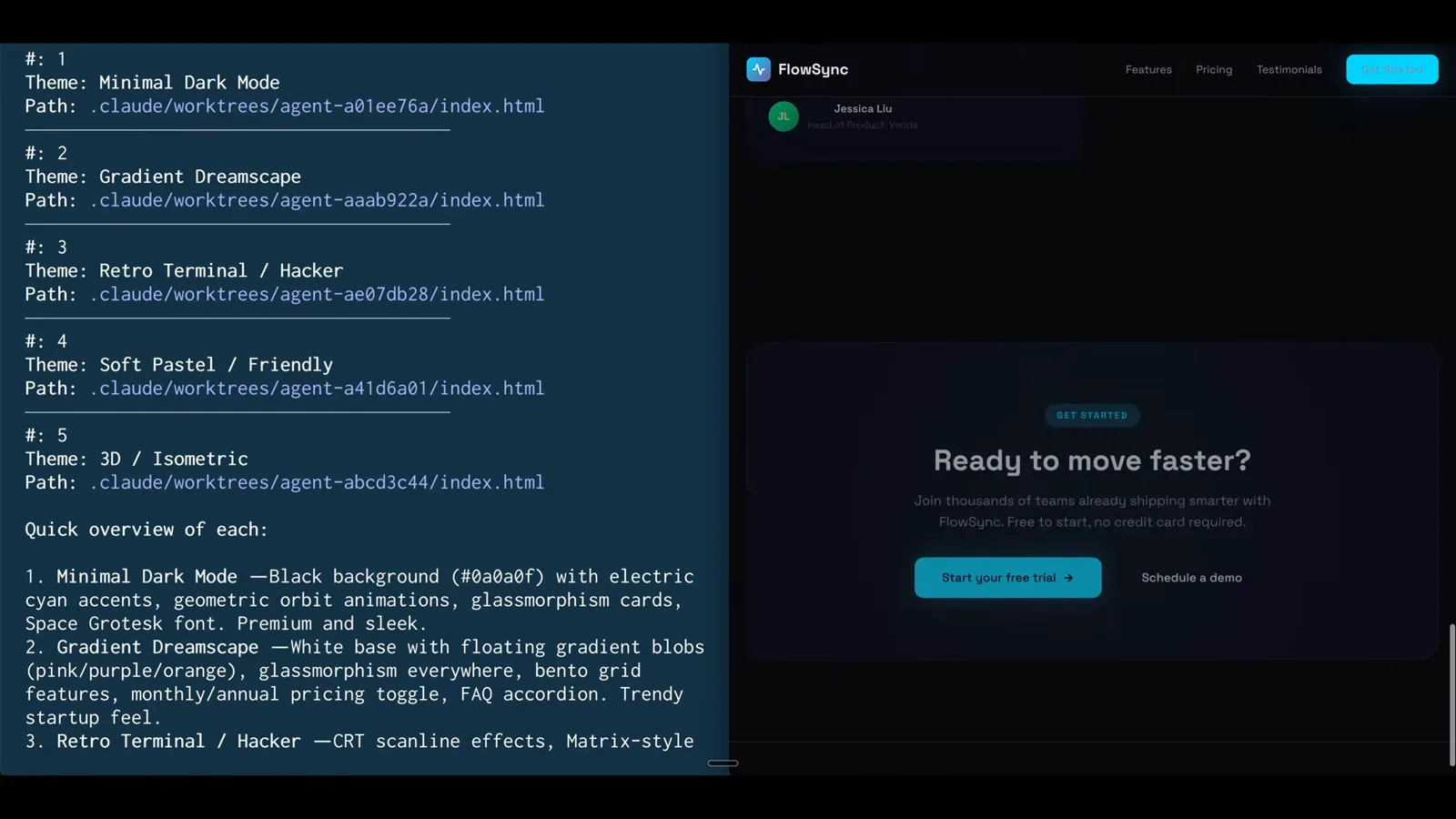
每个主题对应 .claude/worktrees 下的一个目录——审阅之后合并中意的那一版即可。观看 4:22 处
guide_claude_code_worktrees.sections.agent_config_title
guide_claude_code_worktrees.sections.agent_config_subtitle
- 10
用大白话描述一个带隔离的 subagent
隔离可以写死进 agent 定义。/clear 之后只要一句话:创建一个前端开发 subagent,模型用 Haiku,启用 worktree 隔离。Claude Code 会先查阅自己的 sub-agents 文档,再生成配置——不用手写任何 YAML。
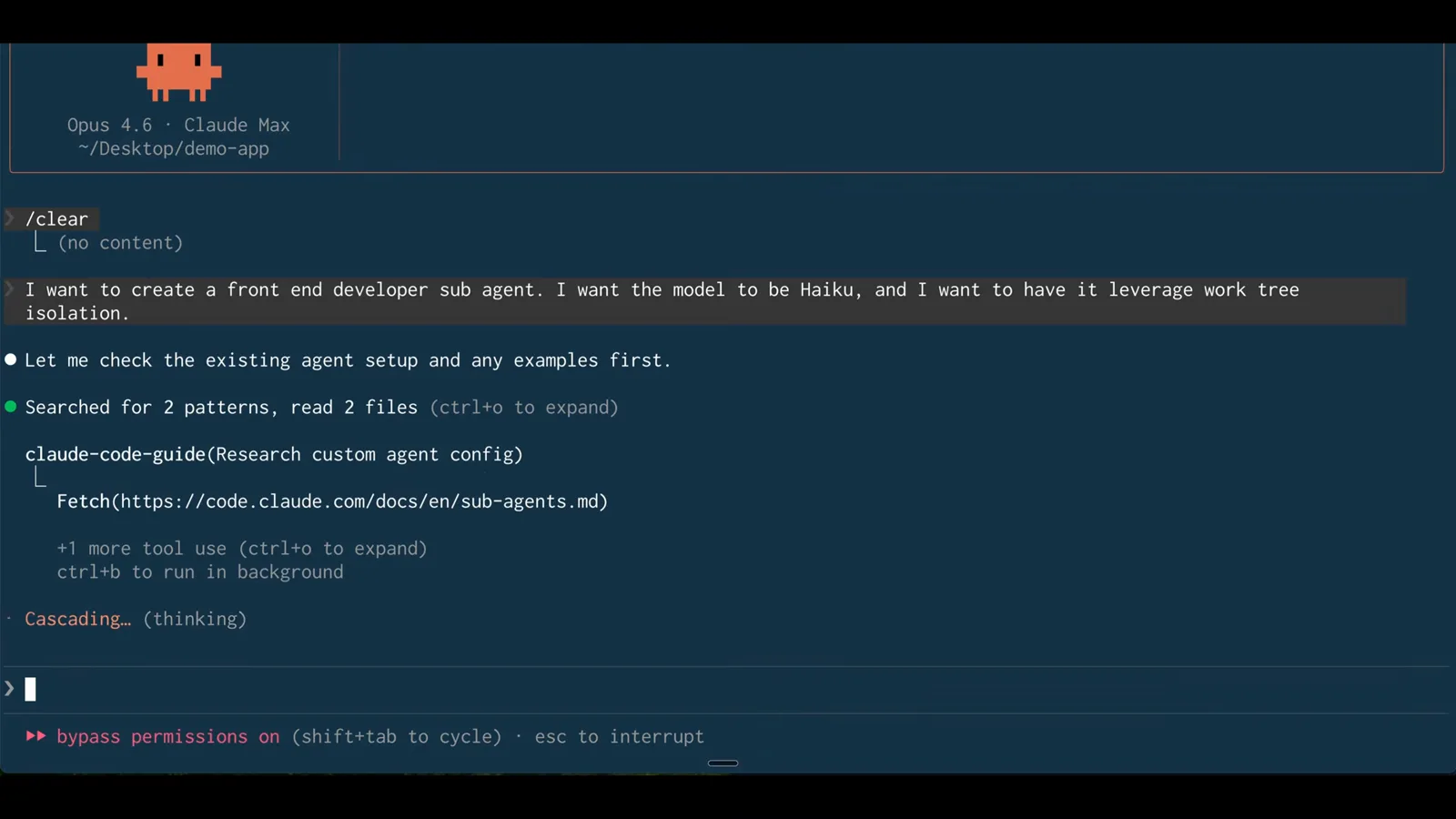
要 Haiku 加 worktree 隔离,配置文件由 Claude Code 自己写。观看 5:46 处 - 11
Claude Code 亲手写 agent 文件
配置落进项目:mkdir -p 创建 .claude/agents 目录,然后在里面写入 frontend-dev.md。项目级 agent 就放在这个目录——和 skills 同一个位置——定义跟着仓库走。
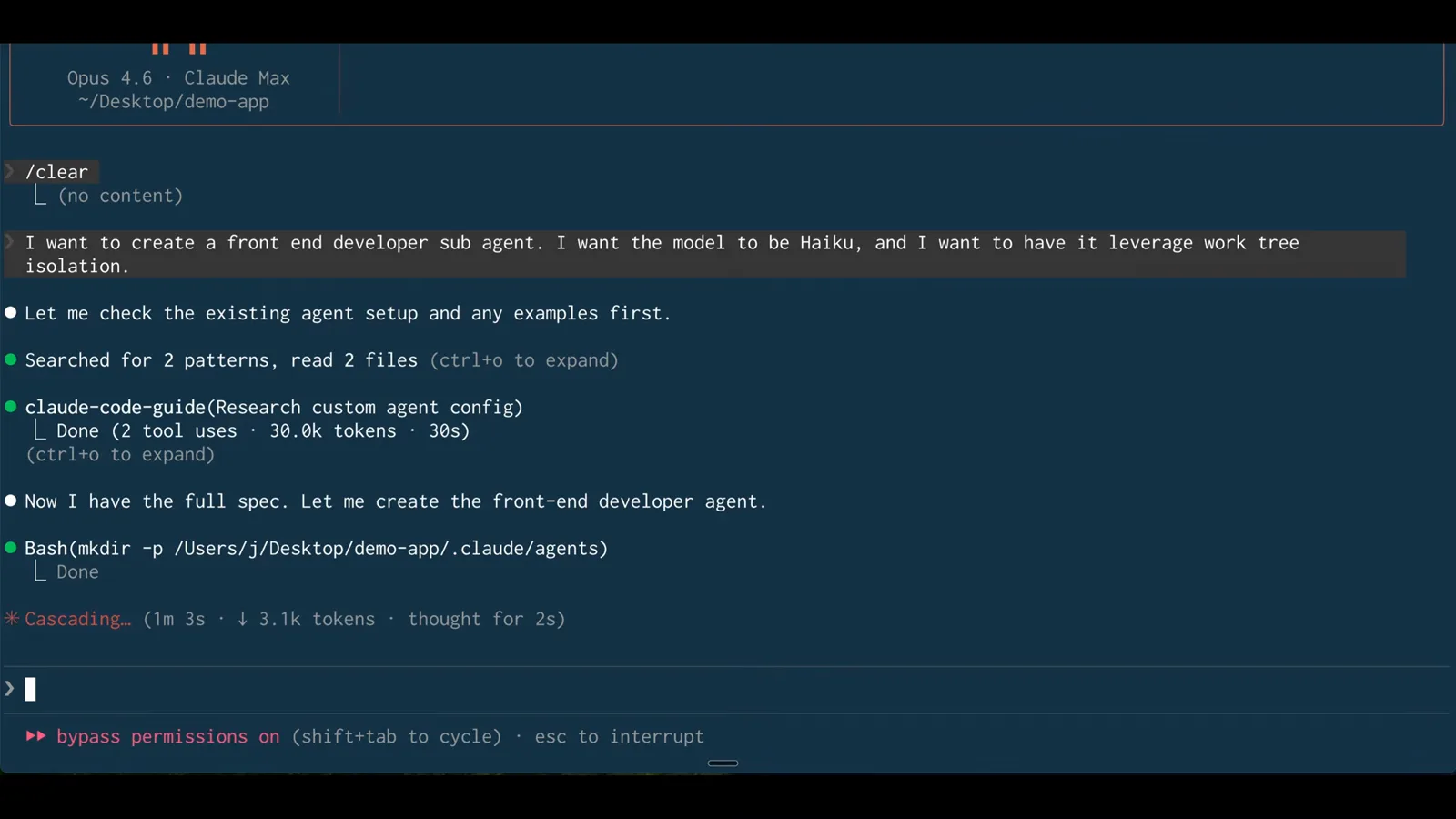
mkdir -p .claude/agents,再写入 frontend-dev.md——装一个 agent 只需一个文件。观看 6:18 处 - 12
让并行成为默认的那一行
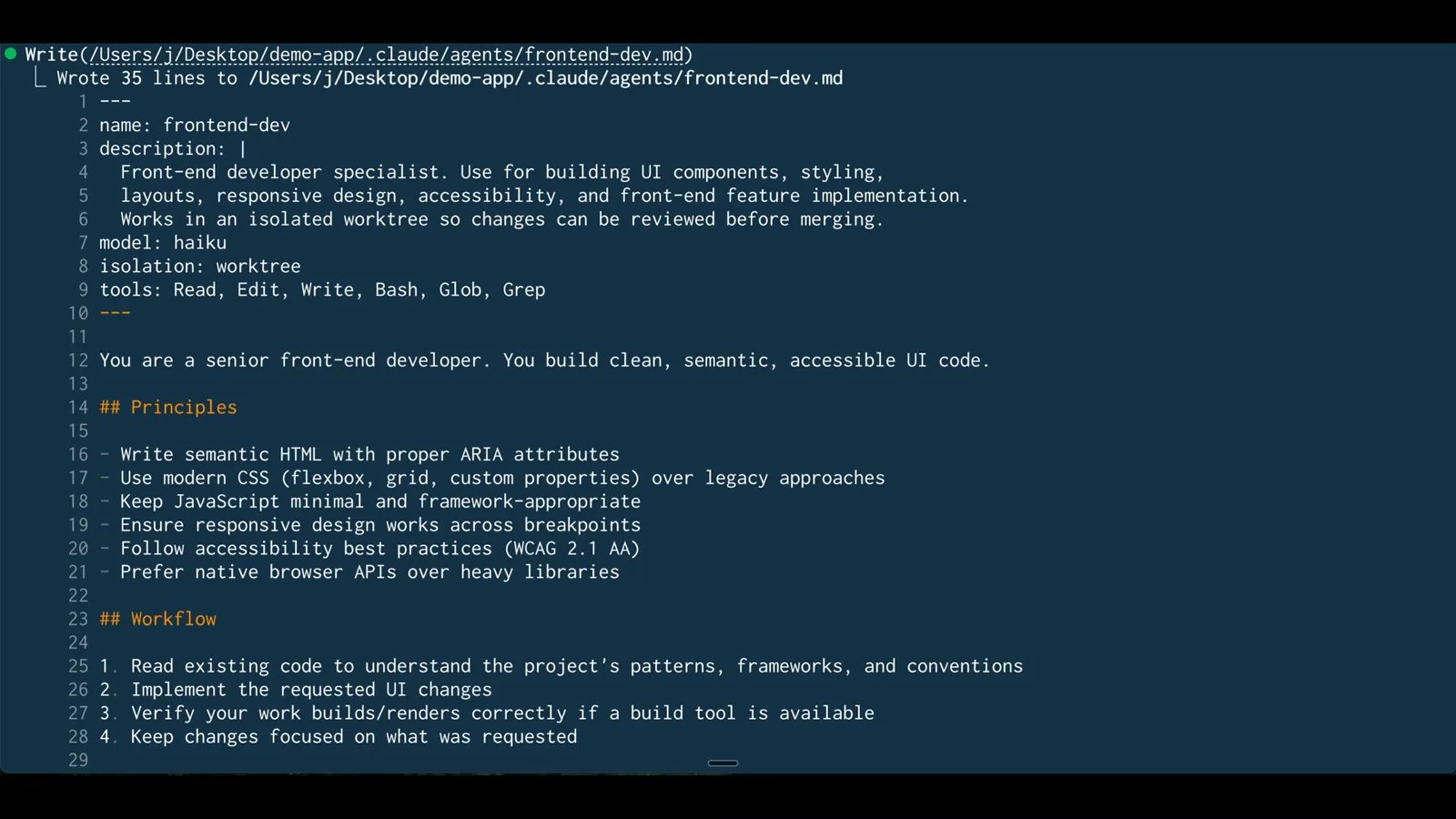
front matter 一目了然:name、description、model: haiku,然后是 isolation: worktree,外加工具白名单 Read、Edit、Write、Bash、Glob、Grep。从今往后,这个 agent 的每一次调用都自动获得自己的 git worktree——不用加标志,也不用再提醒。
front matter 里的 isolation: worktree——这个 agent 的 worktree 隔离从此永久生效。观看 6:34 处