
功能深潜
Claude Code Hooks 钩子教程:自动化并守住 AI 编程流程
Hooks 是 Claude Code 的确定性层:每次编辑后自动格式化、每个操作都留日志、危险操作执行前直接拦下。完整配置过程,逐屏截图拆解。
共 12 个图解步骤,阅读约需 4 分钟。每一步都深链回来源视频中的对应时刻。
TL;DR
Hooks 是 Claude Code 在生命周期固定节点自动执行的命令。和 CLAUDE.md 里的指令不同——模型大多数时候会照做,而 hooks 是确定性的:只要事件和 matcher 匹配,命令就一定运行。一个 hook 由事件(如 PostToolUse)、可选的 matcher(如 Edit|Write)和命令组成。把 hooks 写进 .claude/settings.json 即可与团队共享;用 $CLAUDE_PROJECT_DIR 引用脚本,路径就不会因工作目录变化而失效;PreToolUse hook 以退出码 2 结束即可拦截工具调用,并把原因反馈给 Claude。
来源视频
本页跟随 Claude 官方关于 hooks 的视频,逐步复现其中的配置。每张截图都深链到它出现的精确时刻。
截图为视频画面,已署名致谢;正文为原创。步骤已于 2026 年 9 月对照视频核验。
一个 hook 的接线方式
一个 JSON 块:事件、matcher、每次都执行的命令。
- 1
从问题出发:提示词指令不可靠
你可以在 CLAUDE.md 里要求 Claude 每次编辑后运行 eslint——它大多数时候会照做。但当漏掉的那一次恰好毁了一个文件时,“大多数时候”就是全部问题。Hooks 为每一件“每次都必须发生”的事而生。
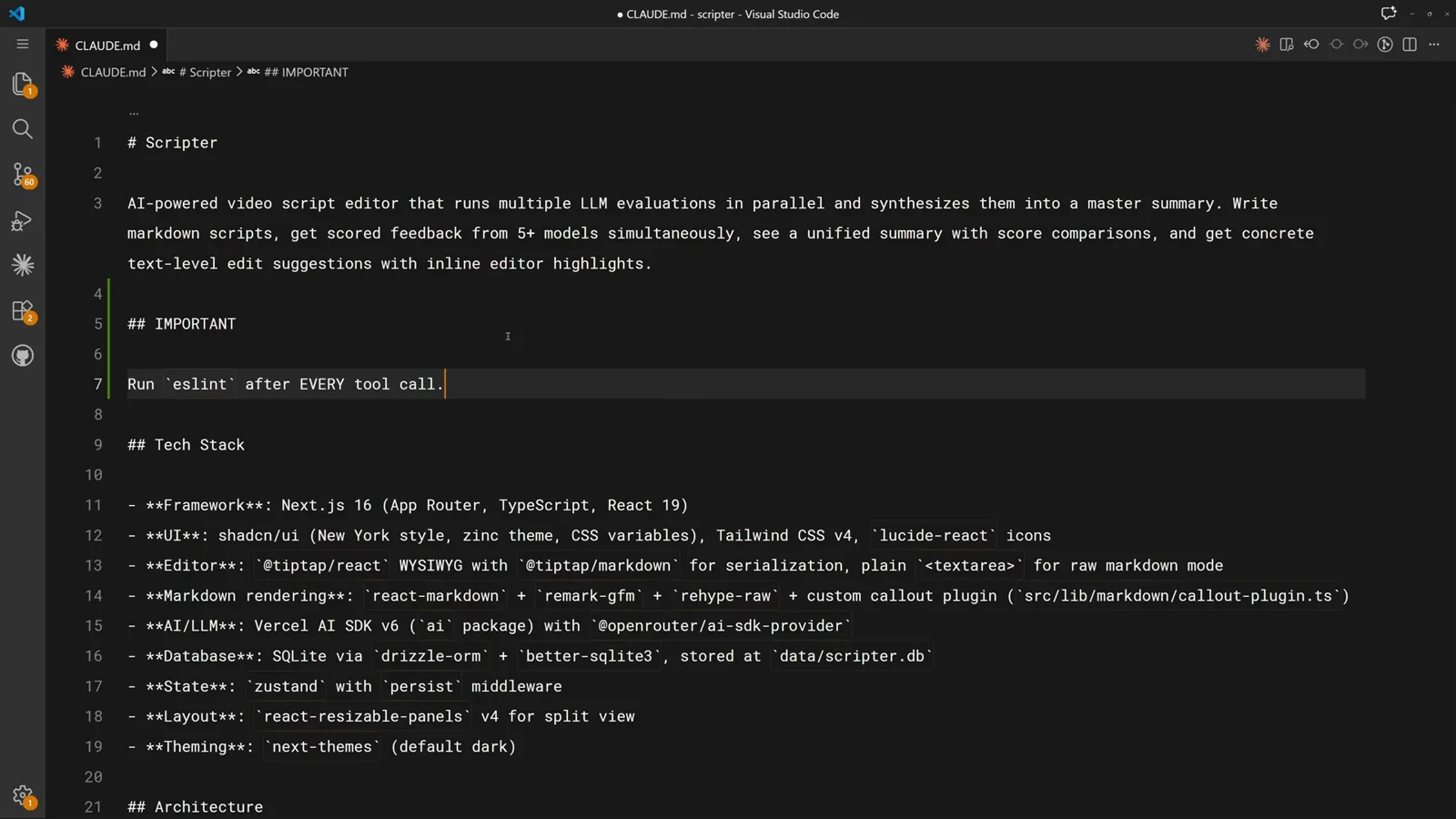
一条可能被模型悄悄忽略的 CLAUDE.md 规则。在 0:30 处观看 - 2
Hook 解剖:事件、matcher、命令
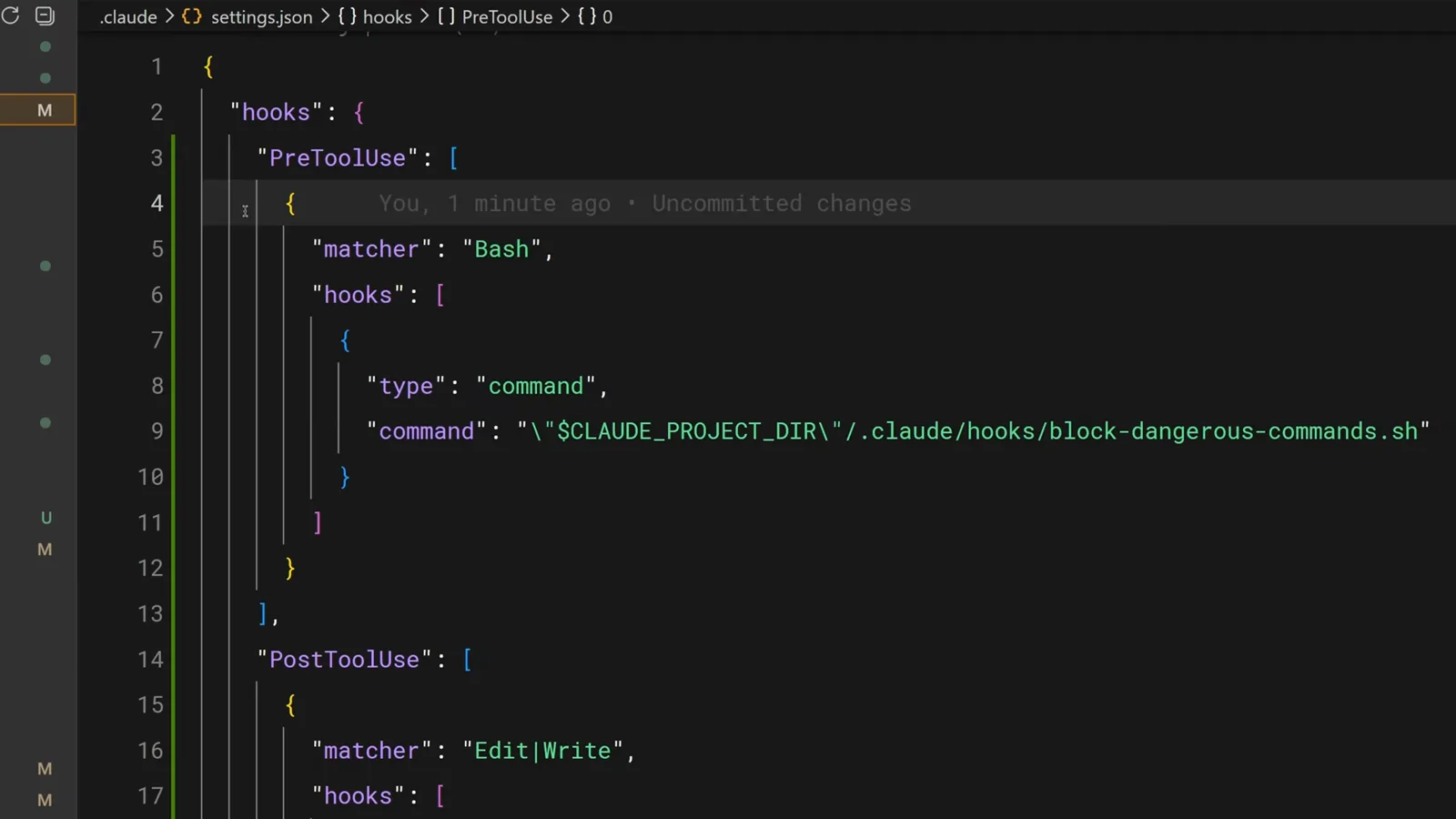
Hooks 写在 settings.json 的 hooks 块里:先选一个事件(这里是 PreToolUse),再给一个可选的 matcher 限定触发工具(这里是 Bash),最后是要执行的命令。每个匹配的调用都会触发,无一例外。
PreToolUse + Bash matcher + block-dangerous-commands.sh。在 0:14 处观看 - 3
一个文件,两套自动化
成品配置从上到下读:文件编辑工具调用之后,auto-format.sh 负责整理代码;每条 Bash 命令执行后,log-commands.sh 把它追加进合规日志。两者都是存放在 .claude/hooks 下的普通项目脚本。
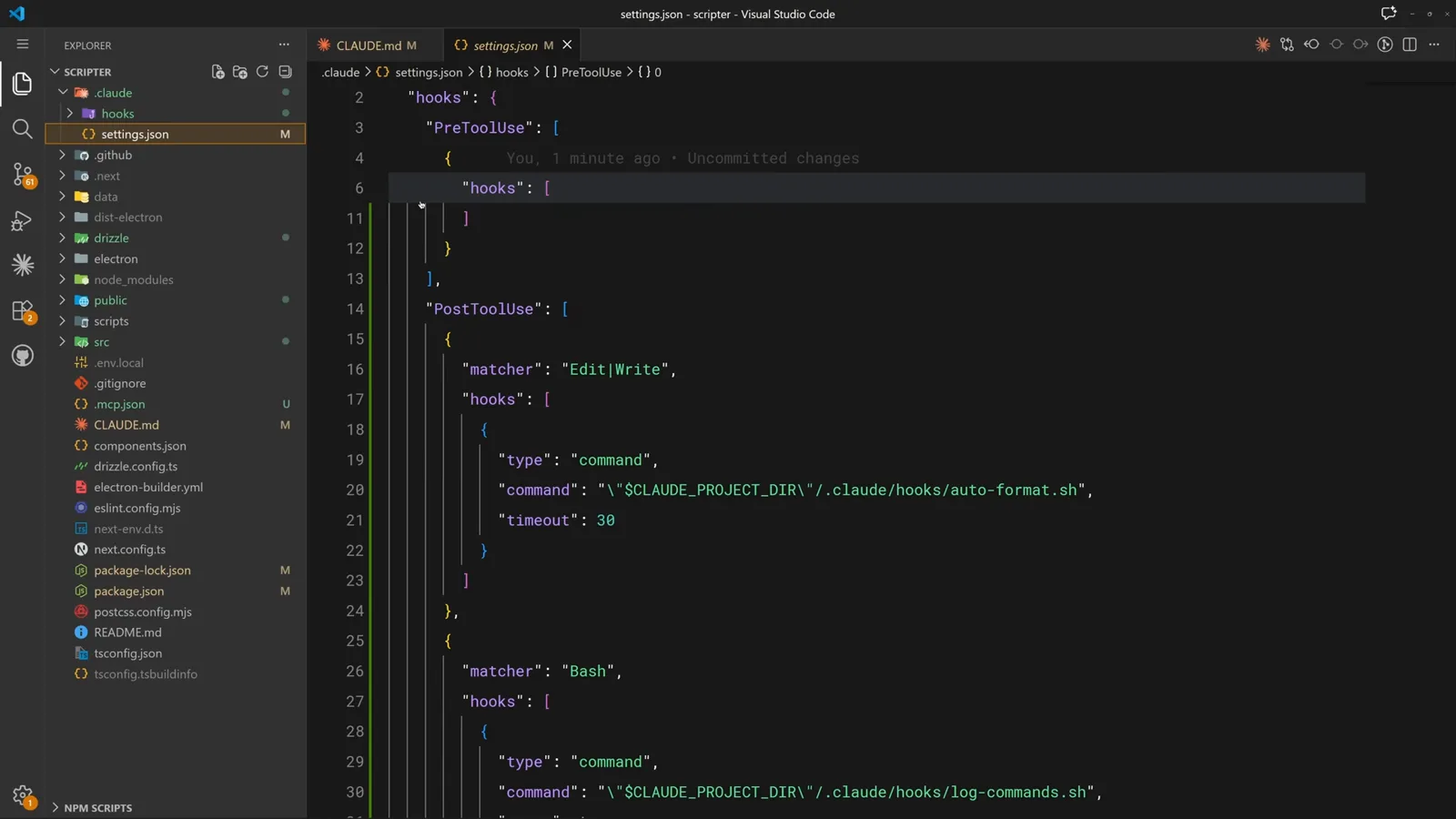
格式化与日志两条 PostToolUse 配置并排展示。在 0:36 处观看
把重复劳动交给自动化
无需叮嘱第二次:每次编辑后自动格式化,每条命令都记日志。
- 4
为文件编辑添加 matcher
要在一轮编辑后自动格式化,就新增一条 PostToolUse 配置,让 matcher 覆盖编辑类工具——Edit、MultiEdit 和 Write。下方是已就位的 Bash 日志 hook。
正在输入 Edit matcher,下方是 Bash 日志 hook。在 1:30 处观看 - 5
让命令指向项目脚本
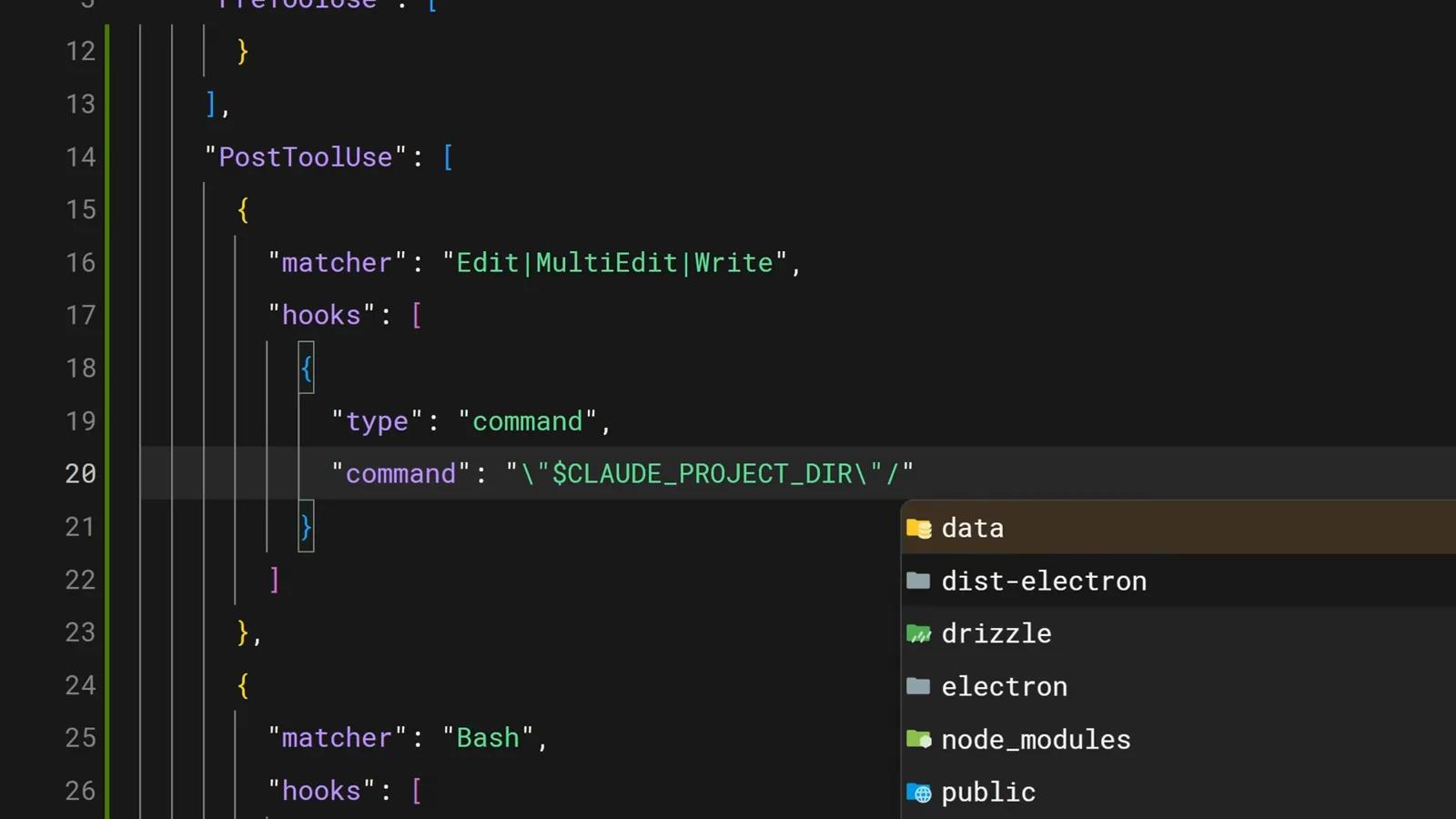
command 字段可以执行任意 shell 命令。输入时 VS Code 的自动补全会填出 .claude/hooks 路径——这也提示了最佳实践:把 hook 脚本集中放在专用目录里。
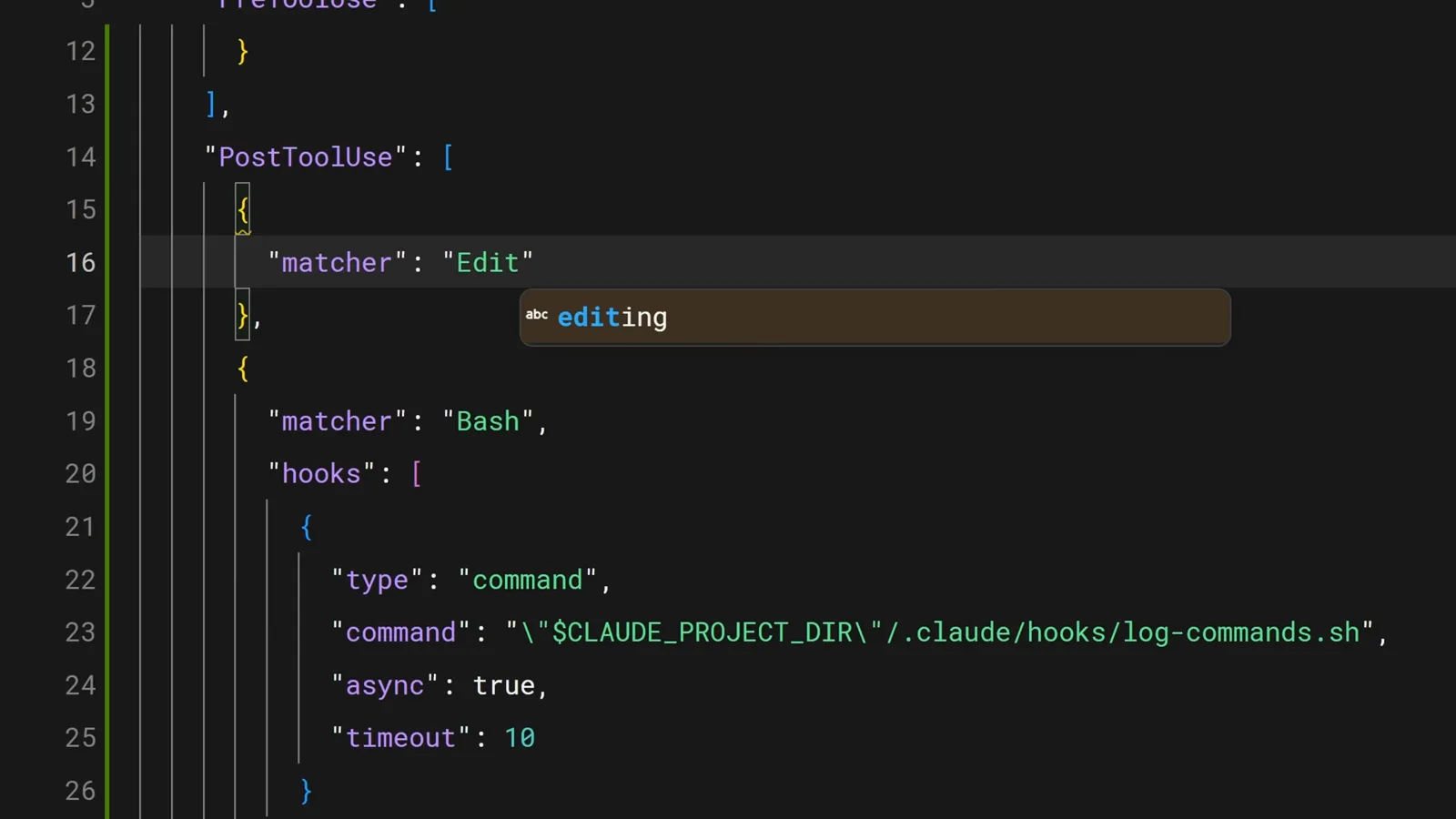
自动补全正在填写 .claude/hooks 的路径。在 1:38 处观看 - 6
设置超时,防止 hook 卡住会话
完成的配置把 Edit、MultiEdit、Write 指向 .claude/hooks/auto-format.sh,并设了 20 秒超时。脚本会检查文件扩展名,再运行 prettier、go fmt、ruff 或项目使用的任何格式化工具。
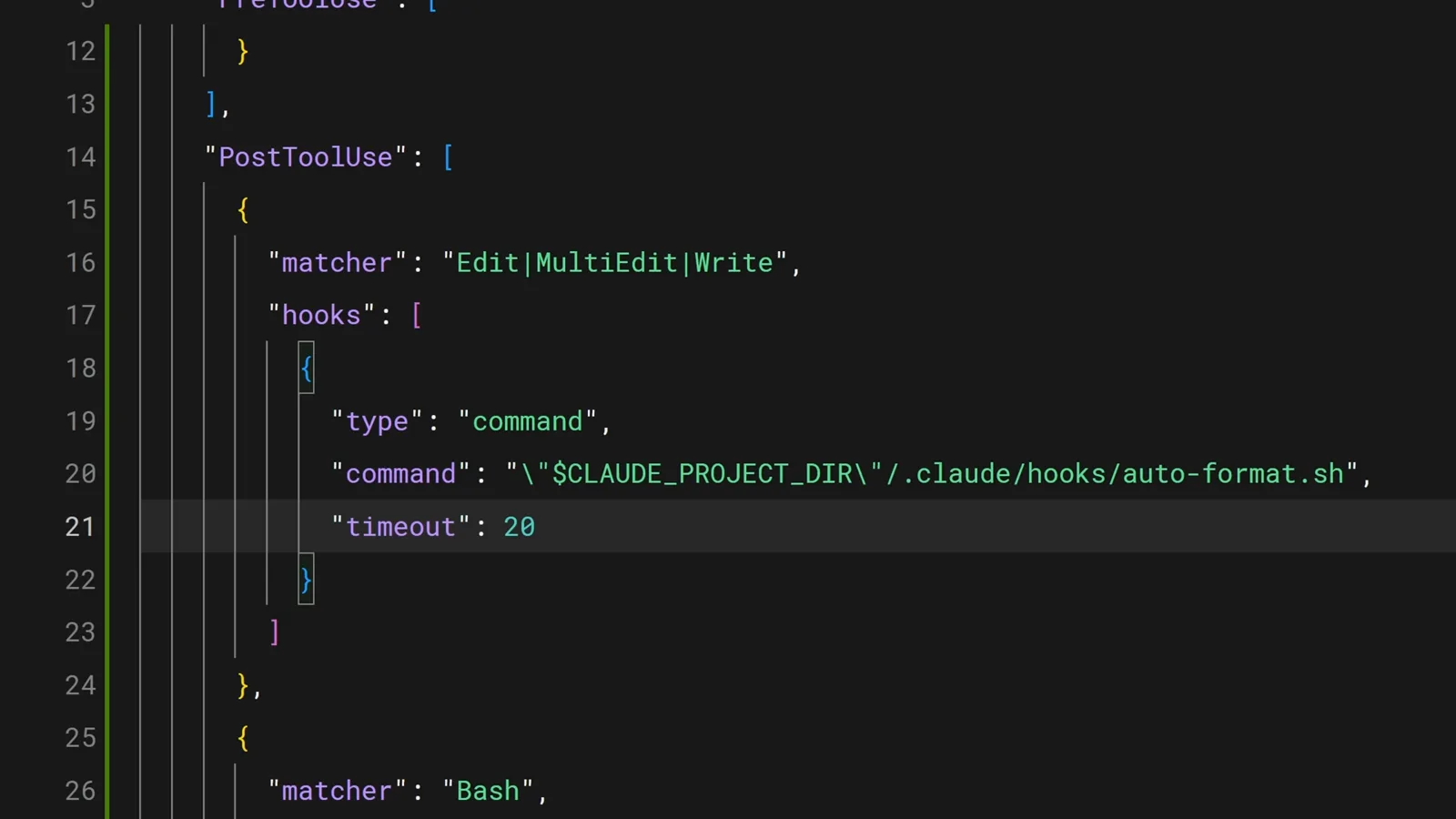
auto-format.sh 已接管每次编辑,超时 20 秒。在 1:39 处观看 - 7
实时观看 Stop hook 运行
Hook 也会在工具调用之外的生命周期事件上触发。这里终端状态行显示一个 Stop hook 正在运行——在会话结束前执行——并带有计时器和 token 计数。每当 Claude 需要你输入时,Notification 事件也会同样触发。
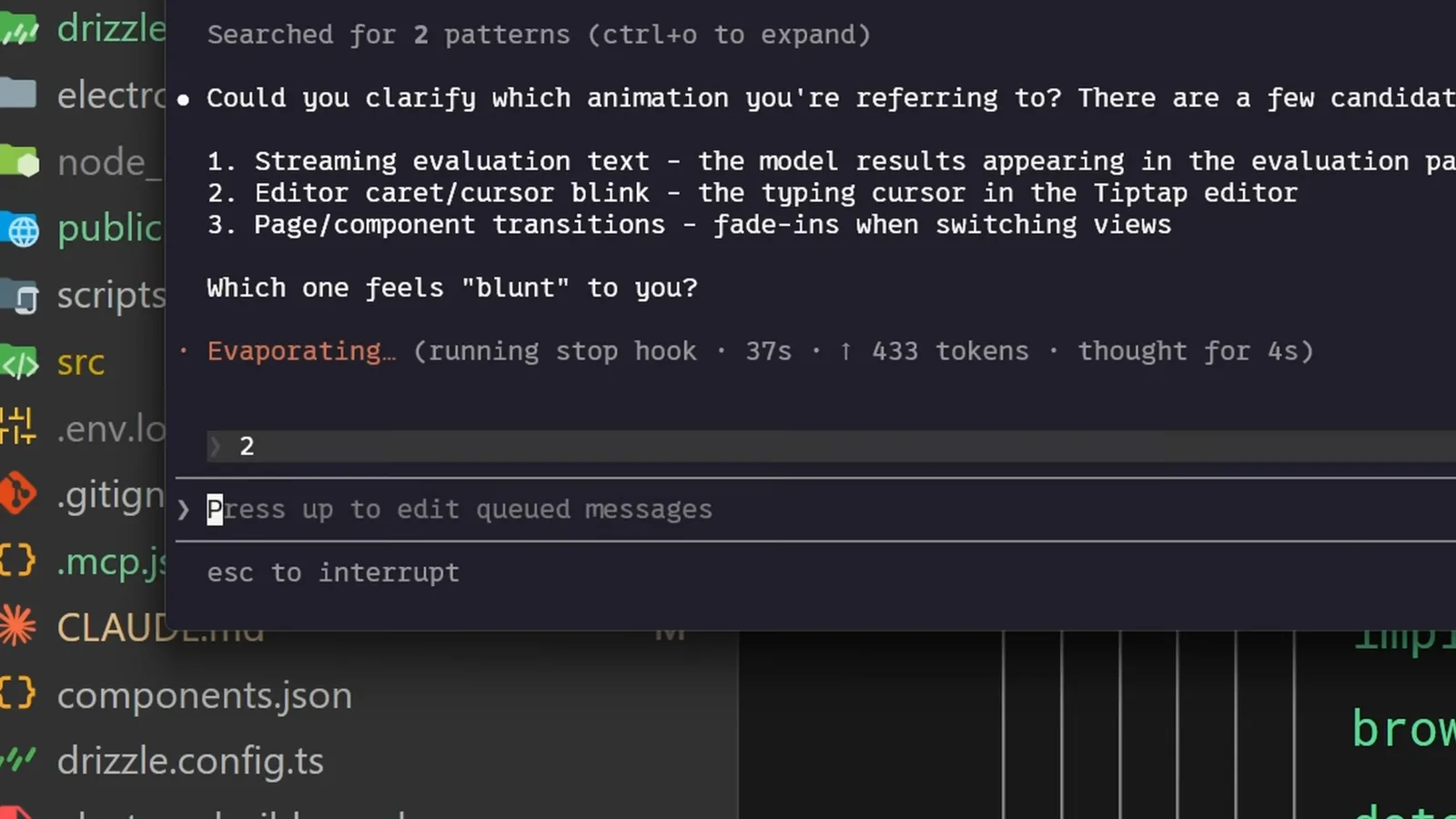
状态行显示“running stop hook”和实时计时。在 0:08 处观看
拦截危险操作
PreToolUse hook 在破坏性命令执行前就否决它们。
- 8
用 PreToolUse hook 否决危险命令
拦截脚本用 jq 把工具输入读成 JSON,用 grep 匹配破坏性的 rm 模式和强推,把原因写进 stderr,然后以退出码 2 结束。Claude 会看到原因并调整做法,而不是继续执行。
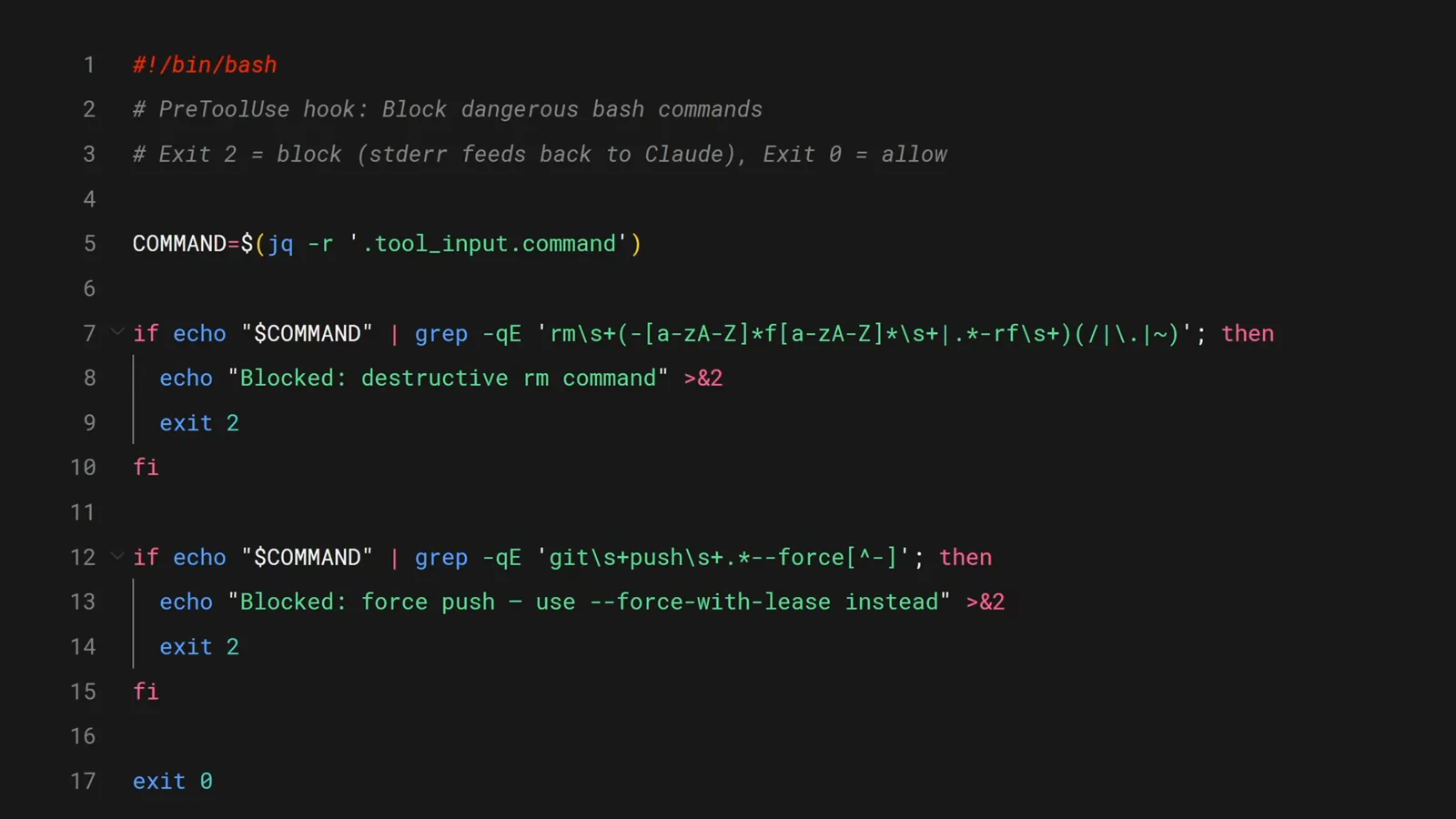
退出码 2 拦截调用;stderr 成为给 Claude 的反馈。在 1:54 处观看 - 9
用结构化 JSON 决策表示拒绝
需要更硬的保证时,hook 可以用 hookSpecificOutput 返回 JSON 负载来否决这次 PreToolUse 调用。这一条拦截 DROP TABLE 并提示改用迁移——生产环境毫发无损。
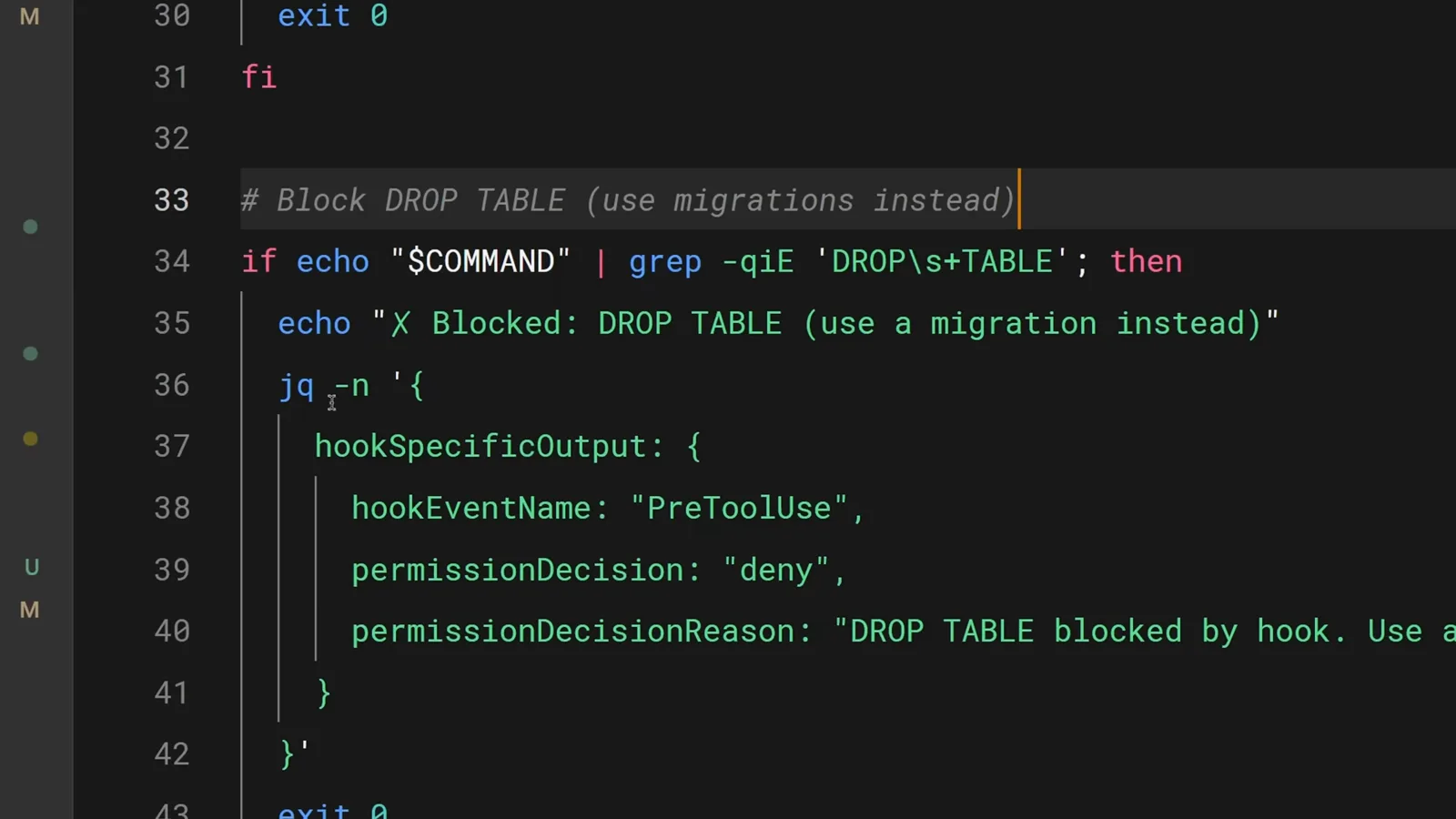
一条 jq 构造的拒绝决策,把 Claude 引向迁移方案。在 2:16 处观看
与团队共享 hooks
项目级配置加上 /hooks 菜单,让所有人跑同一套护栏。
- 10
hooks 属于项目,不属于某台机器
.claude/settings.json 里的 hooks 是项目级的:提交这个文件,团队每个人的下一次会话都会自动获得同样的护栏。脚本就放在旁边的 .claude/hooks 目录里。
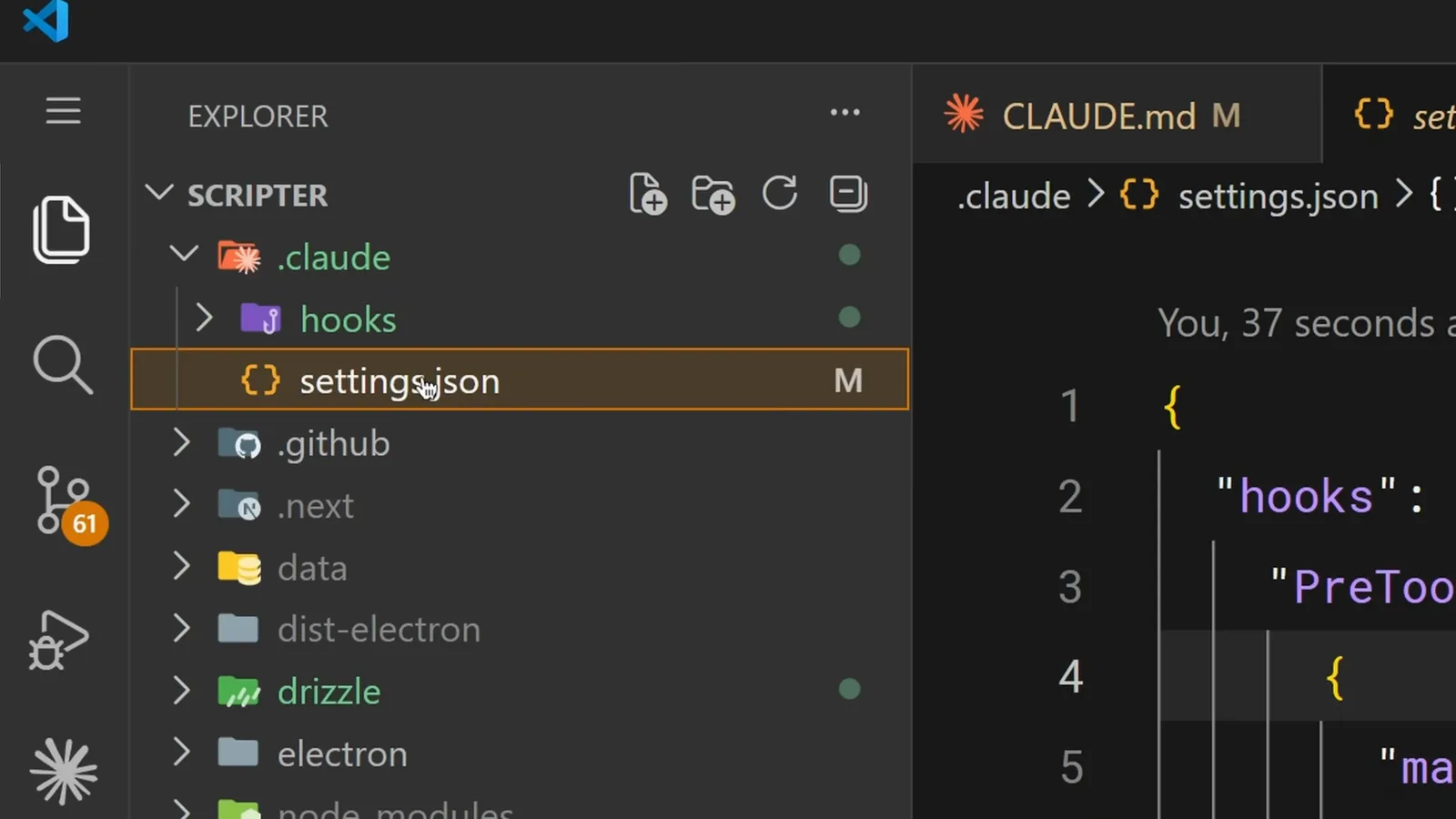
.claude 目录里的 hooks 与 settings.json,等待提交。在 2:30 处观看 - 11
路径一律使用 $CLAUDE_PROJECT_DIR
Claude 的工作目录可能在会话中途改变,相对路径会因此失效。$CLAUDE_PROJECT_DIR 变量始终指向项目根目录,无论 Claude 从哪里运行,hook 脚本都能被正确找到。
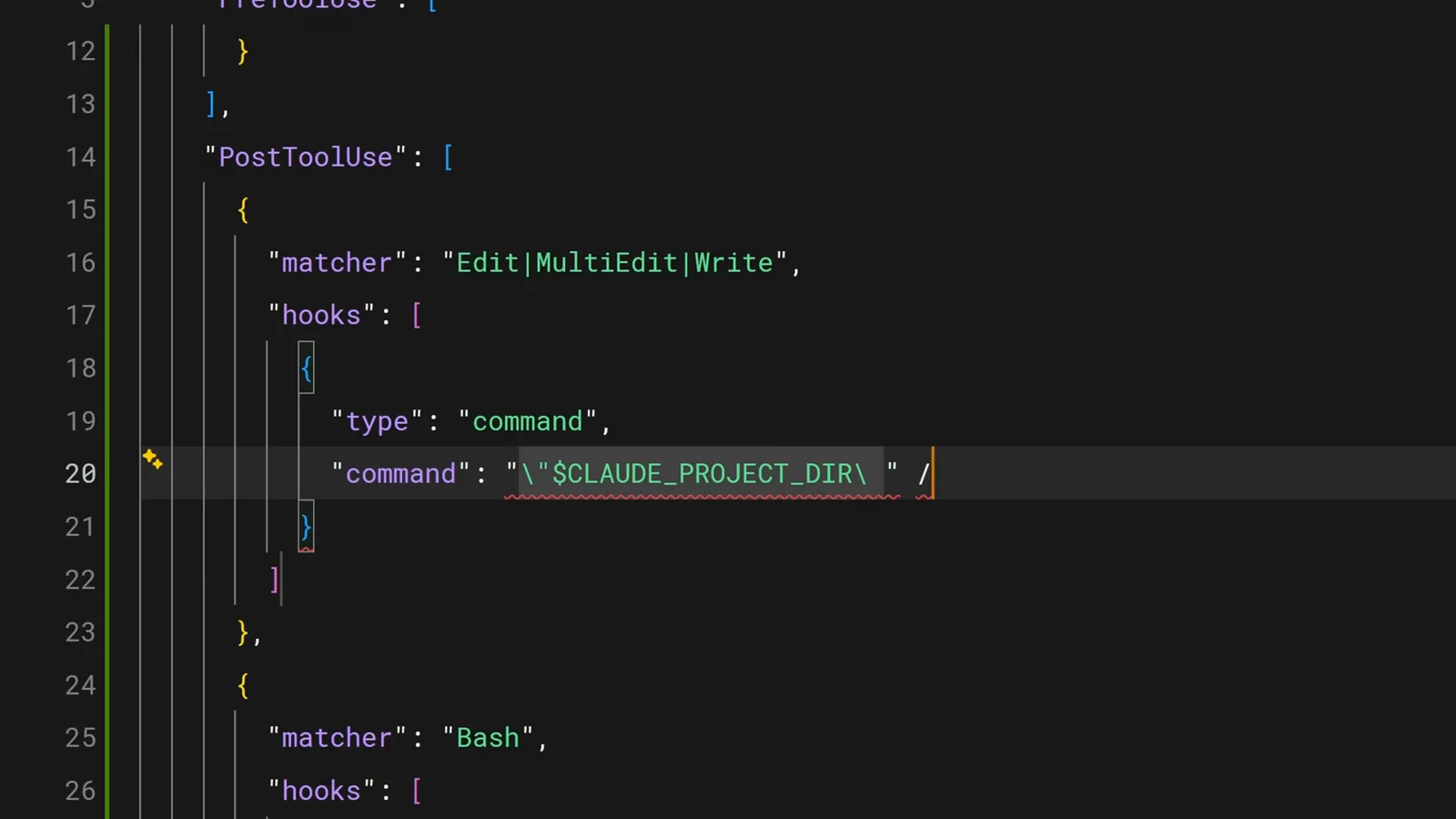
project-dir 变量锚定了命令路径。在 2:38 处观看 - 12
用 /hooks 菜单审计配置
在 Claude Code 里运行 /hooks,可以列出每个已配置的 hook、它的事件和触发条件。这个菜单是只读的——要增改 hooks,请直接编辑 settings.json,或让 Claude 来改。
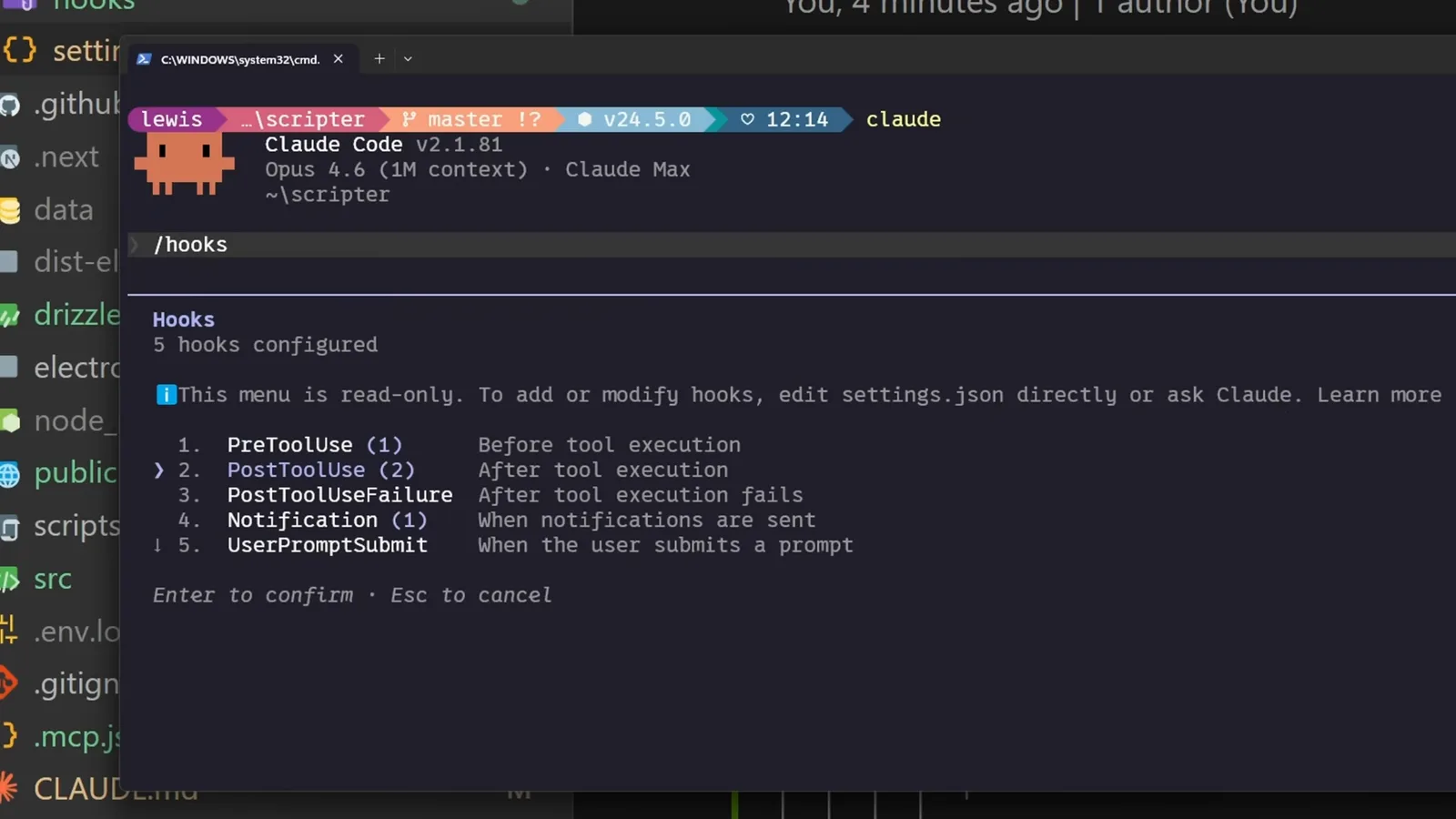
/hooks 菜单列出了五个已配置的 hook。在 2:54 处观看