
集成实战
Claude Code MCP 服务器:安装、验证、使用
在 Claude Code 中安装、验证并真正用上 MCP 服务器——用 Context7 获取最新文档,用 Playwright 控制浏览器,每一步都配有截图。
本篇共 16 个图文步骤,阅读约需 6 分钟。每一步都深链到源视频的对应时刻。
太长不看
MCP 服务器把 Claude Code 自带的工具之外的能力借给它——数据库客户端、浏览器、文档库。运行 claude mcp add <name> -- <command> 并加上 --scope project,配置就会写入 .mcp.json 并随仓库走;如果本地 stdio 服务器连不上,就改用官方托管的 HTTP 版本。重启后用 /mcp 确认绿勾,再在提示词里点名服务器——“use context7”——让它去取最新文档或驱动真实浏览器。
关于源视频
本页跟随 Net Ninja 的 Claude Code 课程中的 MCP 服务器一课,逐步复现其中的 Context7 与 Playwright 配置。
截图为视频画面,版权归创作者所有;文字部分为本站原创。步骤已于 2026 年 9 月对照视频核实。
MCP 服务器到底是什么
一个小适配器,借给 Claude Code 新的工具。
- 1
MCP 服务器就是一个插拔式适配器
MCP(Model Context Protocol,模型上下文协议)是 Anthropic 提出的开放协议,让模型能调用代码库之外的工具——数据库、浏览器、文档库。真正和外部服务打交道的是服务器,而不是 Claude Code;它把结果以“工具”的形式交还给模型调用。
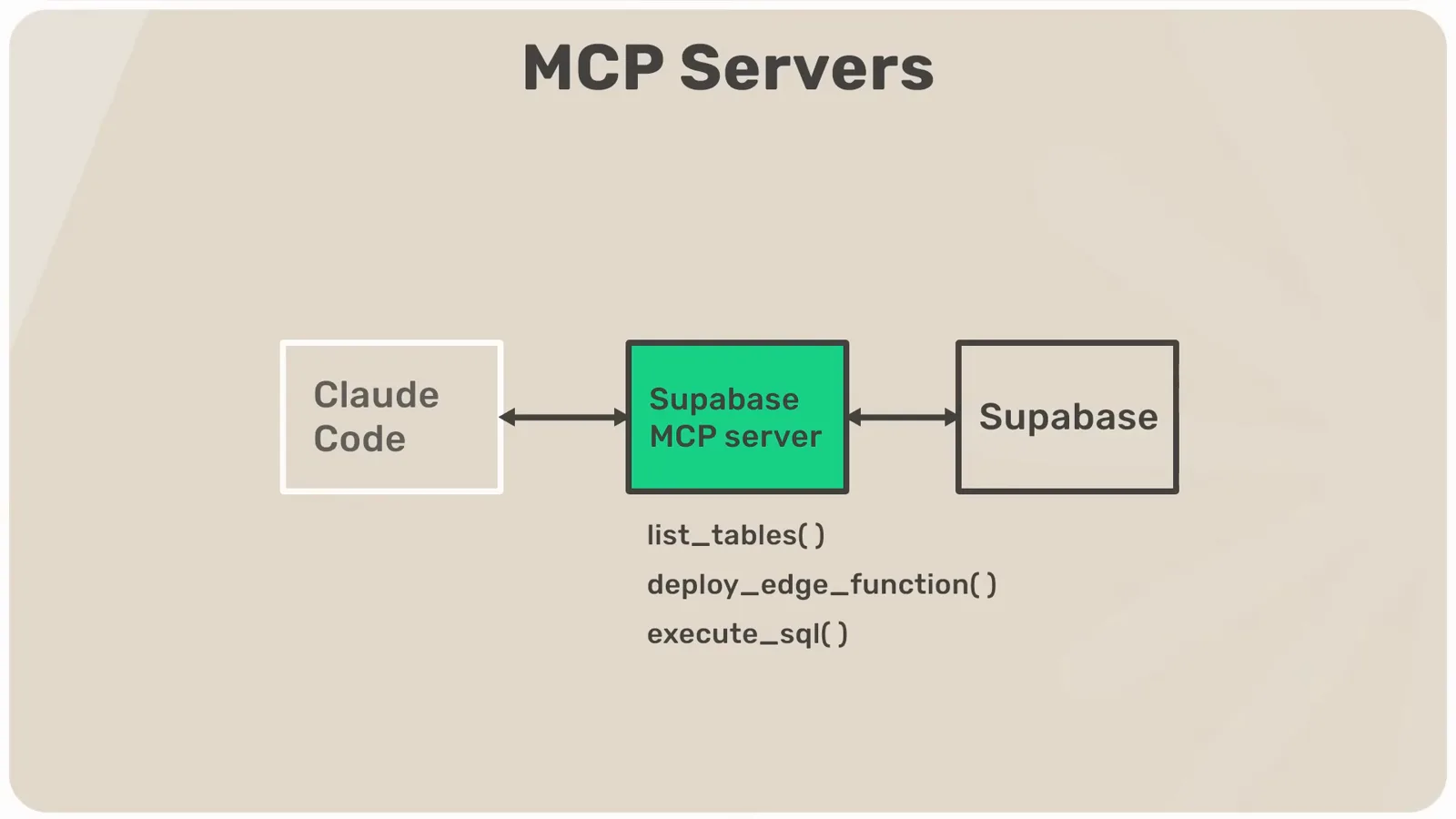
Claude Code 问服务器,服务器去问 Supabase。在 2:04 观看 - 2
从目录里挑选服务器
pulsemcp.com 这类目录站索引了数百个现成服务器;每个项目自己的官网则会列出它覆盖的范围——Context7 首页就列出了它能拉取最新文档的框架和库。本页安装两个:负责最新文档的 Context7,和负责浏览器自动化的 Playwright。
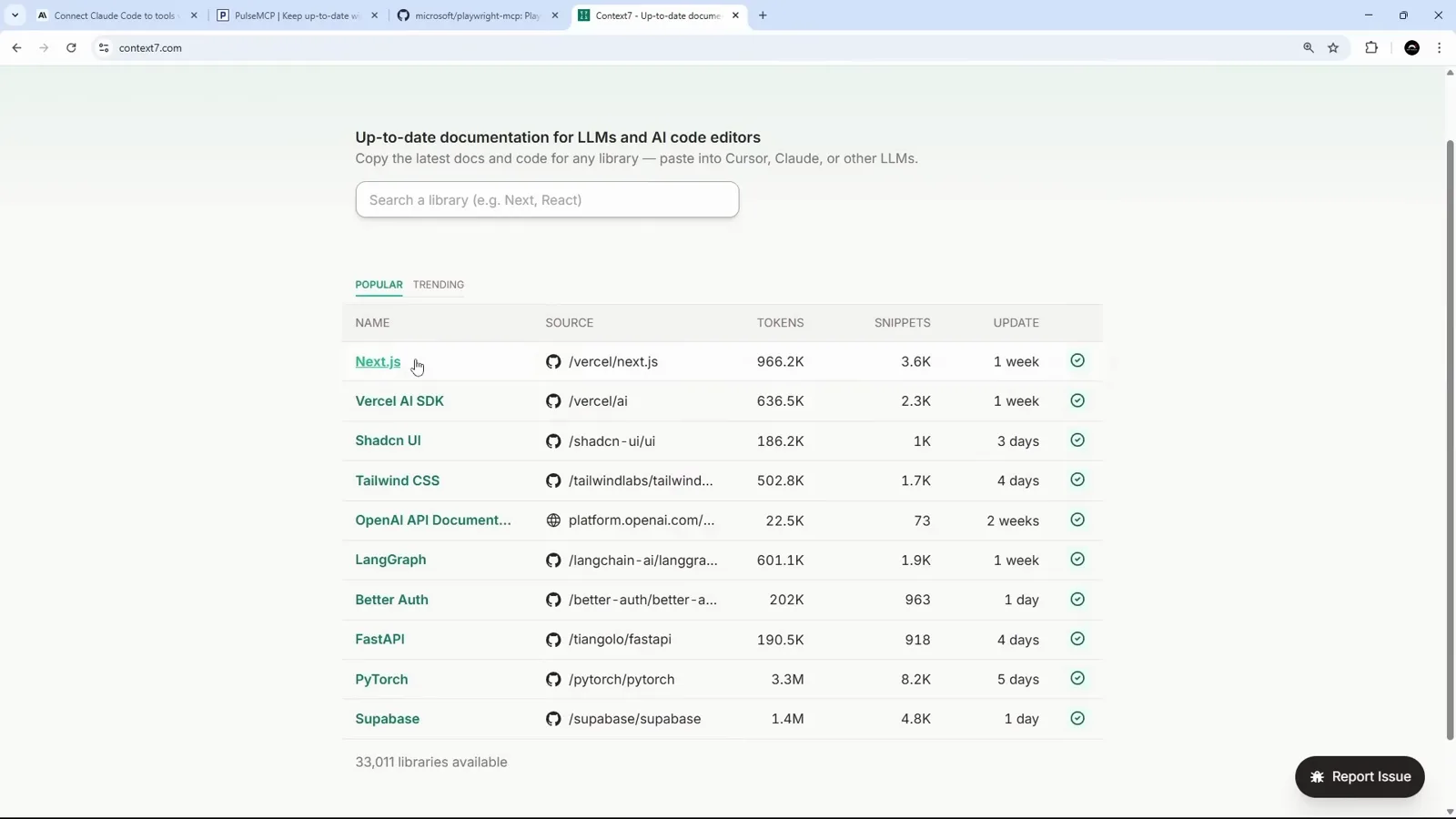
目录站列服务器,项目官网列覆盖范围。在 2:32 观看
安装 Context7 服务器
终端里一条命令,仓库里一个 JSON 文件。
- 3
两种传输方式,一条命令
Anthropic 的 MCP 文档列了三种添加方式,真正常用的两种是:跑在本机的 stdio 本地进程,和远端 HTTP 连接。两者的命令行形状一样:claude mcp add,加服务器名,再加双横线和启动命令。
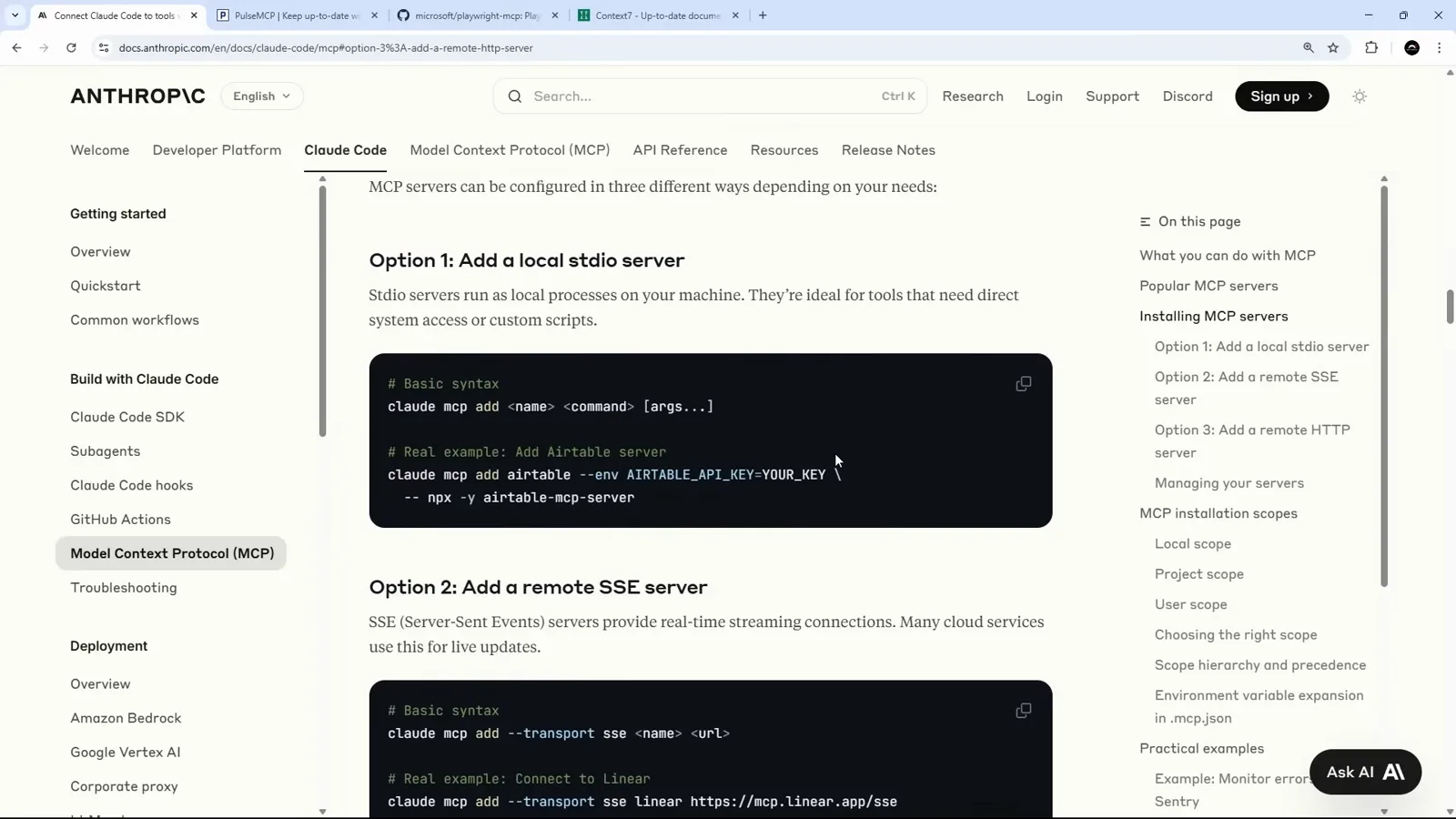
本地 stdio 或远端 HTTP——命令形状相同。在 3:10 观看 - 4
从项目 README 复制安装命令
维护得好的 MCP 项目会直接给出安装命令。在 Context7 的 GitHub 仓库里,Claude Code 一节给出了本地连接命令,上方还有远端变体——复制适合你的一条即可。
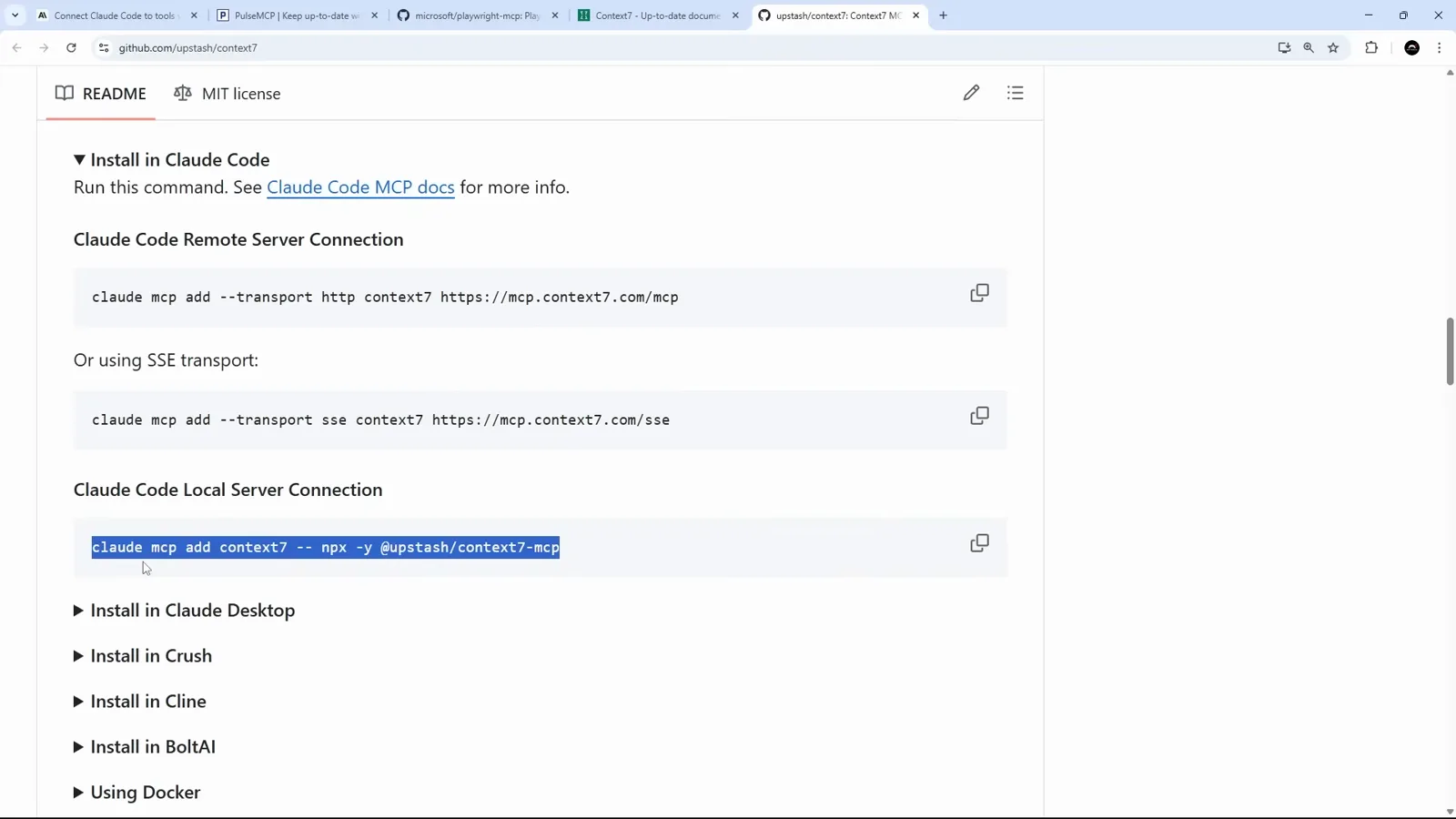
README 把要粘贴的命令直接给你。在 4:30 观看 - 5
用 --scope project 固定作用域
执行前加上 --scope project,配置就会写进项目的 .mcp.json 并随仓库提交——队友 clone 下来就有同样的服务器。另外两个选择是 local(只有你、只在这个项目)和 global(本机所有项目)。在 Windows 上,npx 命令前要加 cmd /c,让命令跑完自动关闭 shell。
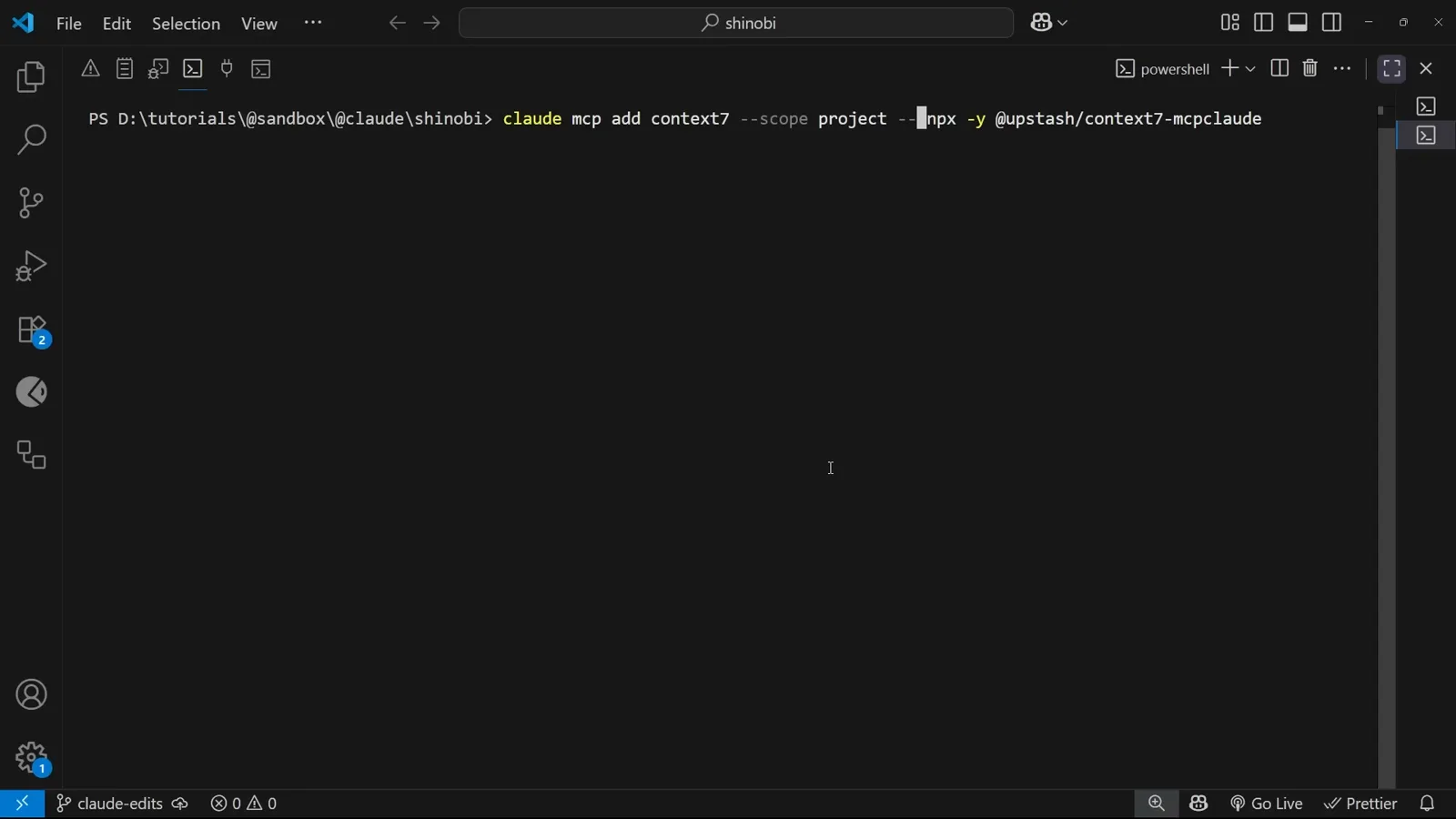
项目作用域把服务器提交进仓库。在 5:28 观看 - 6
.mcp.json 由 Claude Code 自动生成
添加成功后,项目根目录会出现 .mcp.json,里面是一个 mcpServers 对象。每个条目记录传输类型和启动所需的一切——这里是一个 stdio 进程,带 command 和 args 数组。
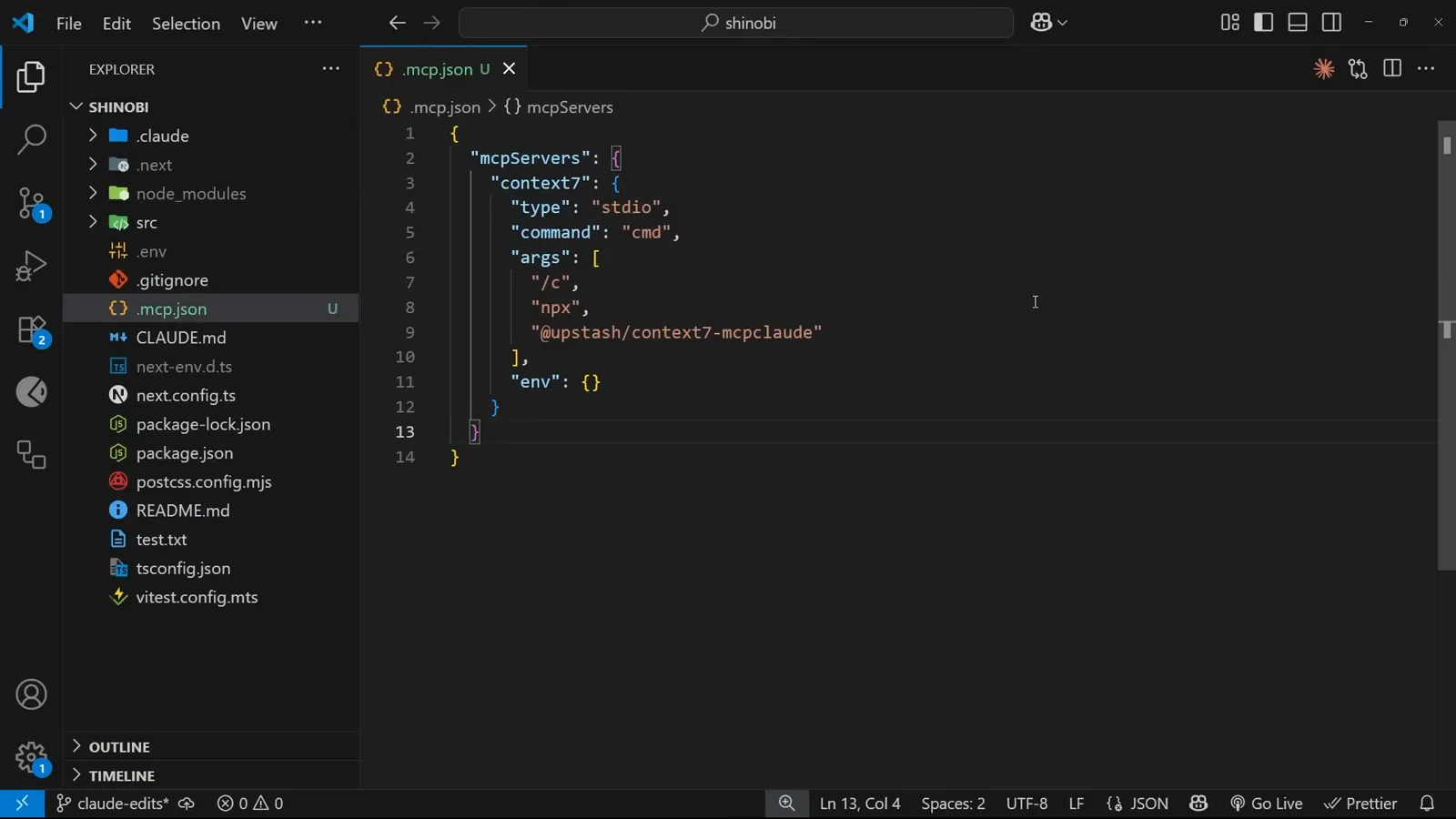
一个 JSON 对象,每个服务器一条。在 6:42 观看 - 7
本地连不上就换远端
这些包迭代很快,本地 stdio 连接时不时会抽风。备选方案是托管版:Context7 的 README 给出了 HTTP 传输的安装命令,同样加 --scope project,写进同一个文件。终端会确认添加成功以及它改动了哪个文件。
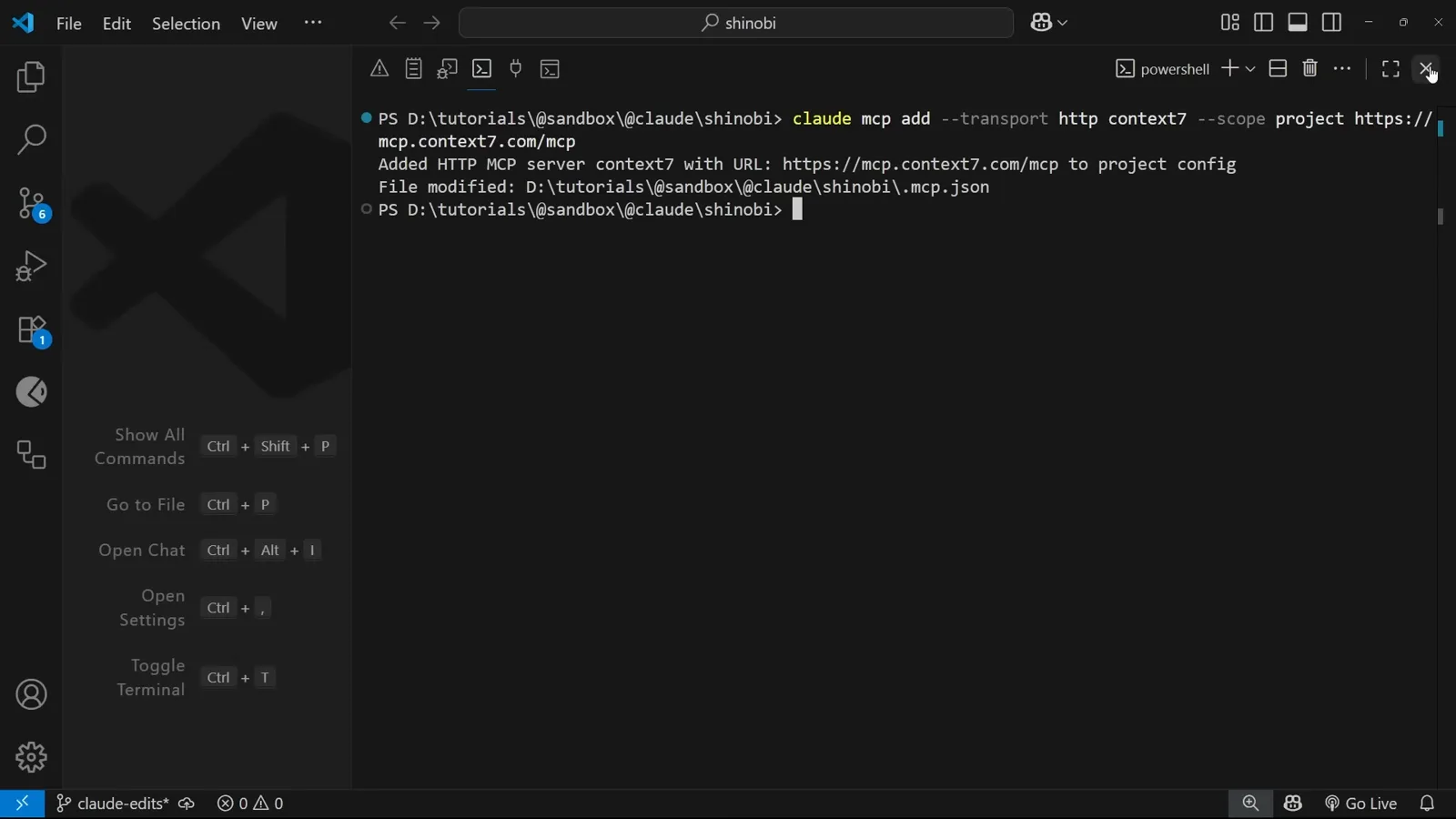
远端 HTTP 是更稳的备胎。在 8:40 观看 - 8
HTTP 条目只有三行
远端服务器不需要本地进程,所以配置极简:type 为 http,再加上服务器 URL。手改文件后要重启 Claude Code,新连接才会生效。
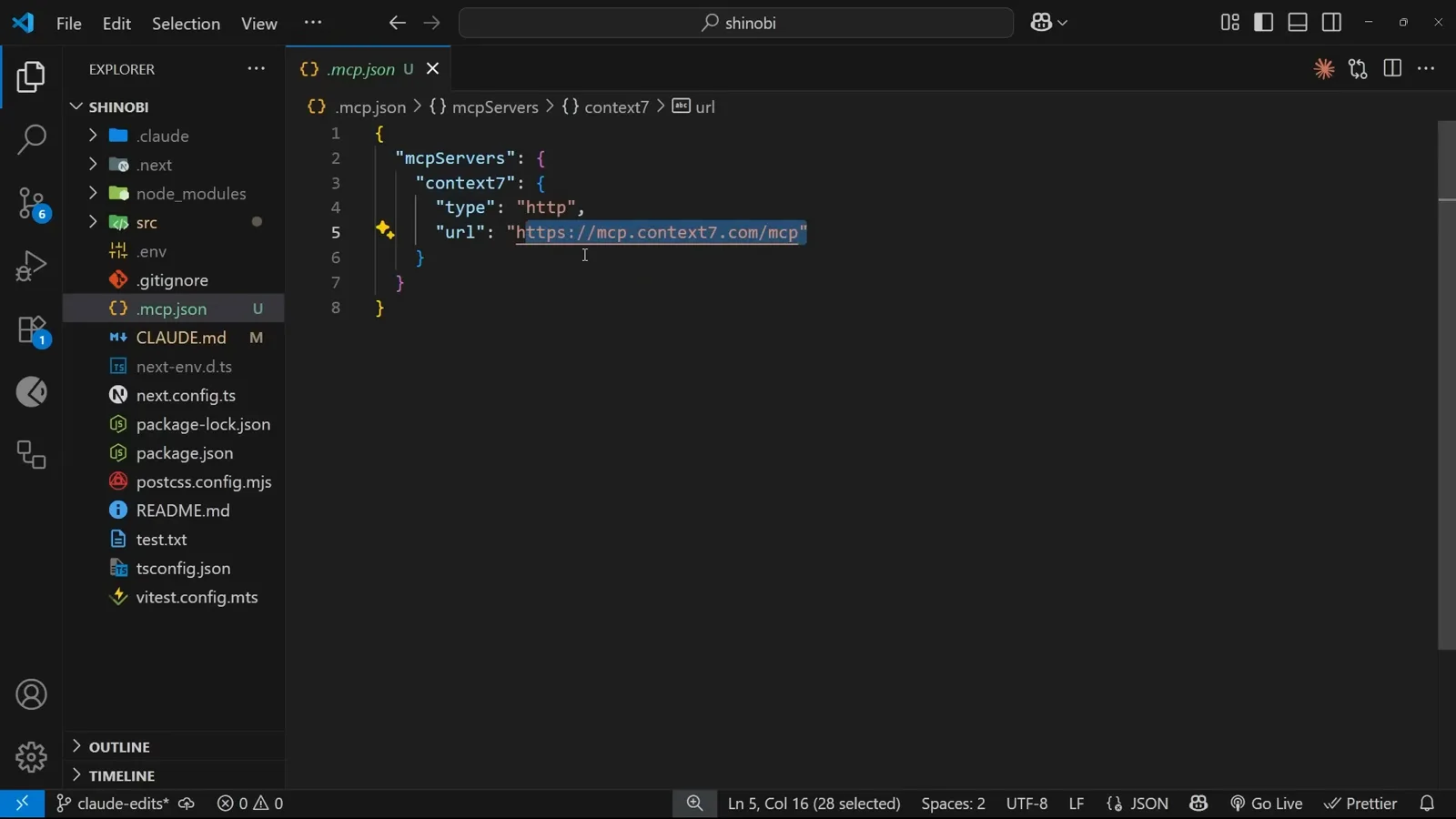
类型加 URL——无需安装任何东西。在 8:52 观看
验证连接,然后派上用场
先看到绿勾,再干一件真任务。
- 9
用 /mcp 检查连接
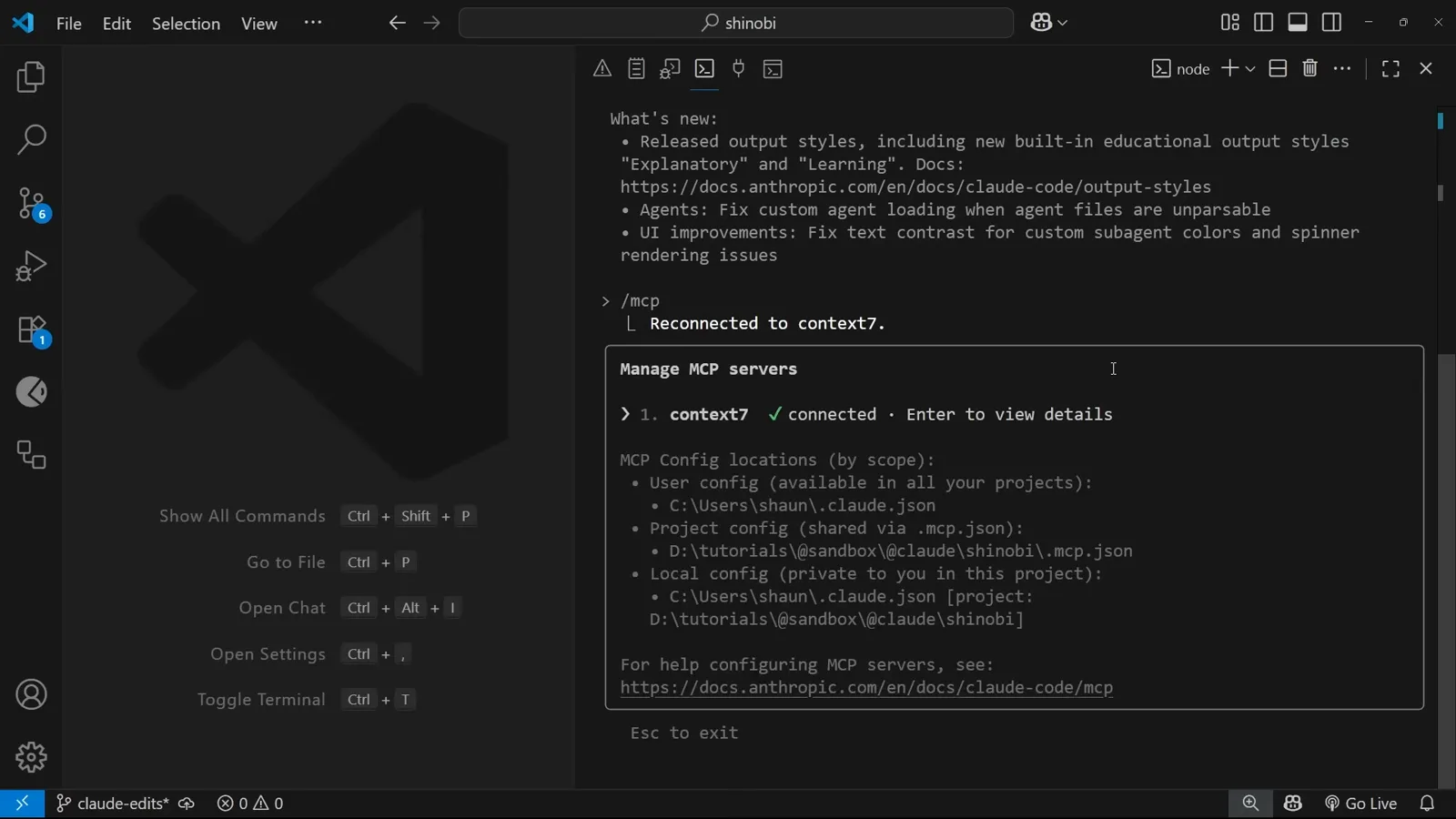
在会话里输入 /mcp 打开 Manage MCP servers 面板。服务器旁的绿色对勾表示已连接;失败的条目按 Enter 可重试。面板还列出了每个作用域分别读哪个文件——改配置没生效时先查这里。
绿勾意味着工具已上线。在 9:21 观看 - 10
在提示词里点名服务器
明确写上“use context7”,请求就会路由到那个服务器的工具。这里的任务是拿最新文档核对 Tailwind 配置,并附上 @src/app/globals.css,让 Claude 先读对文件再去问服务器。
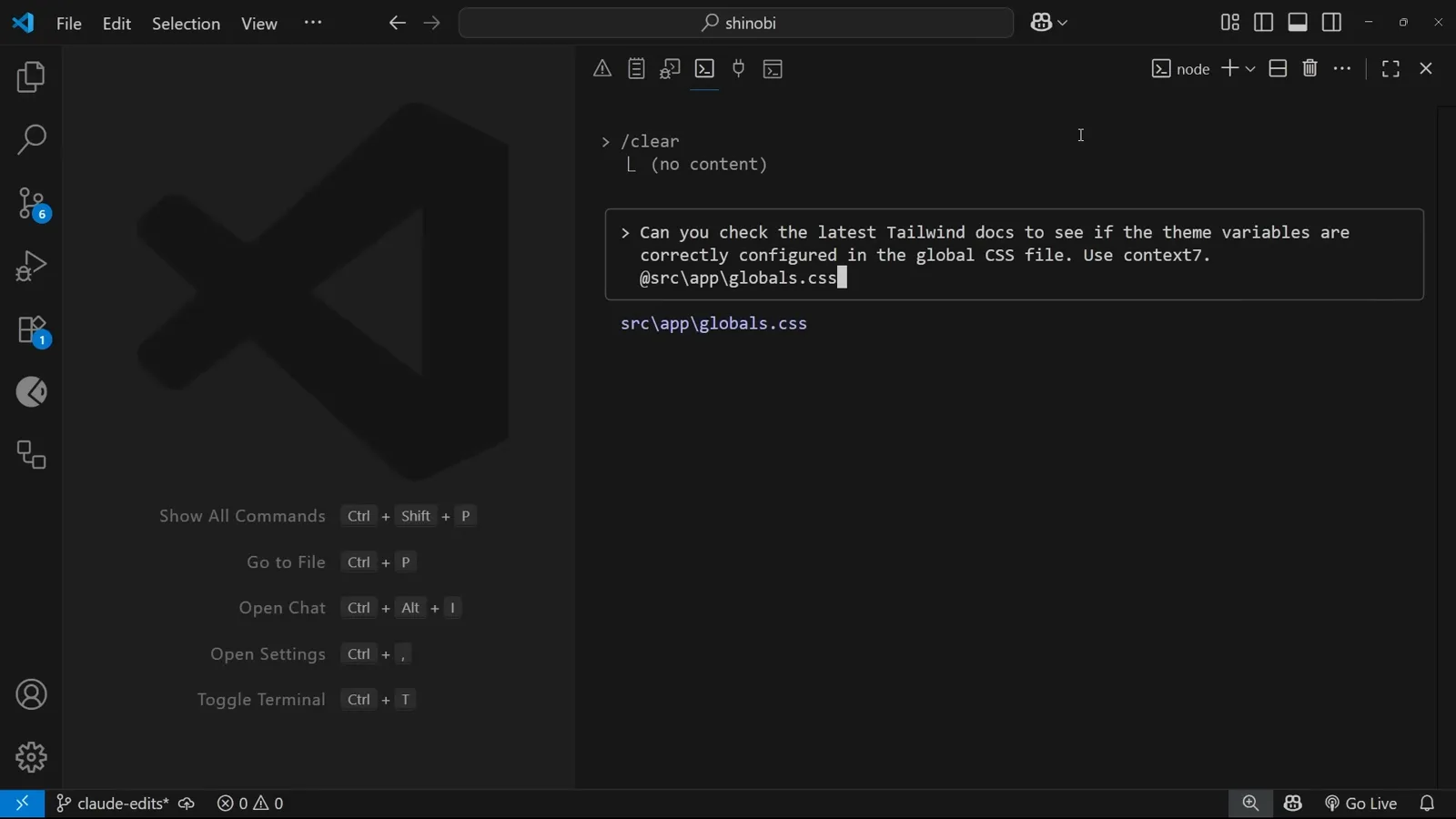
点名的服务器,加上附带的文件。在 9:48 观看 - 11
Context7 先解析库 ID
取文档之前,Context7 会先运行 resolve-library-id,把“Tailwind CSS”匹配到正确的库 ID 和主题。批准这次工具调用后,它会紧接着发起文档请求——两次短调用,而不是一次过时的猜测。
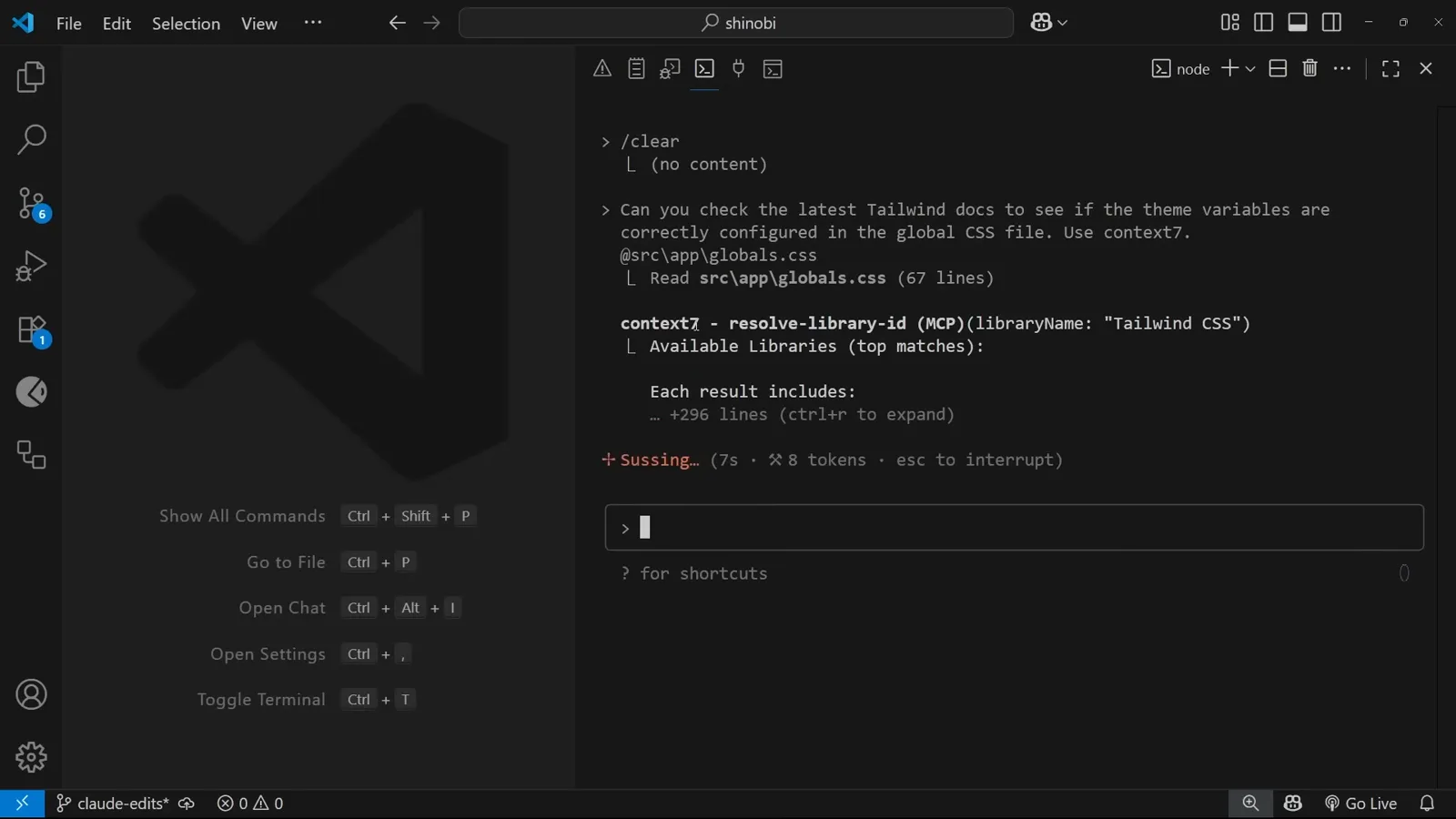
先解析库 ID,再取文档。在 10:02 观看 - 12
回答引用的是最新文档
回复是:主题变量的配置符合 Tailwind CSS v4 规范,并逐条给出了理由——它依据的是刚拉取的最新文档,而不是训练数据。这正是服务器的意义:答案对应当前真实存在的库版本。
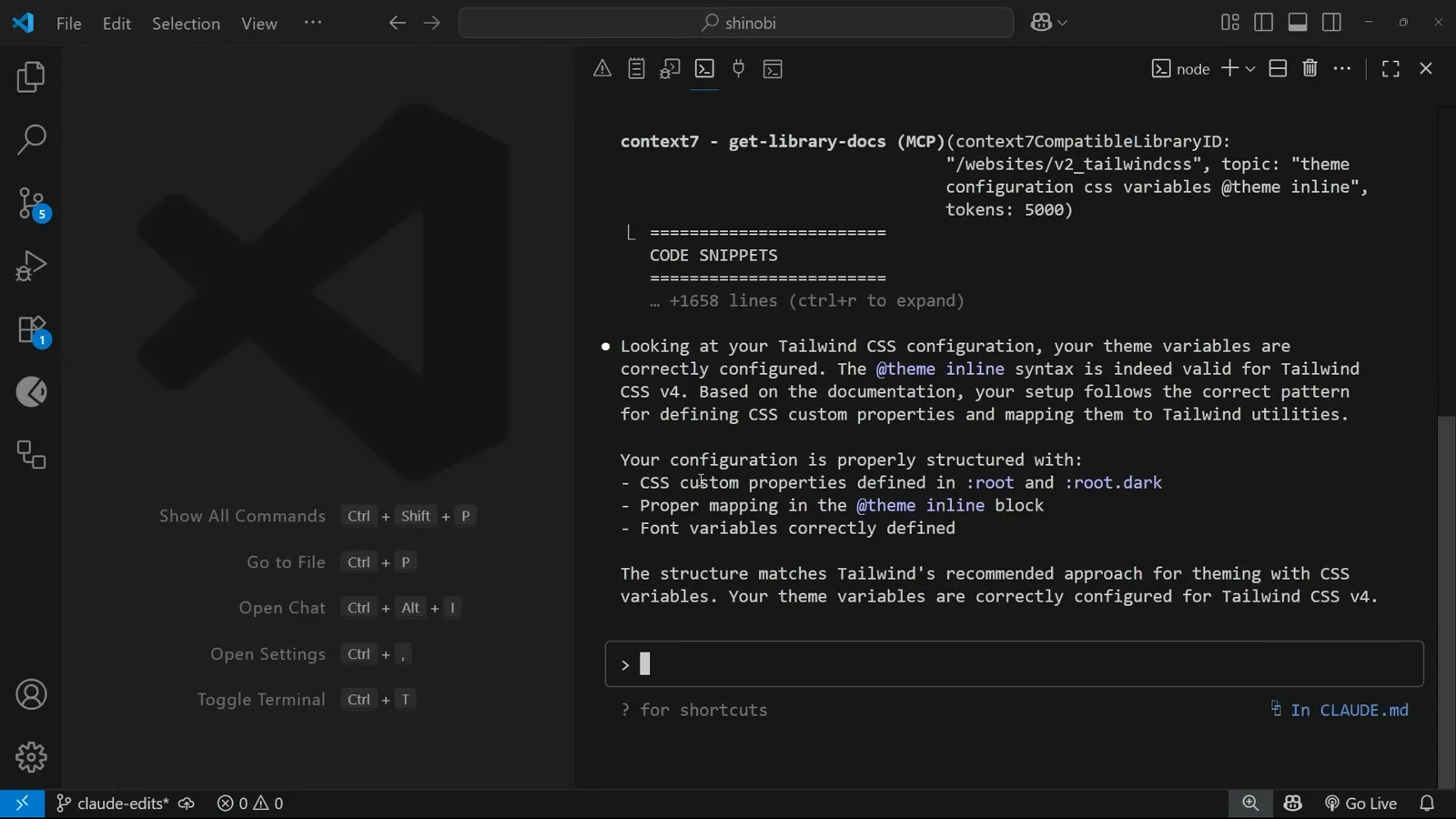
逐条展开的 v4 正确结论。在 10:45 观看 - 13
写进 CLAUDE.md,变成习惯
在提示词里输入 # 可以保存项目记忆:“Use Context7 to check up-to-date docs when needed for implementing new libraries or frameworks.” 它会写入 CLAUDE.md,今后这个项目的每个会话都会自动遵守,无需再提醒。
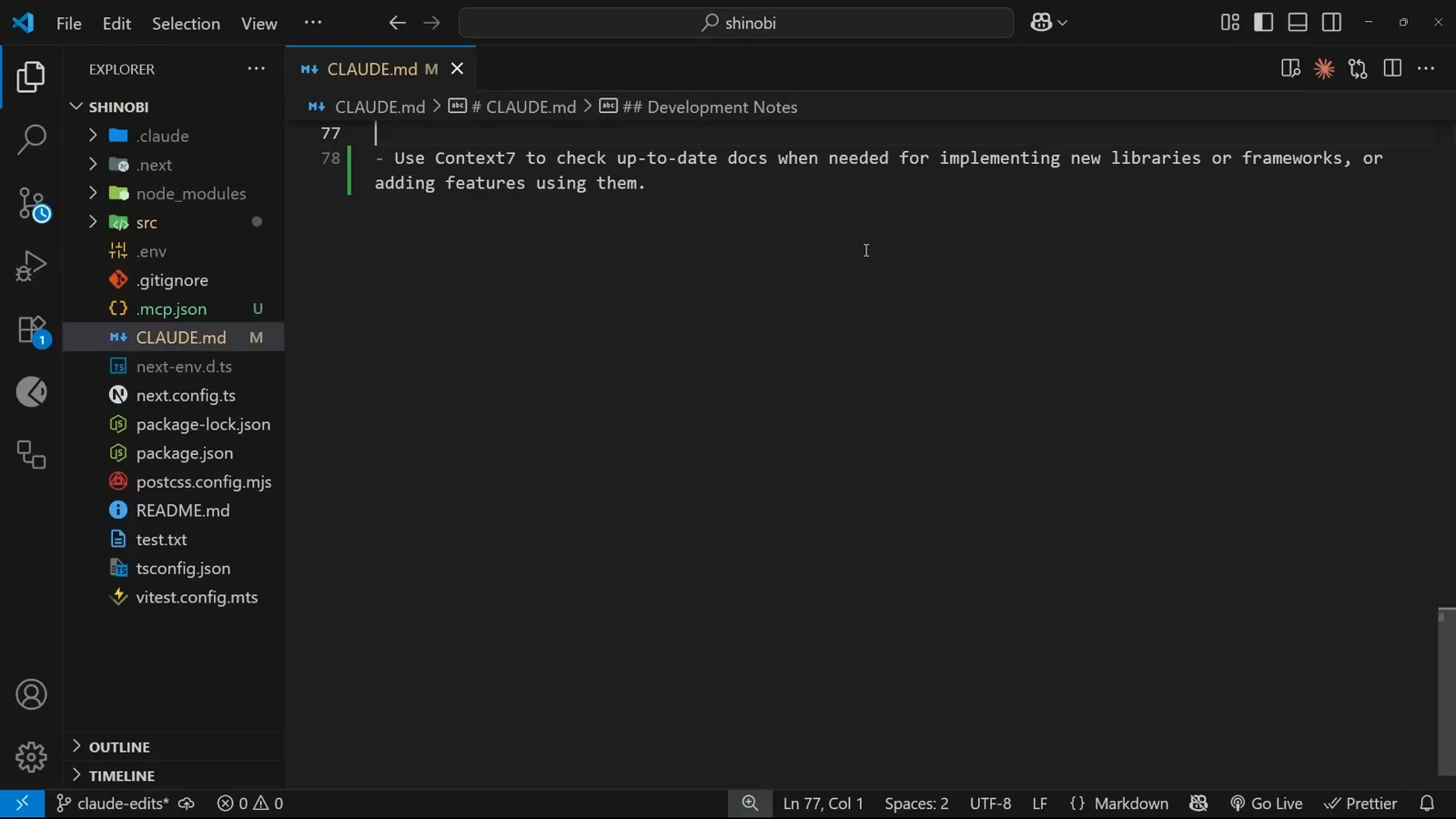
项目记忆把一次性操作变成规则。在 11:10 观看
再装 Playwright,让模型开浏览器
同一套流程,第二种超能力。
- 14
用同样的方式安装 Playwright
Playwright MCP 的 README 在 Claude Code 一节给出了同样的安装模式——一条 claude mcp add 命令,指向 npx 包。加上 --scope project,在项目根目录运行,然后重启会话让新服务器连上。
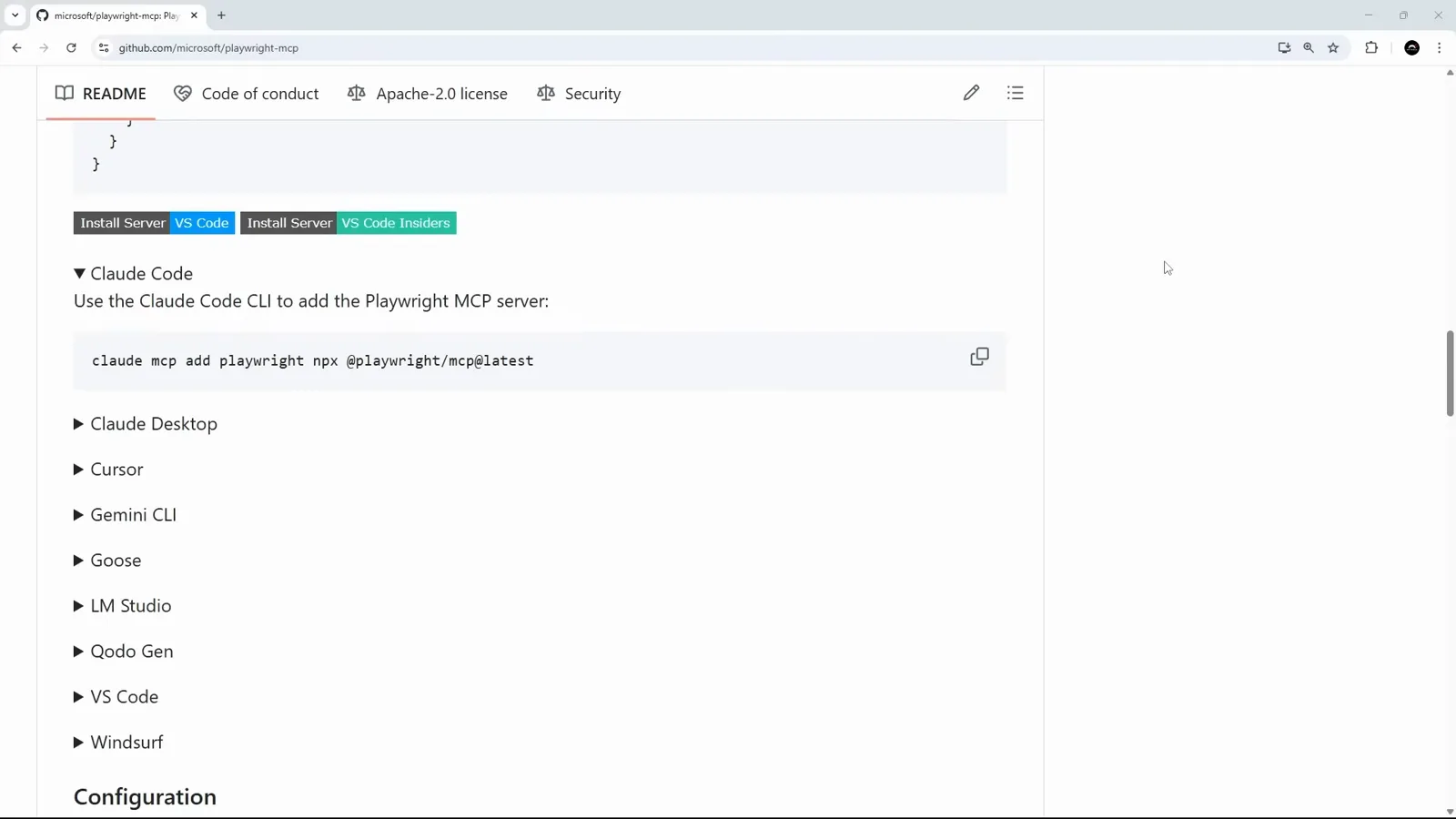
同一套流程,第二个服务器。在 11:14 观看 - 15
两个服务器共用同一个文件
项目的 .mcp.json 现在并排放着两个条目:走 HTTP 的 Context7,和本地 stdio 进程的 Playwright。哪个服务器改了启动参数,都可以直接手改——这个文件是唯一事实来源。
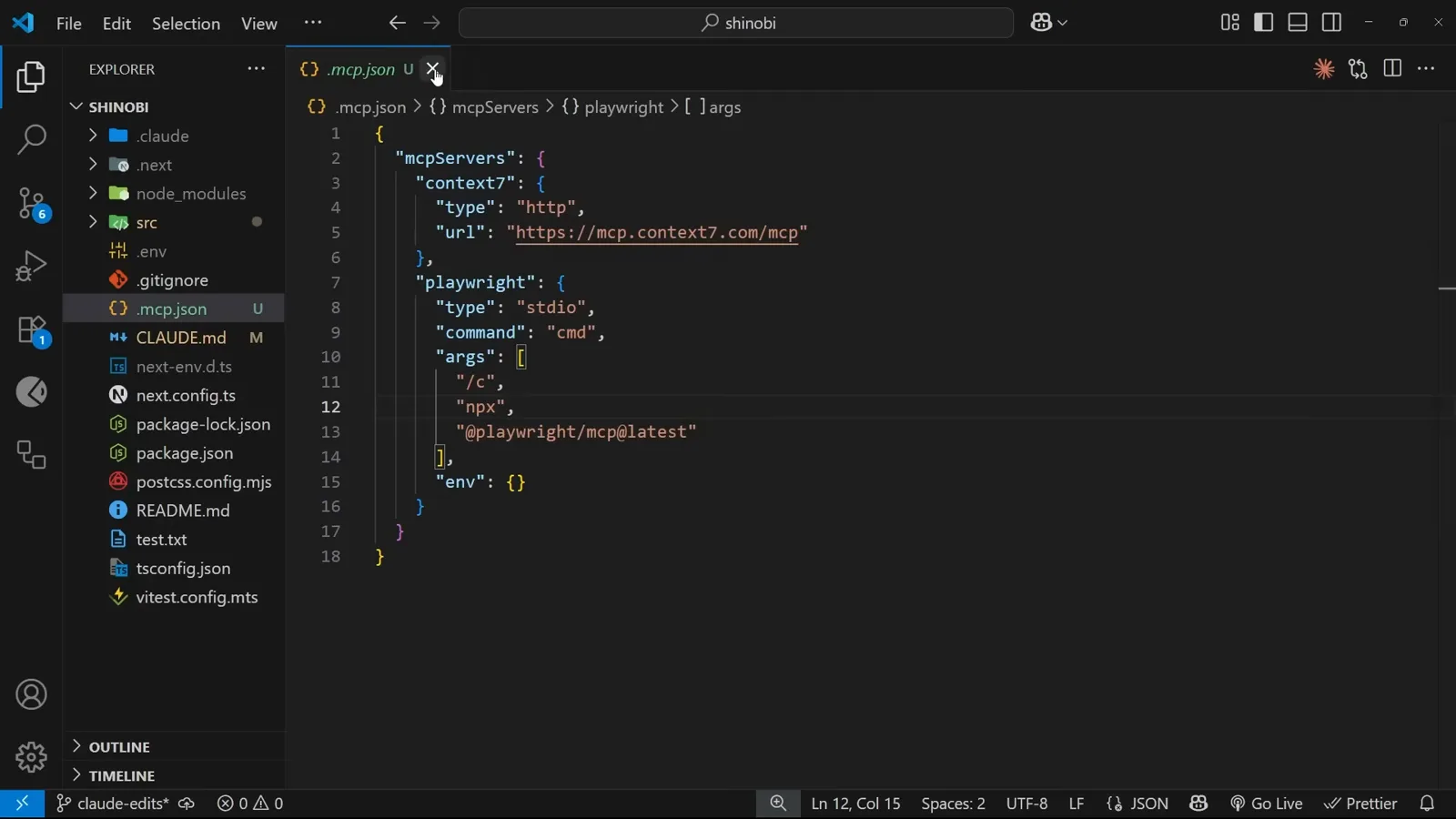
两个条目、两种传输、一个文件。在 12:17 观看 - 16
让 Claude 开真实浏览器
连上 Playwright 后,让 Claude 打开某个页面并总结,就会触发 Navigate to a URL 工具——你机器上会真的弹出一个浏览器窗口,模型读的是渲染出来的页面。给自己的站点做冒烟测试、看看组件在真实环境里的样子,都很好用。
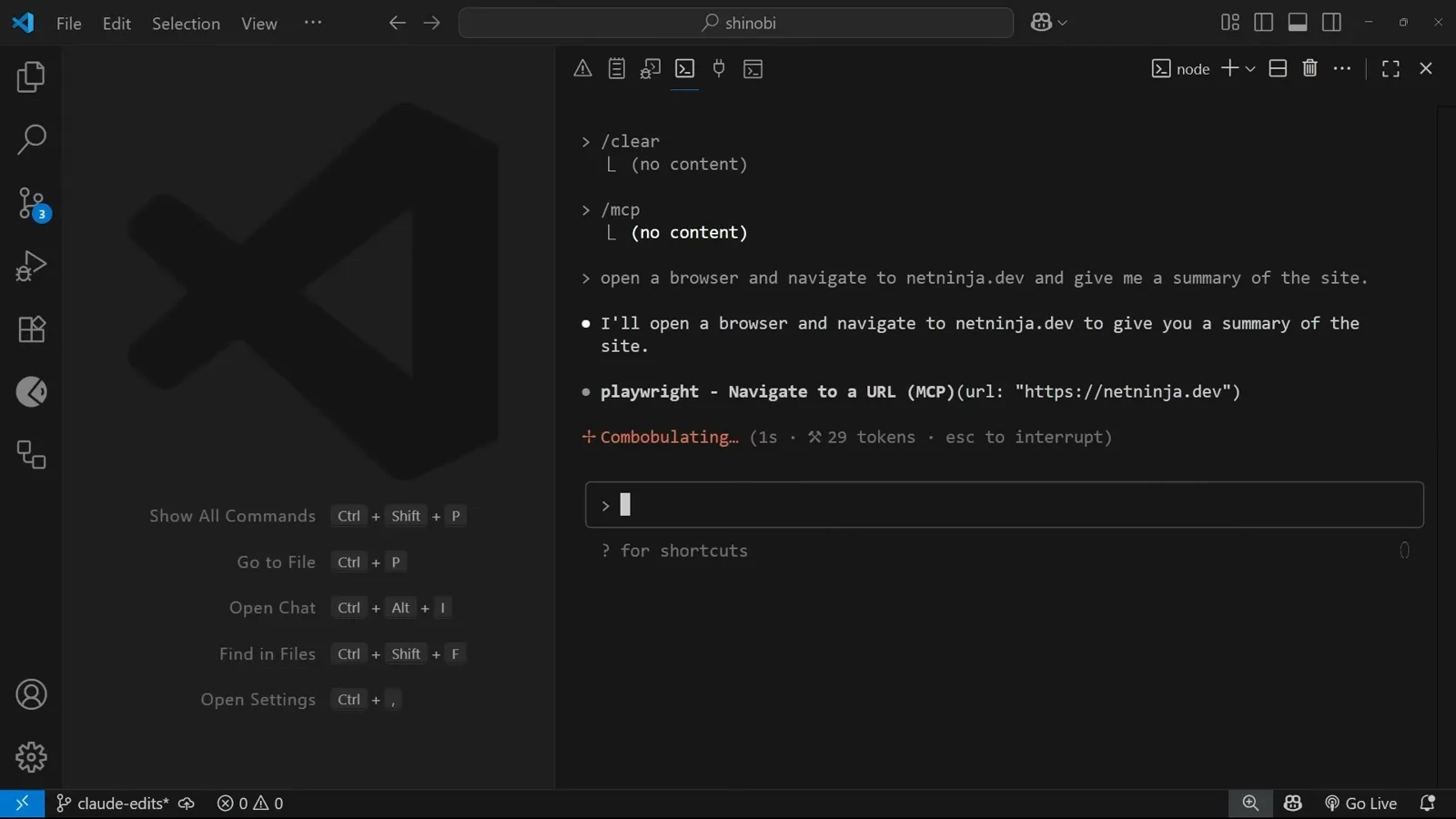
由模型驱动的真浏览器。在 12:58 观看