
记忆与上下文实战
Claude Code 记忆机制:CLAUDE.md、/init 与 # 快捷指令
CLAUDE.md 是 Claude Code 动手改代码之前一定会读的那个文件。下面把整条链路逐屏走一遍:用 /init 生成它、手写一行让新文件落到正确的目录、会话中用 # 把新规则写进对应的记忆文件。
共 16 个图解步骤,阅读约需 6 分钟。每一步都深链回来源视频中的对应时刻。
太长不看
Claude Code 第一次进入某个项目时,先跑一次 /init。它会列出仓库、读取 package.json、tsconfig 和 README,在项目根目录写出一份结构化的 CLAUDE.md,并在落盘前征求确认。此后每个会话都会把它当上下文加载,所以 Claude 会突然知道你的脚本、技术栈和目录约定。想追加规则,不用退出聊天,句子前面加个 # 即可 — Claude 会问这条要写进项目记忆(./CLAUDE.md)、项目本地记忆(./CLAUDE.local.md)还是用户记忆(~/.claude/CLAUDE.md)。/memory 可以在编辑器里打开其中任意一个。视频反复强调的一点是:一份再也不回头看的记忆文件,迟早会开始对 Claude 撒谎。
关于来源视频
本页跟随 Net Ninja Claude Code 教程的第 2 课,把其中关于 CLAUDE.md 的操作逐屏复现一遍。
截图取自视频画面并已署名致谢;正文为原创。步骤已于 2026 年 9 月对照视频核验。
用 /init 生成 CLAUDE.md
一条命令,通读整个仓库,在项目根目录留下一个文件。
- 1
在项目根目录执行 /init
在放着 package.json 的那个目录里打开 Claude Code,输入 /init。自动补全那行字把要做的事说得很清楚 — “Initialize a new CLAUDE.md file with codebase documentation”,欢迎面板的第一条提示也是同一件事。请在提任何功能需求之前就跑它:视频的立场很明确,/init 是 Claude Code 刚进项目时做的事,不是事后补的作业。
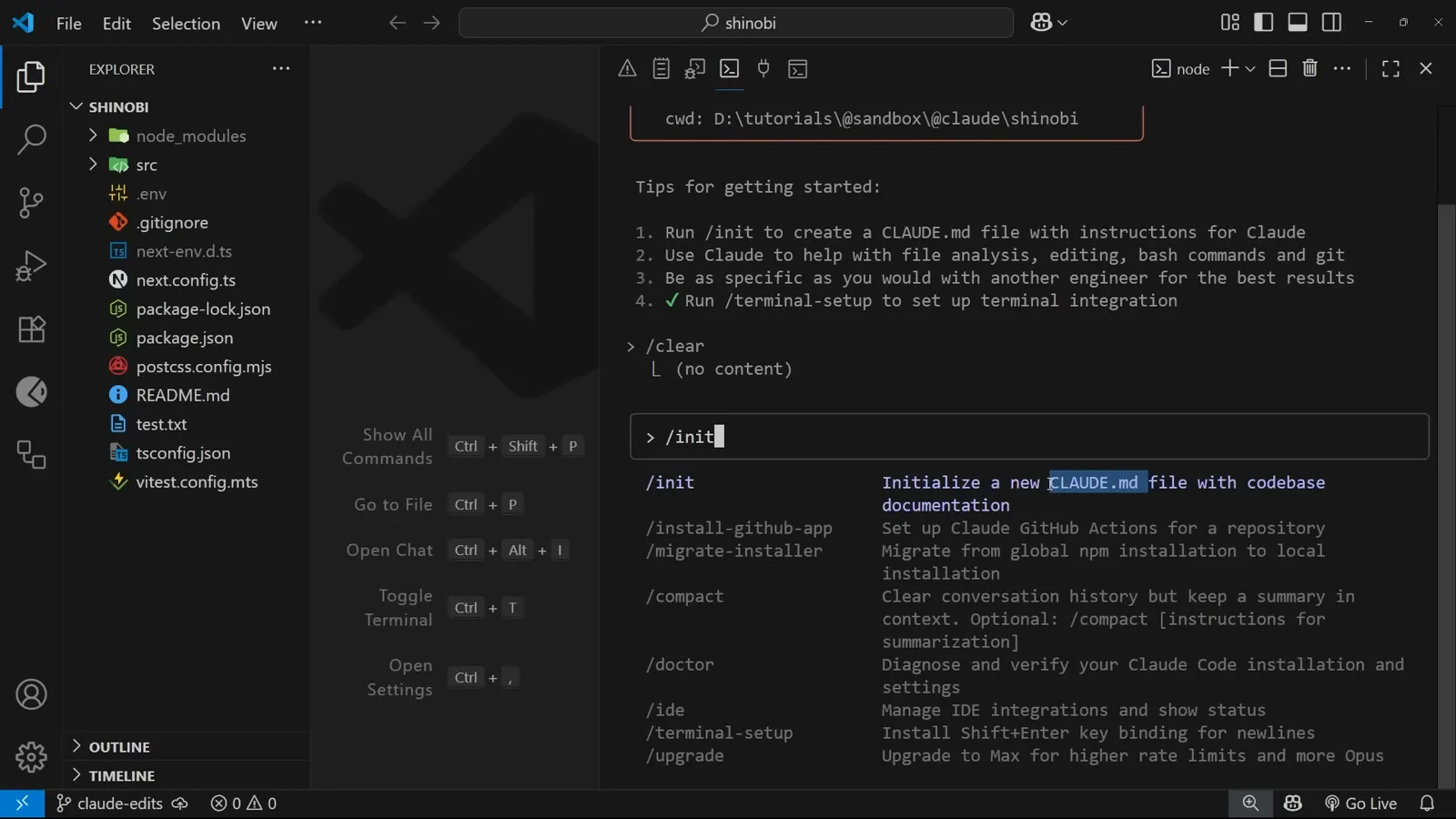
/init 就来自欢迎屏自己列的那份提示清单。在 0:40 处观看 - 2
看它一条条读仓库
Claude 会先给自己列一张待办,然后逐条推进:探索仓库结构并识别关键文件、分析 package.json 与构建配置、检查源码架构、查找已有文档、最后带着结论生成 CLAUDE.md。下面滚过的是真实工具调用 — 对项目目录的 List()、Read(package.json)、Search(pattern: “README*”)、Read(tsconfig.json) — 每完成一项,对应的复选框就被划掉。这是个长任务,进度清单让它变得可读。
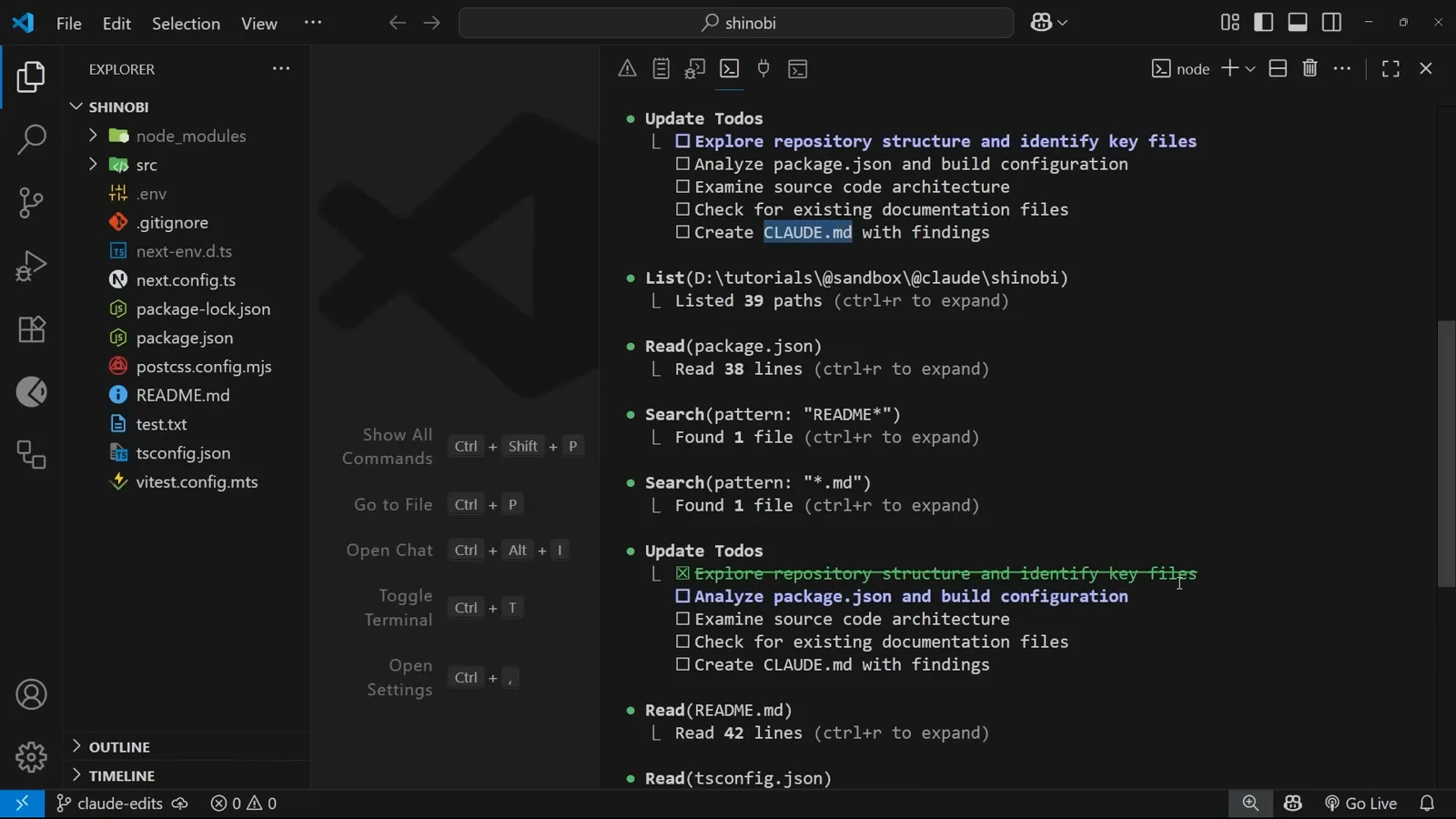
五个计划步骤,已经划掉一个。在 1:28 处观看 - 3
写入之前先要你确认
扫描结束后,Claude 展示草稿并问 “Do you want to create this CLAUDE.md?”,三个选项:Yes、“Yes, and don't ask again this session”、以及 “No, and tell Claude what to do differently”。第三个选项值得认真对待 — 那是整条流程里成本最低的一次纠偏机会,你可以说“样式部分跳过,重点写数据层”。选 Yes,CLAUDE.md 就以未跟踪的新文件出现在根目录的文件树里。
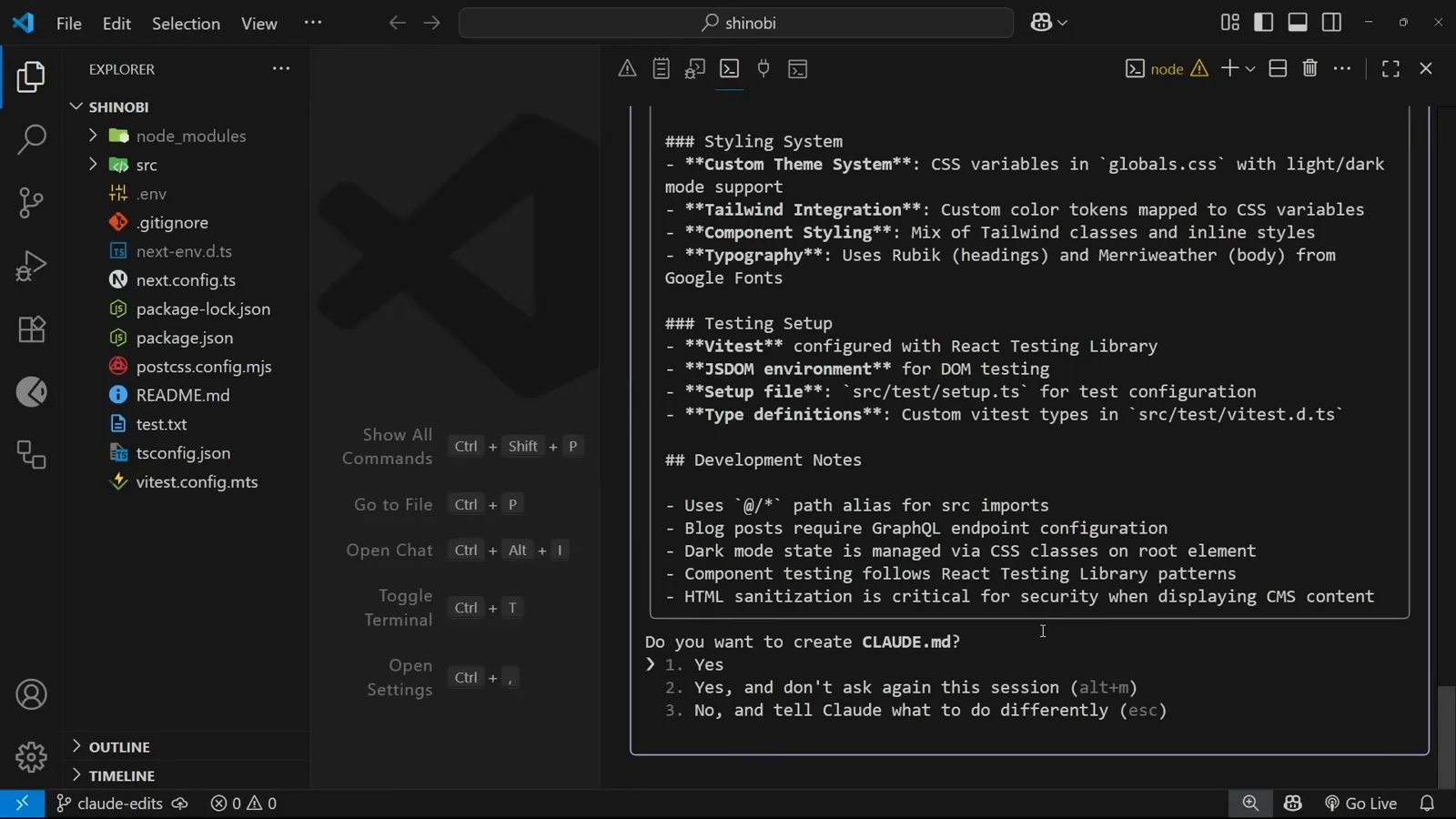
在你做出选择之前,磁盘上什么都不会变。在 1:52 处观看
/init 到底写了些什么
生成出来的文件是 Claude 用自己的话对代码库做的总结 — 命令、技术栈、目录结构,还有它推断出的各种约定。
- 4
文件开头:用途,然后是命令
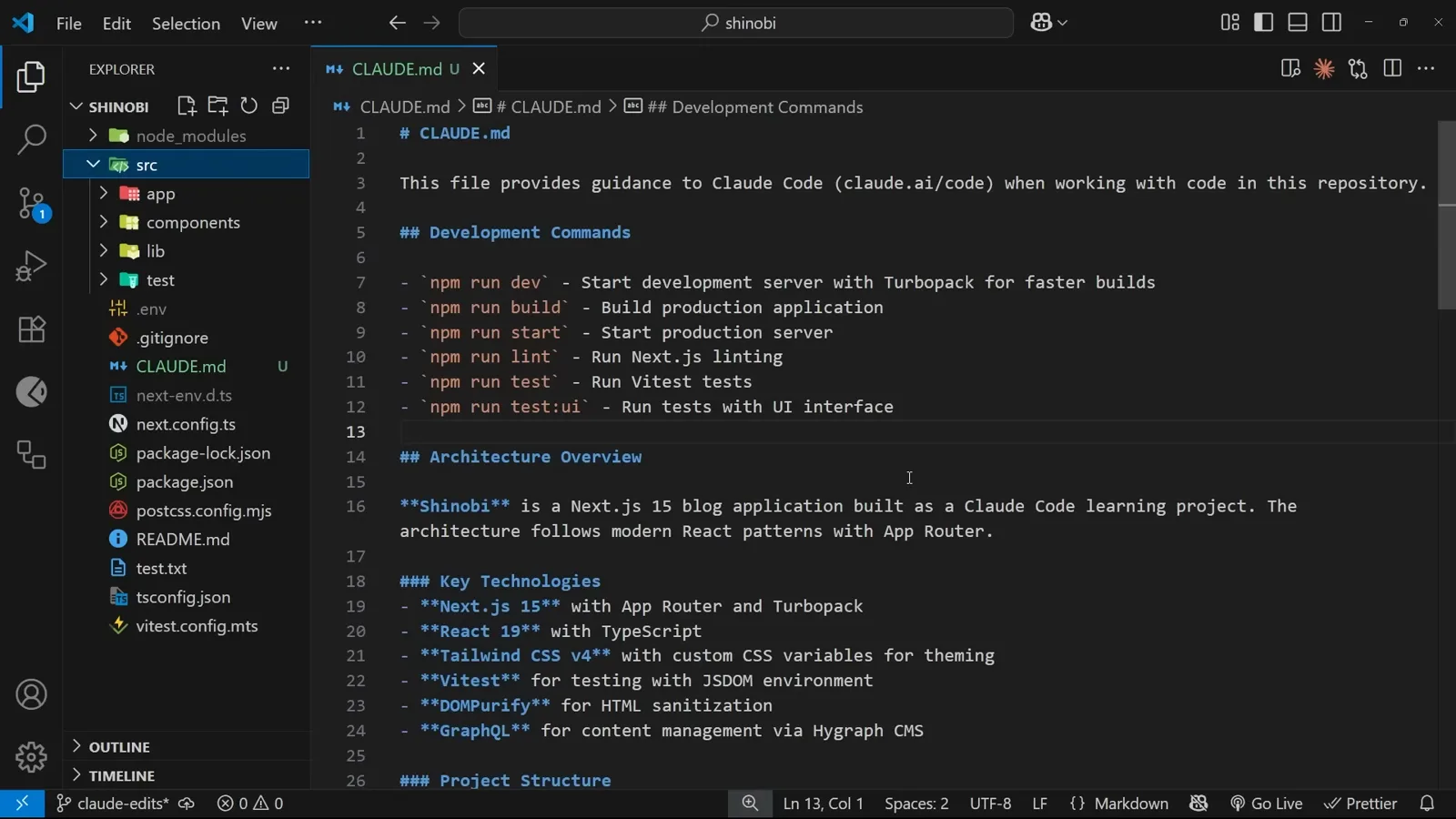
第一行交代文件是干什么的 — “This file provides guidance to Claude Code (claude.ai/code) when working with code in this repository”,紧接着就是最有用的部分。Development Commands 一节把 package.json 里的脚本全列了出来:npm run dev(Turbopack)、build、start、lint、test、test:ui。这一节的存在,是为了阻止 Claude 凭空发明一条并不存在的命令,也是 /init 跑完后最该先扫一眼的地方。
所有脚本名,一次就写对了。在 3:25 处观看 - 5
架构、技术栈与目录树
Architecture Overview 用一句话概括项目 — 一个遵循 App Router 模式的 Next.js 15 博客应用。Key Technologies 列出技术栈并说明每一项的用途:Next.js 15 配 App Router 与 Turbopack、React 19 配 TypeScript、Tailwind CSS v4 用 CSS 变量做主题、Vitest 跑在 JSDOM 环境、DOMPurify 负责内容净化、GraphQL 对接无头 CMS。随后的 Project Structure 把 src 目录画成 ASCII 树,几乎每一行都带一句注释。
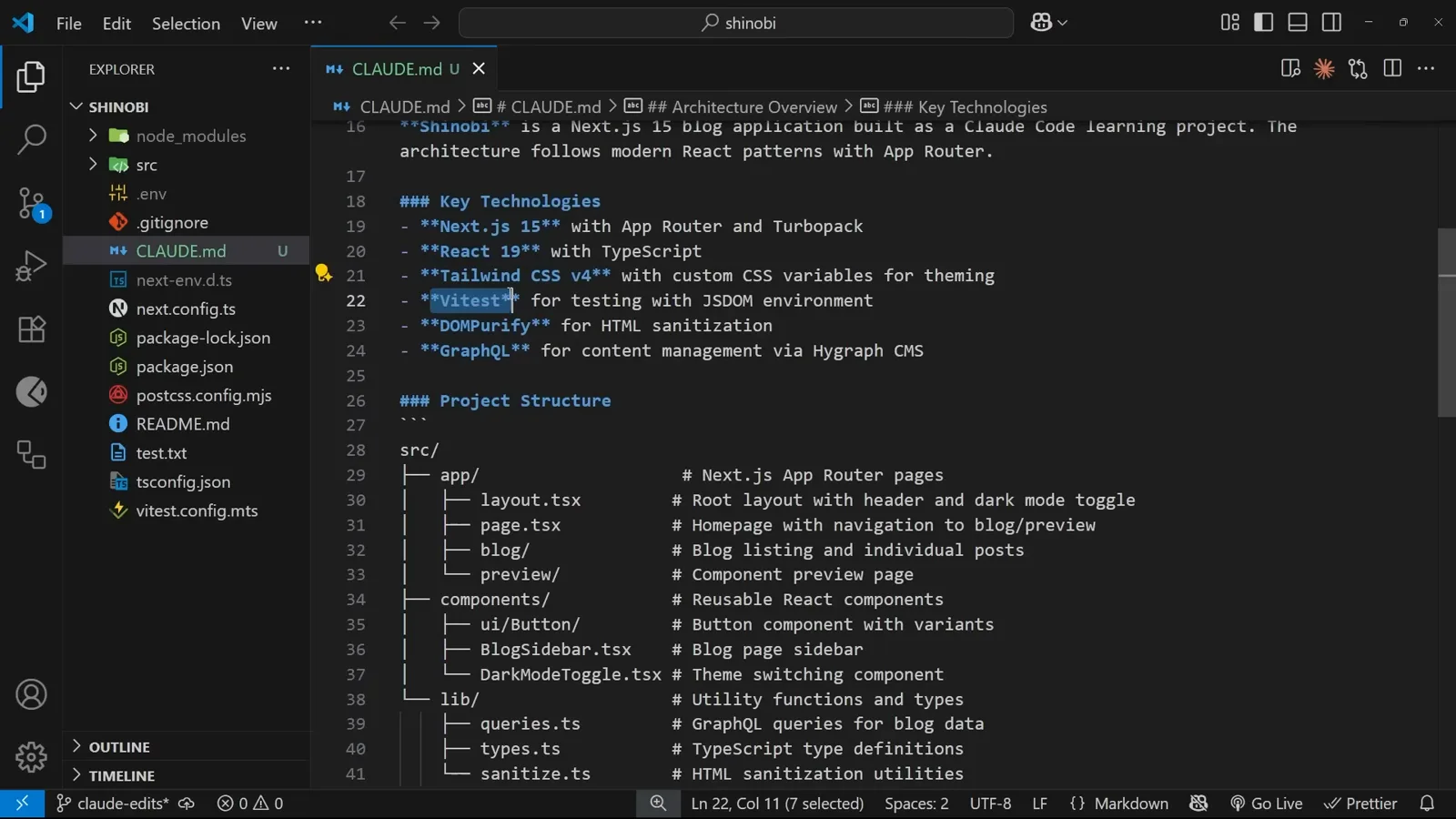
Claude 最依赖的就是那张目录图。在 2:26 处观看 - 6
这几节专门阻止 Claude 靠猜
Styling System 记录主题是怎么实现的,Testing Setup 点名 Vitest 配置与 setup 文件,Development Notes 收集那些走错一步就要返工的小事实:src 导入用的 @/* 路径别名、暗色模式挂在根元素的 CSS class 上、CMS 内容必须做净化。这些都不是什么冷门信息,只是 Claude 每个会话都得重新推导 — 或者推导错 — 的东西。
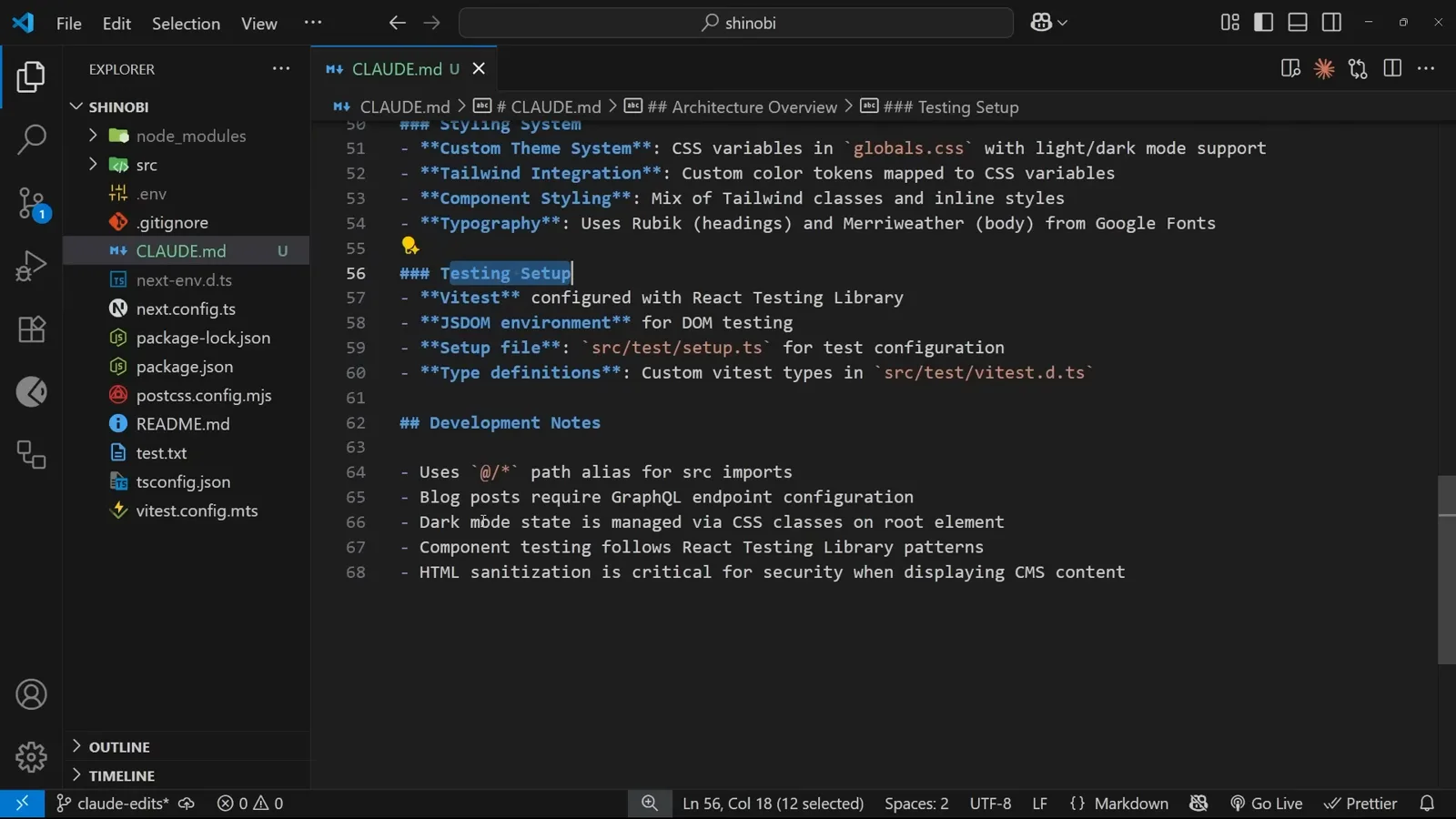
路径别名与安全约束,一次写清。在 2:48 处观看
改这个文件,Claude 就会照着做
CLAUDE.md 就是一个普通 Markdown 文件。你手敲进去的一行,和 /init 推断出来的内容同等有效。
- 7
补上 /init 没见过的那个目录
生成的目录树里没有 hooks 这一项,所以 Claude 并不知道自定义 hook 该放哪。滚到 Project Structure 区块,自己敲一行 — hooks/ 后面加注释 “Reusable hooks” — 然后保存。这就是把 CLAUDE.md 当普通文件看待的全部理由:手写的一行和 /init 推断出来的一行同等权威,也是你把「代码里还不存在的约定」教给它的唯一途径。
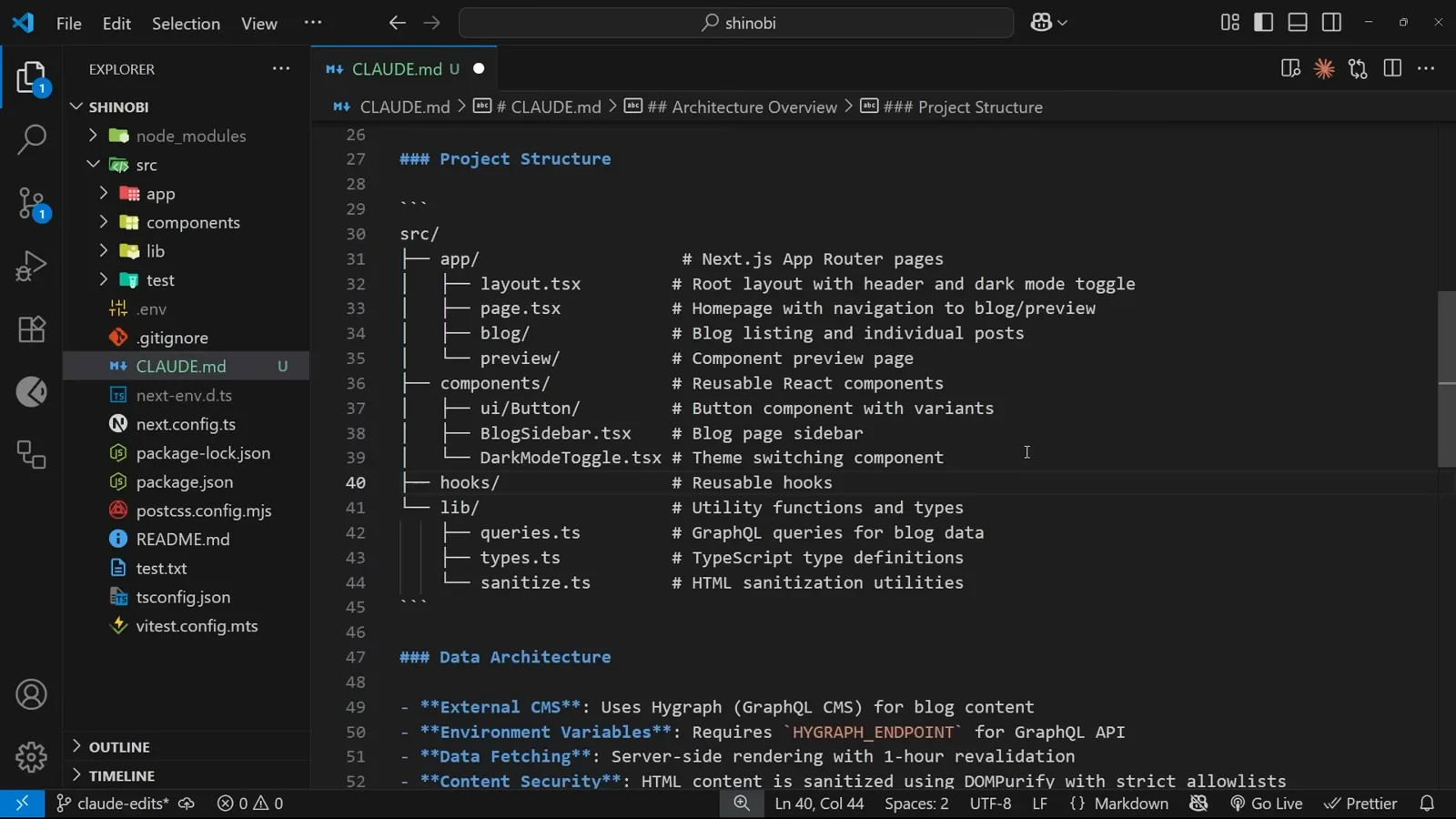
新增的一行,光标还停在上面,标签页上的未保存小圆点没消。在 4:38 处观看 - 8
要一个 hook,但绝口不提放哪
清空会话,然后提问:“Can you create a hook to store the user's theme pref in, when they toggle the theme on the site? Store the value in local storage for next time. Don't use the hook anywhere yet!” 最后那句本身就值得学 — 视频提到 Claude Code 有个习惯:新建的 hook、组件或工具,它总想顺手接到项目里去,所以只要你只要文件,就明确说出来。至于目录,才是这次测试真正要验的东西。
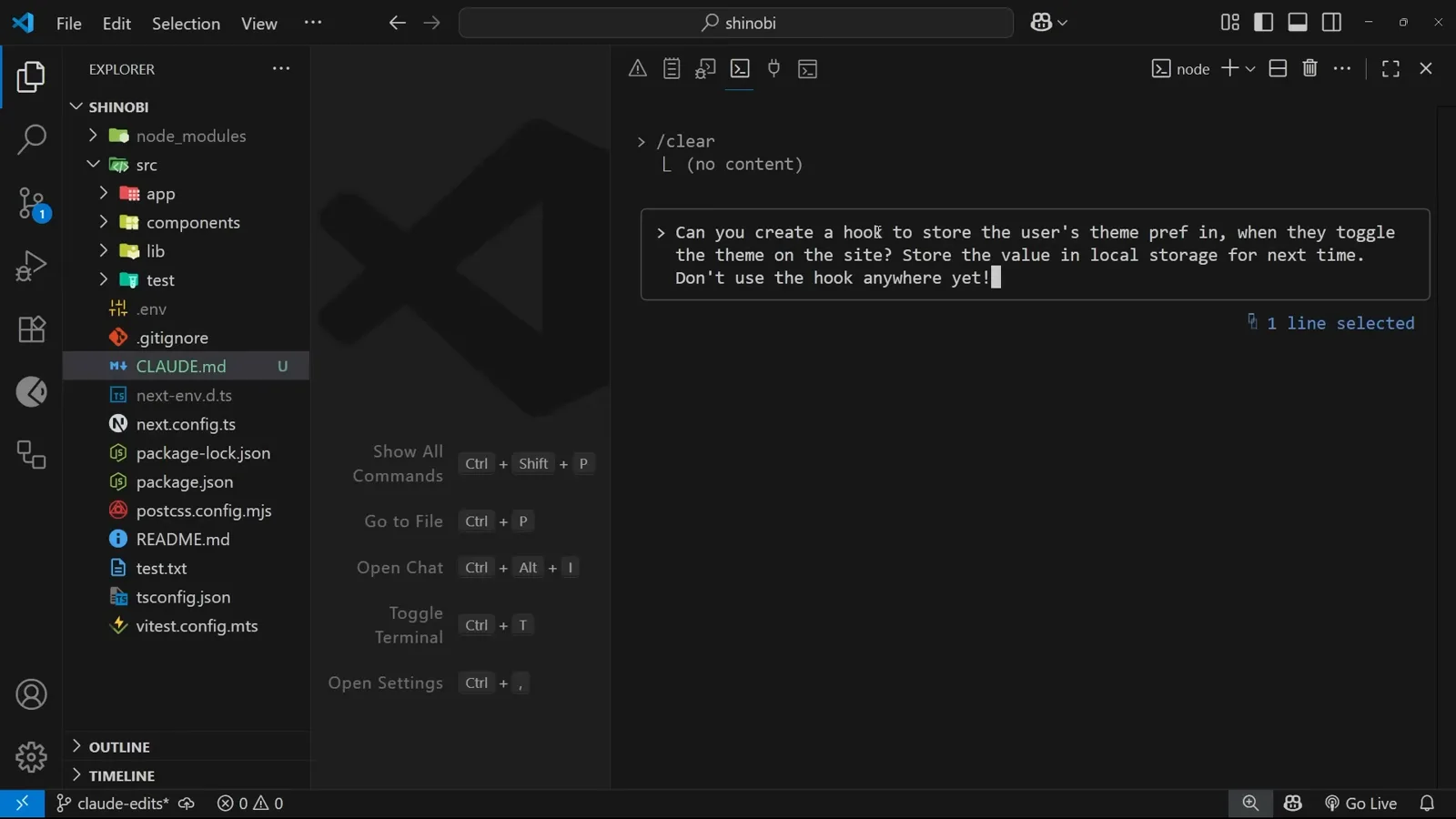
整段提示里没有出现任何路径。在 5:36 处观看 - 9
Claude 把文件放在了记忆里写的位置
计划回话是 “Now I'll create the useTheme hook in the hooks directory”,工具调用是 Write(src/hooks/useTheme.ts),随后弹出审批框 “Do you want to make this edit to useTheme.ts?”,左侧是新文件的 diff。接受之后,hooks 目录和 useTheme.ts 一起出现在文件树里。提示里从没提过路径 — 是 CLAUDE.md 里补的那一行在起作用。
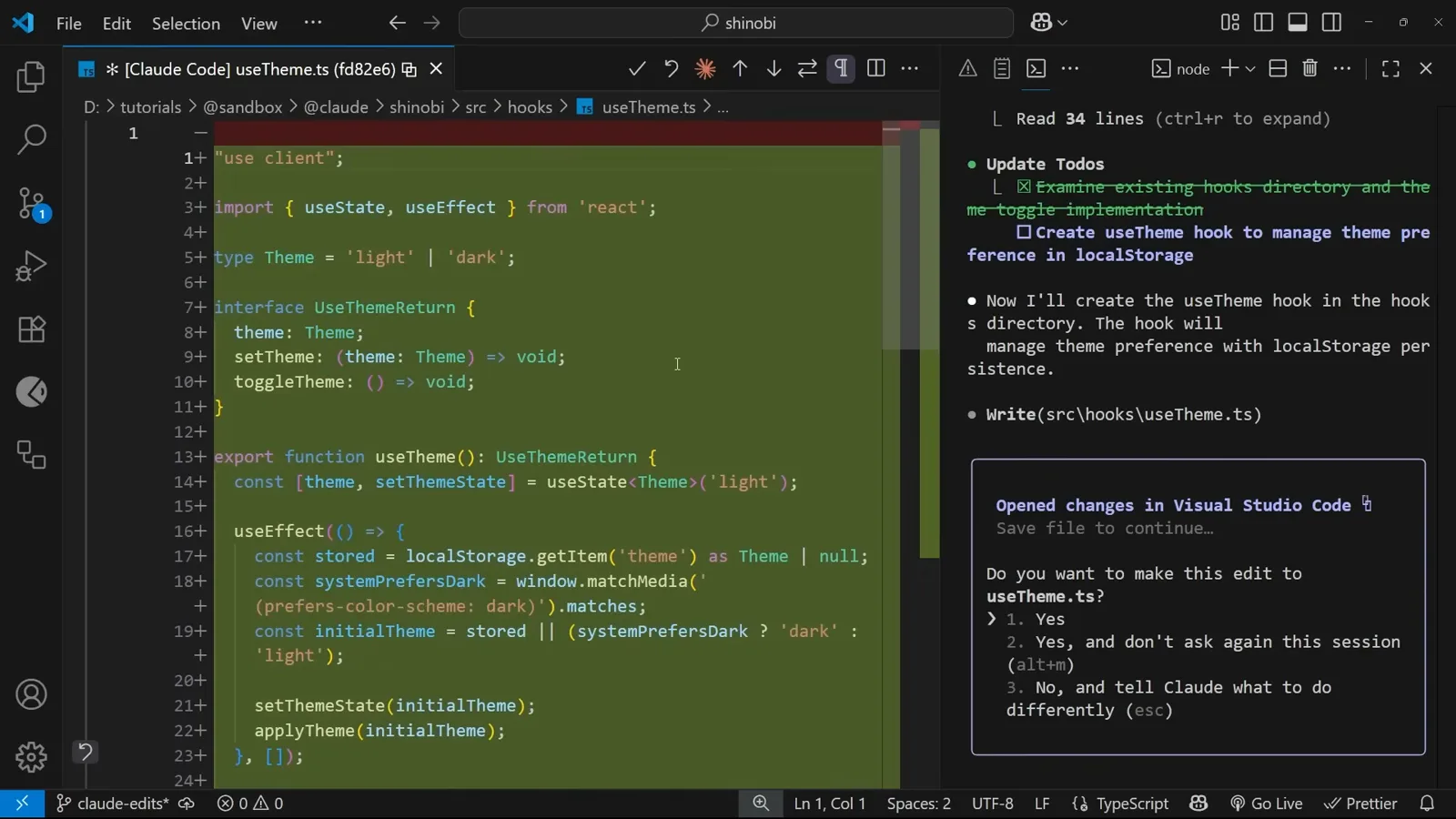
src/hooks/useTheme.ts,就在一个小时前还不存在的那个目录里。在 6:10 处观看
用 # 快捷指令保存一条规则
当你发现 Claude 第二次做出同样的假设时,在纠正的话前面加个 #,它就成了记忆。
- 10
规则前面加 # 就是写记忆
会话进行中,把某条你反复强调的约定用井号开头发出去:“when making new page components, always add a link to that page in the header”。输入的同时,Claude Code 会在输入框下方标注 “# to memorize” — 加了井号,这句话就从请求变成了记忆。这是趁你还记得规则为什么重要时,把它捞进文件的最快方式。
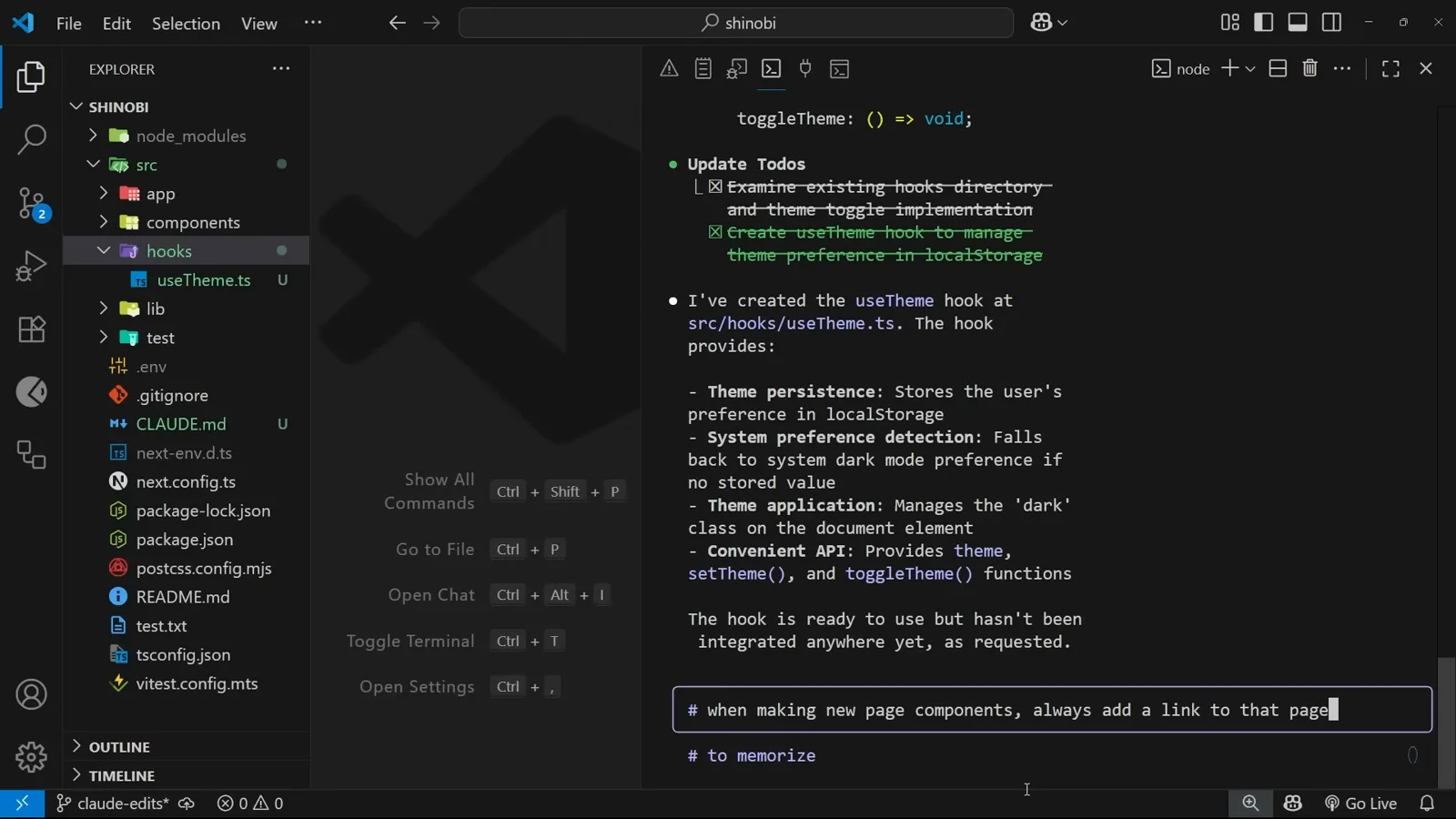
提示在你还在打字时就出现了。在 6:44 处观看 - 11
选一个记忆文件来承接这行
回车之后 Claude 会问 “Where should this memory be saved?”,三个选项:Project memory,写入并纳入版本控制的 ./CLAUDE.md;Project memory (local),被 gitignore 的 ./CLAUDE.local.md;User memory,存在 ~/.claude/CLAUDE.md。划分标准是受众,不是主题。项目记忆要提交,所以应放对整个仓库的人都成立的东西 — 目录结构、命名、框架、测试。用户记忆是你这台机器上跨所有项目生效的文件:个人工具链、代码风格。local 那个选项最尴尬,下面那张官方表格会解释原因。
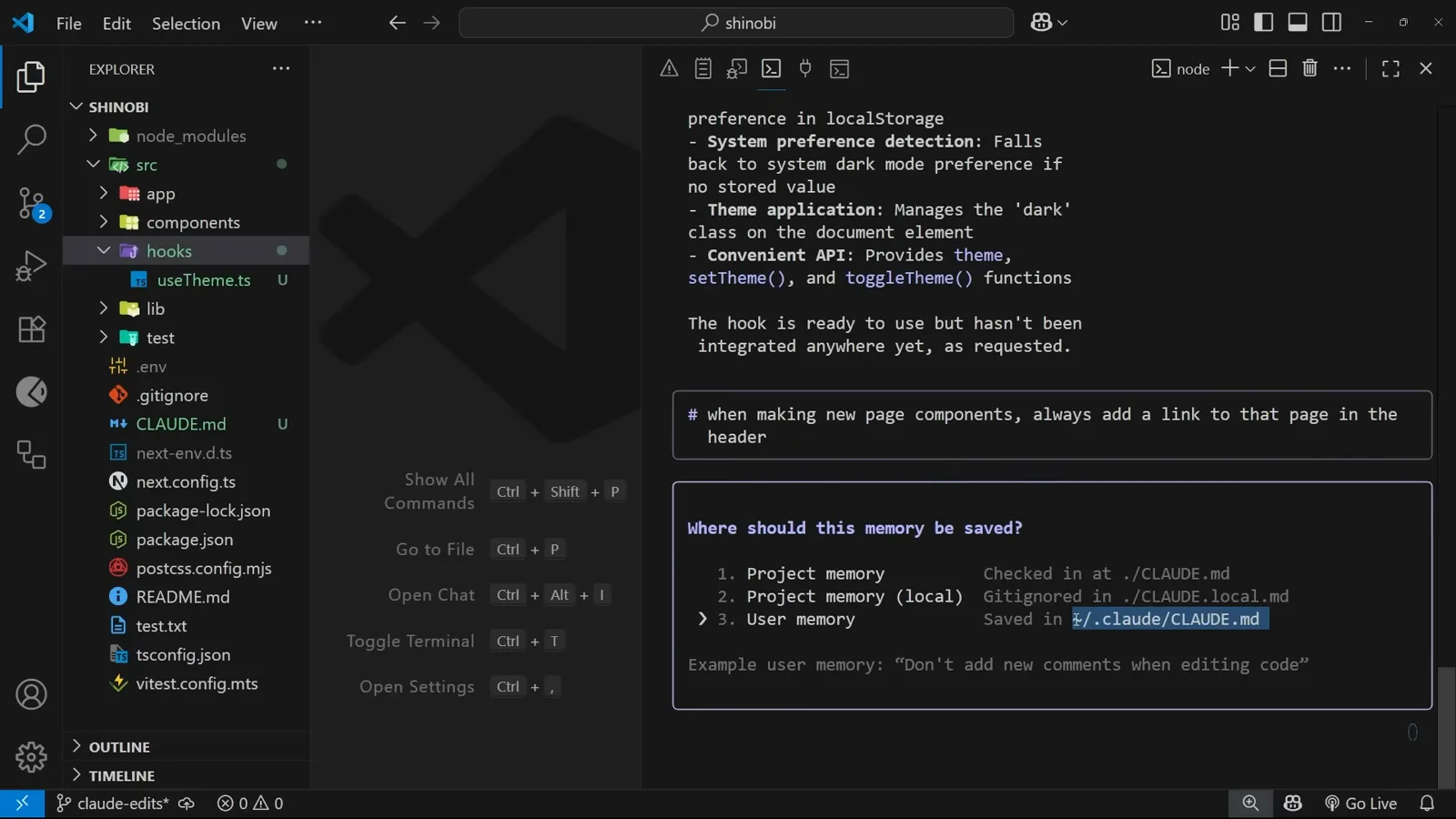
一句话,三个可能的去处。在 7:20 处观看 - 12
写完还会告诉你一声
选 Project memory,会话会把规则原样回显一遍,下面只跟一个 “Got it.”。紧接着 Claude Code 补了一条值得转给新手的提示:“Want Claude to remember something? Hit # to add preferences, tools, and instructions to Claude's memory.” 这句话被追加进了你已经打开的那份 CLAUDE.md,所以哪条记忆让你不放心,敲个 /memory 就能核对。
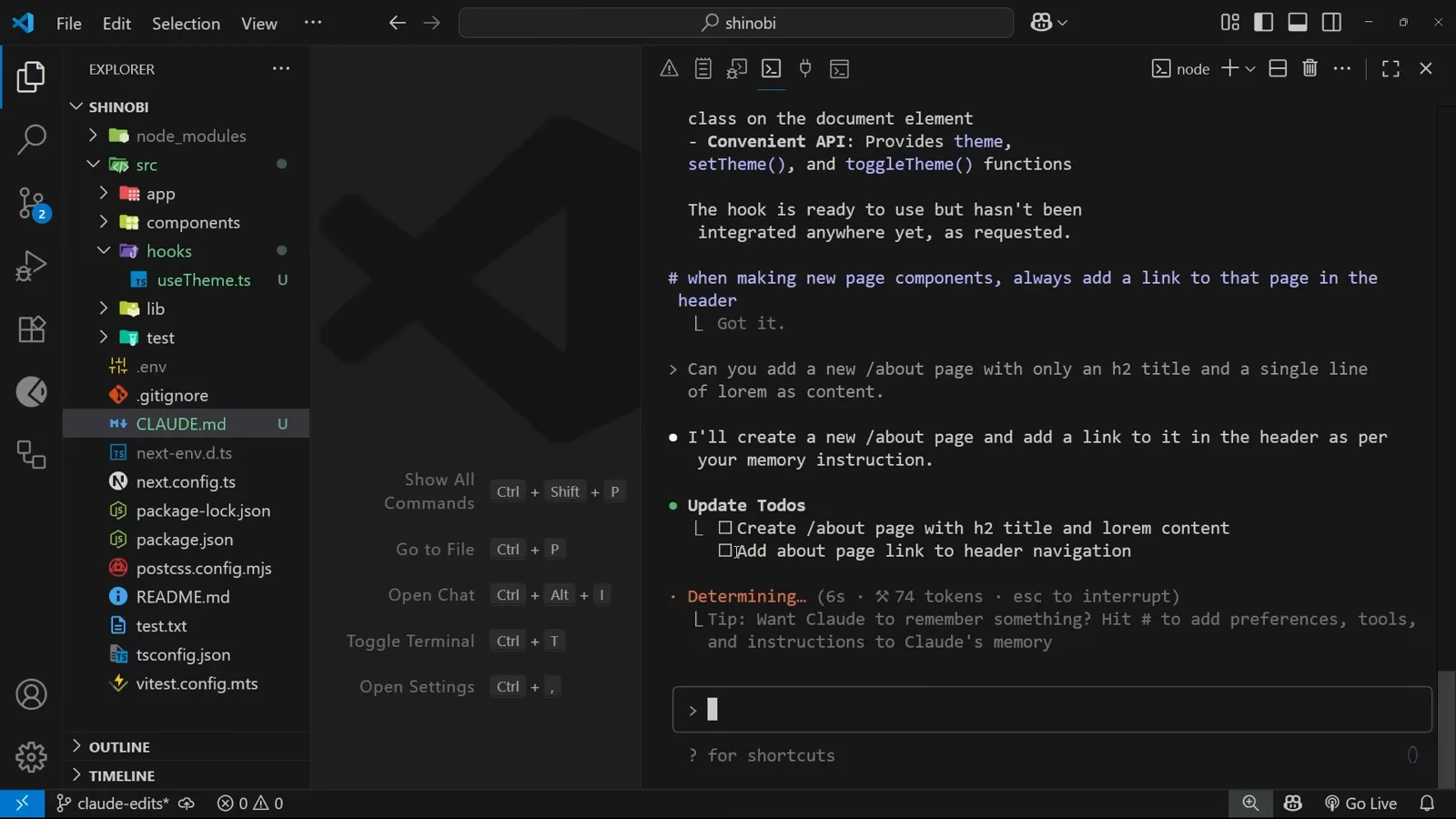
“Got it.” 外加官方自带的 # 用法提醒。在 9:12 处观看
三个记忆文件,以及怎么打开
这条笔记落在哪个文件,决定了谁会看到它 — 你的团队、只有这个仓库,还是你机器上的所有项目。
- 13
下一条任务的计划里,记忆回来了
提一个毫不相干的需求 — “Can you add a new /about page with only an h2 title and a single line of lorem as content” — Claude 回答 “I'll create a new /about page and add a link to it in the header as per your memory instruction.”。它的待办清单里多出一条没人要求过的项:Add about page link to header navigation。这就是记忆在起作用:它作为上下文被加载进会话,于是改变了计划,而你并不需要重复自己。
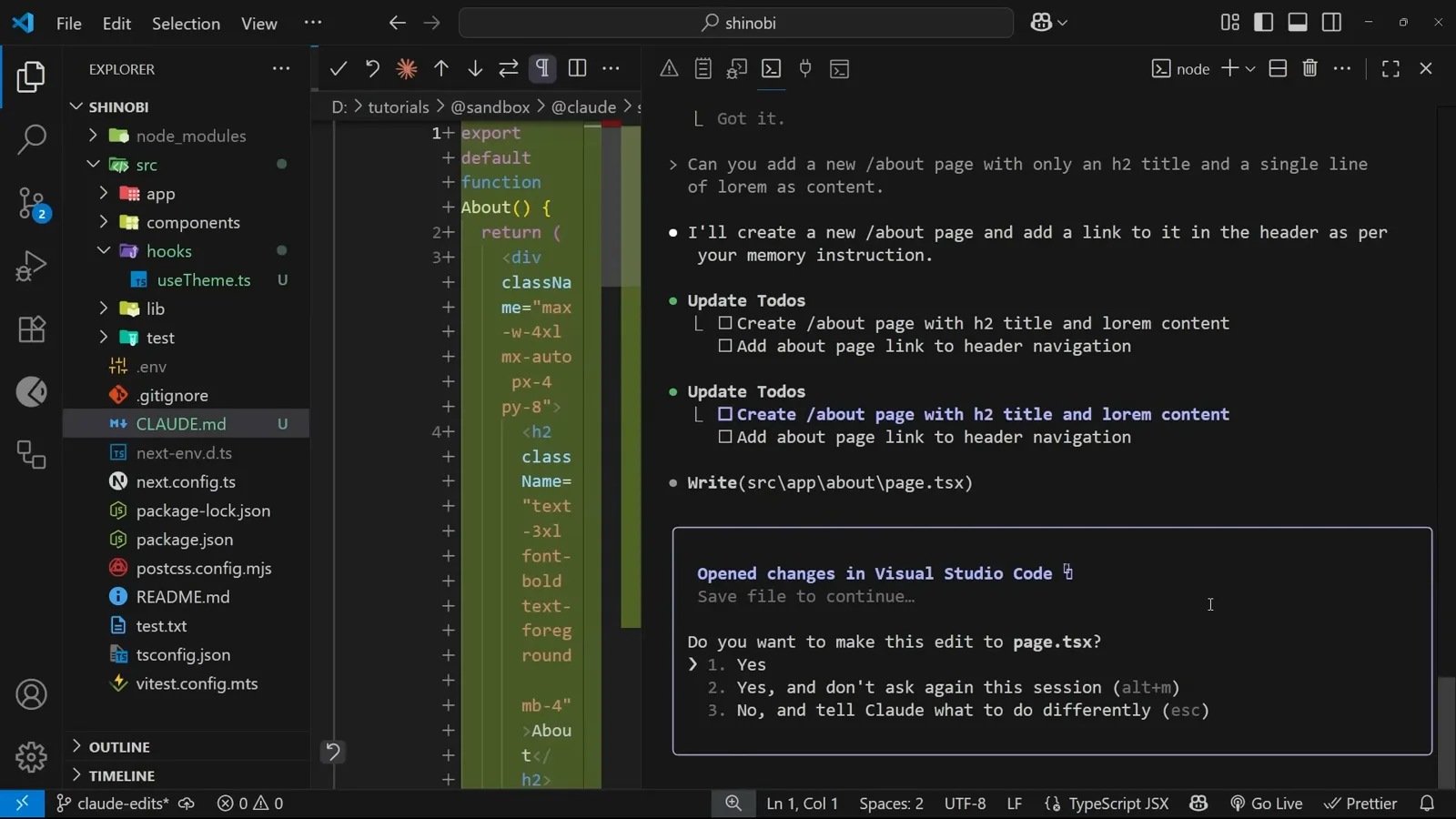
两条待办,其中一条直接来自 CLAUDE.md。在 9:20 处观看 - 14
去浏览器里验收
起开发服务器,打开 localhost:3000/about。页面就是那个 h2 加一句 lorem,导航栏现在是 Blog、Preview、About — 最后那个链接就是记忆让 Claude 加的。注意多出来的两个:视频把这归为 Claude Code 爱超范围动手的老毛病,解法还是同一个 # 快捷指令,只不过这次写的是“别碰我点名之外的文件”。这类约束同样值得进 CLAUDE.md。
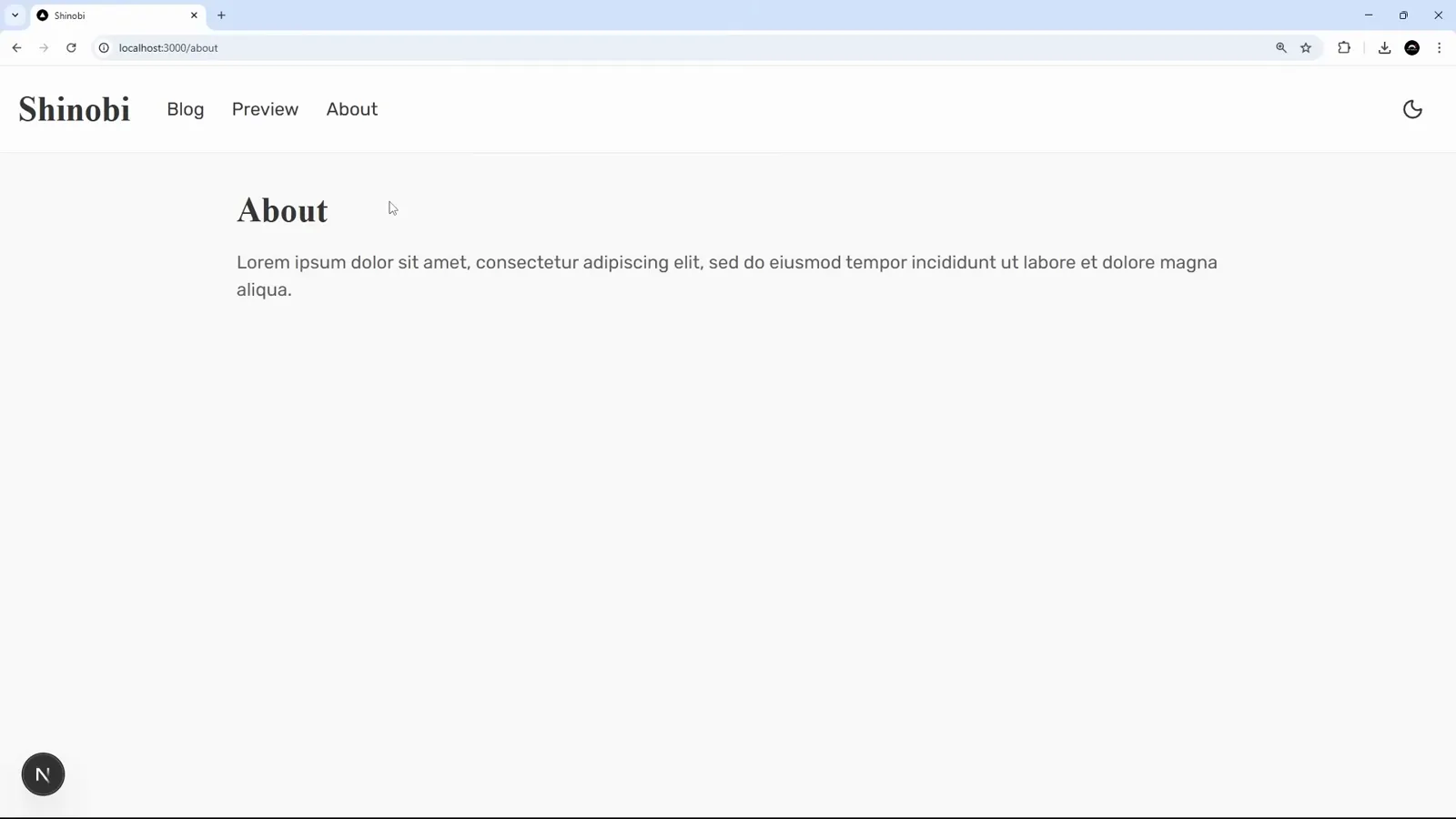
About 链接在那儿了。另外两个没人要的也在那儿。在 10:12 处观看 - 15
官方文档怎么看那个 local 文件
docs.anthropic.com 上的 memory management 页面把整张地图摊开了:IT 统一下发的企业策略文件、通过版本控制共享的项目记忆 ./CLAUDE.md、跨所有项目只对本人生效的 ~/.claude/CLAUDE.md,以及 ./CLAUDE.local.md — 后者被标注为“(Deprecated, see below)”。视频也提醒了同一件事:local 记忆正在被弃用,取而代之的是在项目级记忆里 import 未跟踪的文件。录制当时 # 菜单里那个选项还在,所以把它当兼容项,而不是推荐项。
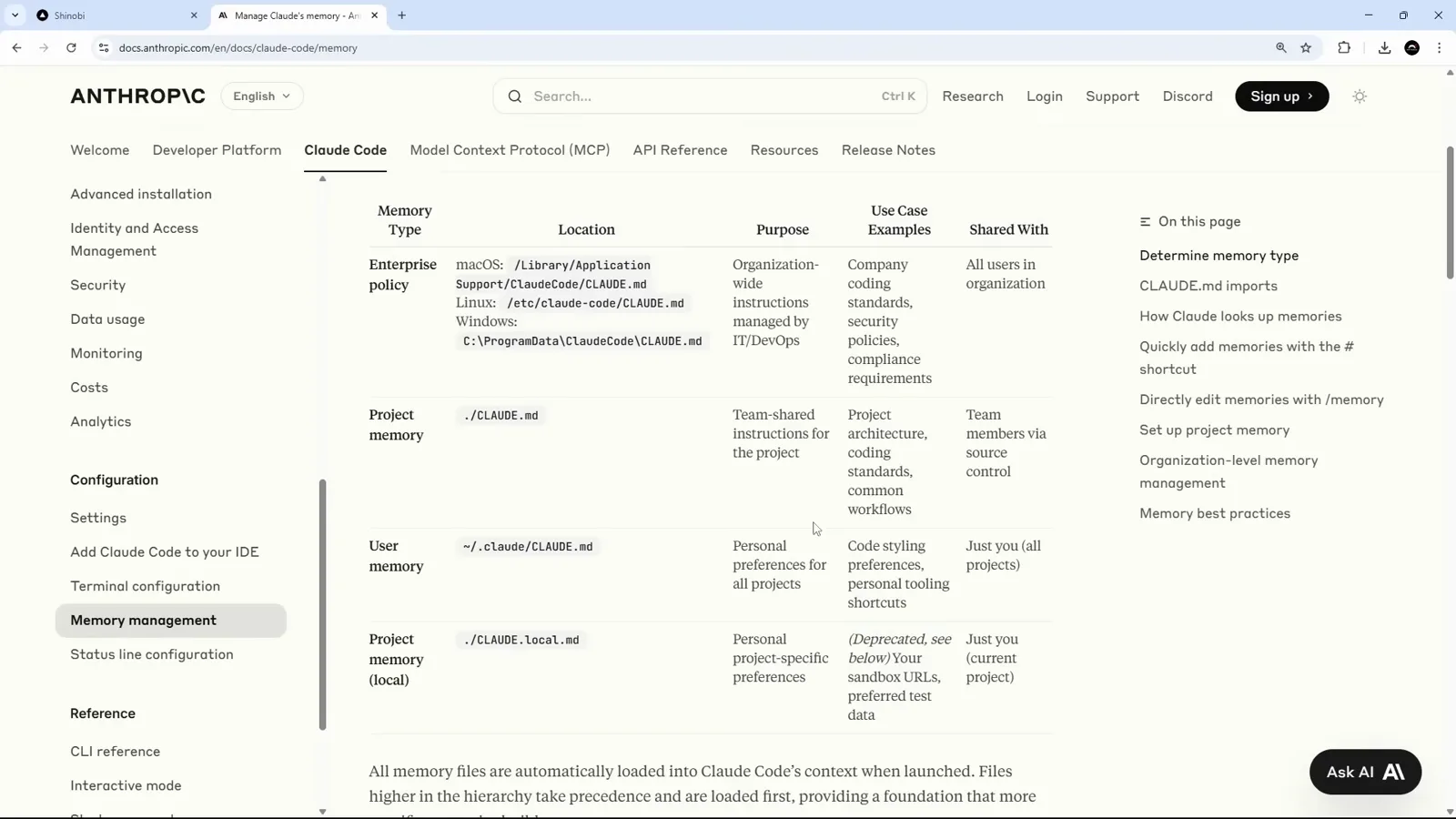
终端那个菜单,其实就是在概括这张表。在 10:40 处观看 - 16
用 /memory 打开任意一个记忆文件
输入 /memory,Claude 会列出它能访问的内容 — “Memory Files: project: CLAUDE.md”、一条文档链接,然后是 “Select memory to edit”,同样三个作用域,外加 ./CLAUDE.md 里当前存了多少条记忆的计数。选一个就会在编辑器里打开。若内置编辑器不合用,终端会提示你去设置 $EDITOR 或 $VISUAL。这就是日常维护循环:/memory,读一遍攒下了什么,把过期的删掉。
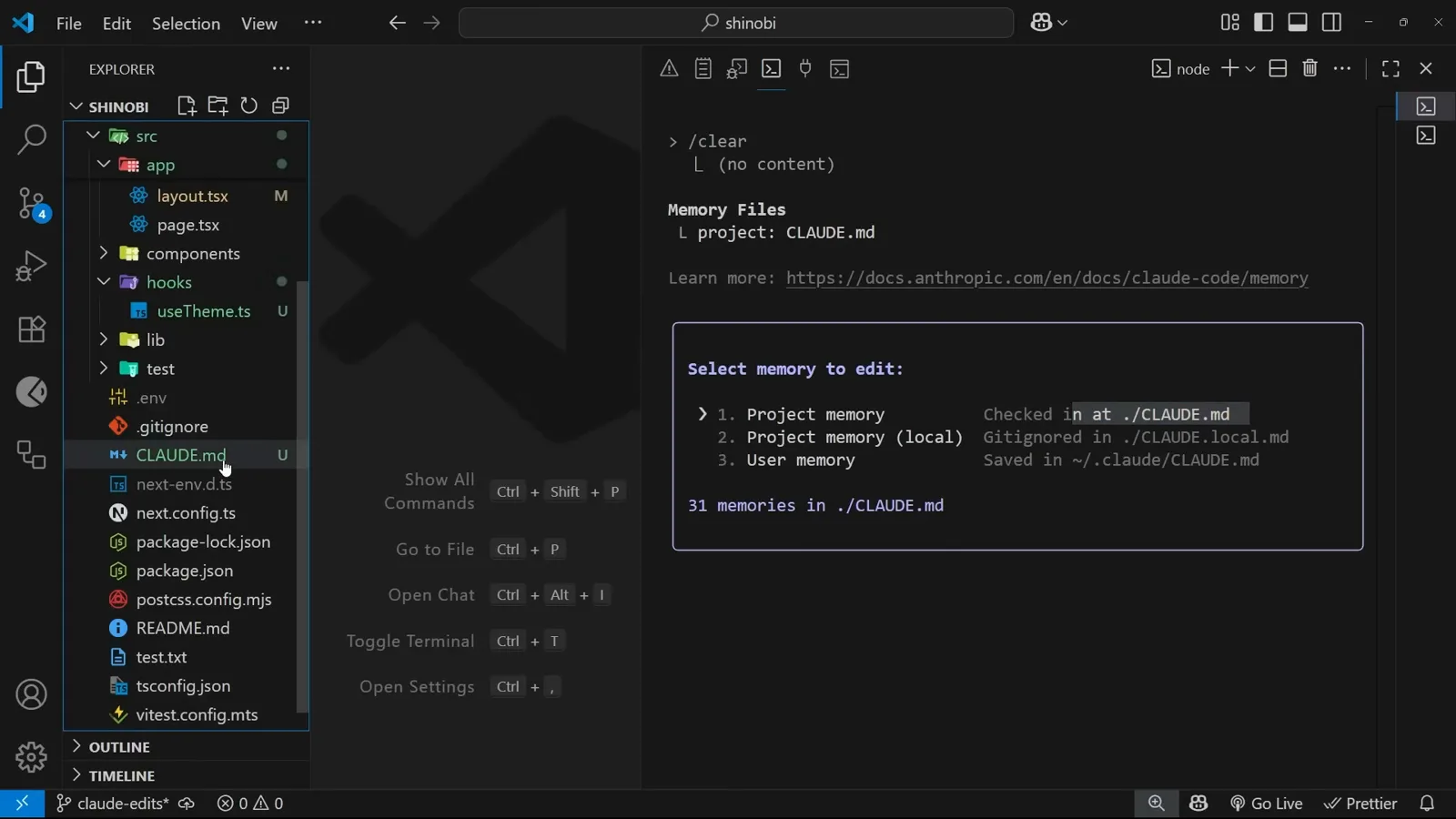
/memory,顺带显示本项目的记忆条数。在 11:24 处观看