
功能深潜
Claude Code Checkpoints 与 /rewind:把 AI 写歪的代码连对话一起退回
你每发一条消息,Claude Code 都会给它编辑过的文件留下一份快照。按两次 Esc,选中会话走歪的那一刻,代码和对话就能一起退回去——不需要先 commit。
共 13 个图解步骤,阅读约需 5 分钟。每一步都深链回来源视频中的对应时刻。
TL;DR
你发出的每一条消息都会生成一个检查点:Claude Code 编辑过的文件快照,加上到那一刻为止的对话。用 /rewind,或在输入框为空时按两次 Esc 打开列表,选中要返回的那条消息,再在三个范围里挑一个——Restore code and conversation、Restore conversation 或 Restore code。确认页会写明要回退哪个文件、增减多少行,并提示 rewind 不会影响手动编辑或通过 bash 改动的文件。它是当前会话的本地撤销,不是 git 的替代品。
来源视频
本页跟随 anxious engineer 录制的 Claude Code 会话视频,逐帧复现其中的 rewind 操作。每张截图都深链到它出现的精确时刻。
截图为视频画面,已署名致谢;正文为原创。步骤已于 2026 年 9 月对照视频与 Claude Code 官方文档核验。
不用你手动保存的检查点
没有「保存」这回事。你发的每条消息都是一个可返回的点,旁边还列着它改动了哪些文件。
- 1
先开一个以后想撤销的会话
视频从 /clear 开始,然后是一条长提示词:做一个 React 按钮组件,拆成多步,每步结束都要征求批准,进度写进 button.tsx。此刻还没有任何快照——状态栏显示 0 tokens——但把这条消息发出去,就是第一个检查点的诞生。
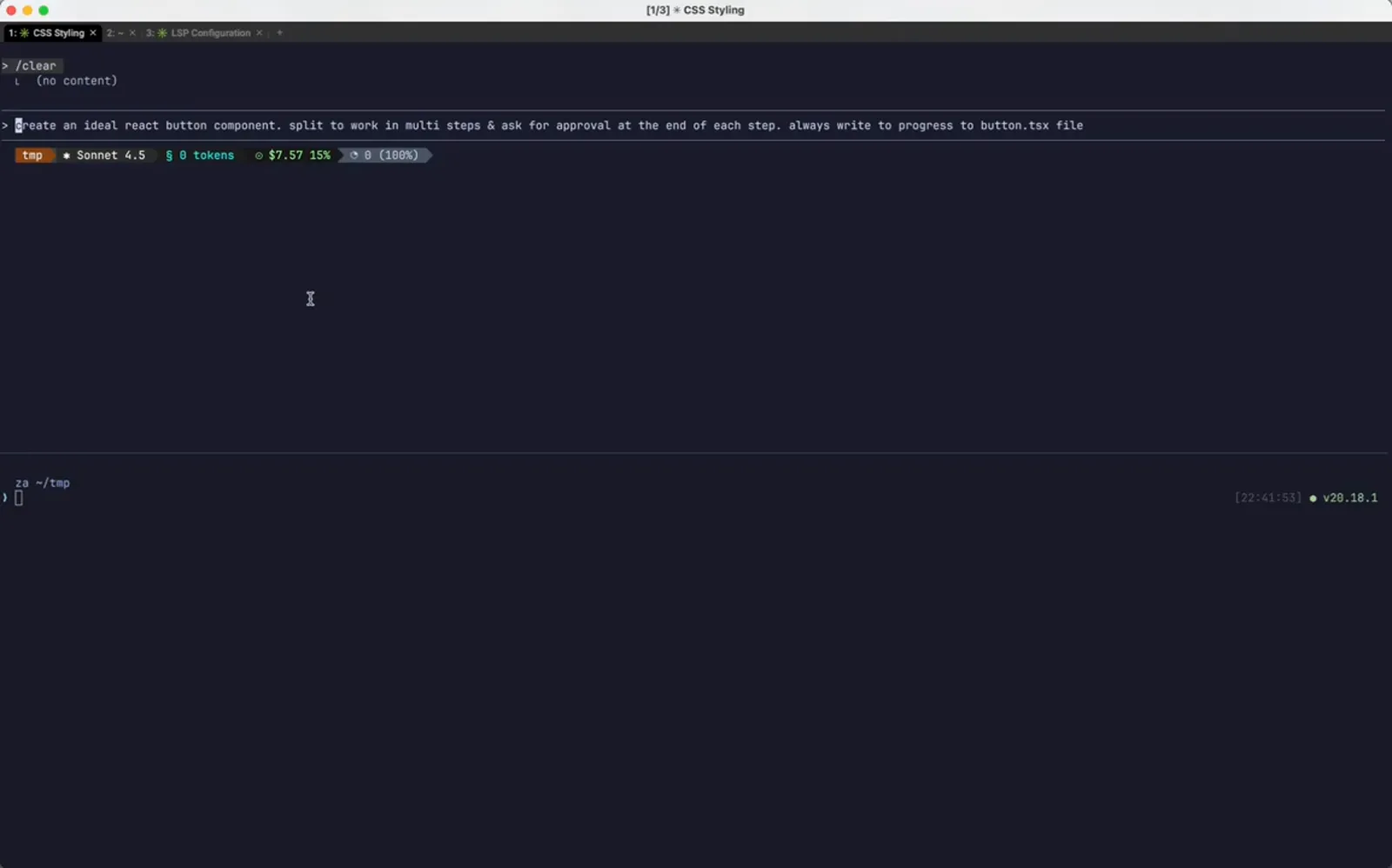
一条消息一个检查点,此时代码还一行没有。在 0:04 处观看 - 2
第 1 步完成,待办被划掉
Claude 写出 button.tsx:类型定义、props 接口、forwardRef 包装,把第一条 todo 划掉,然后停下来等批准。这是一个干净的落点,也正是稍后 rewind 要回到的状态。
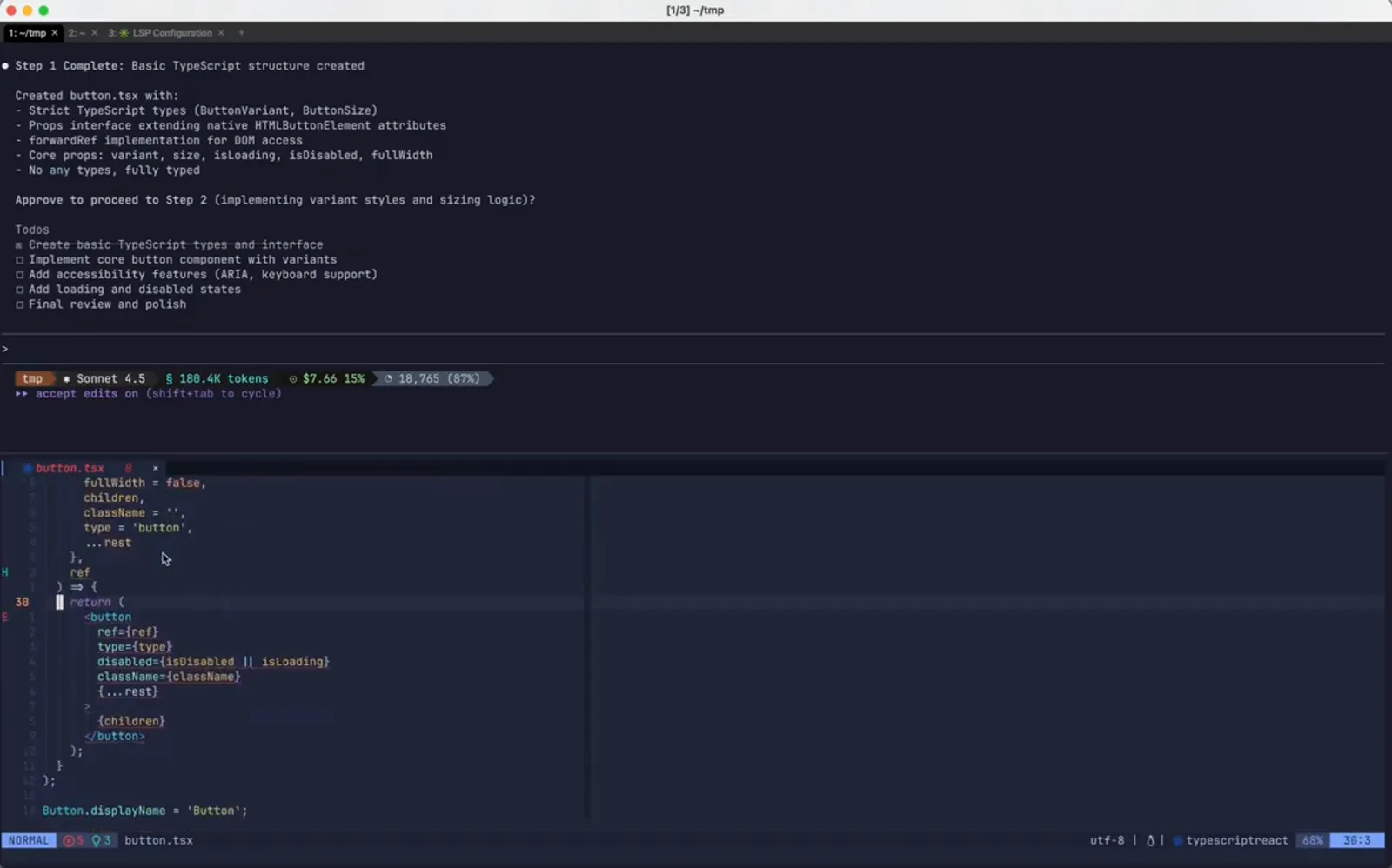
一个值得能退回去的干净节点。在 0:28 处观看 - 3
你的批准也是一个新的检查点
输入 step 1 complete. continue. 同时做了两件事:批准下一步,以及再记录一个可回退点。检查点是跟着你的消息走的,而不是跟着 Claude 的编辑走的——你干预得越多,可落脚的地方就越多。
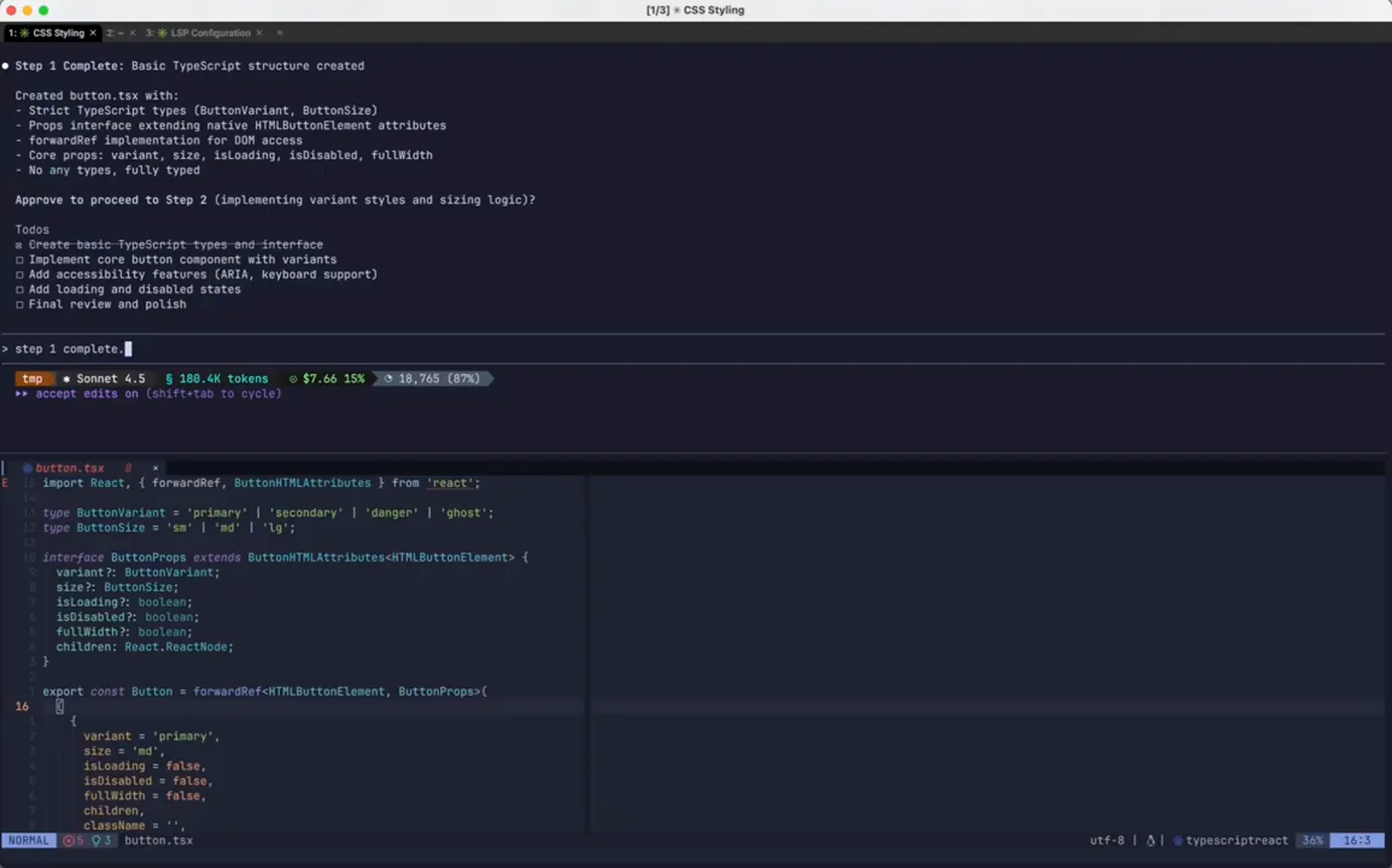
这条消息将成为回退目标。在 0:40 处观看
打开 rewind 检查点列表
按两次 Esc,或者输入 /rewind,整场会话就以你自己发过的消息为条目列出来。
- 4
开始后悔的那一步
Step 2 Complete 报告 variantStyles 和 sizeStyles 是用 Tailwind 工具类实现的,VS Code 里能看到 bg-blue-600 这类字符串已经进了文件。而项目根本不用 Tailwind。活儿没白干,只是方向错了——而这正是检查点的用途。
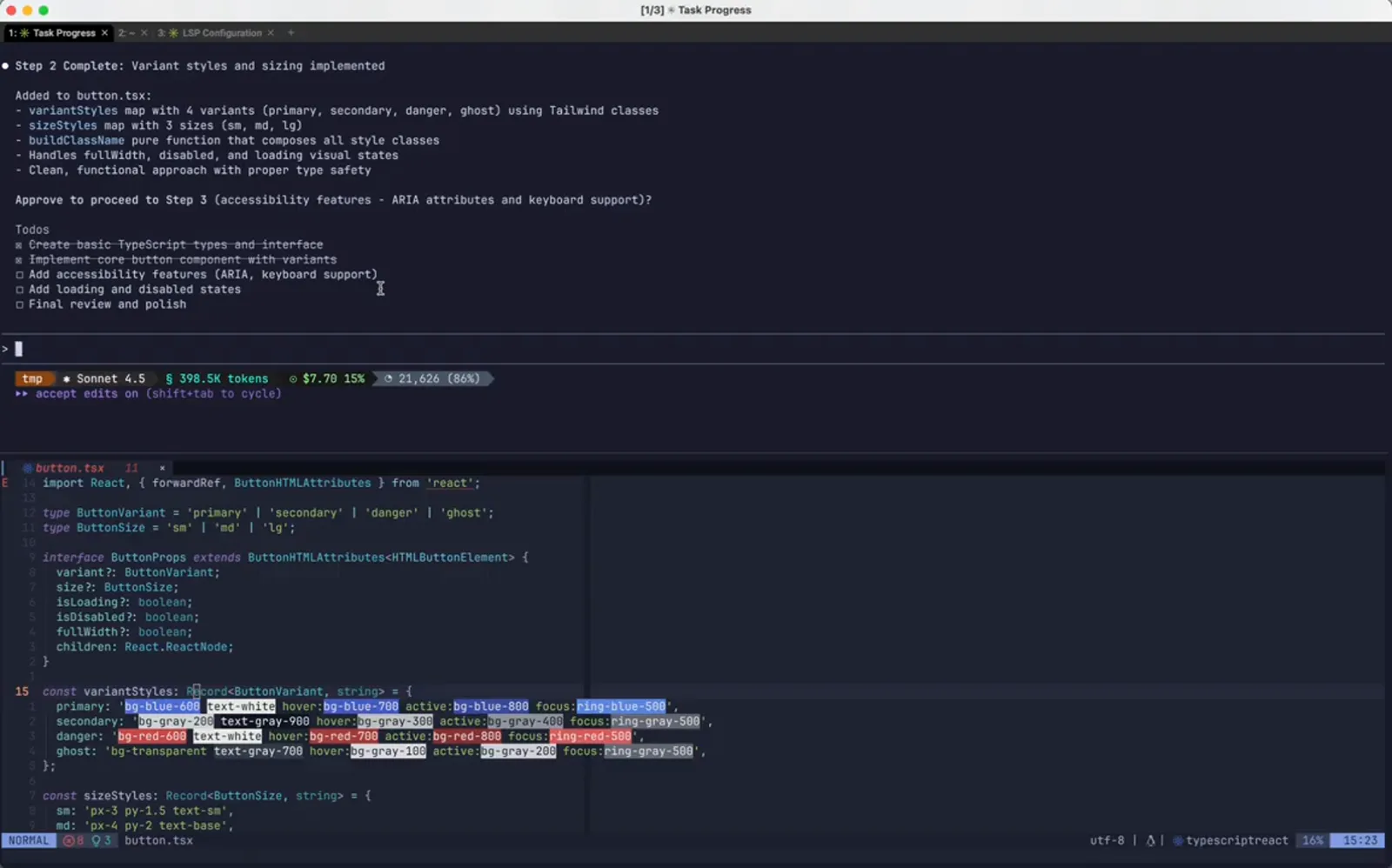
一步做完了,但方向不适合这个项目。在 1:10 处观看 - 5
按两次 Esc 打开 Rewind
输入框为空时连按两次 Esc 就会打开 Rewind 面板,效果和 /rewind 完全一样。标题写着 Restore the code and/or conversation to the point before...,下面每条本会话发出的消息各占一行,附上这条消息改了哪个文件、增减多少行,例如 button.tsx +45 -0。/clear 也在列表里,标注为 No code changes。Enter 继续,Esc 退出。
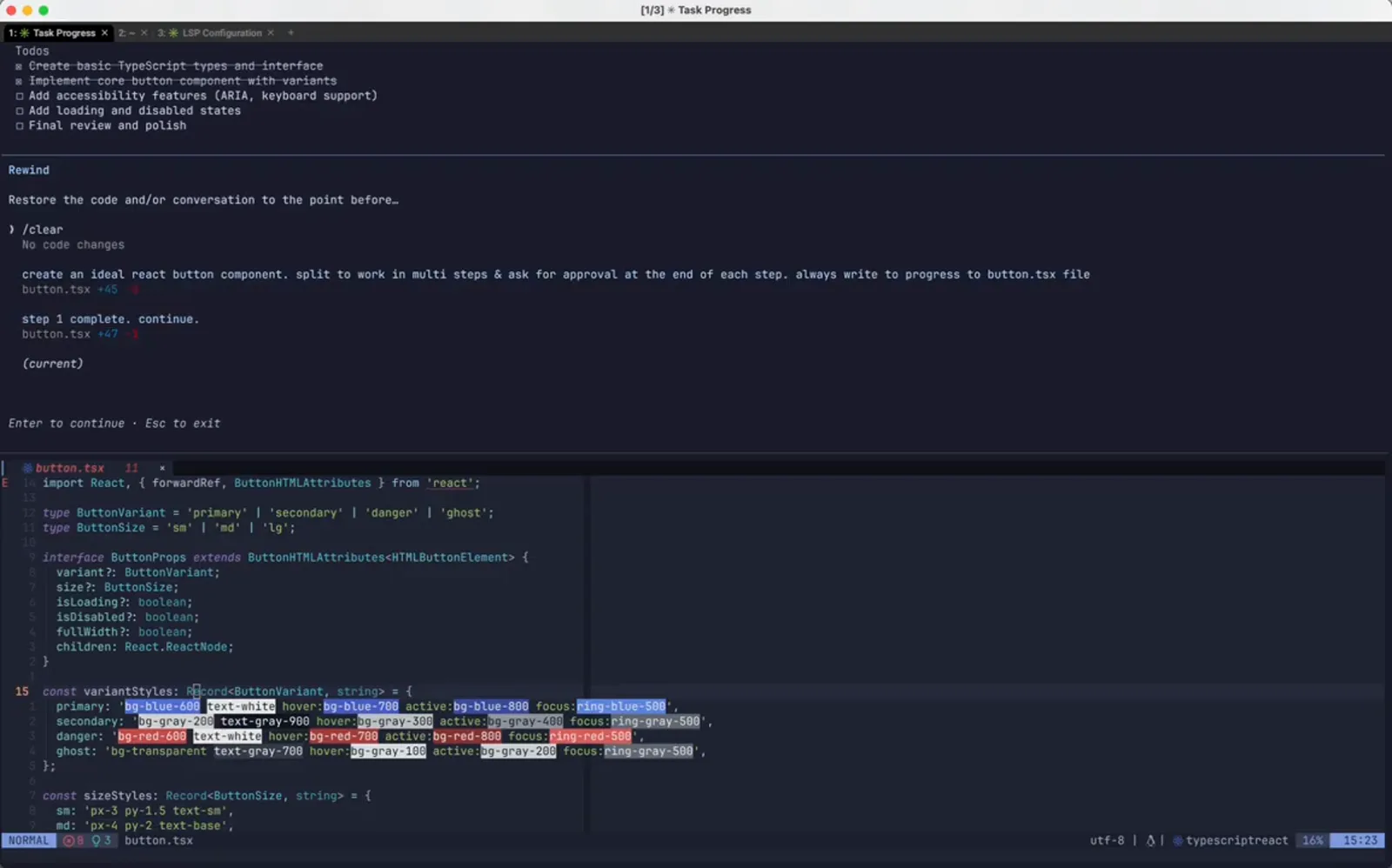
会话里的每条消息,连同它造成的 diff。在 1:18 处观看 - 6
把光标移到最后一条还正确的消息上
将标记移到 step 1 complete. continue. 上——也就是 Tailwind 那步之前发出的那条——然后按 Enter。回退到某条消息之前,意味着它之后的一切都会被撤销,所以该选那个「当时还健康」的条目,而不是你想重跑的那条。
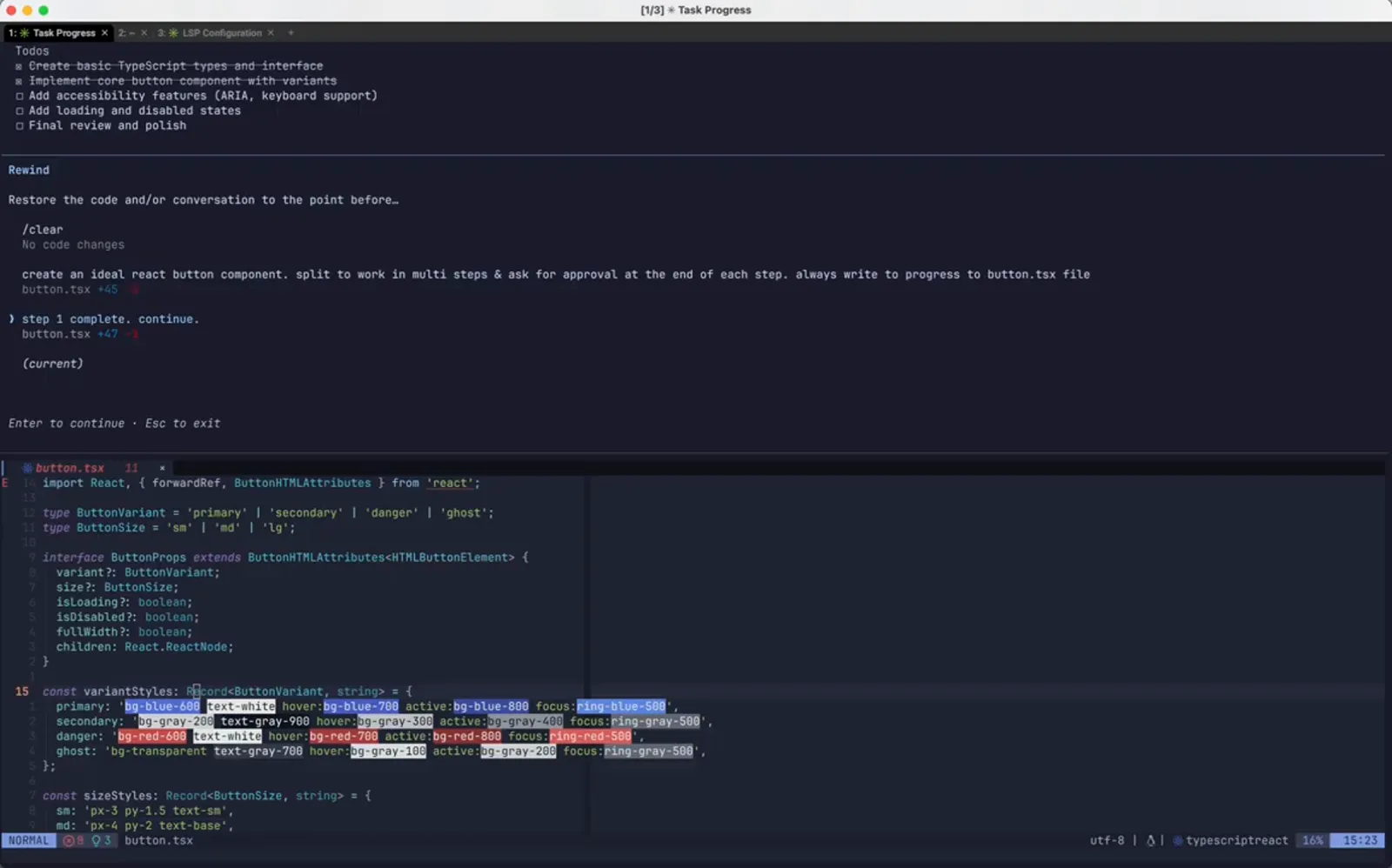
选中出错之前的那个检查点。在 1:26 处观看
决定要退回来什么
只退代码、只退对话,还是两者都退——确认页会在真正动手之前先把 diff 给你看。
- 7
选择回退范围:代码、对话,或两者
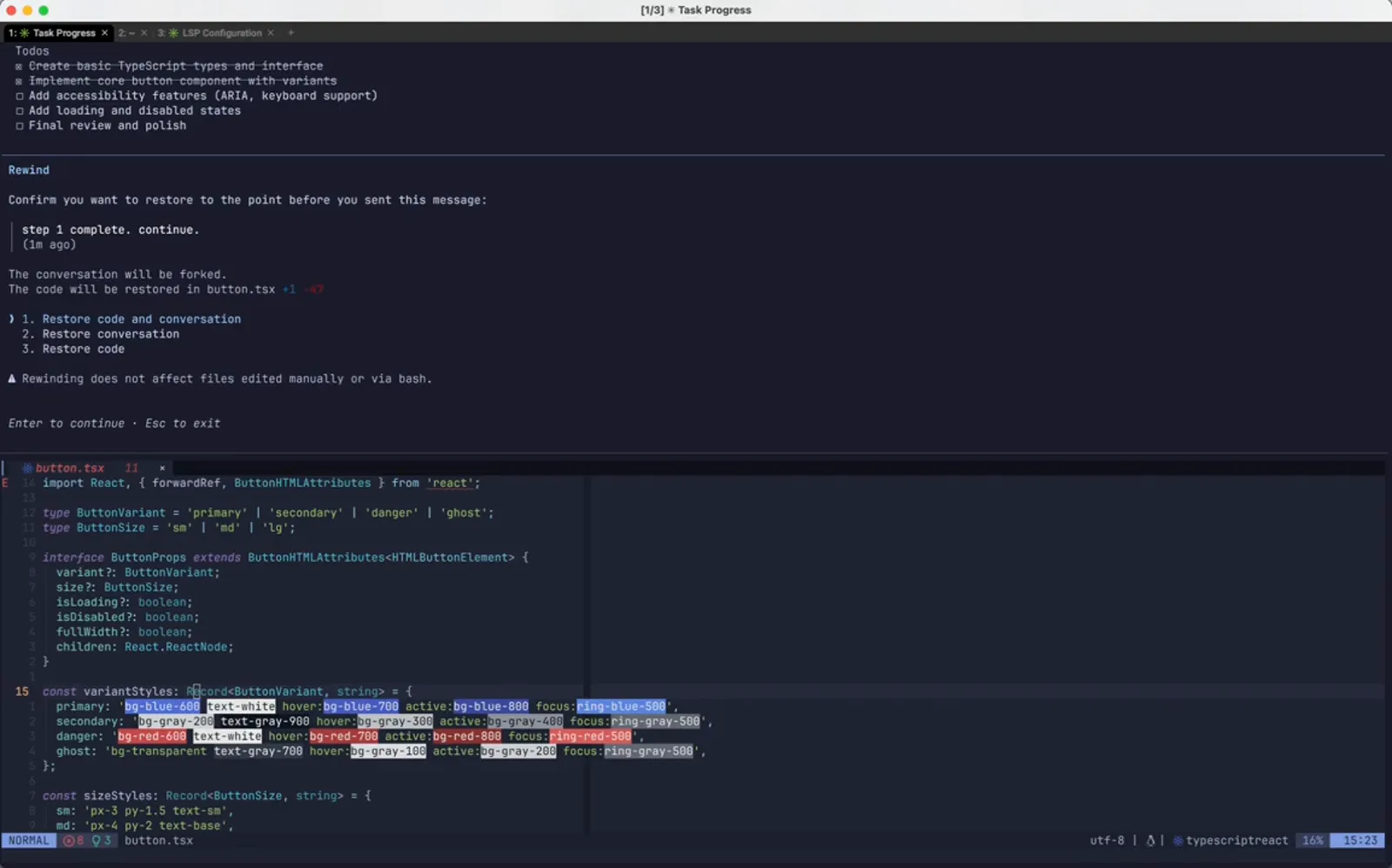
确认页会写出所选消息原文和它的时间(例如 1m ago),说明 The conversation will be forked.,并打印具体的文件操作:The code will be restored in button.tsx +1 -47。接着给出三个选项:1. Restore code and conversation、2. Restore conversation、3. Restore code。下面那行警告最该记住:Rewinding does not affect files edited manually or via bash。
三个回退范围,外加一行关于够不着之处的警告。在 1:44 处观看 - 8
会话已经回到第 1 步
确认之后,transcript 停在了 Tailwind 那步之前:屏幕上仍是 Step 1 Complete,批准那问没人回答,原始提示词躺在输入框里。因为选了第 1 项,磁盘上的文件也一起回到了检查点时的状态。
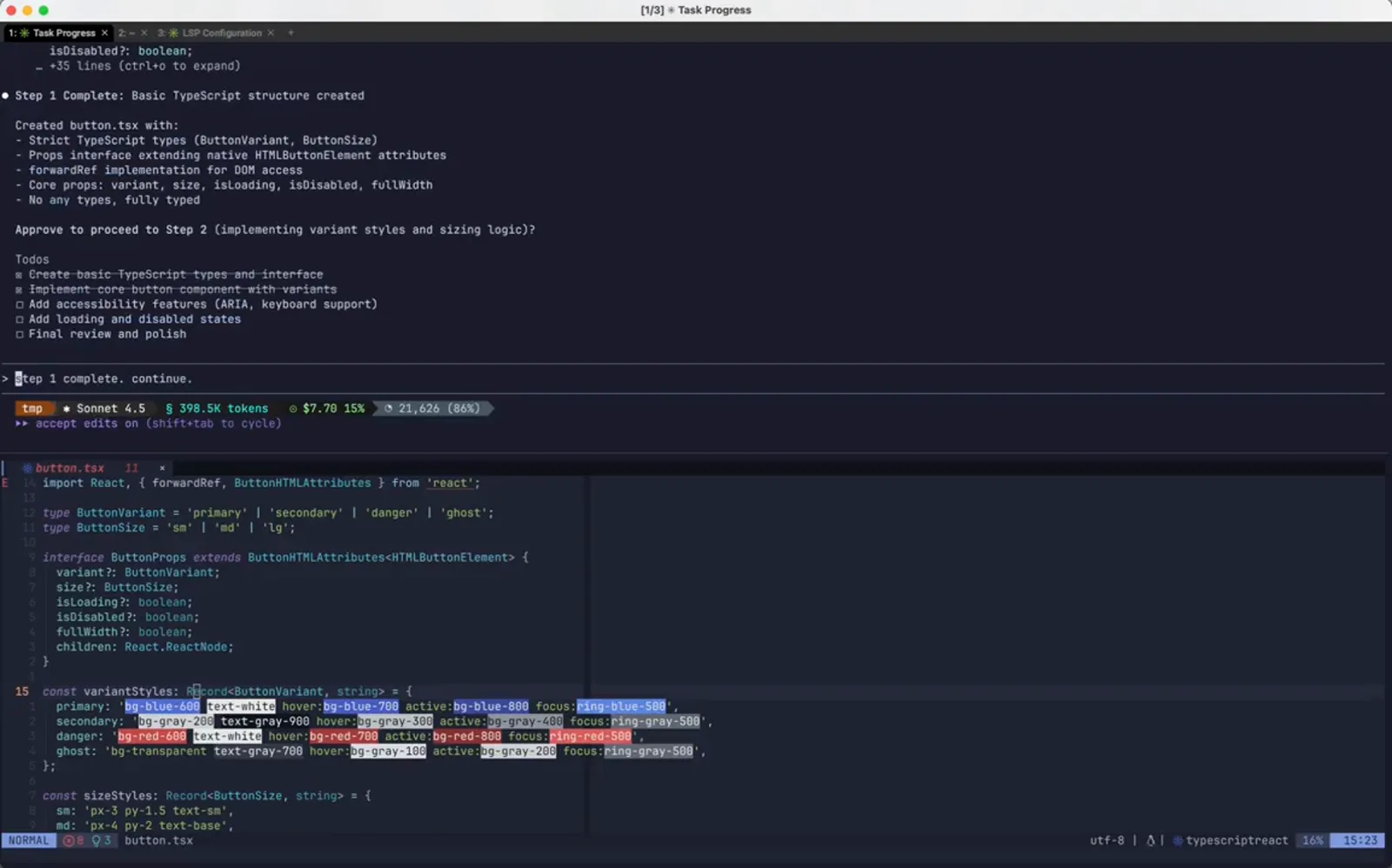
对话和文件一起回退。在 1:48 处观看 - 9
改被恢复的提示词,而不是重打一遍
由于回退后的消息会以可编辑的输入形式回来,你可以直接修改指令,不必重新描述。作者在同一条批准语里插入 please use only vanilla css——回退负责撤销,这次改动负责给出新方向。
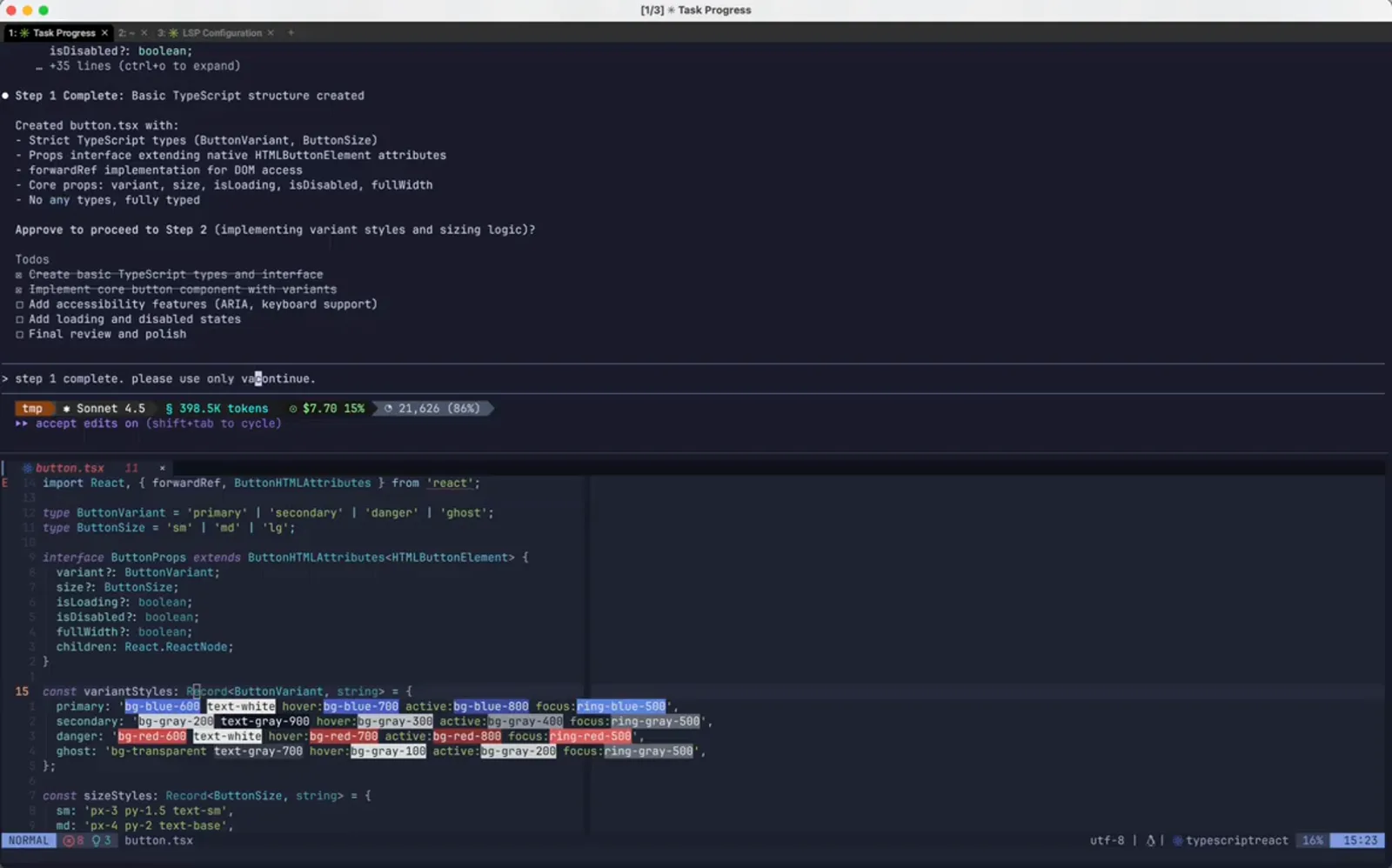
同一条提示词,多加一个约束。在 1:56 处观看 - 10
发出去,让会话继续跑
改过的提示词从分叉点开始执行。Claude Code 显示工作状态并给出 esc to interrupt 提示,待办列表仍是回退之前的那一份。被丢弃的那条分支不会带进新一轮。
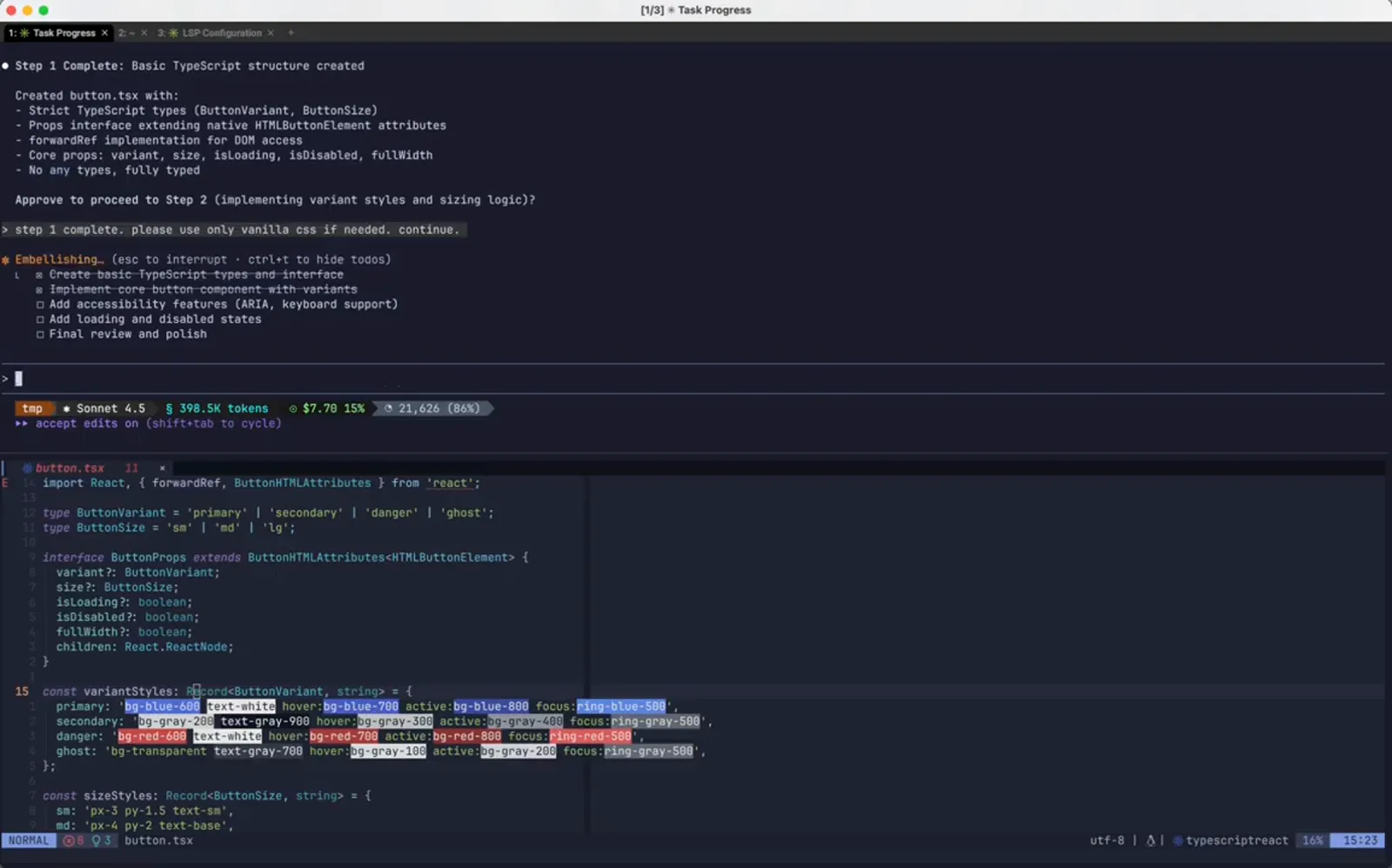
从检查点发起的重跑。在 2:04 处观看
回退之后
原始提示词回到输入框里等你改,时间线也带着新检查点重新打开。
- 11
按你要的方式重做了第 2 步
此时的 Step 2 Complete 列出的是 baseStyles、variantStyles、sizeStyles 和 disabledStyles 这些普通样式对象,并写明 Vanilla CSS via inline styles (CSSProperties)。同一步骤、另一种实现,而你一行代码都没有手动改。
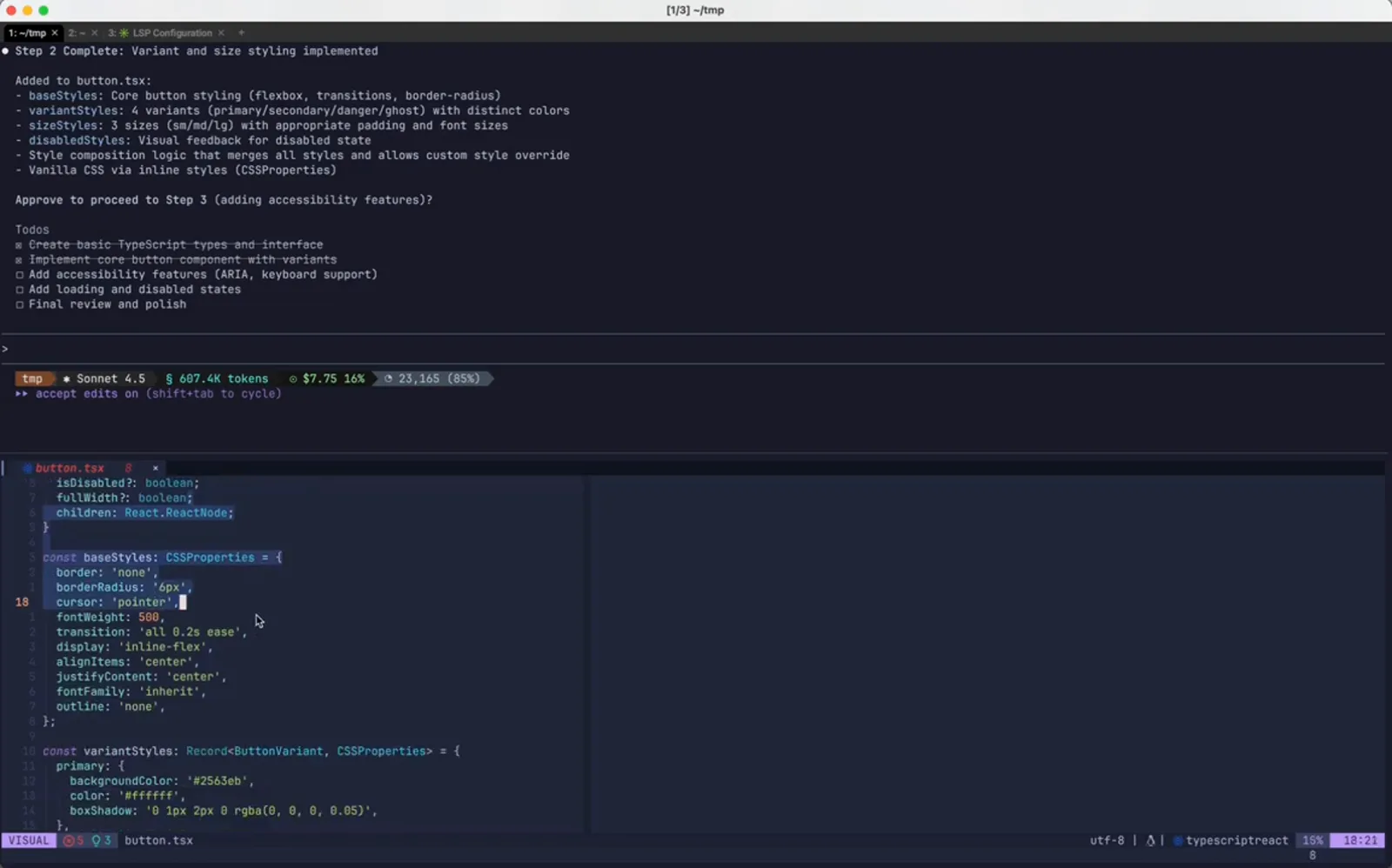
同一步骤,去掉 Tailwind 重做。在 2:14 处观看 - 12
去看文件本身,别只看总结
在 VS Code 里,button.tsx 从 react 导入了 CSSProperties,并打开了一个含 border、borderRadius、cursor、transition 的 baseStyles 对象。这才是回退在文件层面生效的证据——Tailwind 的类名字符串是真的没了,而不是被 transcript 藏到了上面。
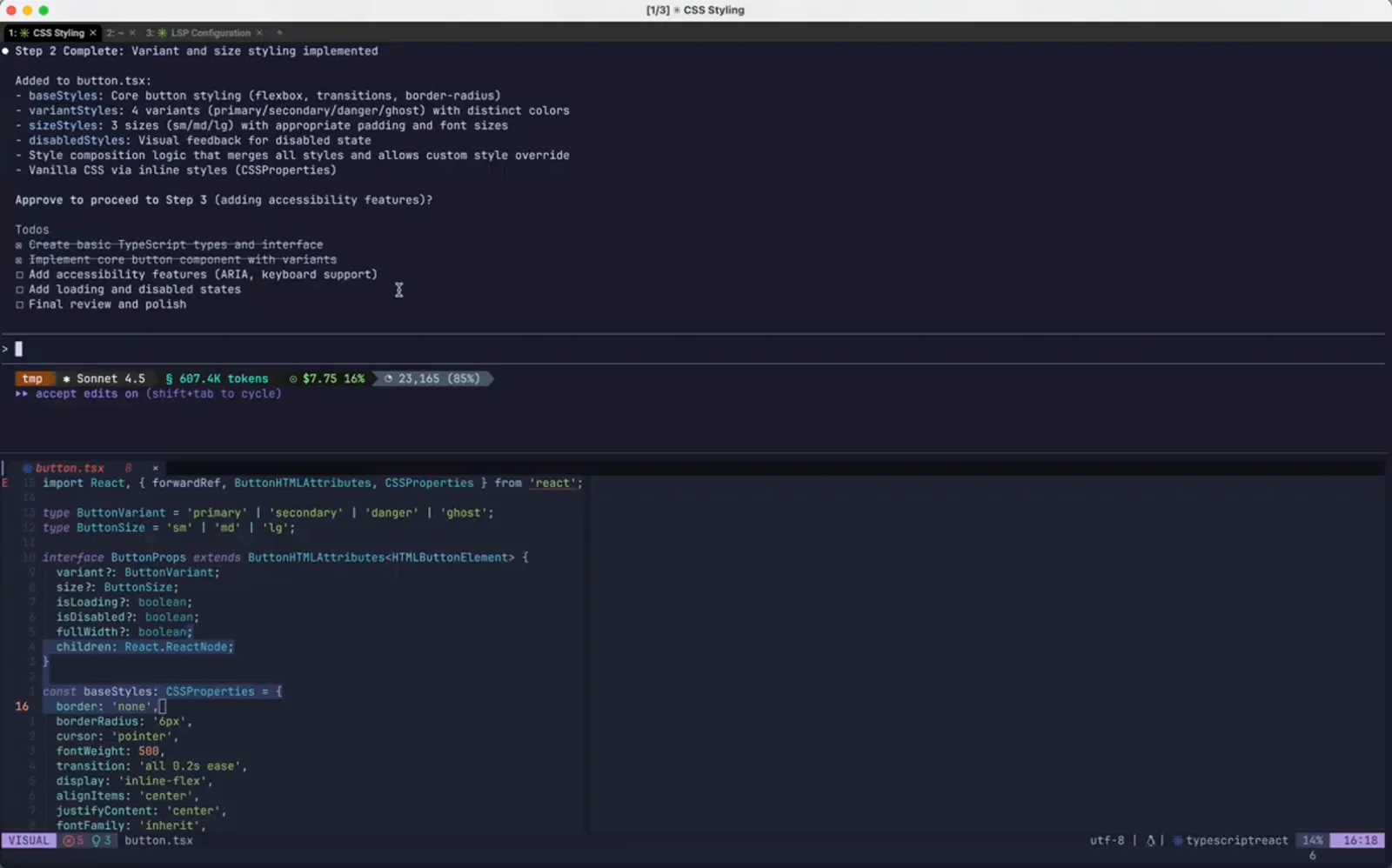
回退后的文件就开在编辑器里。在 2:26 处观看 - 13
重新打开 Rewind,看看新的时间线
再次打开列表,会话变成了这样:最初的构建提示词对应 button.tsx +45 -0,然后是改过的 vanilla CSS 那条,对应 button.tsx +71 -1,再往下是 (current)。被回退掉的那条分支不再作为回退点出现——这也是为什么,一个你满意的检查点应该尽快变成一次 git commit。
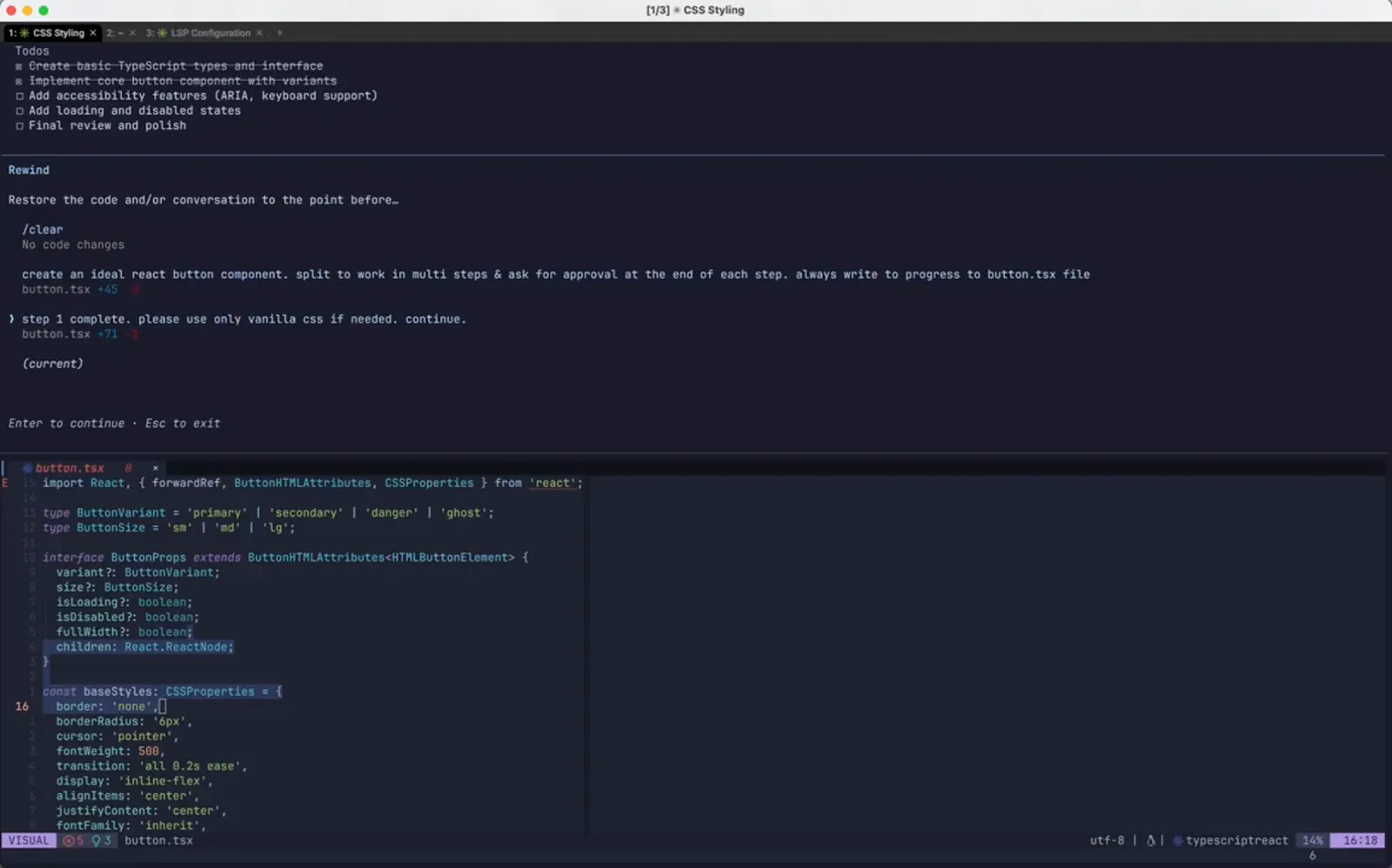
回退之后的时间线,又多了一个检查点。在 2:38 处观看