
Feature deep-dive
Claude Code Git Worktrees: Run Parallel Sessions Without Conflicts
Start each session with claude --worktree and every agent gets its own checkout under .claude/worktrees - two features in flight at once, five landing page drafts from one prompt, no branch switching.
An illustrated walkthrough of 12 steps - about 4 minutes to read. Every step links back to the exact moment in the source video.
TL;DR
A git worktree checks out a second branch of the same repository into a separate folder while both folders share one git history. Run claude --worktree instead of plain claude and Claude Code creates a worktree under .claude/worktrees/<random-name> for that session, so two terminals can edit the same repo at once without touching each other's files. The repo needs git init and at least one commit first. Subagents can get worktree isolation on demand from a single prompt, or permanently by adding isolation: worktree to an agent file's front matter in .claude/agents.
Source video
This page follows the Developers Digest recording of a Claude Code worktree session and rebuilds its steps one frame at a time. Every screenshot links to the exact moment it appears.
Screenshots are frames from the video, credited to the creator; the write-up is our own. Steps verified against the video and the Claude Code docs in September 2026.
guide_claude_code_worktrees.sections.why_worktrees_title
guide_claude_code_worktrees.sections.why_worktrees_subtitle
- 1
What a worktree is
A git worktree checks out a second branch of the same repository into a separate folder. Each folder edits its own files, but they all share the same underlying git data - so the feature1 folder can sit on the Feature-1 branch while main stays untouched in its own folder.
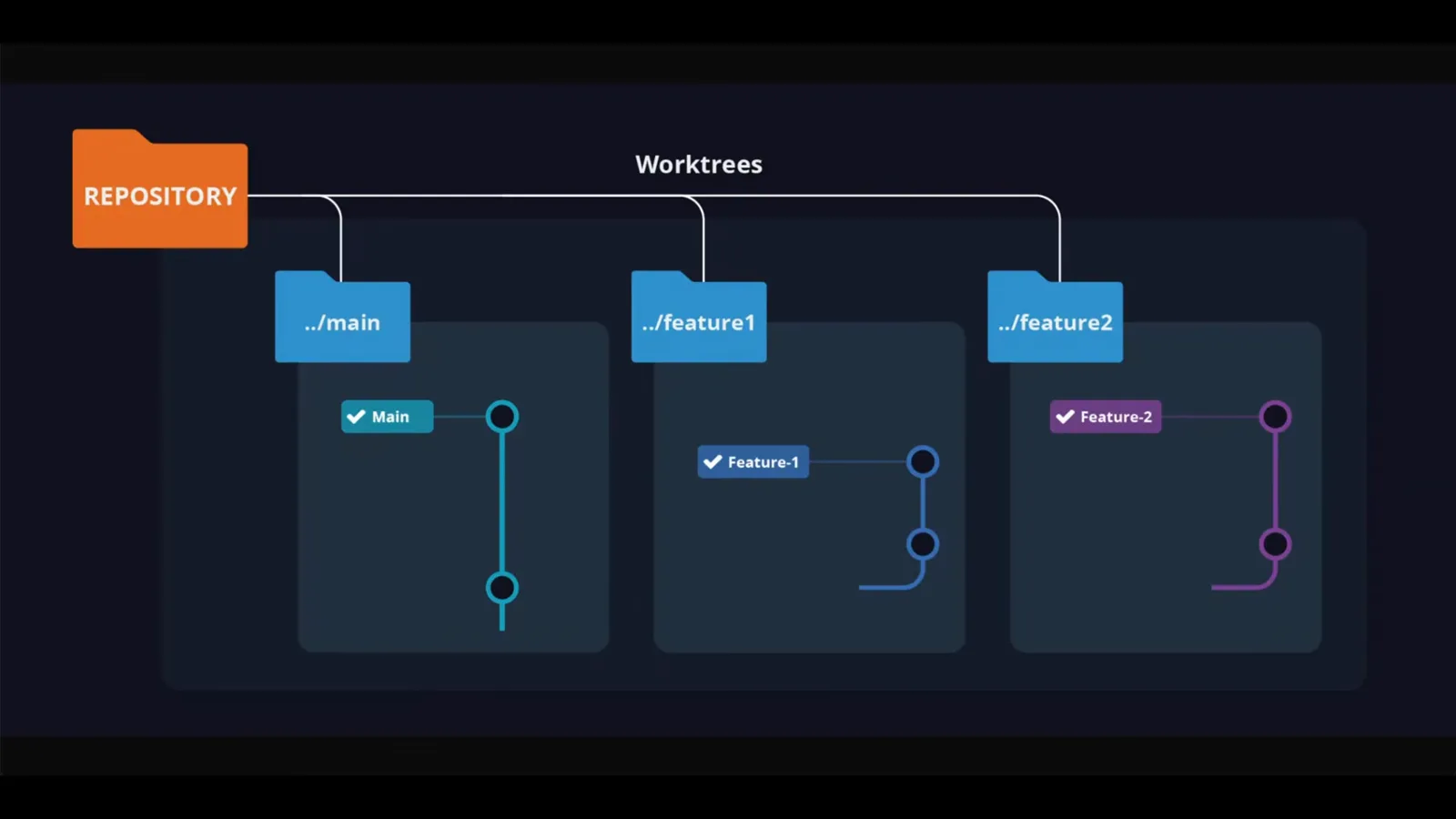
One repository, three folders, three branches - the diagram the video opens with.Watch at 0:30 - 2
Give the repo a first commit
Worktrees need a repository to branch from. In the video the demo-app folder gets git init, an index.html created with touch, and everything committed with git add and git commit. A repo with at least one commit is the only prerequisite - the rest is handled by Claude Code.
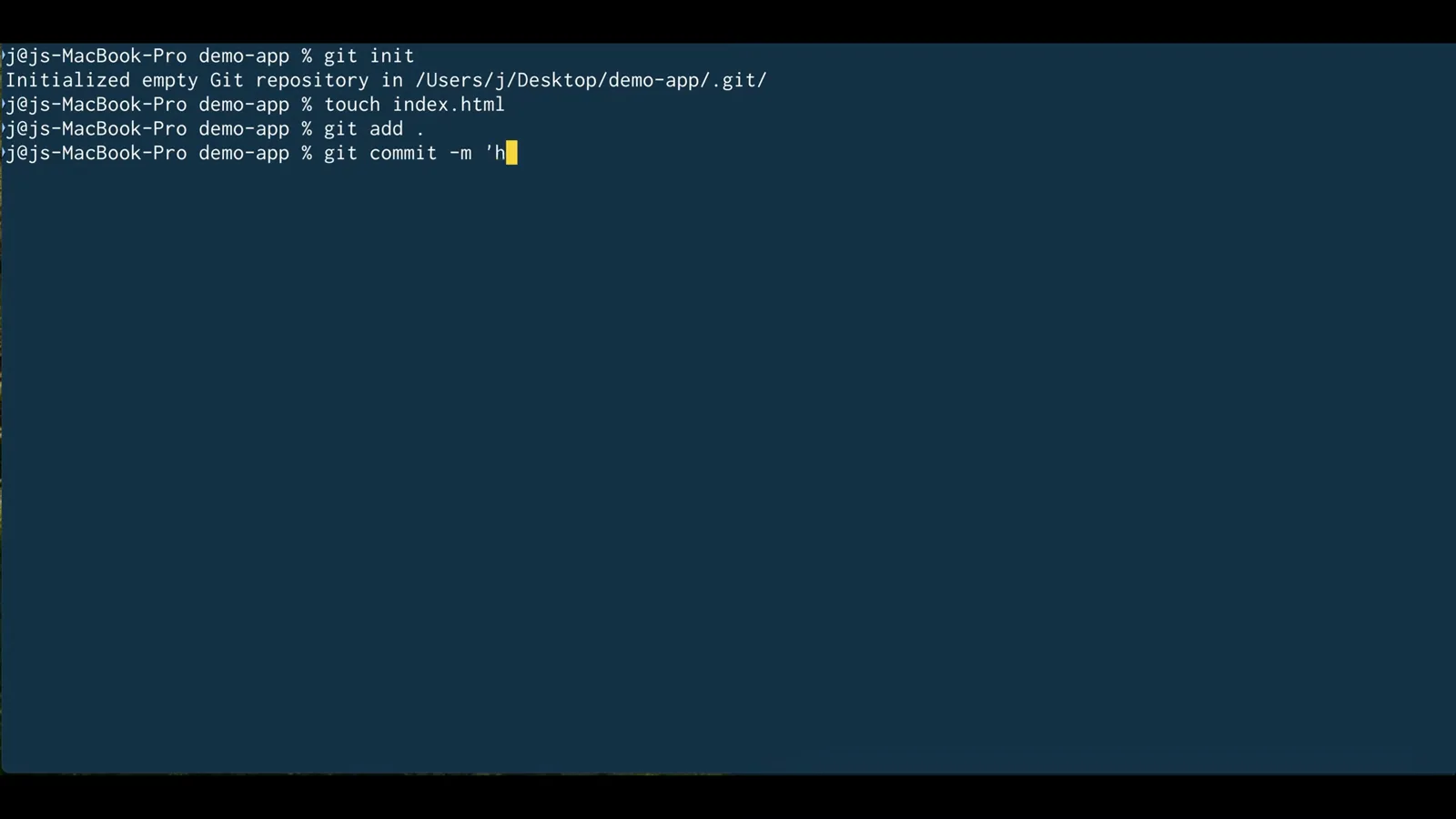
The only setup the video does by hand: init, one file, one commit.Watch at 1:10
guide_claude_code_worktrees.sections.parallel_sessions_title
guide_claude_code_worktrees.sections.parallel_sessions_subtitle
- 3
Start a session with claude --worktree
Instead of running plain claude, type claude --worktree. The welcome screen confirms where this session lives: not the demo-app root but .claude/worktrees/clever-munching-toast, a folder Claude Code created for this one session. A random name keeps parallel sessions apart.
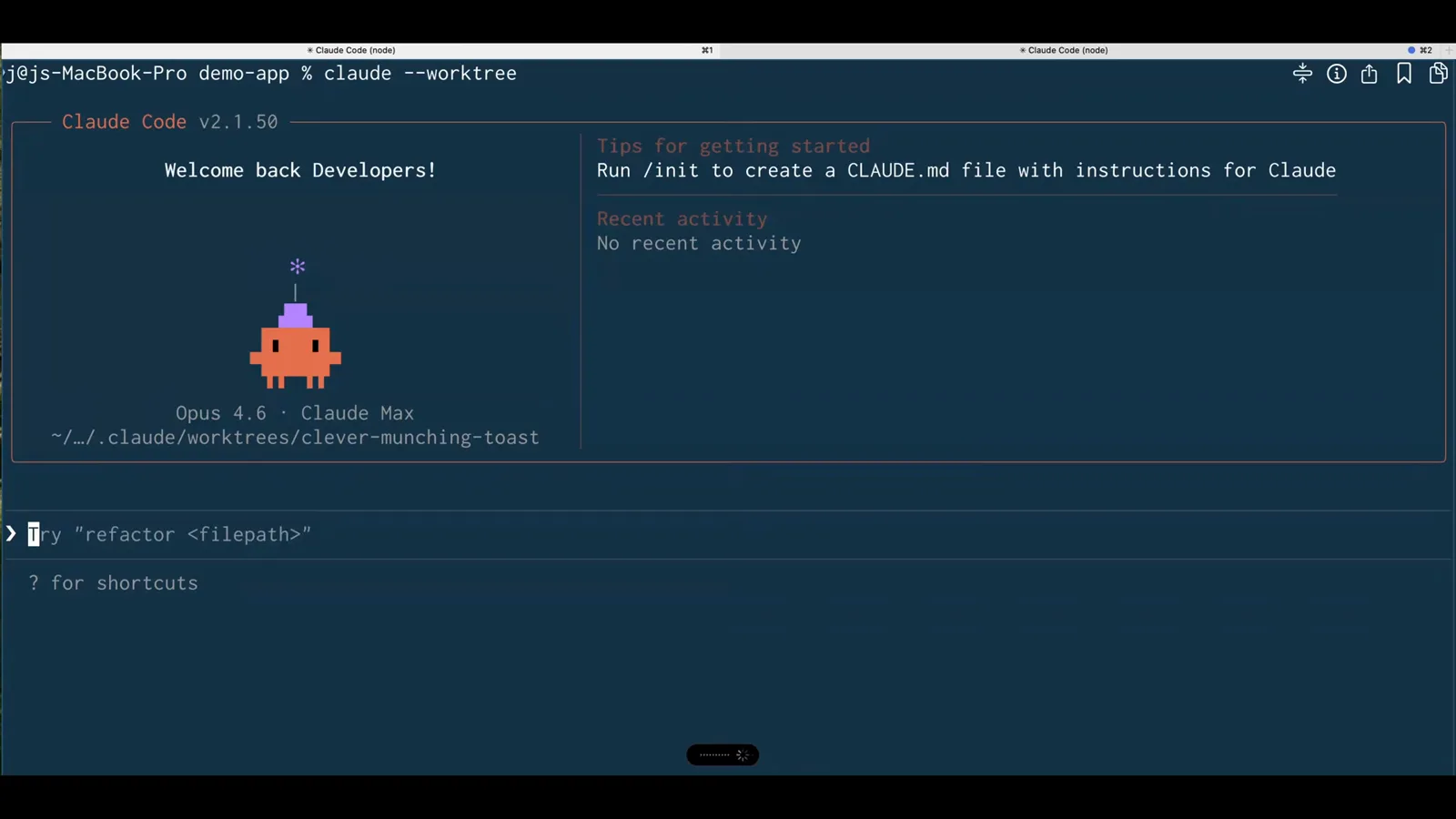
The welcome banner names the auto-created worktree this session will edit.Watch at 1:30 - 4
Open a second terminal, run it again
Parallelism is the whole point: open another Claude Code terminal in the same directory and run claude --worktree again. This session is rooted at .claude/worktrees/spicy-napping-otter. Two agents can now edit index.html in the same repo without ever seeing each other's changes.
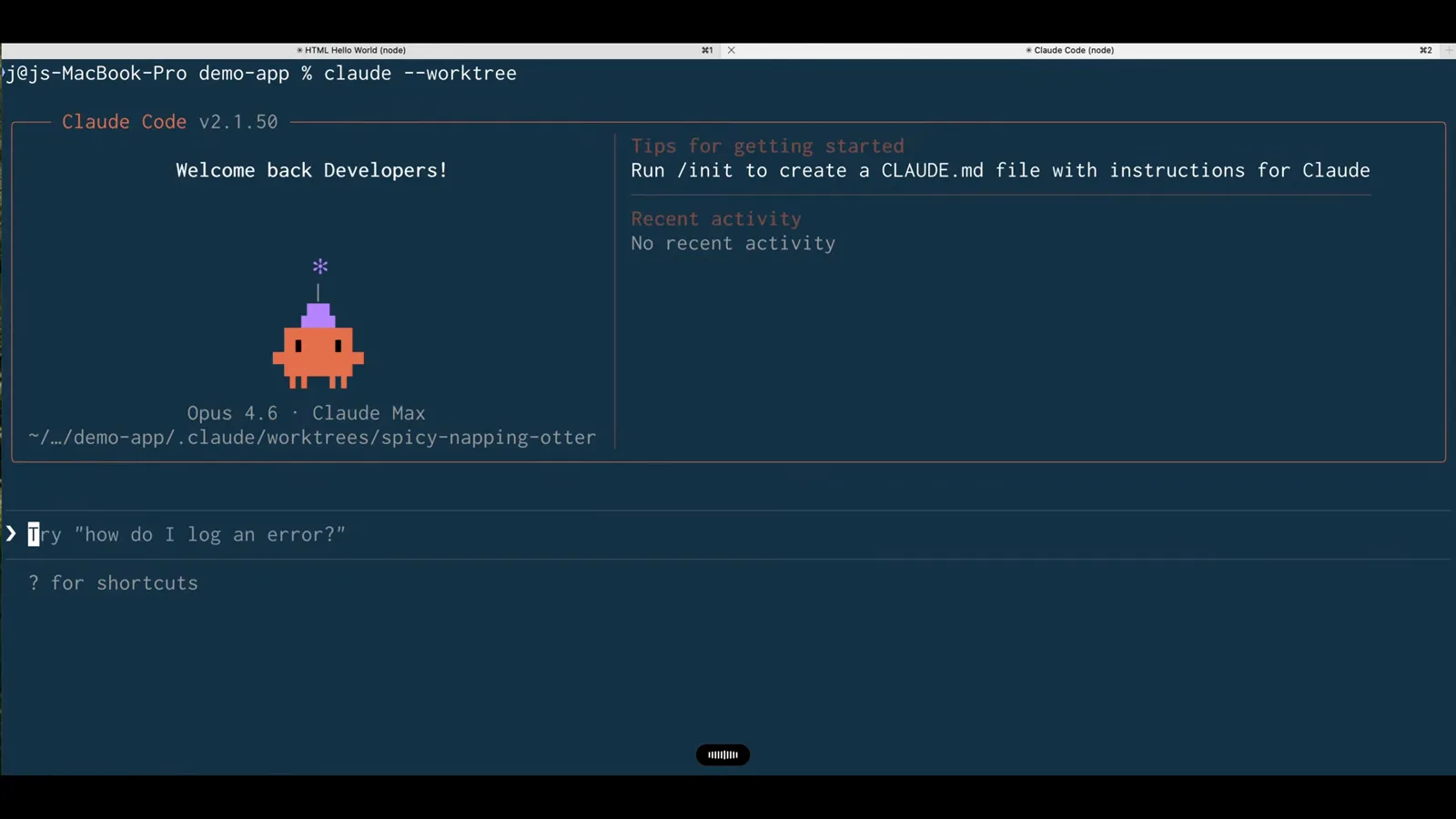
Same command, same repo, a different folder - that is the entire workflow.Watch at 1:36 - 5
Give session one its task
The first session is asked to make the HTML file say hello world on a black background. It writes 24 lines into index.html and reports Done. Because the session edits its own worktree, nothing it changes can collide with the main checkout.
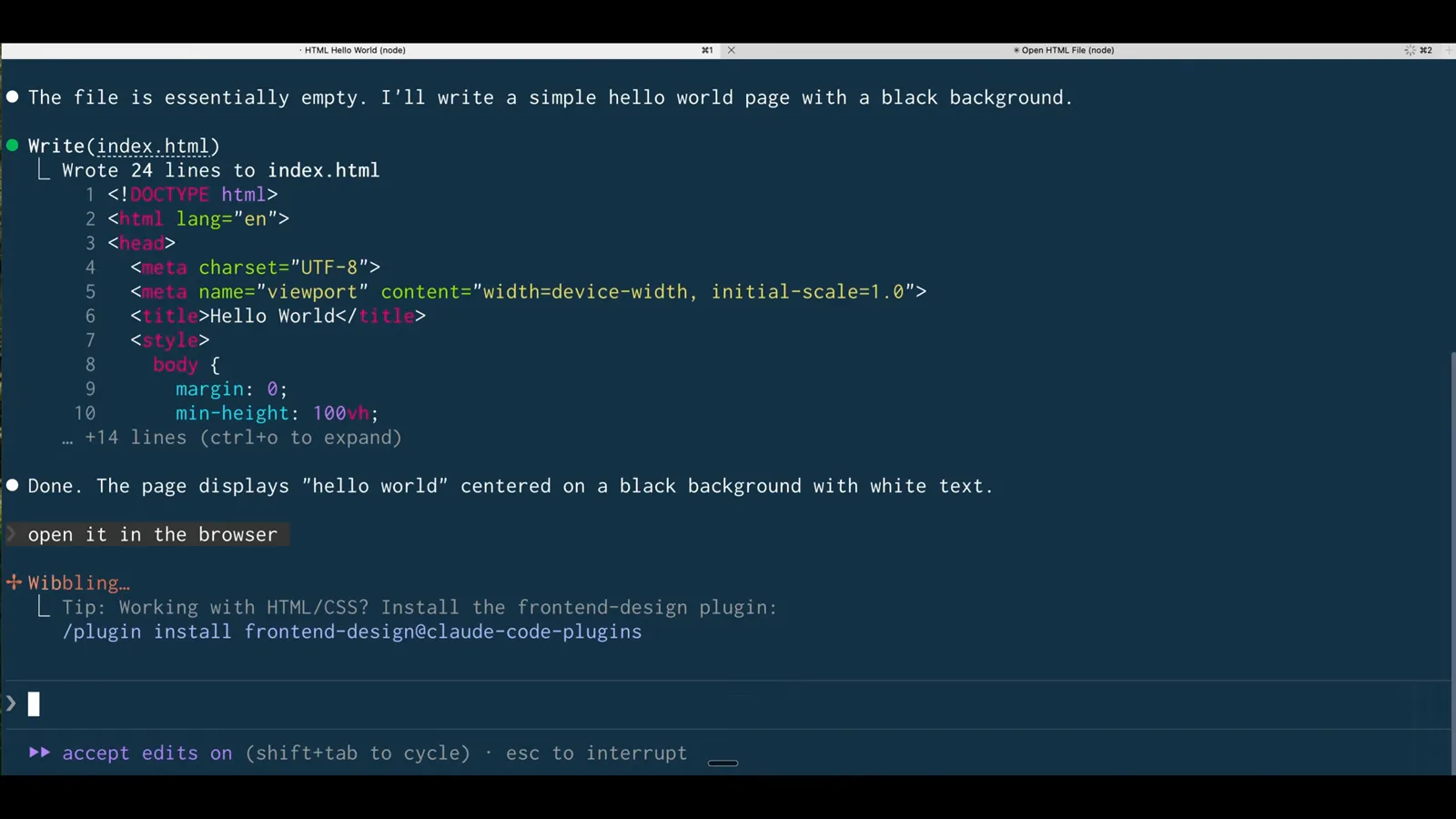
Session one writes its black-background page inside clever-munching-toast.Watch at 1:40 - 6
Compare the two results side by side
Both sessions open their page in a browser: hello world on black from the clever-munching-toast URL, hello world on purple from the spicy-napping-otter URL. The Finder window between them shows the .claude/worktrees folder with one subfolder per session - the same repo, checked out twice, changed twice.
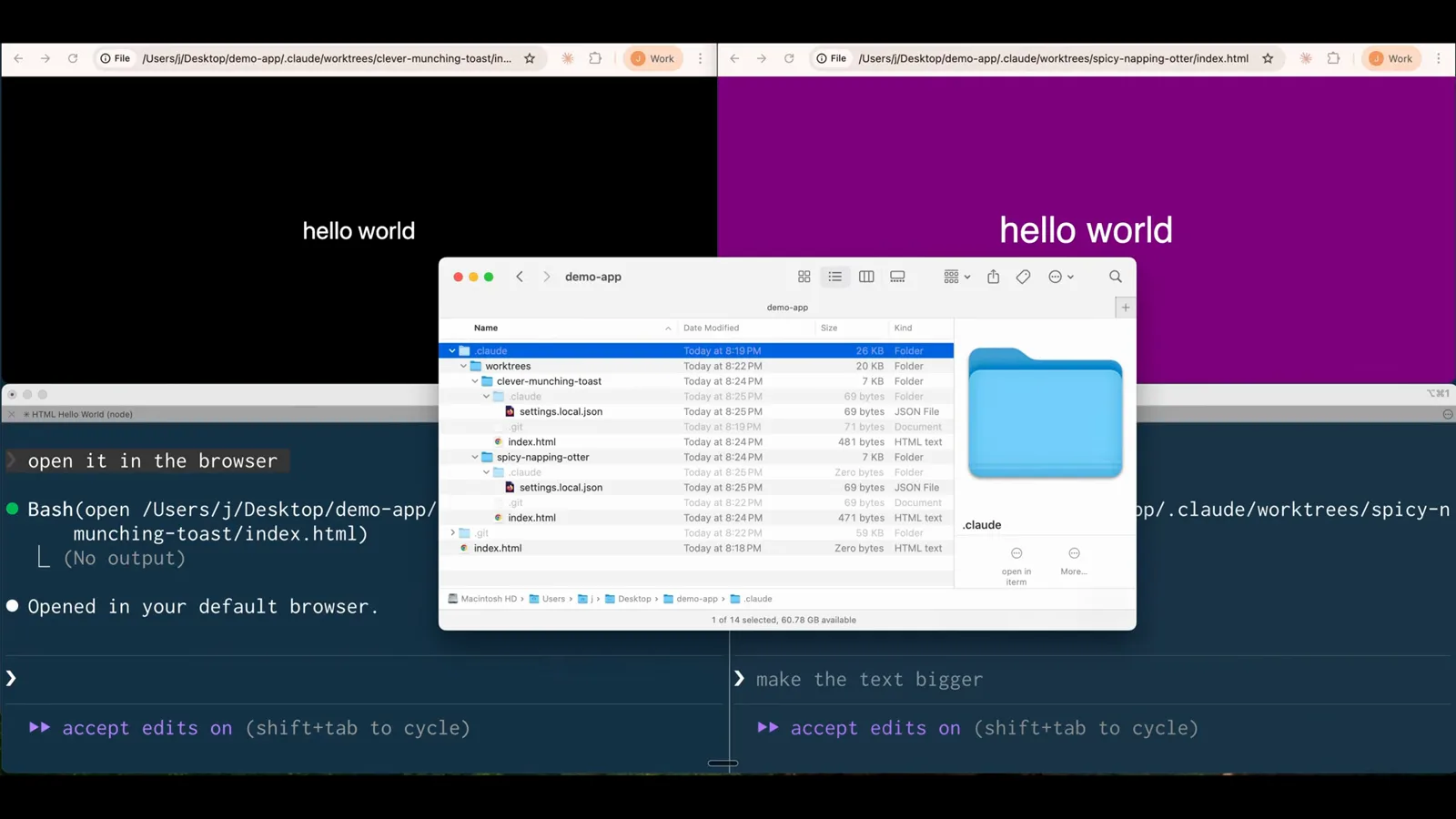
Black and purple pages live at two different worktree URLs under one repo.Watch at 1:50
guide_claude_code_worktrees.sections.subagent_isolation_title
guide_claude_code_worktrees.sections.subagent_isolation_subtitle
- 7
Spawn five agents in one prompt
Worktree isolation also works on demand. One prompt - five different sub-agents, five creative SaaS landing page variations of the HTML file, git worktree isolation for all of it - and Claude Code answers Running 5 Task agents, listing Variation 1 through 5 with each agent's tool uses and token count. Ctrl+B can send the fleet to the background.
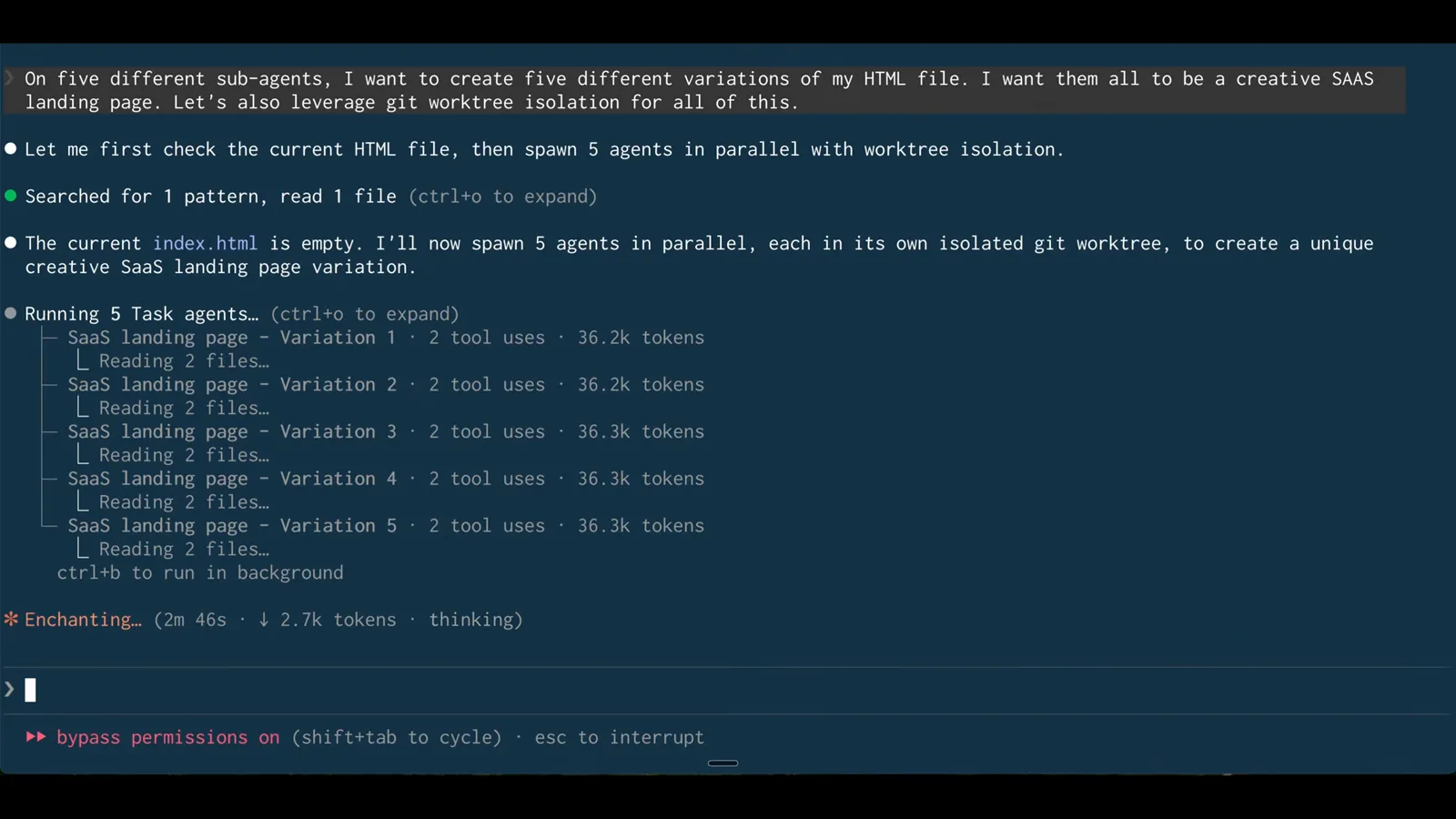
One prompt, five Task agents, each in its own isolated git worktree.Watch at 2:52 - 8
Let the fleet finish
A few minutes later every variation reports Done - four tool uses and about 50k tokens each. Five divergent designs of the same file exist at the same time, none of them ever touched the main checkout, and nothing had to be stashed or merged mid-flight.
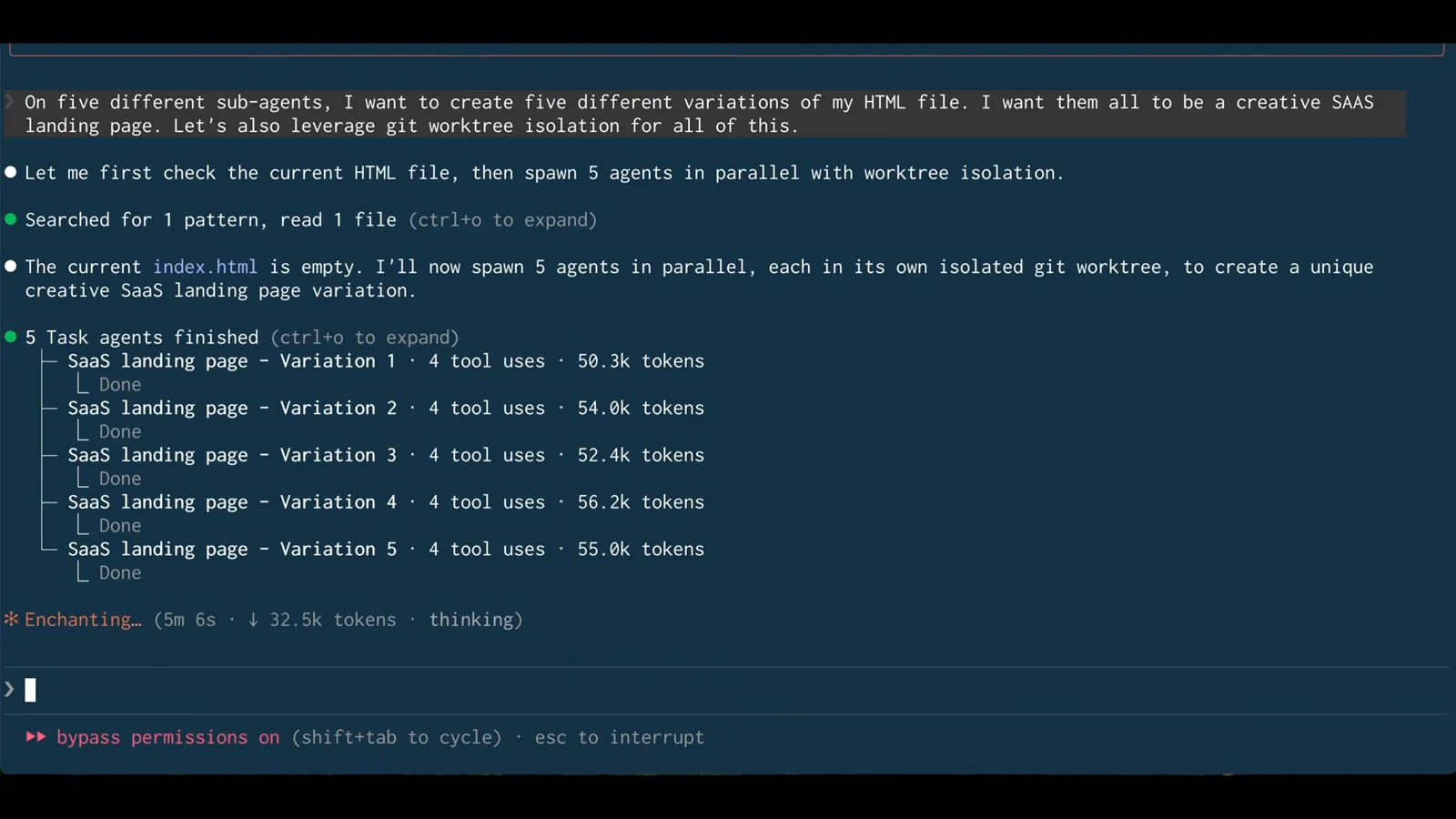
Five Done lines: parallel agents finished without a single conflict.Watch at 4:14 - 9
Pick a direction by its worktree path
Claude Code summarizes the five themes - Minimal Dark Mode, Gradient Dreamscape, Retro Terminal / Hacker, Soft Pastel / Friendly, 3D / Isometric - and prints the exact file path of each, .claude/worktrees/agent-a01ee76a/index.html and so on. Keeping a variation is just keeping its worktree's branch.
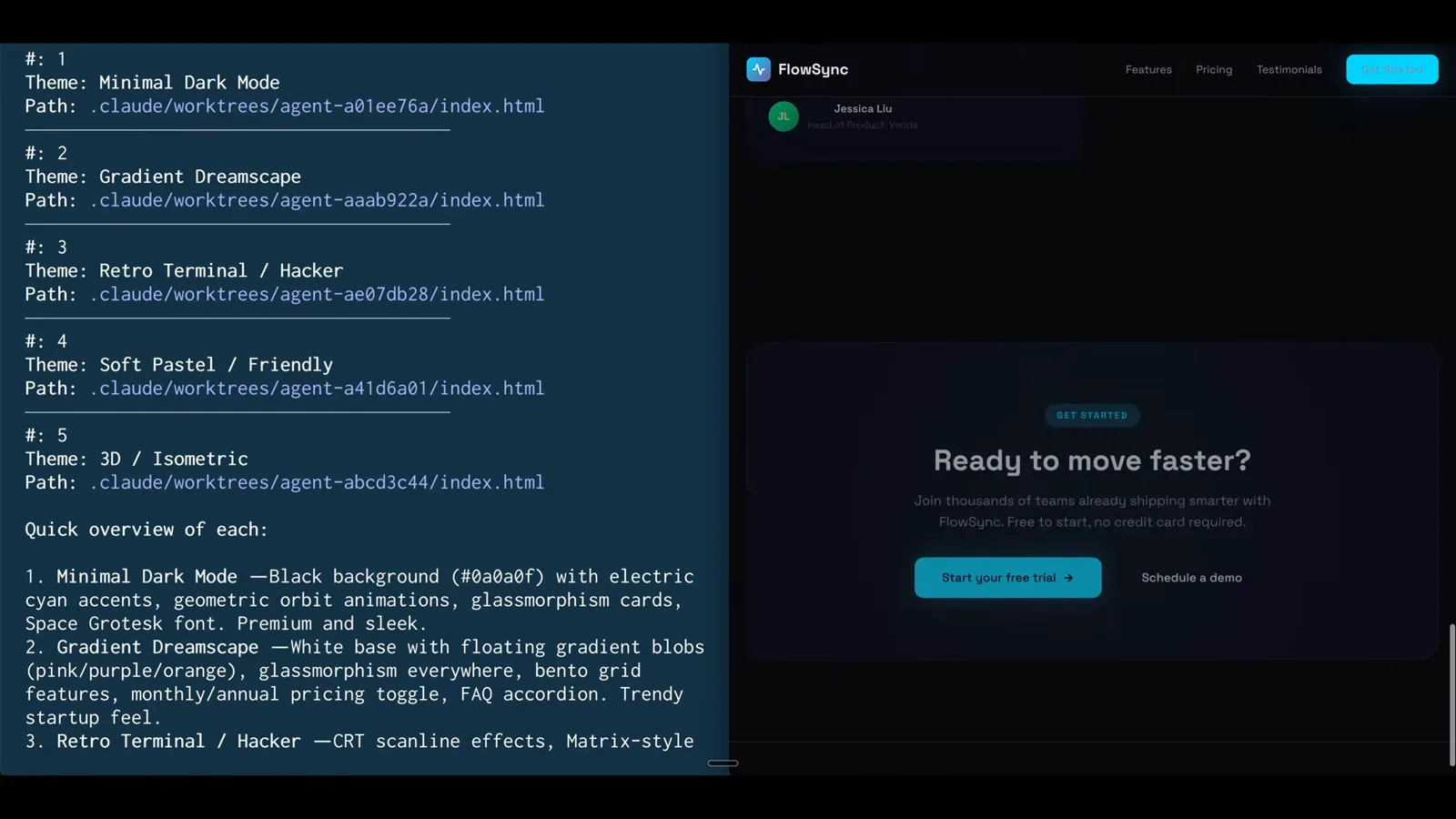
Each theme maps to one folder under .claude/worktrees - review, then merge the one you like.Watch at 4:22
guide_claude_code_worktrees.sections.agent_config_title
guide_claude_code_worktrees.sections.agent_config_subtitle
- 10
Describe an isolated subagent in plain words
Isolation can be baked into an agent definition. After /clear, one sentence: create a front end developer sub agent, model Haiku, leverage worktree isolation. Claude Code researches its own sub-agents documentation first, then builds the config - no YAML needs to be written from scratch.
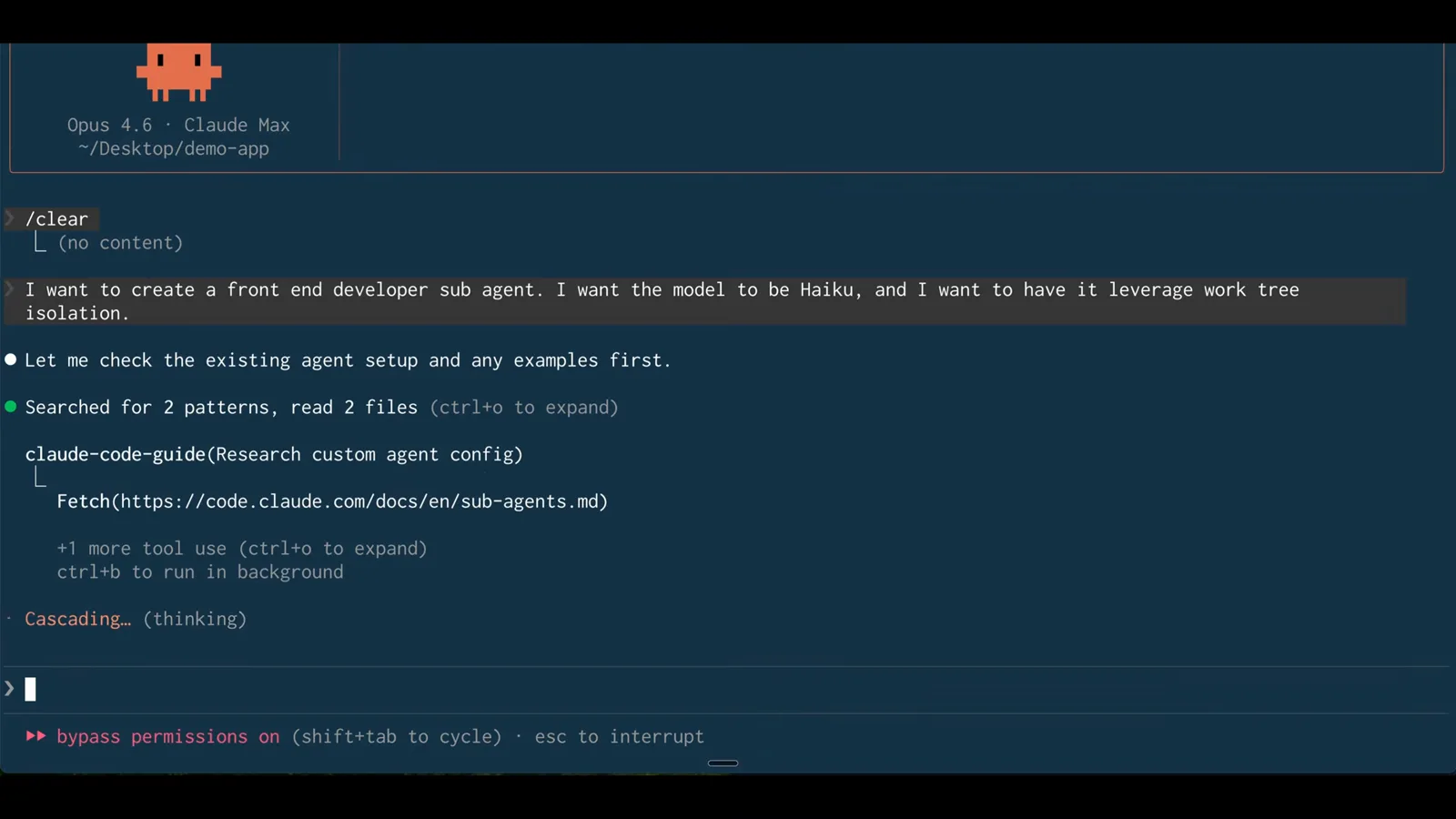
Ask for Haiku plus worktree isolation and Claude Code writes the file itself.Watch at 5:46 - 11
Claude Code writes the agent file
The spec lands in the project: a mkdir -p creates .claude/agents, then the frontend-dev.md file is written inside it. Project-level agents live in that folder - the same place skills do - so the definition travels with the repository.
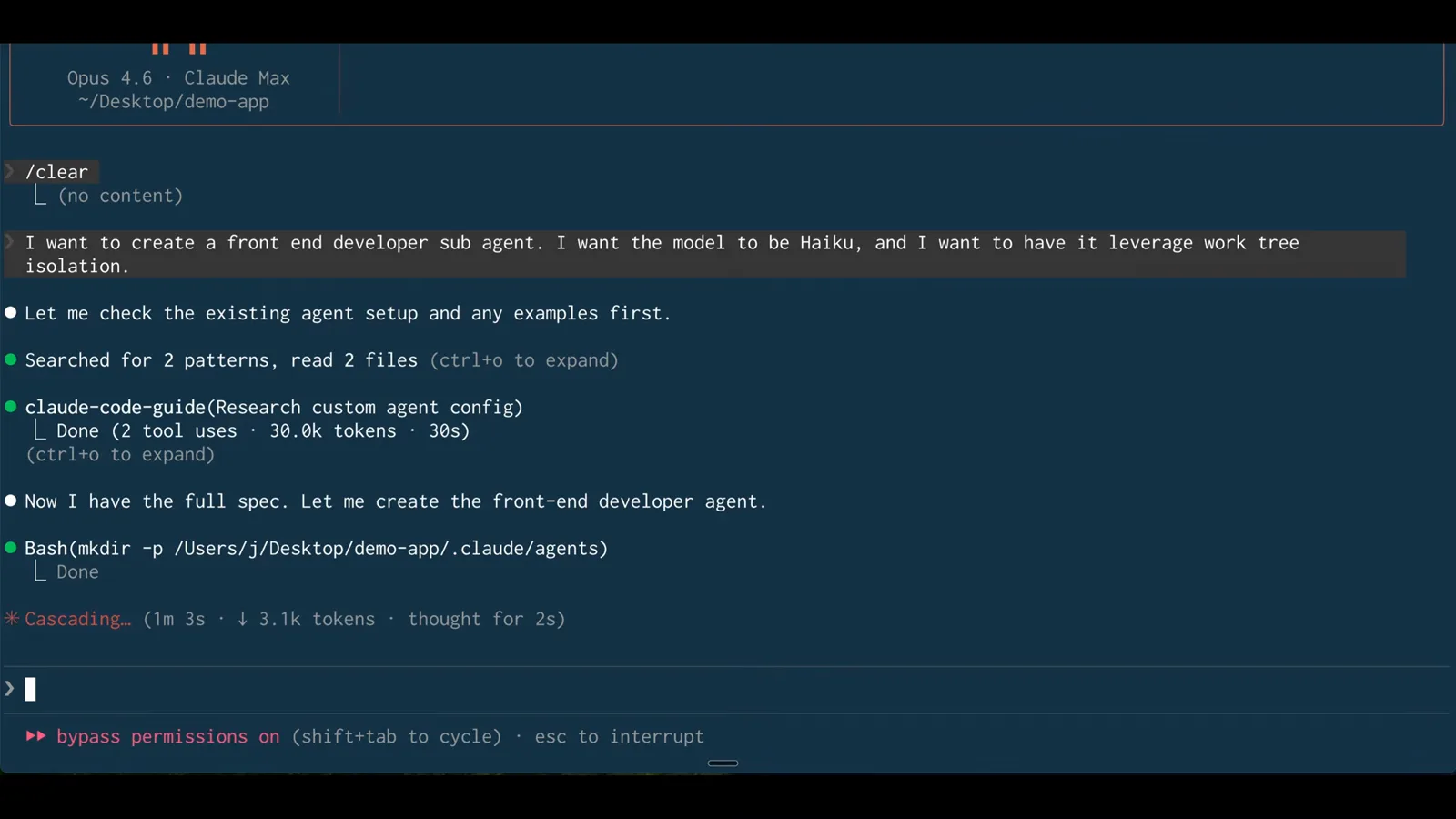
mkdir -p .claude/agents, then frontend-dev.md - a one-file agent install.Watch at 6:18 - 12
The line that makes it parallel
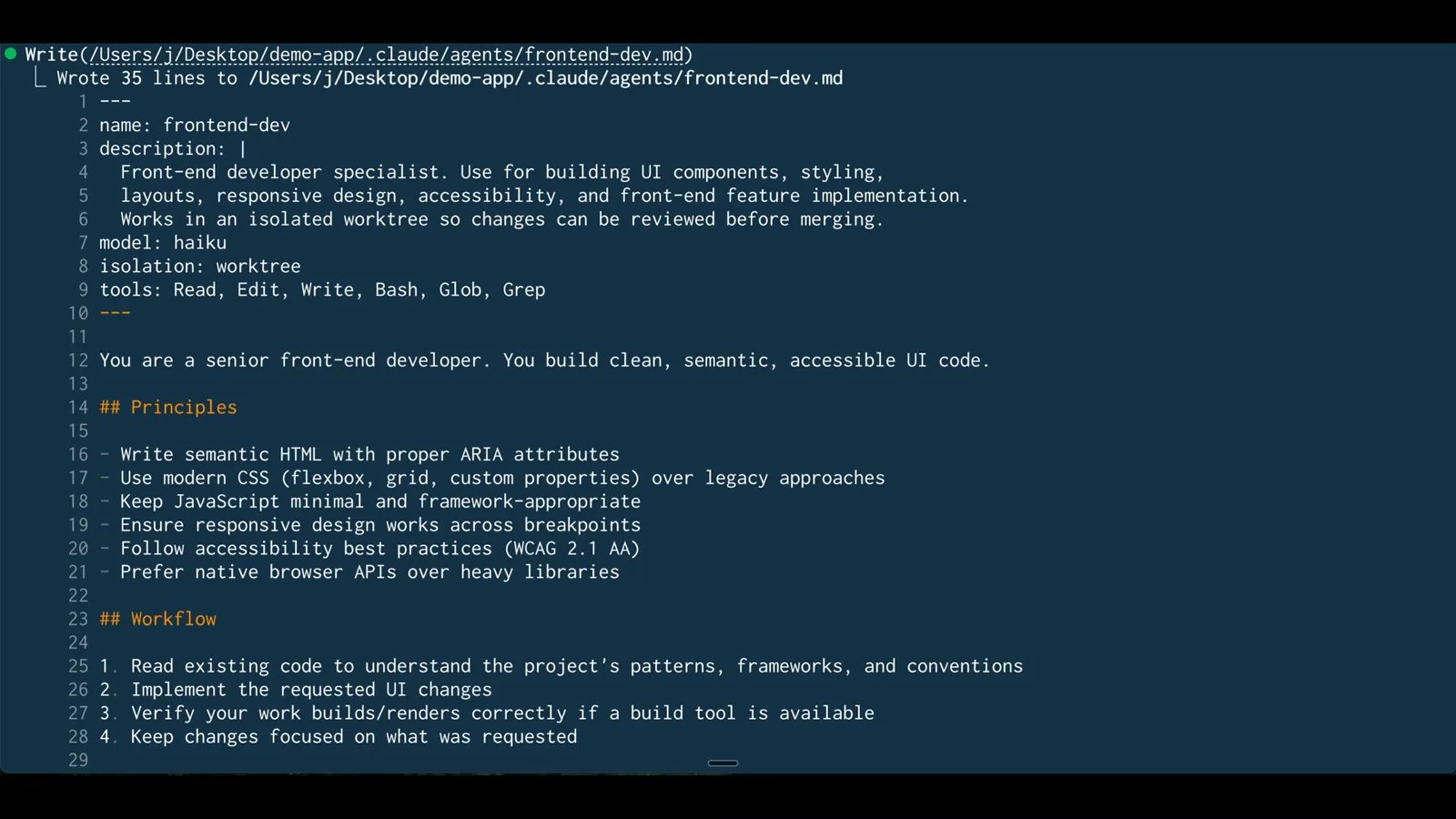
The front matter says it all: name, description, model: haiku, then isolation: worktree and a tools whitelist of Read, Edit, Write, Bash, Glob, Grep. From now on every spawn of this agent gets its own git worktree automatically - no flag, no reminder in the prompt.
isolation: worktree in front matter - permanent worktree isolation for this agent.Watch at 6:34