
Feature deep-dive
Claude Code Hooks: Automate and Guard Your AI Coding Workflow
Hooks are the deterministic layer of Claude Code: commands that format every edit, log every action, and block dangerous operations before they run. Here is the full setup, one screenshot at a time.
An illustrated walkthrough of 12 steps - about 4 minutes to read. Every step links back to the exact moment in the source video.
TL;DR
Hooks are shell commands Claude Code runs automatically at fixed points of its lifecycle. Unlike instructions in CLAUDE.md, which the model follows most of the time, hooks are deterministic - they always run. A hook is an event (like PostToolUse), an optional matcher (like Edit|Write), and a command. Store hooks in .claude/settings.json to share them with your team, reference scripts through $CLAUDE_PROJECT_DIR so paths survive working-directory changes, and exit code 2 from a PreToolUse hook blocks the tool call and feeds the reason back to Claude.
Source video
This page follows the official Claude video on hooks and rebuilds its configuration step by step. Every screenshot links to the exact moment it appears.
Screenshots are frames from the video, credited to the creator; the write-up is our own. Steps verified against the video in September 2026.
How a hook is wired
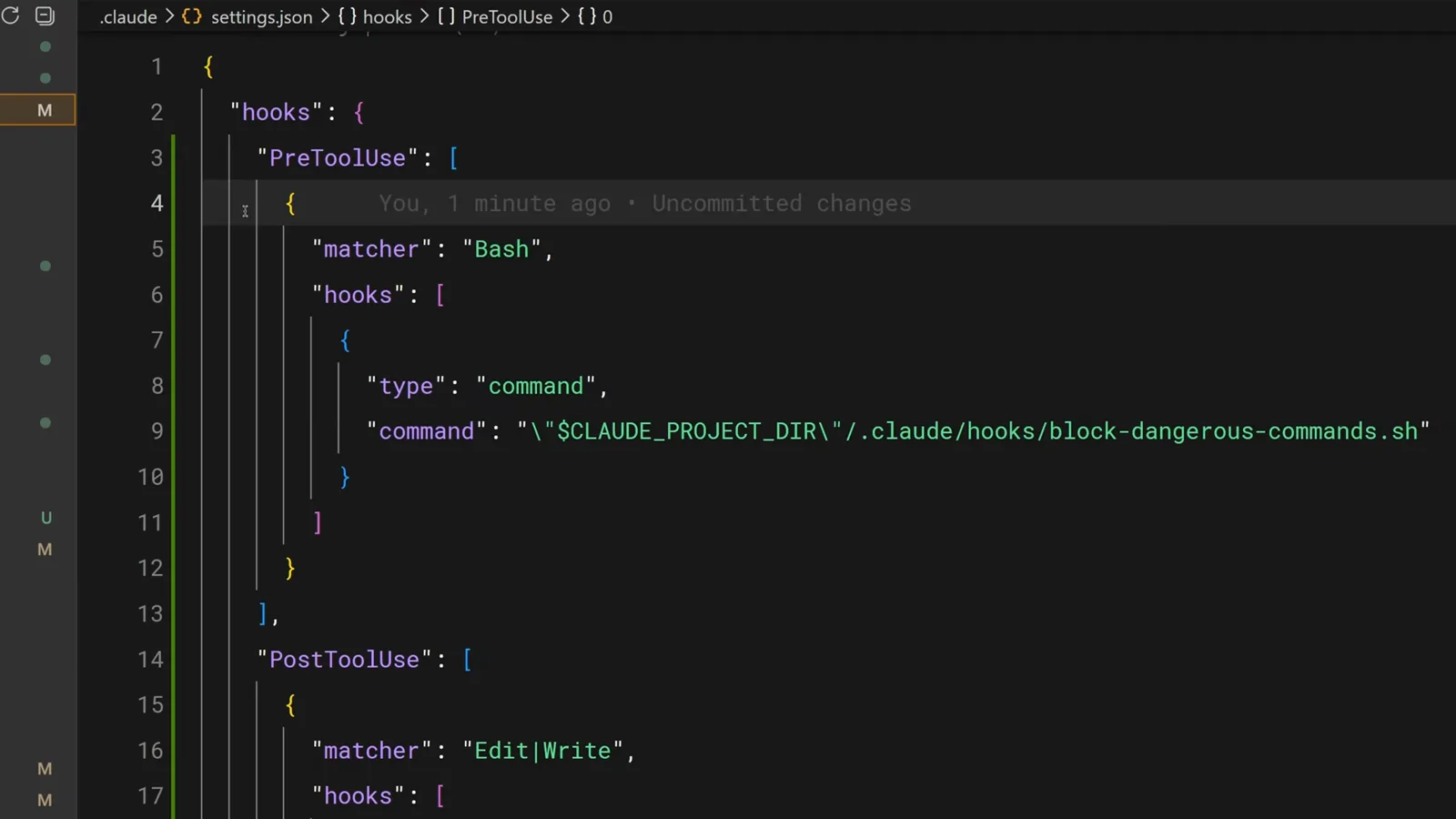
One JSON block: an event, a matcher, and a command that always runs.
- 1
Start with the problem: prompt instructions are unreliable
You can ask Claude in CLAUDE.md to run eslint after every edit - and most of the time it will. But "most of the time" is exactly the problem when the one missed run corrupts a file. Hooks exist for anything that must happen every single time.
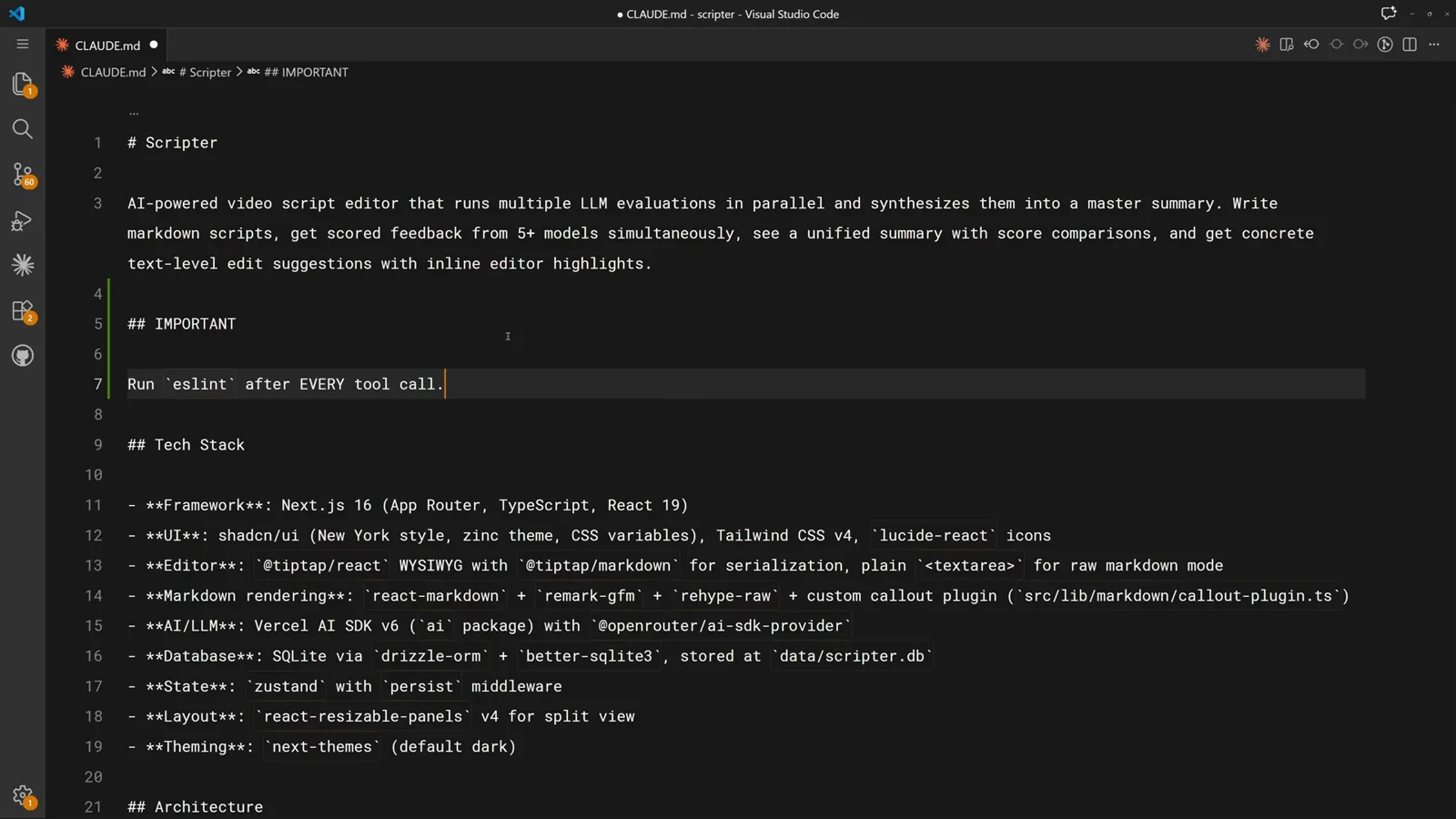
A CLAUDE.md rule the model can quietly skip.Watch at 0:30 - 2
Anatomy of a hook: event, matcher, command
Hooks live in the hooks block of settings.json. You pick an event (here PreToolUse), optionally a matcher that narrows which tools trigger it (here Bash), and the command to run. Every matching call fires the hook with no exceptions.
PreToolUse + Bash matcher + block-dangerous-commands.sh.Watch at 0:14 - 3
One file, two automations
The finished setup reads top to bottom: after any call to an editing tool, auto-format.sh tidies the code; after every Bash call, log-commands.sh appends the command to a compliance log. Both are plain project scripts stored under .claude/hooks.
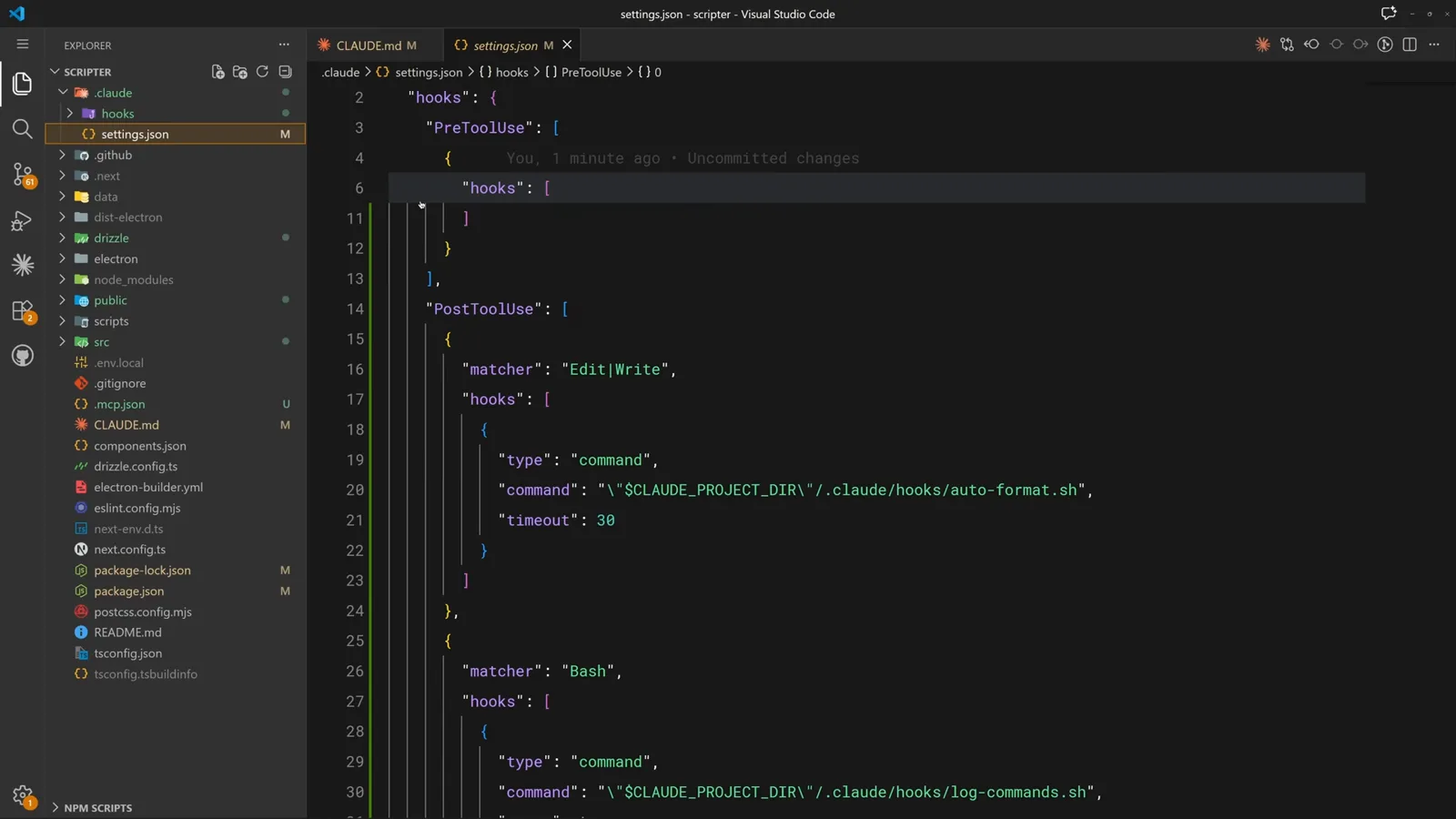
PostToolUse entries for formatting and logging side by side.Watch at 0:36
Automate the busywork
Format every edit and log every command without asking twice.
- 4
Add a matcher for file edits
To format after edits, add a PostToolUse entry whose matcher covers the editing tools - Edit, MultiEdit, and Write. The async logging hook for Bash is already in place below it.
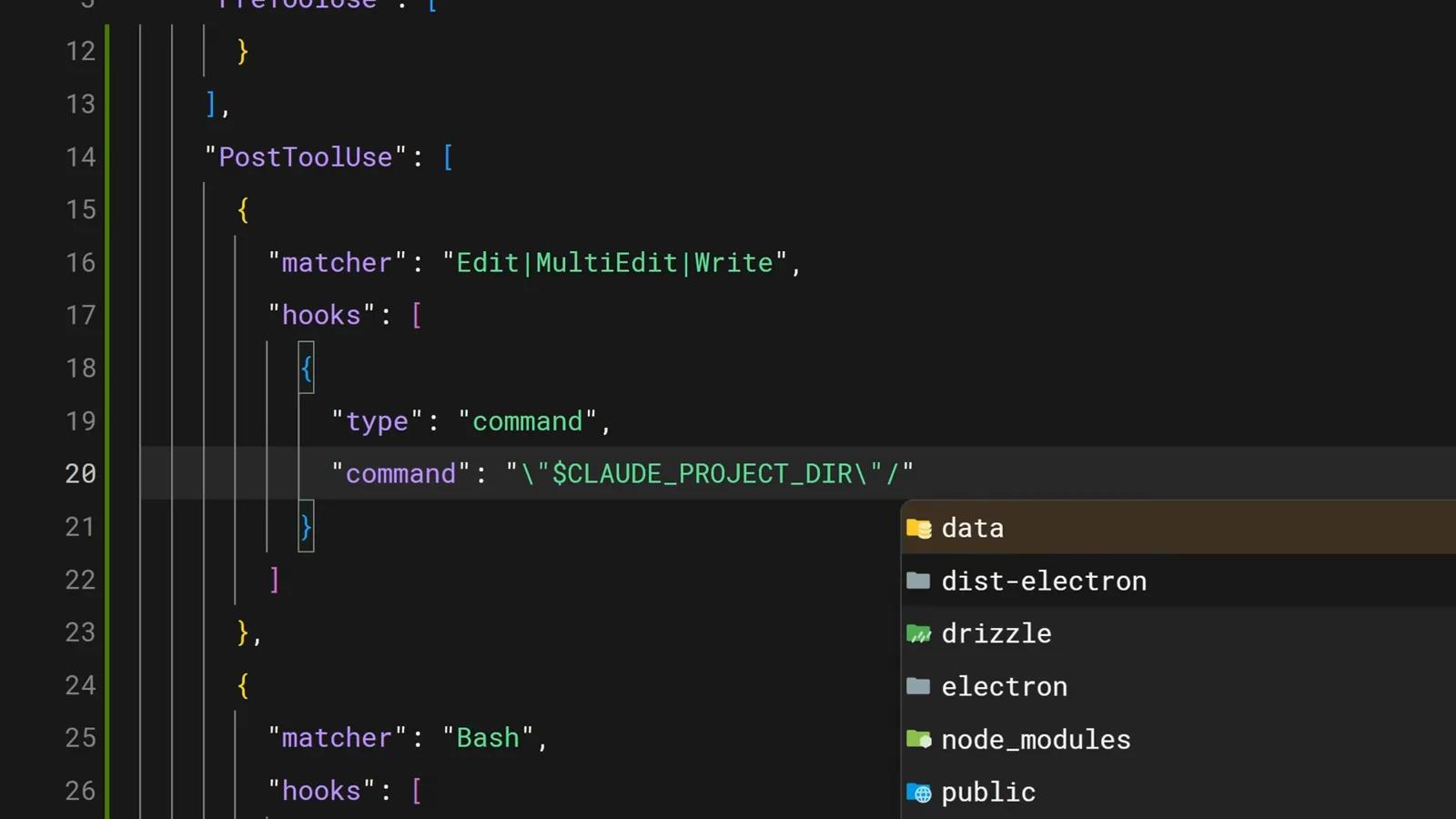
Typing the Edit matcher while the Bash logger sits underneath.Watch at 1:30 - 5
Point the command at a project script
The command field runs any shell command. VS Code's autocomplete fills the .claude/hooks path as you type - a hint that hook scripts are easiest to keep in a dedicated folder.
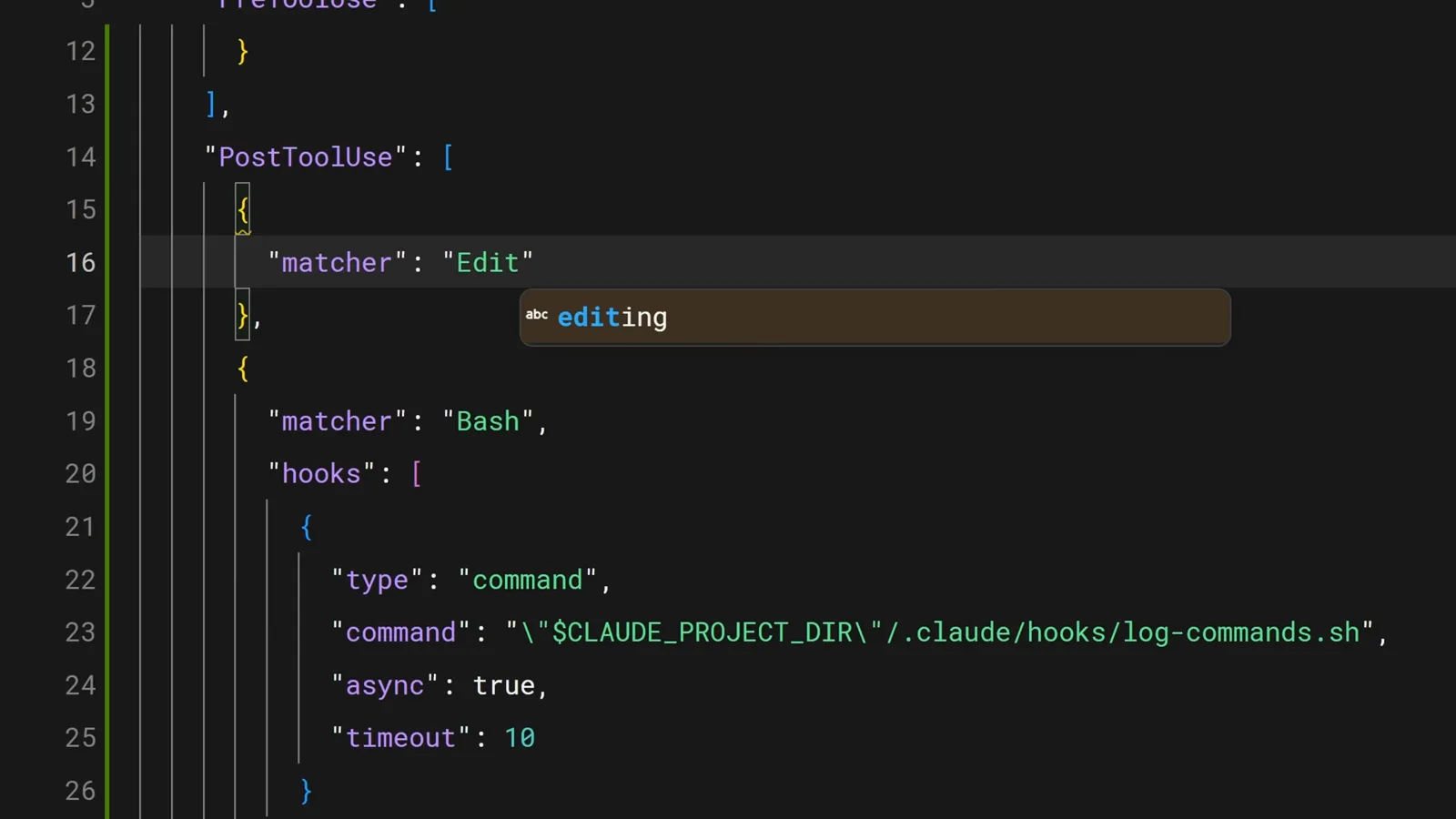
Folder autocomplete filling the path to .claude/hooks.Watch at 1:38 - 6
Set a timeout so hooks cannot hang the session
The finished entry points Edit, MultiEdit, and Write at .claude/hooks/auto-format.sh with a 20-second timeout. The script checks the file extension and runs prettier, go fmt, ruff, or whatever formatter the project uses.
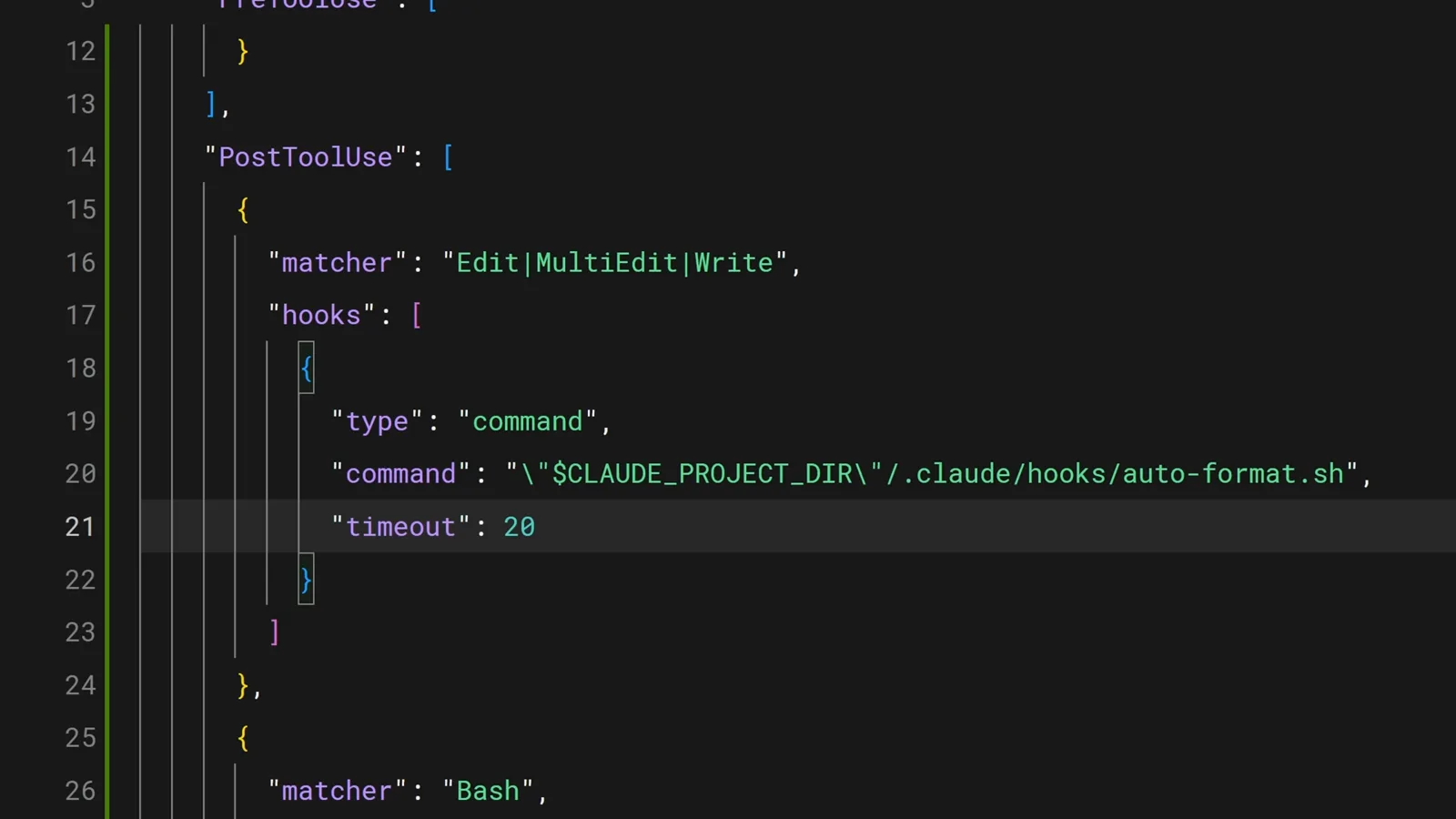
auto-format.sh wired to every edit with a 20-second timeout.Watch at 1:39 - 7
Watch a Stop hook run in real time
Hooks also fire on lifecycle events outside tool calls. Here the terminal status line shows a Stop hook - running before the session ends - with its timer and token count. The Notification event fires the same way whenever Claude needs your input.
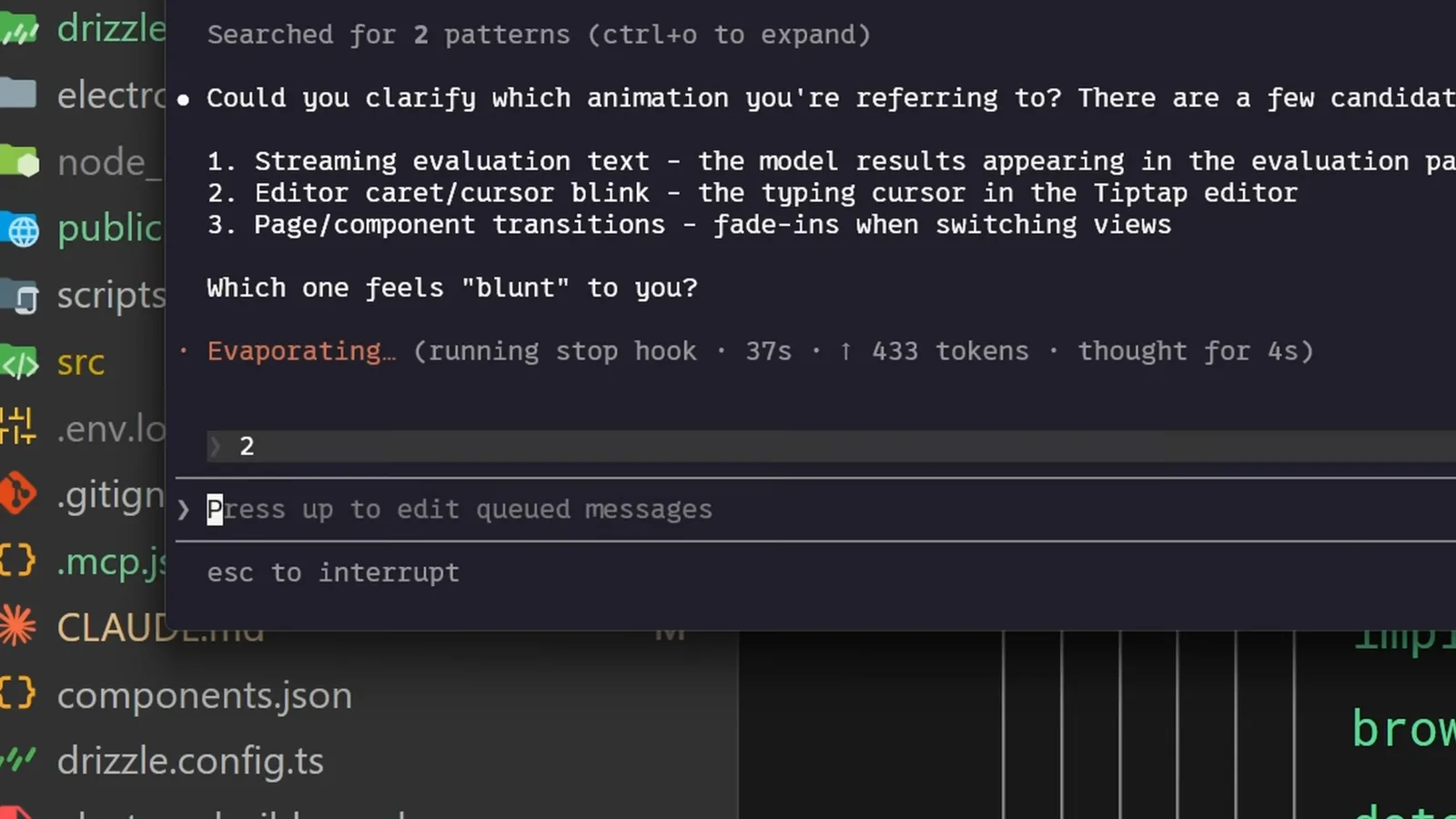
The status line reading "running stop hook" with a live timer.Watch at 0:08
Block dangerous operations
PreToolUse hooks veto destructive commands before they execute.
- 8
A PreToolUse hook that vetoes dangerous commands
The blocking script reads the tool input as JSON with jq, greps the command for destructive rm patterns and force pushes, writes a reason to stderr, and exits 2. Claude sees the reason and can adjust instead of executing.
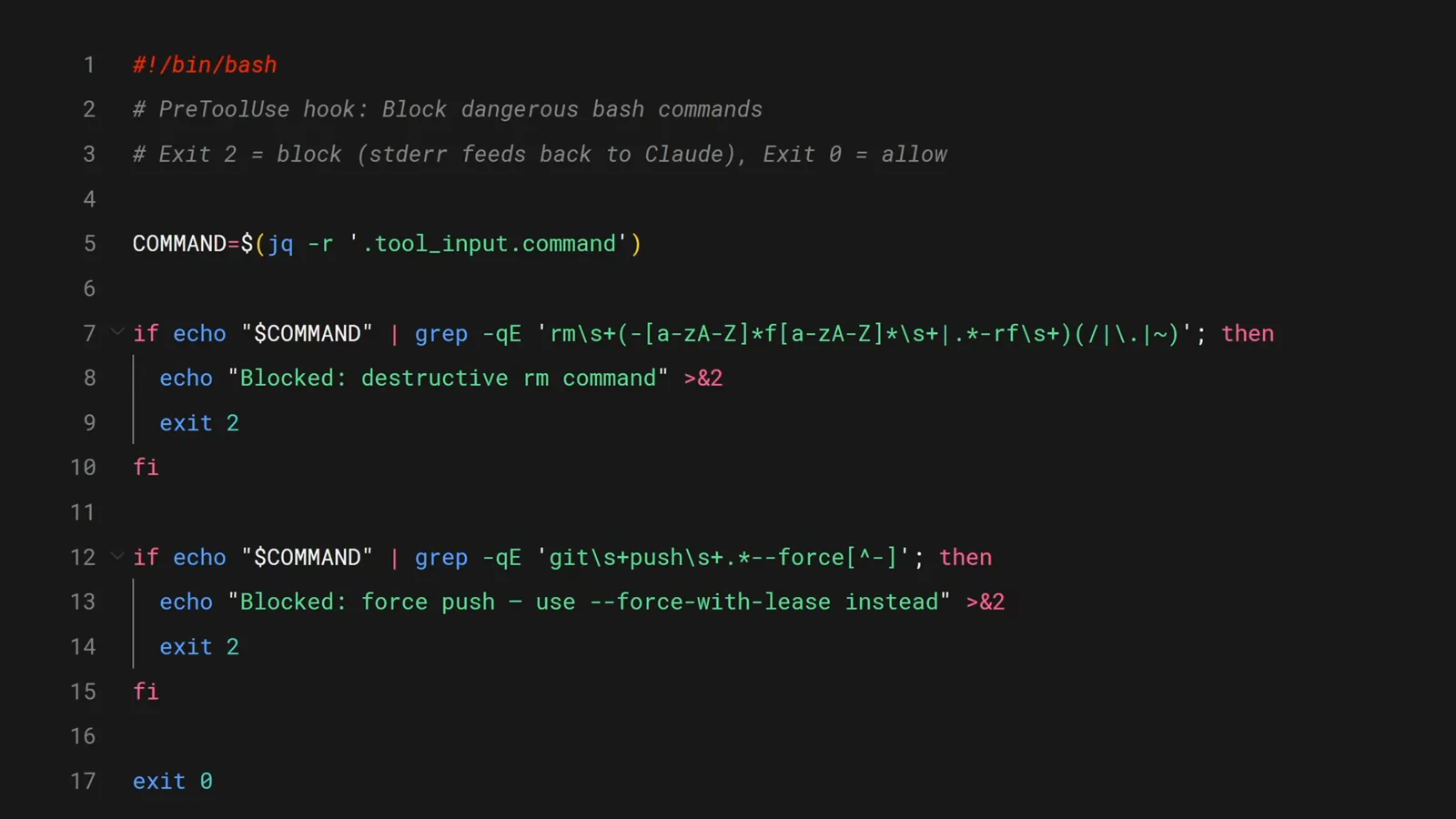
Exit 2 blocks the call; stderr becomes feedback for Claude.Watch at 1:54 - 9
Deny with a structured JSON decision
For harder guarantees, a hook can answer with hookSpecificOutput: a JSON payload that denies the PreToolUse call. This one blocks DROP TABLE and tells Claude to use a migration instead - production stays untouched.
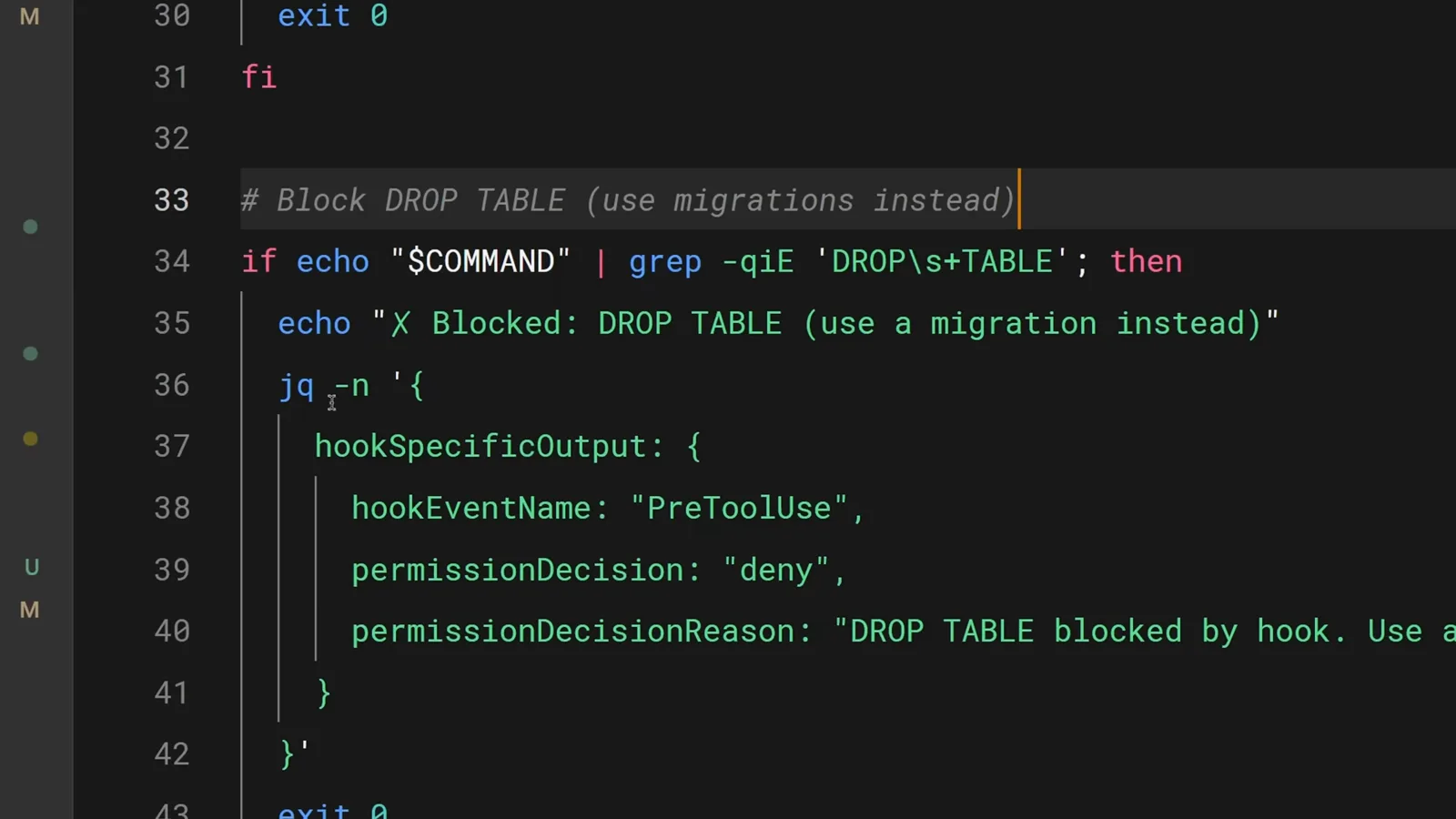
A jq-built deny decision steering Claude toward migrations.Watch at 2:16
Share hooks with your team
Project-level settings and the /hooks menu keep everyone on the same guardrails.
- 10
Keep hooks in the project, not on your machine
Hooks in .claude/settings.json are project-level: commit the file and everyone on the team gets the same guardrails in their next session. The scripts live in .claude/hooks right next to it.
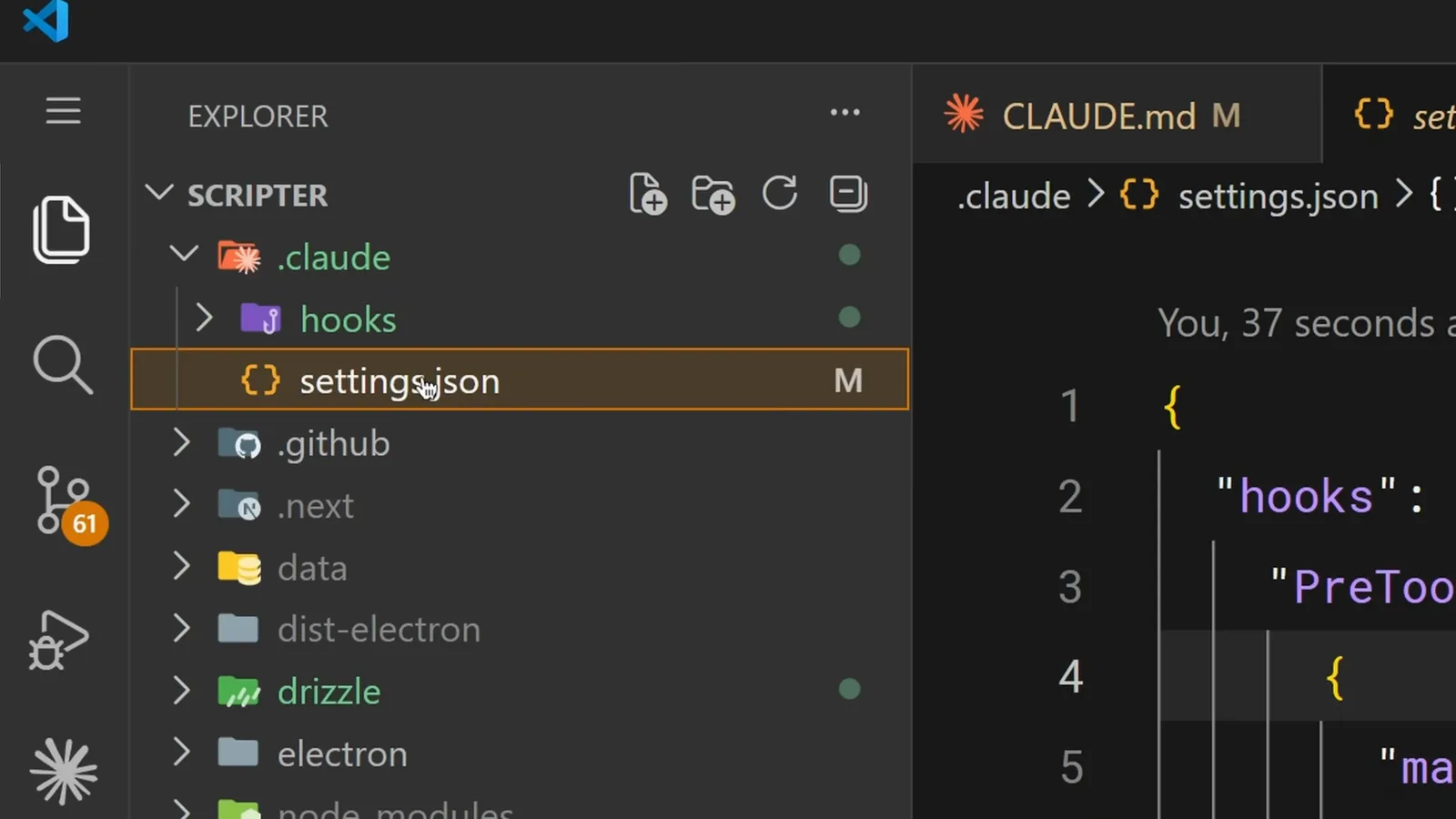
The .claude folder with hooks and settings.json ready to commit.Watch at 2:30 - 11
Use $CLAUDE_PROJECT_DIR in every path
Claude's working directory can change mid-session, so relative paths break. The $CLAUDE_PROJECT_DIR variable always points at the project root, keeping hook scripts resolvable wherever Claude runs from.
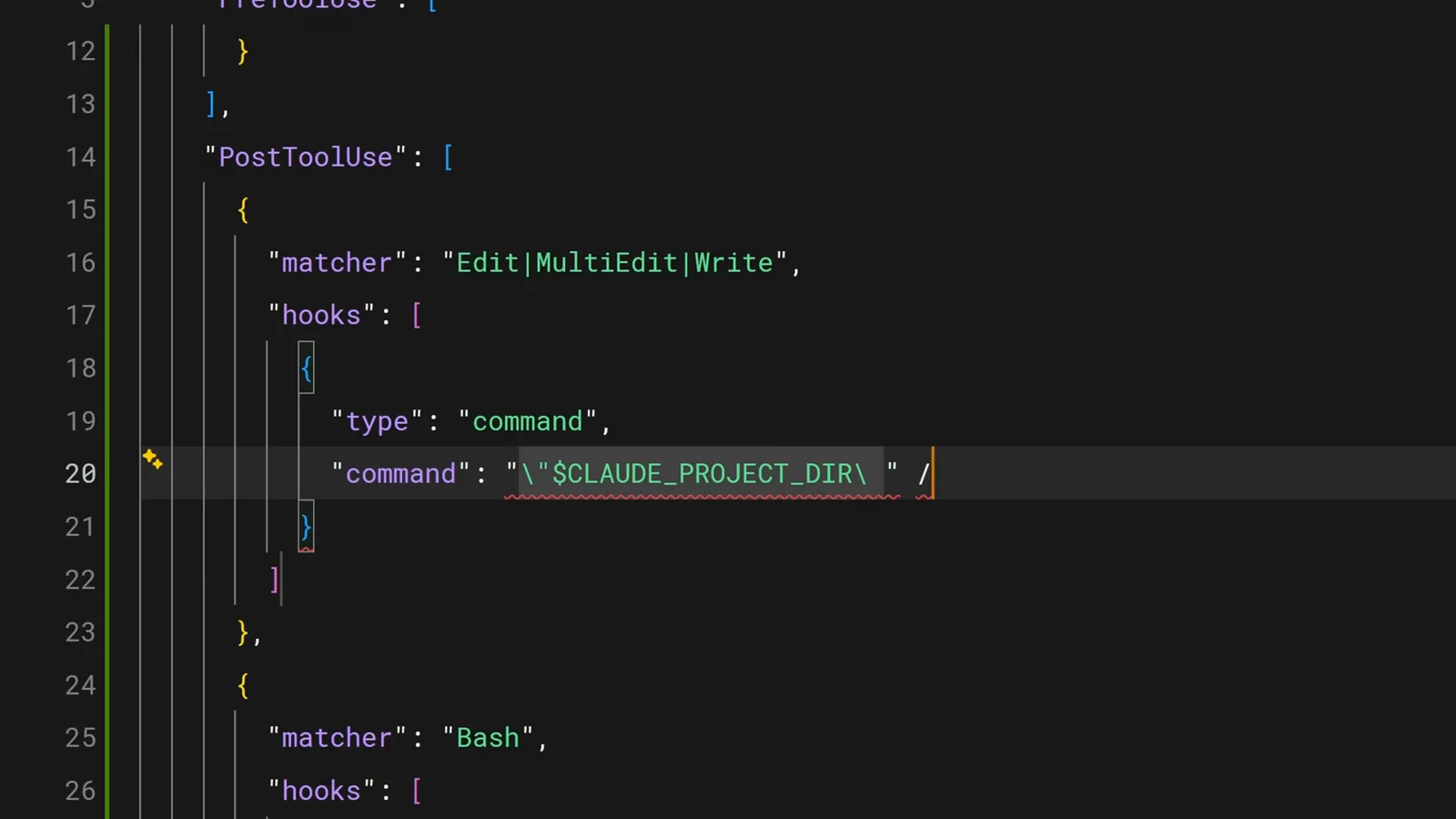
The project-dir variable anchoring the command path.Watch at 2:38 - 12
Audit hooks with the /hooks menu
Run /hooks inside Claude Code to list every configured hook, its event, and its firing condition. The menu is read-only - to add or change hooks, edit settings.json directly or ask Claude to do it.
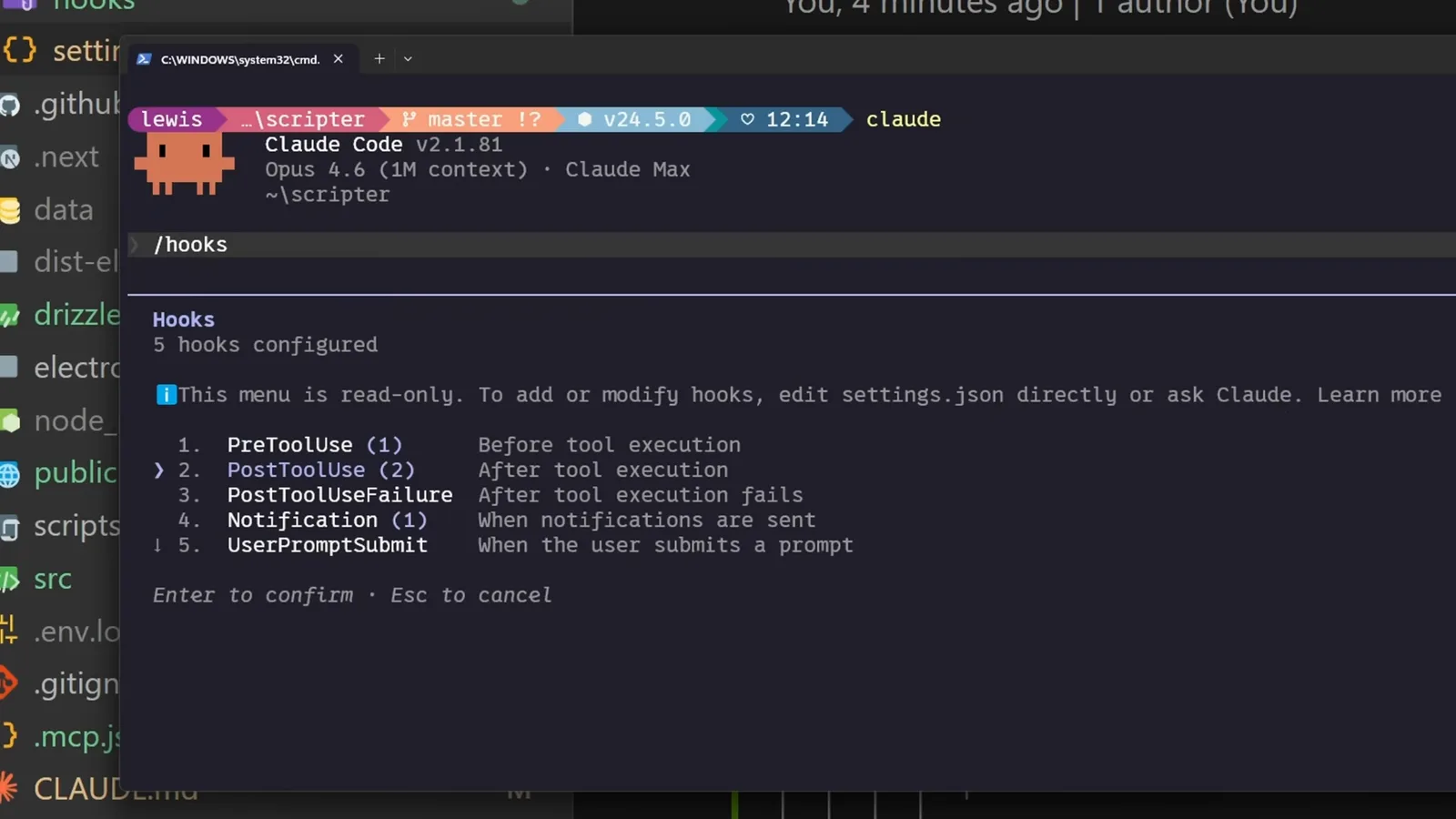
Five configured hooks listed by the /hooks menu.Watch at 2:54