
Illustrated walkthrough
Claude Code Output Styles: The Five Built-ins, Switching One, and Writing Your Own
Open /config, read the Preferred output style menu word for word, then build a custom style the way the video does it on camera - a markdown file, three front-matter lines, and a new row in the same list.
An illustrated walkthrough of 13 steps - about 5 minutes to read. Every step links back to the exact moment in the source video.
TL;DR
Output styles change how Claude Code talks, not what it is allowed to do. Run /config, stay on the Config tab, type output in the filter, and the Output style row opens a menu with five built-ins: Default (its normal engineering instructions), Proactive (executes immediately, prefers action over planning), Concise (leads with results, skips preamble), Explanatory (explains implementation choices and codebase patterns) and Learning (pauses and asks you to write small pieces of code yourself). A style you write is just a markdown file - .claude/output-styles for one project, ~/.claude/output-styles for all of them - with front matter for the name, the description the menu shows, and keep-coding-instructions, then your instructions underneath. In the video Claude writes the file itself as map-first.md, and the next time the picker opens it sits there as option 6, right after the five built-ins.
Source video
This page follows the Eric Tech recording of a Claude Code session in which he reads the built-in output styles line by line, has Claude write a custom one, and then switches a shared project between three styles built for three different teammates.
Screenshots are frames from the video, credited to the creator; the write-up is our own. Steps verified against the video and the Claude Code docs in September 2026.
Find the setting
Nothing about output styles is on screen until you open one. /config holds the switch, on the Config tab, behind a filter box.
- 1
Start from an ordinary session
Nothing about output styles is visible yet. This is a plain Claude Code session: v2.1.245, Opus 5 with 1M context on xhigh effort under a Claude Max plan, sitting in ~/Desktop/EricOS, with the usual '1 MCP server needs authentication' warning across the top. The header matters, because the style list you are about to open is version-dependent and the built-in set has grown since this feature shipped.
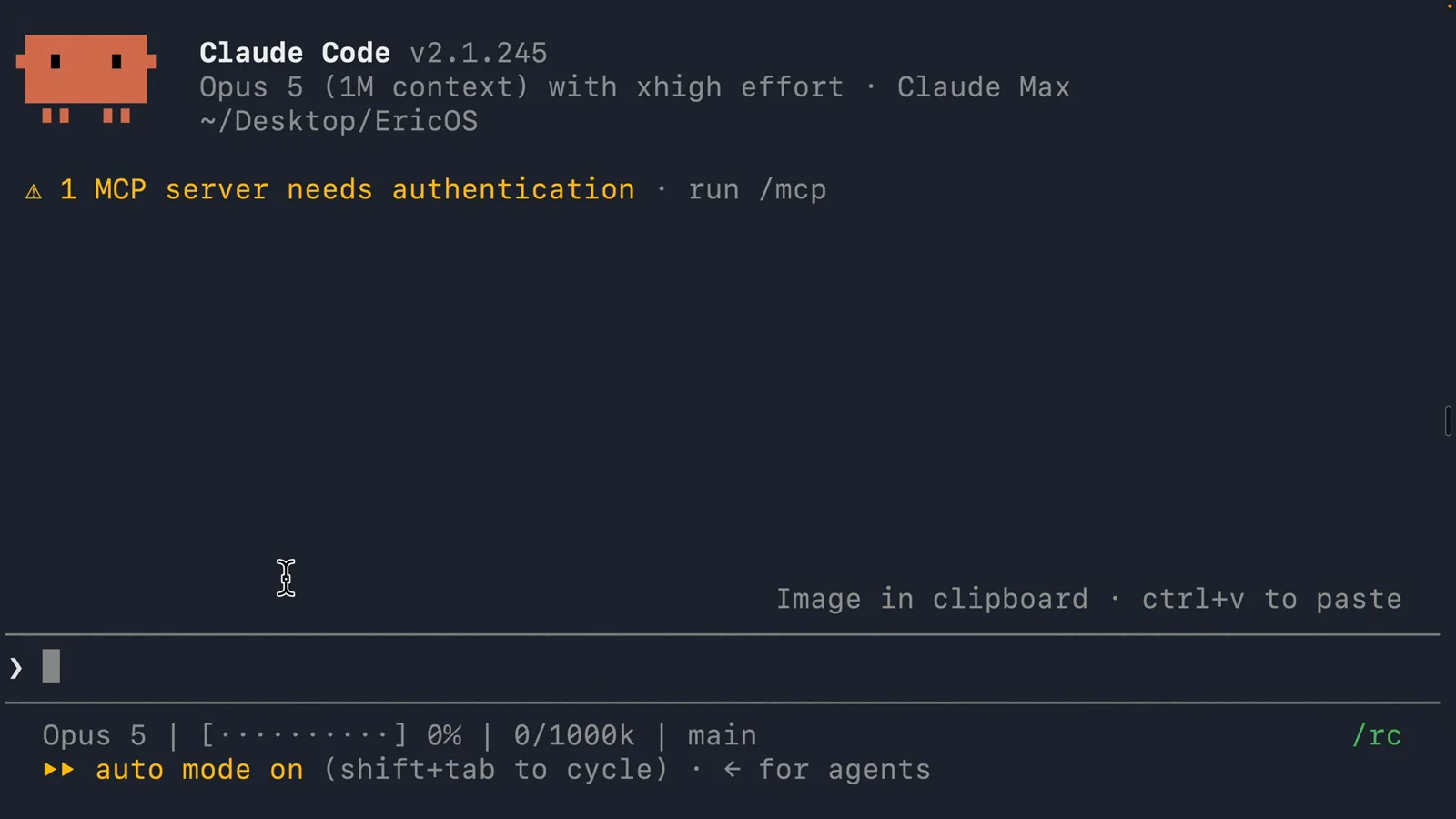
No style is named anywhere on this screen. Default is simply whatever Claude Code does when you have not changed anything.Watch at 2:38 - 2
Open /config and land on the Config tab
Type /config. Claude Code opens a five-tab screen - Settings, Status, Config, Usage, Stats - with a Search settings box and a two-column list of toggles: Auto-compact true, Reduce motion false, Thinking mode true, Session recap true, Rewind code (checkpoints) true, Ultracode keyword trigger true, and '32 more below'. You do not have to scroll those 32. Type output in the box and the list collapses to two rows.
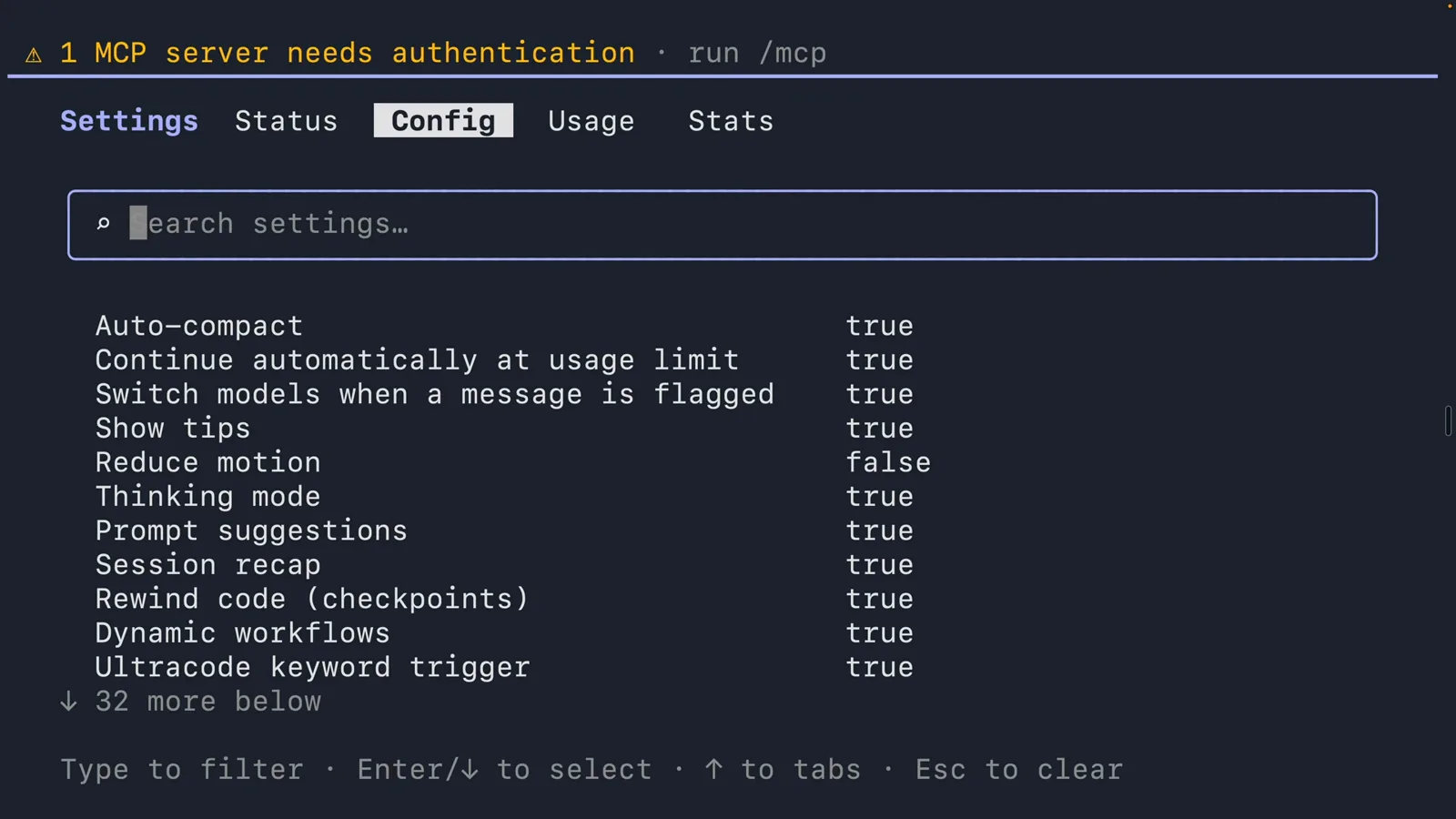
The filter box is the shortcut. Without it, Output style is one line among roughly forty.Watch at 2:46 - 3
The Preferred output style menu
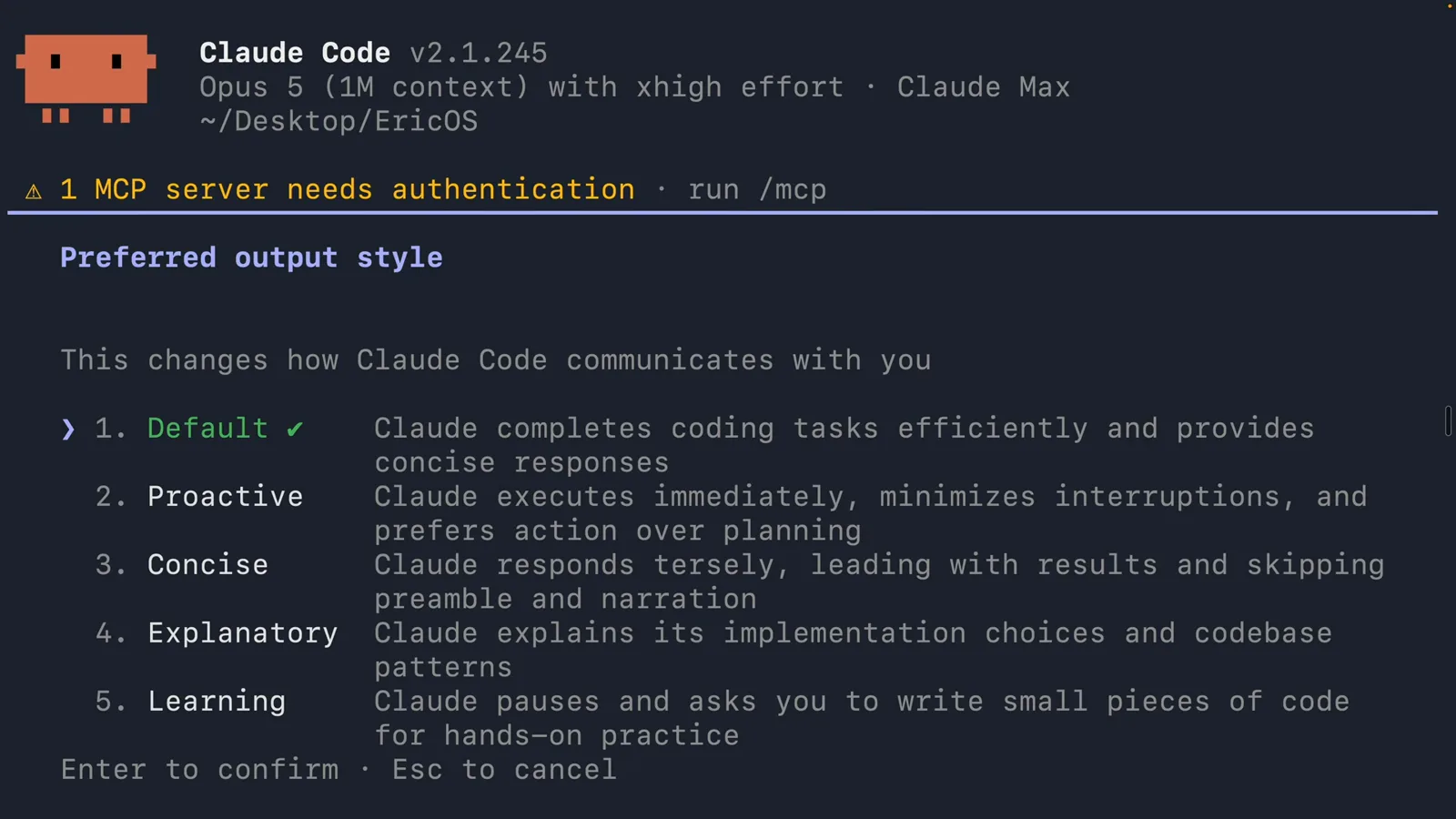
Select Output style and the screen becomes 'Preferred output style - This changes how Claude Code communicates with you', with five numbered options and a description each: 1. Default, ticked because it is what you are using, 'Claude completes coding tasks efficiently and provides concise responses'; 2. Proactive, 'Claude executes immediately, minimizes interruptions, and prefers action over planning'; 3. Concise, 'Claude responds tersely, leading with results and skipping preamble and narration'; 4. Explanatory, 'Claude explains its implementation choices and codebase patterns'; 5. Learning, 'Claude pauses and asks you to write small pieces of code for hands-on practice'. Enter to confirm, Esc to cancel.
Three things are marked at once: the green tick is the style in use, the coloured arrow is the keyboard cursor, and a grey arrow is only where the mouse is.Watch at 2:52
Read the five built-in styles
The menu writes the trade-off for you - one line per style, before you commit to any of them.
- 4
Concise is about narration, not effort
Bring the pointer down to 3. Concise and read the line again: it changes the shape of the reply, not the amount of work behind it. The docs are explicit that a Concise session still does the engineering as thoroughly as Default does, and that error reports, security warnings and confirmations for destructive actions keep their full content no matter which style is active. Concise also requires Claude Code v2.1.237 or later - which is why older write-ups list only three built-in styles.
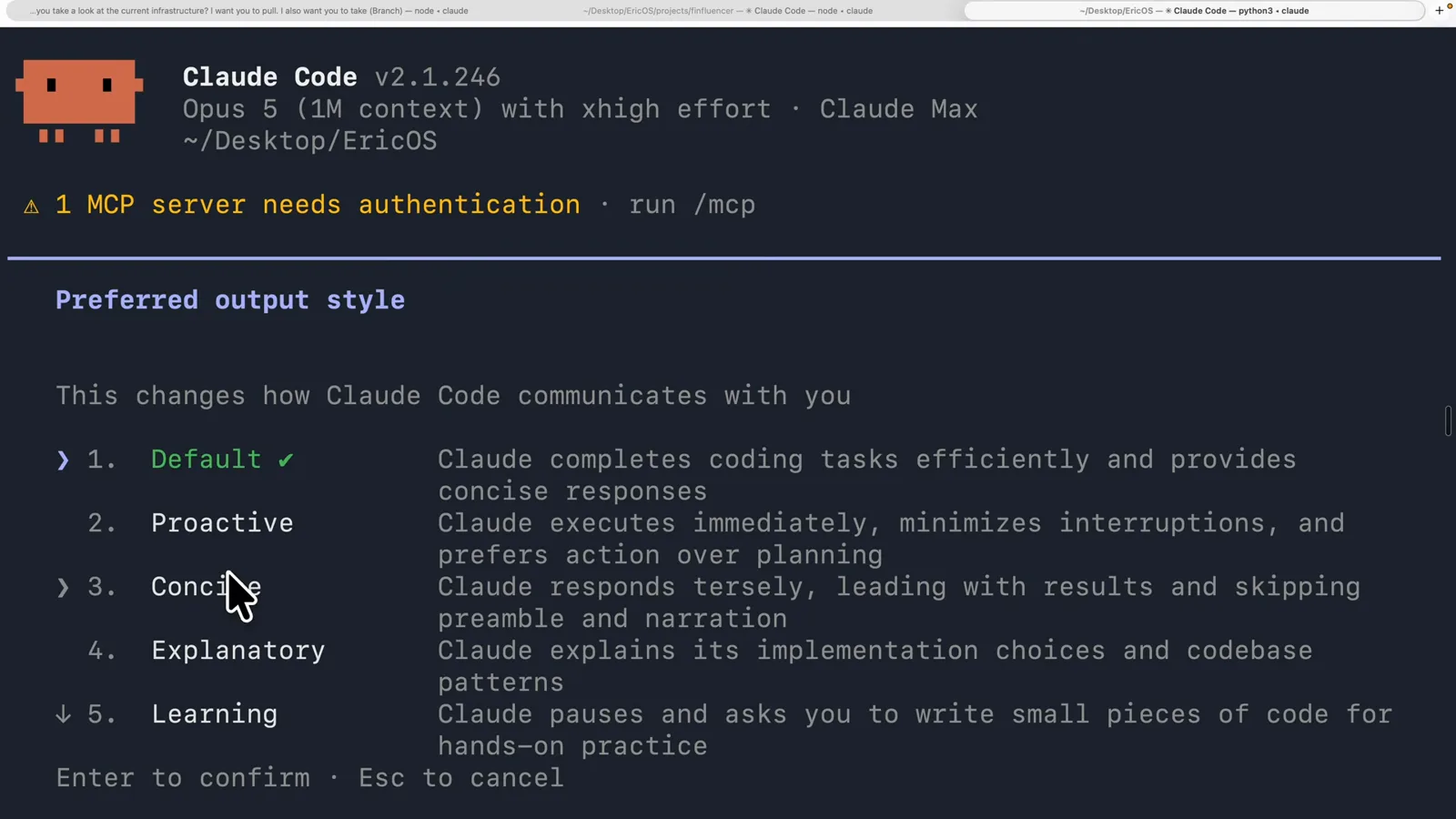
Try this one first if your complaint is length rather than accuracy.Watch at 5:18 - 5
Proactive is not the same as auto mode
2. Proactive is the one people misread. The menu line says 'executes immediately, minimizes interruptions, and prefers action over planning', and the docs add the part a menu cannot fit: it is stronger autonomous-execution guidance than auto mode applies, and it works without changing your permission mode - so what is allowed to run without asking is still decided by that mode. Proactive changes how Claude frames decisions; permission mode decides whether it can act on them.
Pair the two deliberately. One sets the tone, the other sets the blast radius.Watch at 14:16
Create a custom output style
A markdown file with three front-matter lines and your instructions. Claude Code will write it for you if you ask it to.
- 6
Ask Claude to write the style
Nobody needs to hand-edit markdown to start. The creator follows his own recipe: take an answer you did not like, ask for three or four variations of it, pick the one you would keep, then ask Claude Code to turn that into an output style. The reply below is the result - 'Built. "Map First" is your sixth output style, and you can select it right now' - followed by where it lives (EricOS/.claude/output-styles/map-first.md, symlinked into ~/.claude/output-styles/ so it works from any project) and a plain list of what the style locks in.
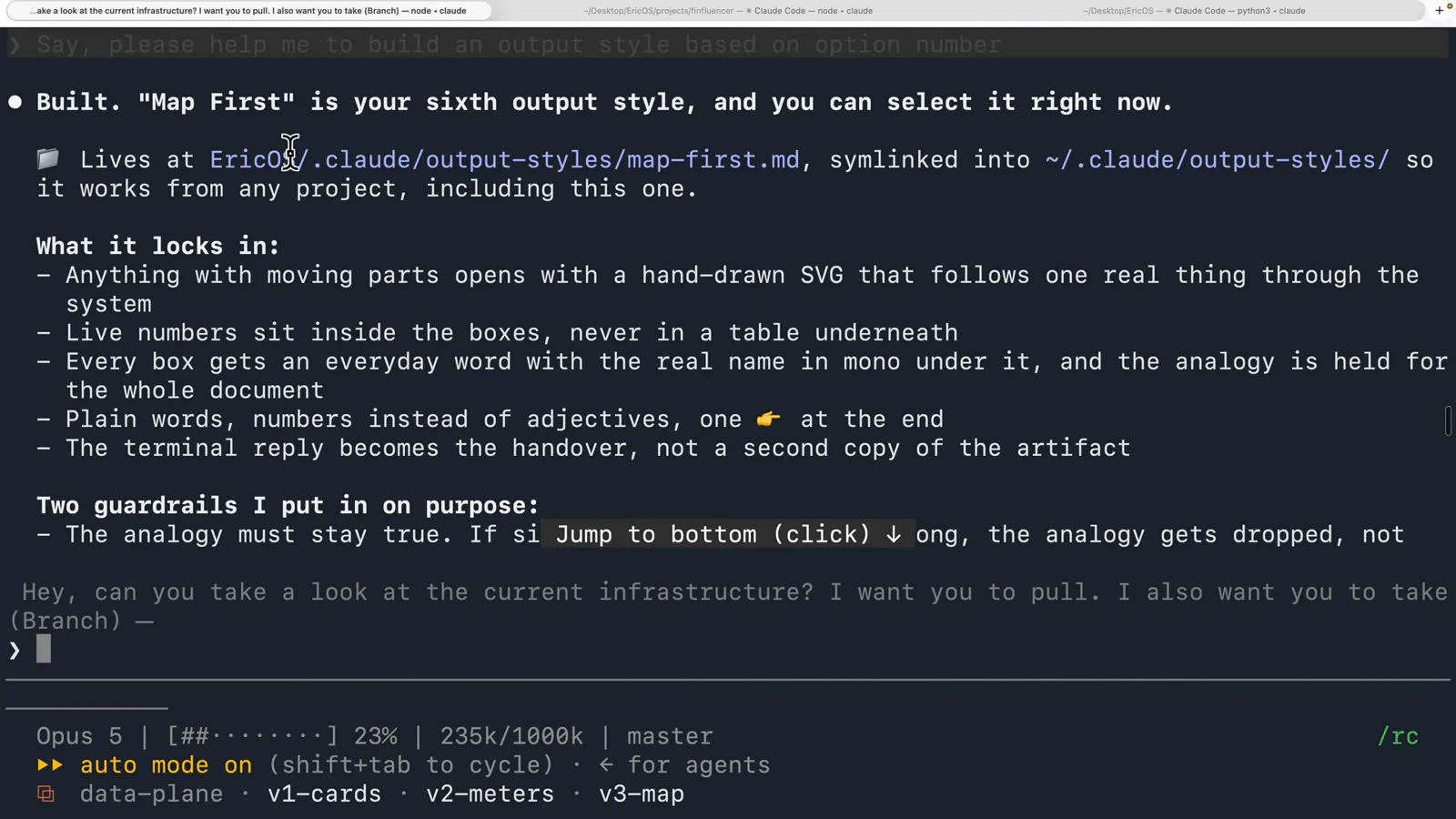
Two paths in one line: a project file, symlinked to the user folder so it travels with you.Watch at 5:14 - 7
Your style appears in the same list
Open the picker again and scroll: options 1 to 5 are the built-ins, and 6 is Map First, carrying the description straight out of its front matter - 'Opens every explanation with a drawn map of how the thing actually works, live numbers on the picture, everyday words with the real names underneath. The terminal stays short and hands over the link.' That description is the only thing the menu shows about your style, so write it as a decision aid for the reader rather than as a note to yourself.
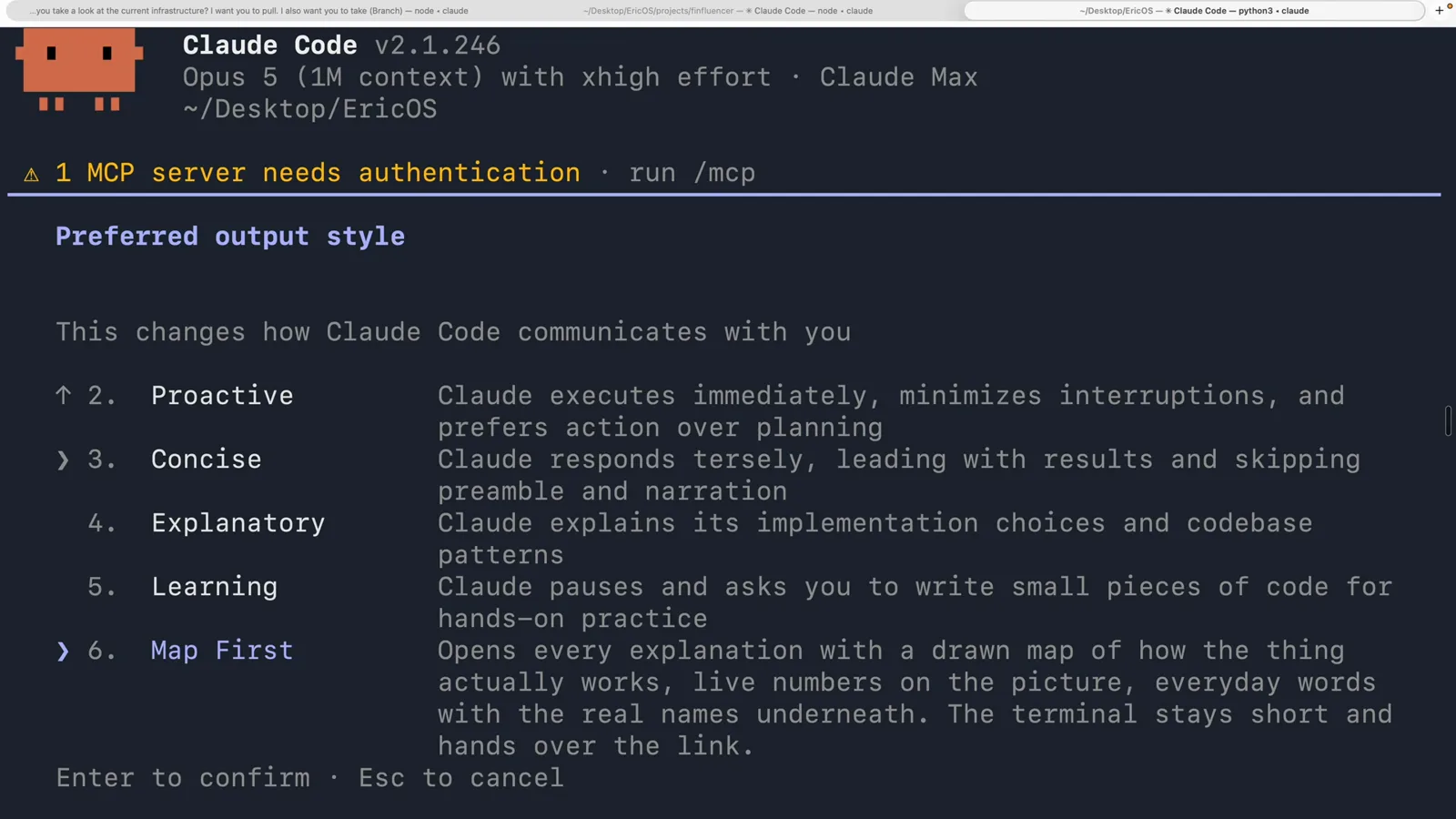
Here the file is map-first.md but the menu shows Map First - the front-matter name wins over the file name.Watch at 5:26 - 8
What the file itself looks like
A style file is three front-matter lines and then instructions. The example the video opens on - an X post by Lydia Hallie, whom the creator introduces as an Anthropic engineer, showing her eli5.md in .claude/output-styles - is a good template: name: ELI5, description: keep it simple pls, keep-coding-instructions: true, followed by short imperatives ('Small words, short sentences, short paragraphs', 'Just tell me what you did, did it work, what do I do now', 'Keep paths and commands exact'). That keep-coding-instructions: true is the line that keeps Claude Code's built-in software engineering instructions in place. Leave it out and the default is false, which is what you want for a style that is not doing software engineering at all.
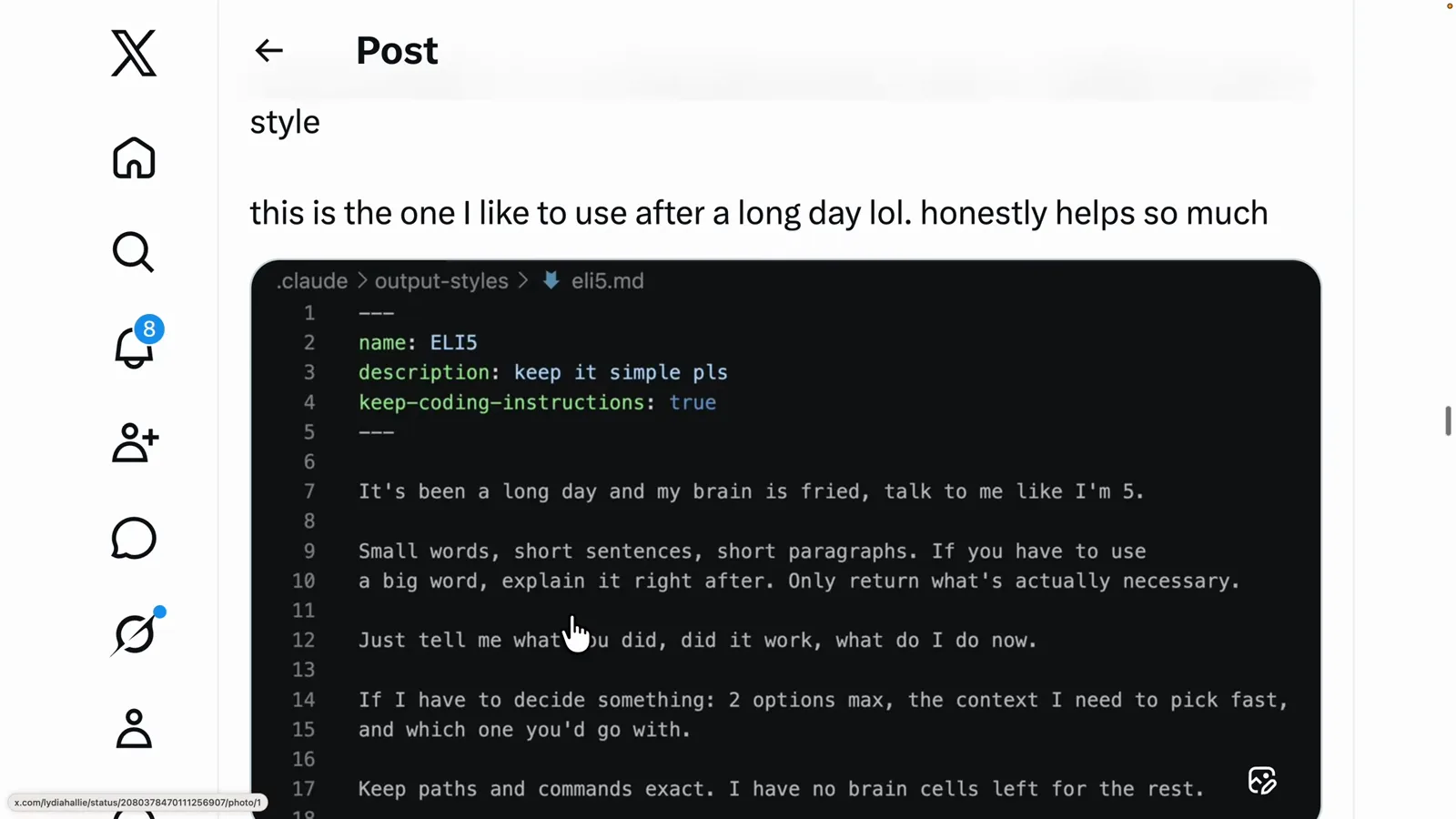
The video shows this as a shared post rather than a live session - the file format is what matters here.Watch at 13:20
Switch it, and it stays switched
The choice is a stored setting value, not something you re-explain in the first message of every session.
- 9
The choice is stored as a setting
Filter /config on output after picking a style and the screen is two rows: Verbose output false, and Output style Map First. That is the whole mechanism - a stored value, not a preference you restate each session. The docs name the file: your selection goes into .claude/settings.local.json at the local project level, so it applies to that checkout on that machine. You can also edit the outputStyle field in that JSON directly instead of using the menu.
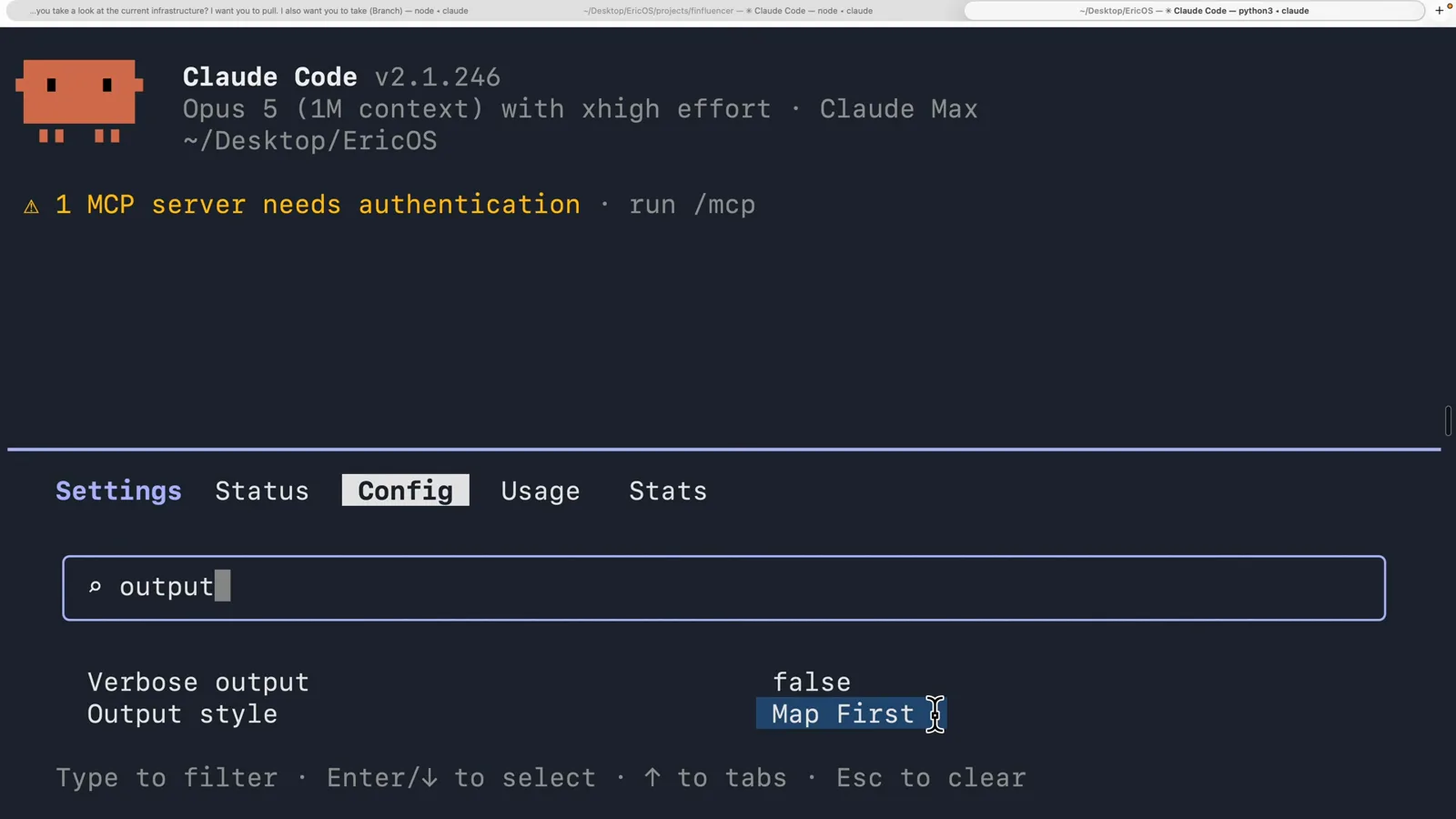
One value, one project, one machine - which is exactly why sharing styles and sharing settings are different jobs.Watch at 5:54 - 10
Test it with one word
The cheapest check is a message with no content in it. The video sends 'hi' into a fresh session - context bar at 0%, 0/1000k, main branch - right after selecting a style, and one word is enough to hear the difference. What the video does not do is stay on screen for the answer: it cuts away while the status line still reads 'Whirlpooling... (1s, 1 tokens)', so no rendered reply from a switched style appears in these frames. Two documented rules fill the gap. Switching styles mid-session takes effect from your next message (v2.1.251 or later). And because the terminal reads style files at startup only, a custom style created or edited during a running session needs a restart before it appears.
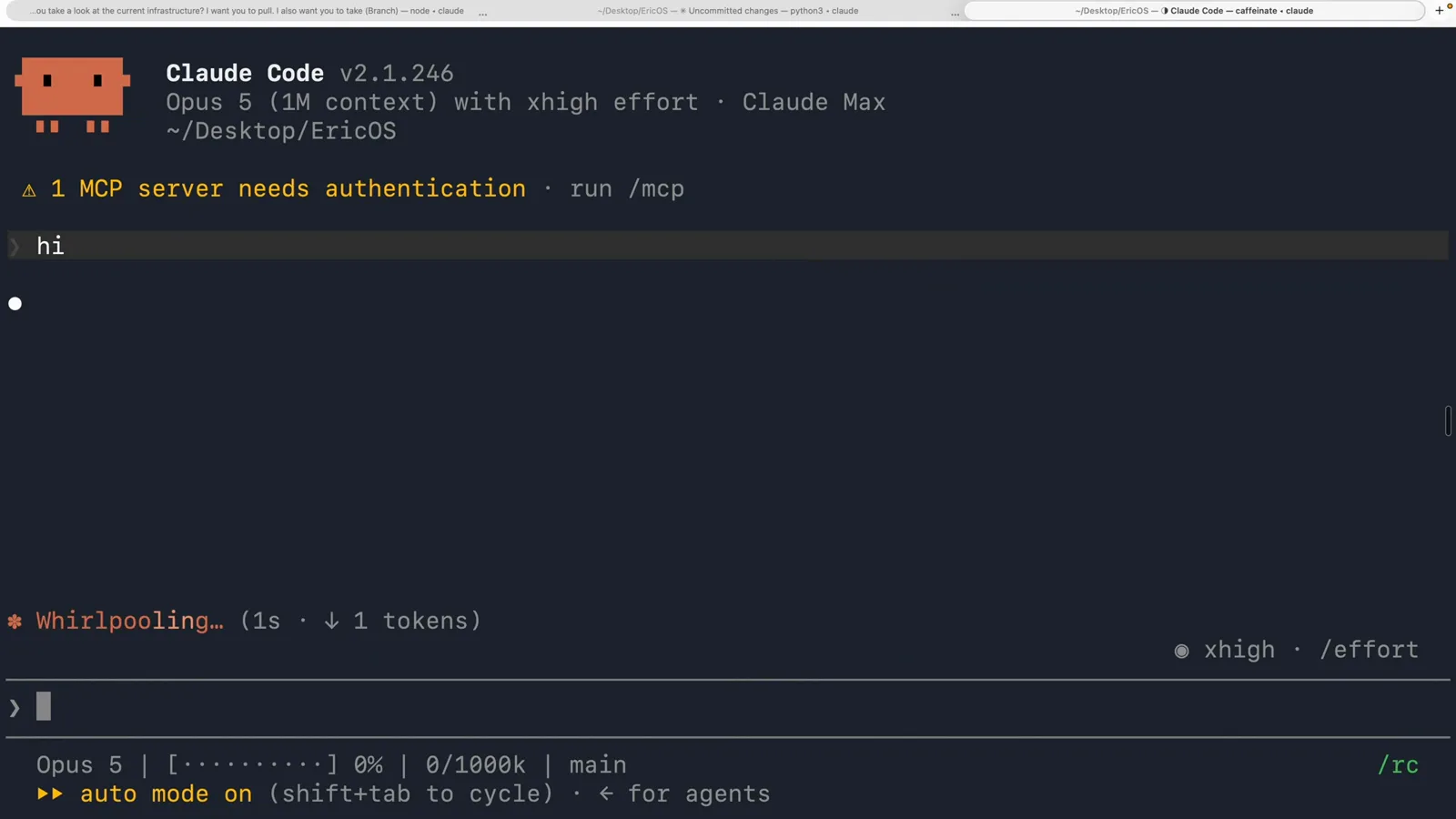
Sent at 14:00 in the video; the reply itself is never shown on camera.Watch at 14:00
One repository, one style per person
The real reason to write your own: different people reading the same terminal need very different sentences.
- 11
Add a style per reader, not per task
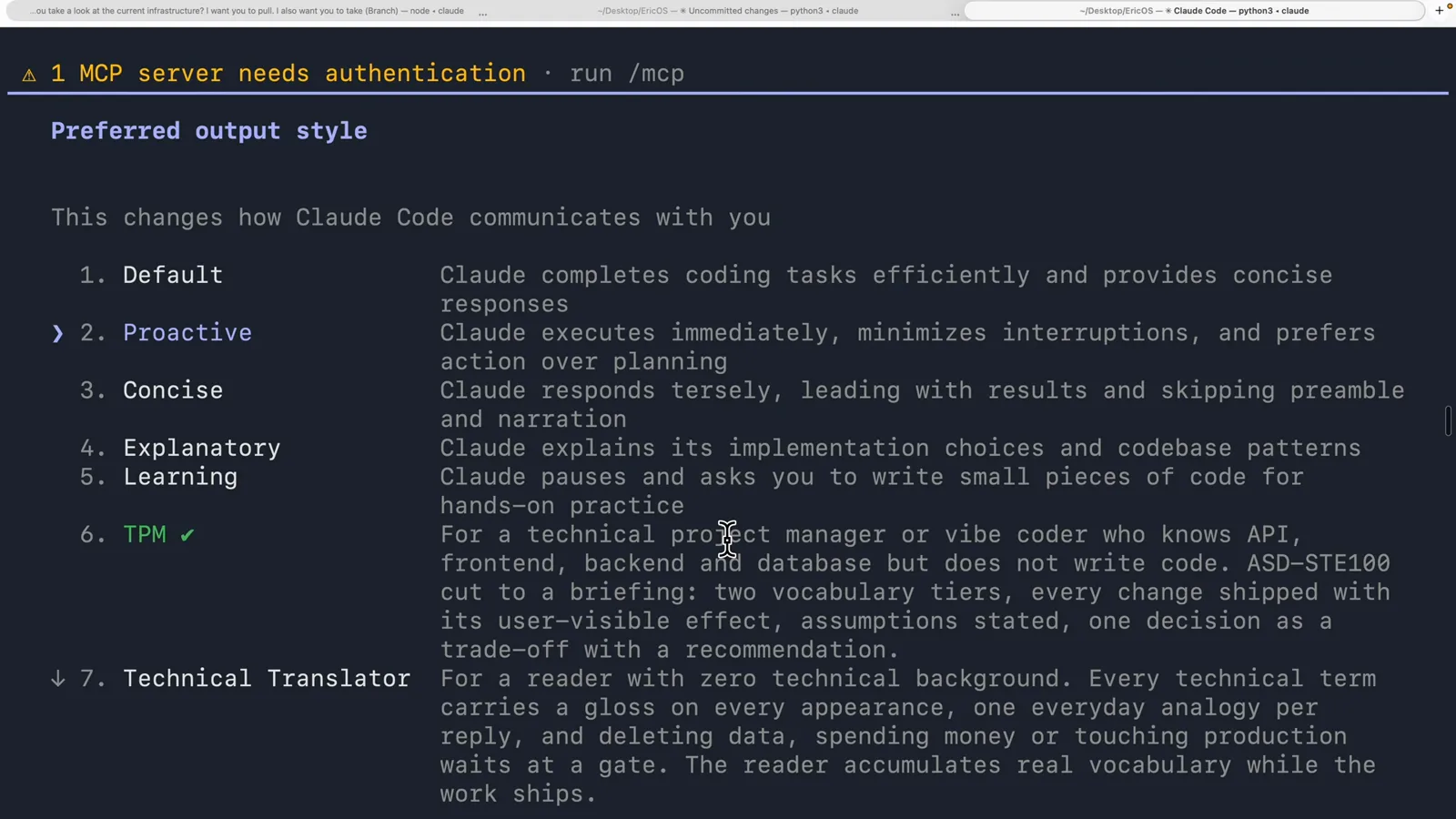
Output styles stop being a novelty in a shared project. This repository carries three custom styles alongside the built-ins, and the picker lists them in order: 6. TPM, ticked as current - 'For a technical project manager or vibe coder who knows API, frontend, backend and database but does not write code. ASD-STE100 cut to a briefing: two vocabulary tiers, every change shipped with its user-visible effect, assumptions stated, one decision as a trade-off with a recommendation.' 7. Technical Translator sits directly below it.
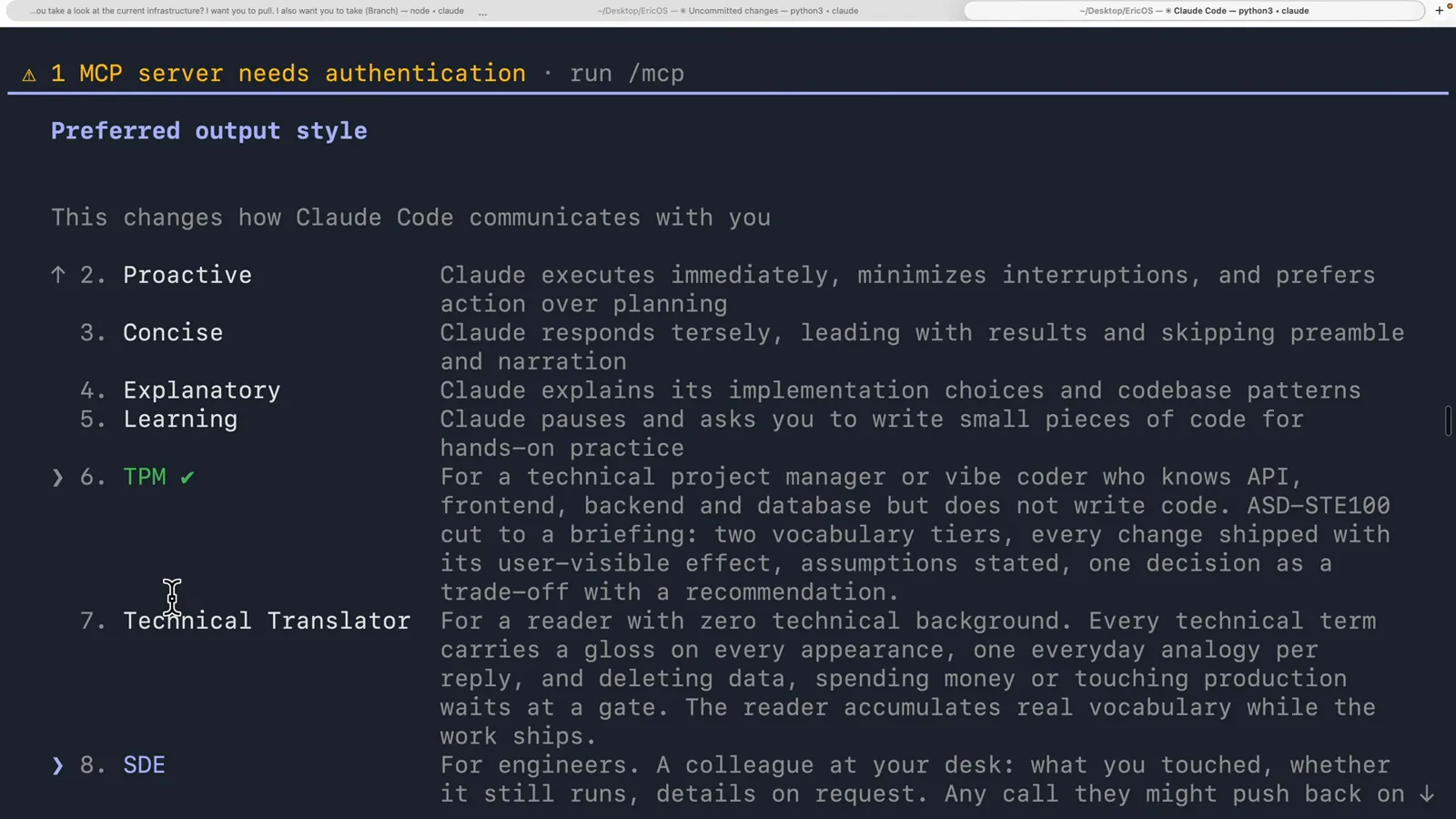
Three files in one folder, and each teammate gets a different Claude out of the same codebase.Watch at 11:16 - 12
Translator for readers, SDE for engineers
The last two descriptions show how far one feature can be stretched. 7. Technical Translator is 'For a reader with zero technical background. Every technical term carries a gloss on every appearance, one everyday analogy per reply, and deleting data, spending money or touching production waits at a gate.' 8. SDE is 'For engineers. A colleague at your desk: what you touched, whether it still runs, details on request.' Both are only instructions in a markdown file - but they are instructions about register, structure and when to stop talking, which is exactly what a per-turn prompt cannot hold.
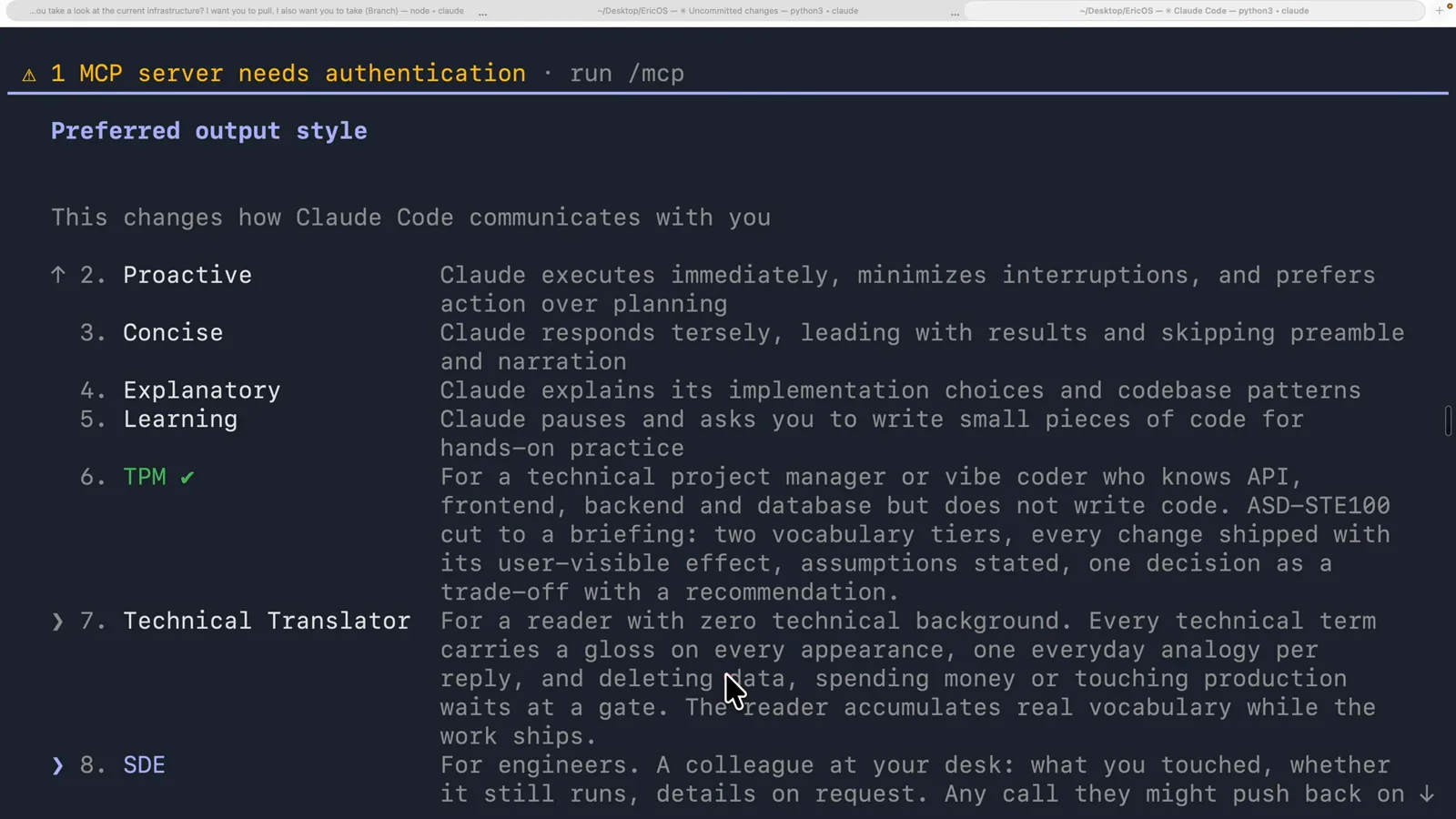
The mouse is on 7 and the highlighted row is 8 SDE - the style actually in use is still TPM, ticked above both.Watch at 12:28 - 13
Switch the session by changing one value
Back in /config, filtered on output, the Output style row now reads SDE. That is the whole switch a teammate makes: no CLAUDE.md edit, no re-explaining in the first message, no persona to paste at the top of a prompt. One caveat from the docs, because it is the mistake this feature invites: an output style applies to the main conversation and to a fork of it, which inherits the parent's system prompt - but other subagents run their own system prompt, so a style will not change how a subagent answers.
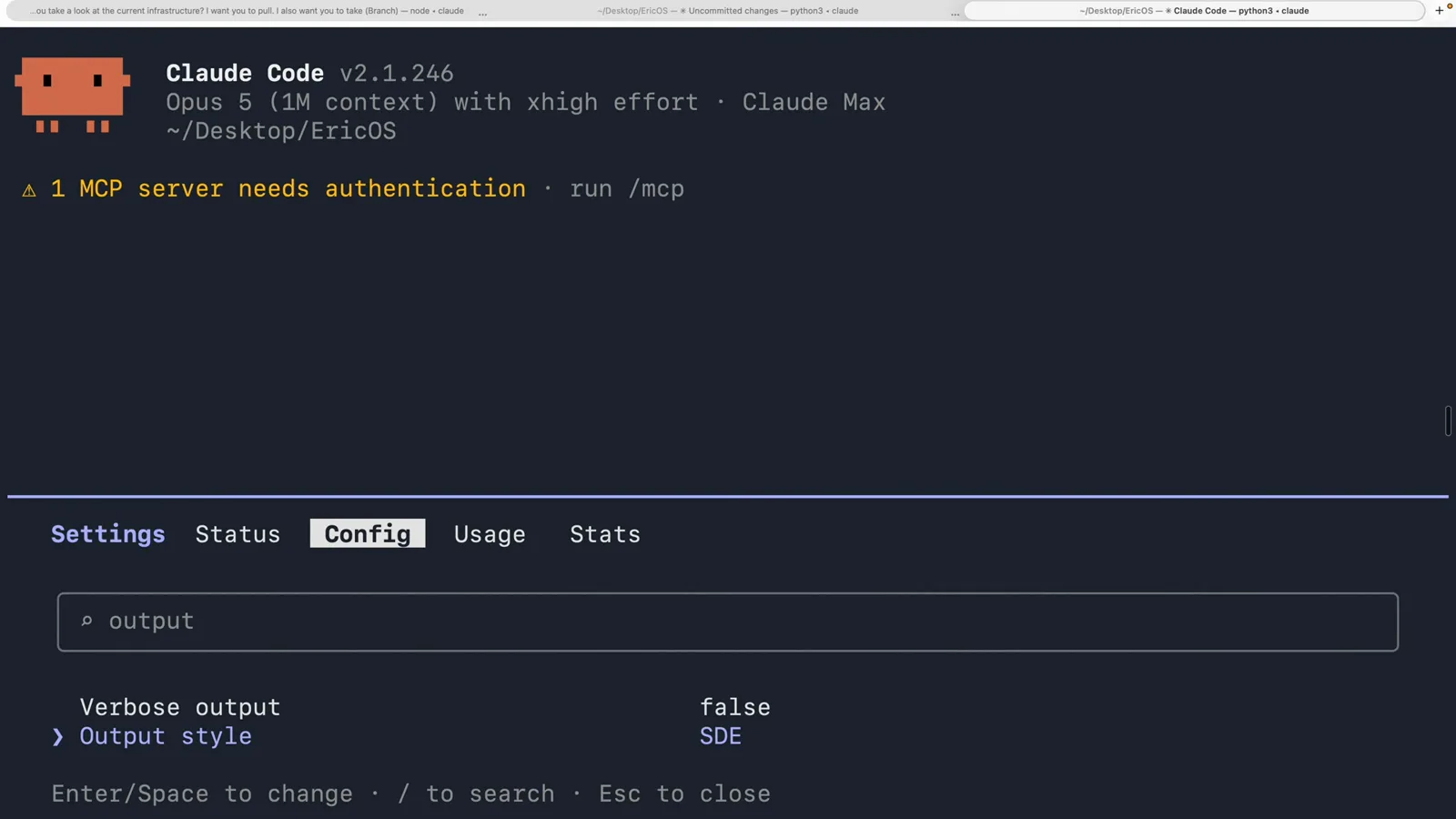
The same screen as step 9, one value later. The setting is the entire interface.Watch at 13:52