
Feature deep-dive
Claude Code Checkpoints and /rewind: Undo a Bad AI Coding Turn
Every prompt you send snapshots the files Claude Code edits. Press Escape twice, pick the moment the session went off track, and roll the code and the conversation back together — no commit required.
An illustrated walkthrough of 13 steps - about 5 minutes to read. Every step links back to the exact moment in the source video.
TL;DR
Every message you send creates a checkpoint: a snapshot of the files Claude Code edited plus the conversation up to that point. Open the list with /rewind, or with two presses of Escape on an empty input, choose the prompt to return to, and pick one of three scopes - Restore code and conversation, Restore conversation, or Restore code. The confirmation screen names the file it will rewrite and the line counts, and warns that rewinding does not affect files edited manually or via bash. It is a local undo for the current session, not a substitute for git.
Source video
This page follows the anxious engineer recording of a Claude Code session and rebuilds its rewind steps one frame at a time. Every screenshot links to the exact moment it appears.
Screenshots are frames from the video, credited to the creator; the write-up is our own. Steps verified against the video and the Claude Code docs in September 2026.
Checkpoints you never had to make
There is no save command. Each prompt you send is a point you can return to, with the files it changed listed alongside it.
- 1
Start the session you will later want to undo
The recording opens with /clear, then one long prompt: build a React button component, split the work into steps, ask for approval at the end of each one, and keep the progress in button.tsx. Nothing has been saved yet - the status line reads 0 tokens - but sending this message is what creates the first checkpoint.
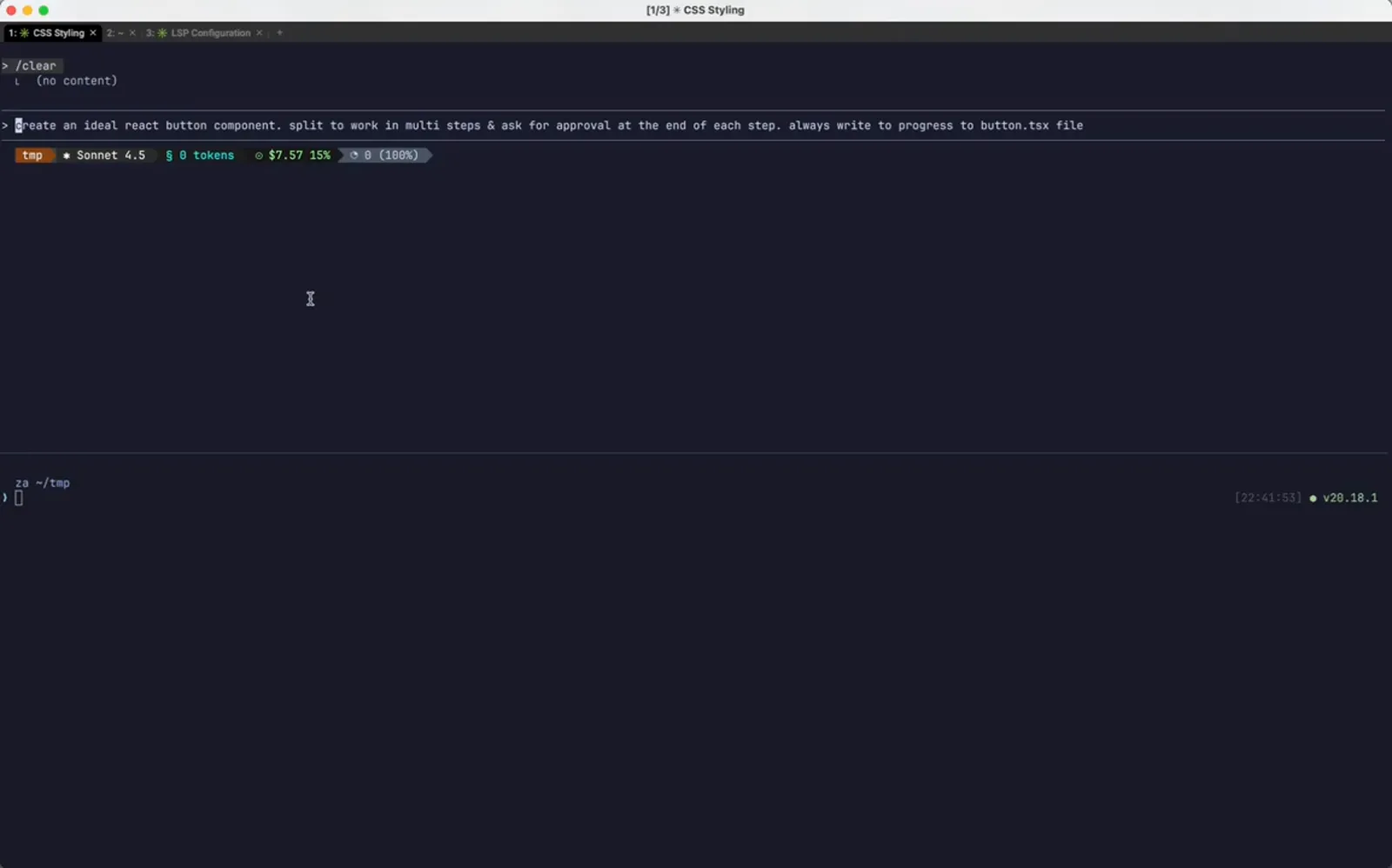
One prompt, one checkpoint, before any code exists.Watch at 0:04 - 2
Step 1 lands and the todo ticks off
Claude writes button.tsx with the types, the props interface and the forwardRef wrapper, strikes through the first todo, and stops to ask for approval. This is a clean stopping point - the state the session will later rewind to.
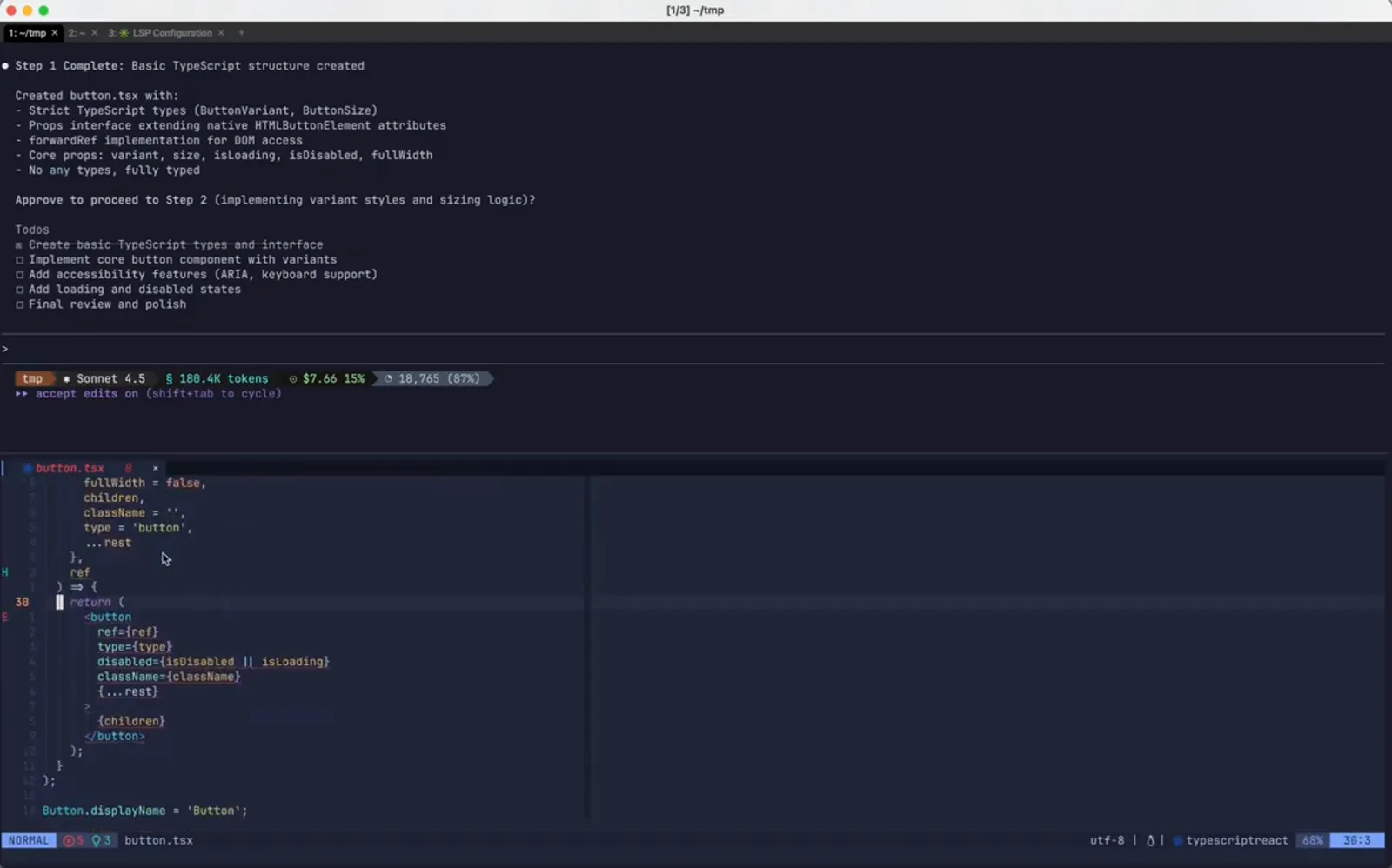
A stopping point worth being able to return to.Watch at 0:28 - 3
Your approval is another checkpoint
Typing step 1 complete. continue. does two things at once: it approves the next step, and it records another restore point. Checkpoints are keyed to your messages rather than to Claude's edits, so the more you steer, the more places you can land.
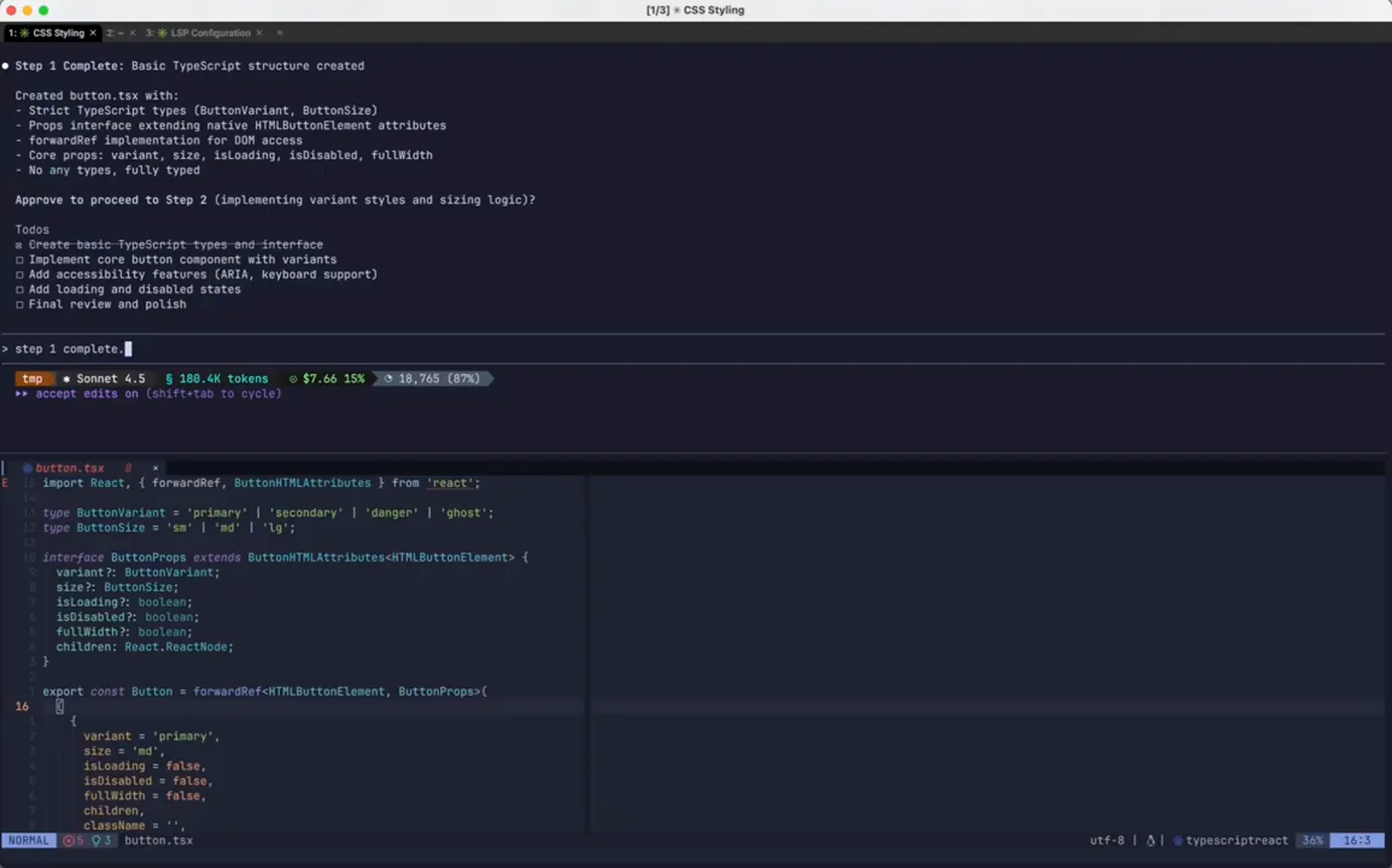
The message that becomes the rewind target.Watch at 0:40
Opening the rewind list
Two escapes, or /rewind, and the whole session appears as a list of your own messages.
- 4
The turn you regret
Step 2 Complete reports variantStyles and sizeStyles built from Tailwind utility classes, and VS Code shows the bg-blue-600 strings now sitting in the file. The project does not use Tailwind. The work is not lost, it is just the wrong direction - which is exactly what checkpoints are for.
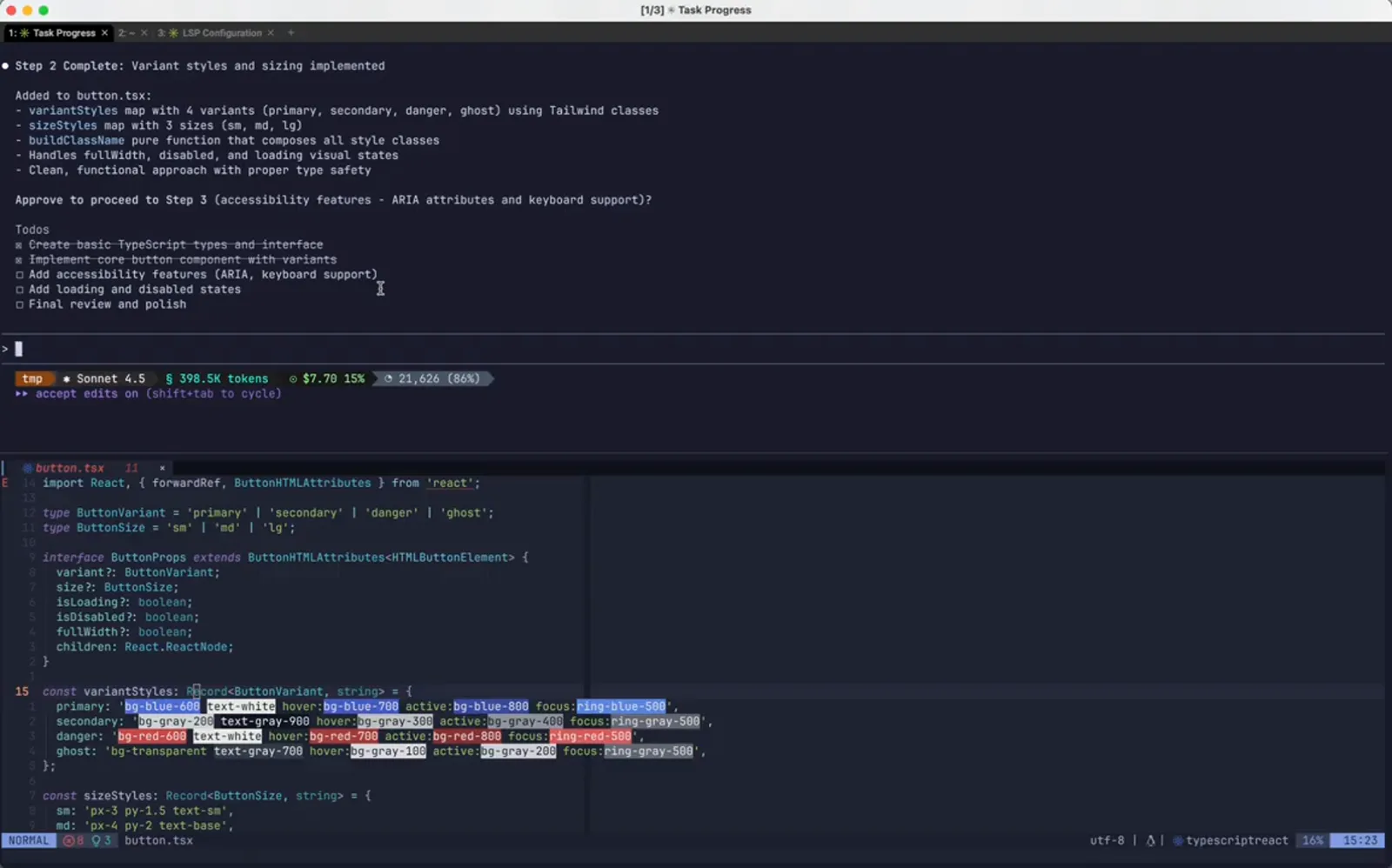
A finished step that is wrong for this project.Watch at 1:10 - 5
Press Escape twice to open Rewind
With the input box empty, two Escape presses open the Rewind panel - the same screen /rewind brings up. Its header reads Restore the code and/or conversation to the point before..., and below it is one entry per message sent this session, each with the file that message changed and the line counts, like button.tsx +45 -0. /clear shows up too, marked No code changes. Enter continues, Esc exits.
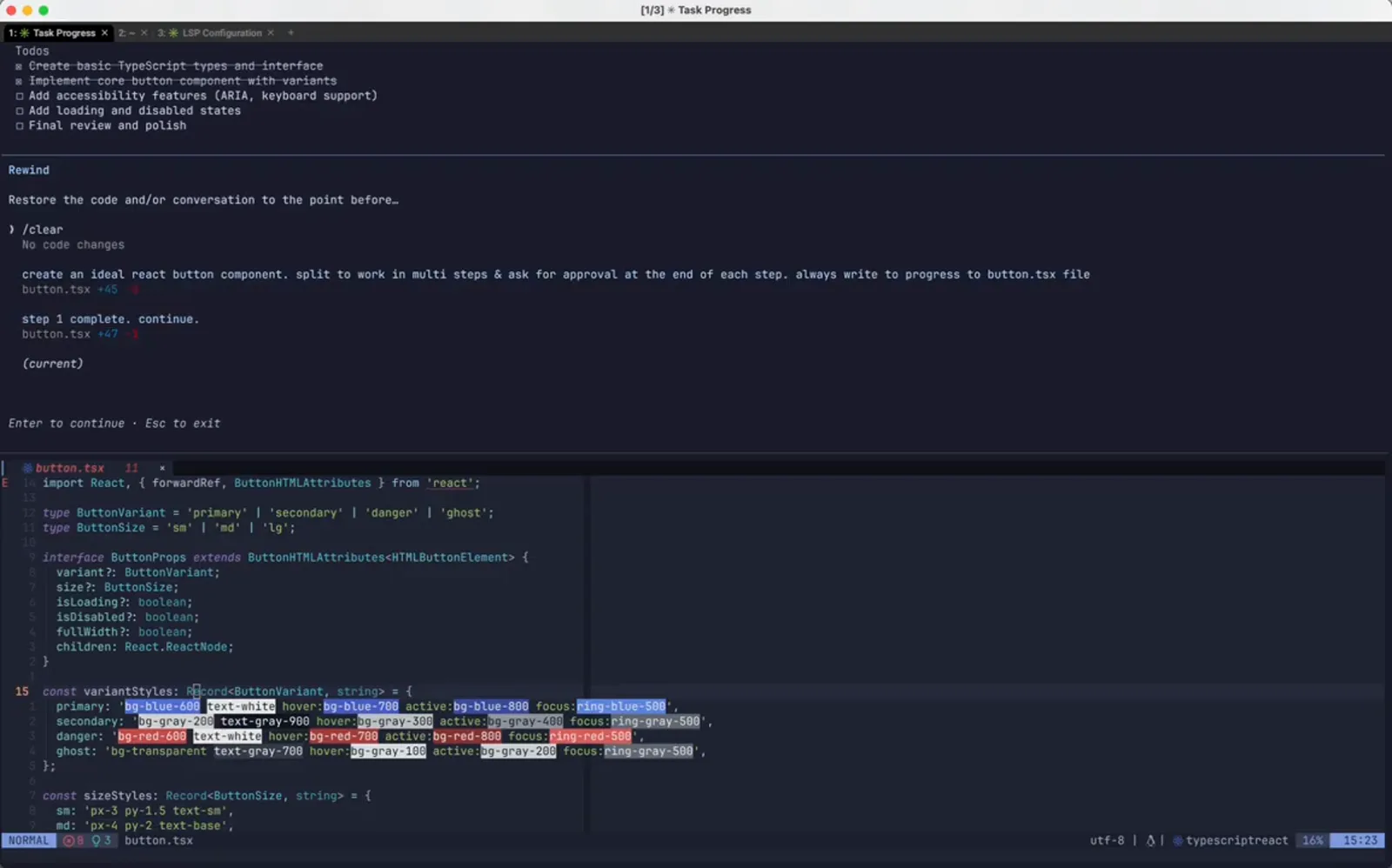
Every prompt in the session, with the diff it caused.Watch at 1:18 - 6
Highlight the last message that was good
Move the marker onto step 1 complete. continue. - the prompt sent before the Tailwind work started - and press Enter. Restoring to the point before a message means everything after it gets rolled back, so choose the entry that was still healthy rather than the one you want repeated.
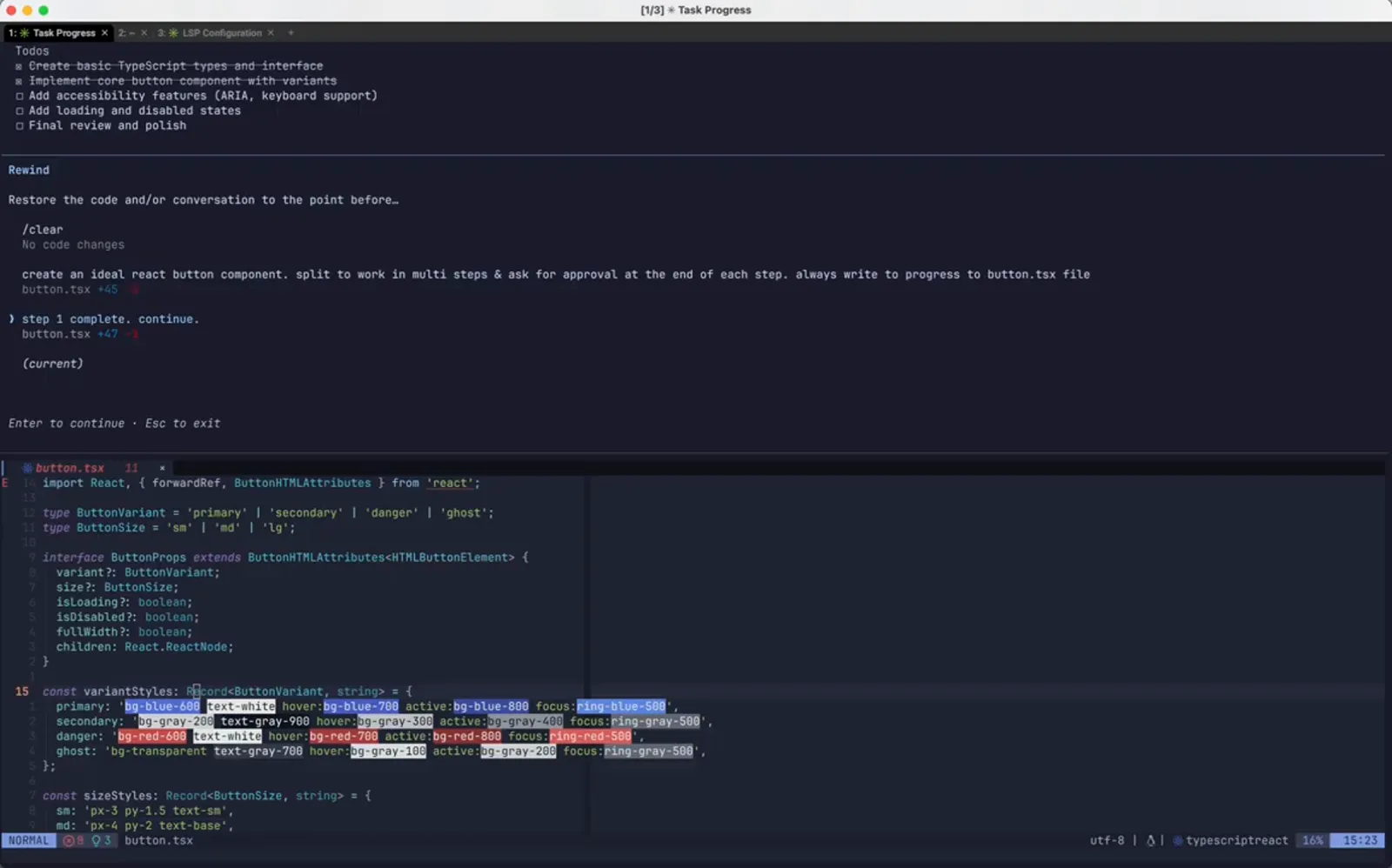
Selecting the checkpoint from before the mistake.Watch at 1:26
Choosing what comes back
Code, conversation, or both - the confirmation screen shows the diff before anything changes.
- 7
Pick a restore scope: code, chat, or both
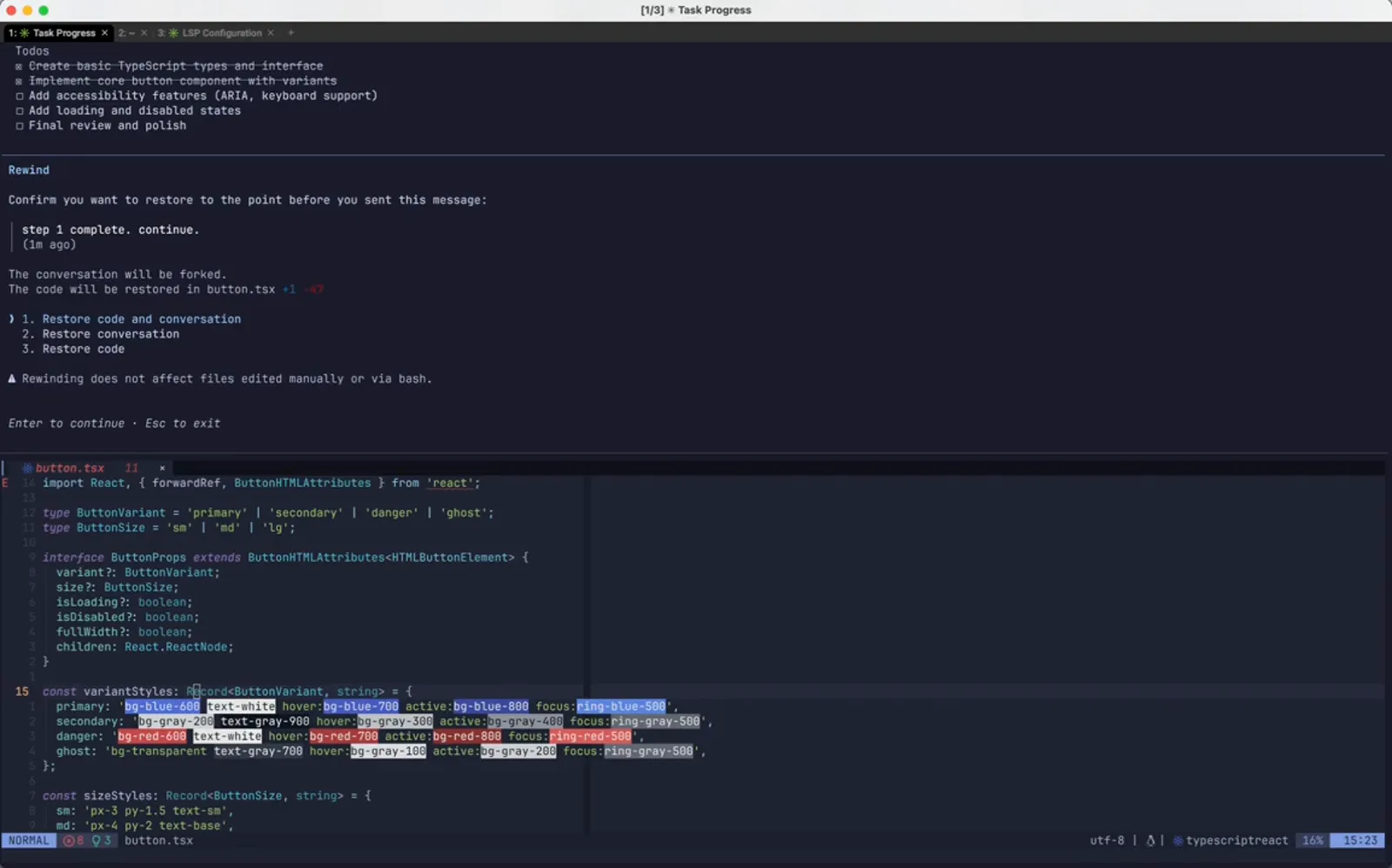
The confirmation screen names the chosen message and its age, states that the conversation will be forked, and prints the exact file operation - The code will be restored in button.tsx +1 -47. Three options follow: 1. Restore code and conversation, 2. Restore conversation, 3. Restore code. The line underneath is the one to remember: Rewinding does not affect files edited manually or via bash.
Three scopes, plus a warning about what is out of reach.Watch at 1:44 - 8
The session is back at Step 1
After confirming, the transcript ends where it did before the Tailwind step: Step 1 Complete on screen, the approval question unanswered, and the original prompt sitting in the input box. The file on disk has gone back to the checkpoint state as well, because option 1 restores both halves.
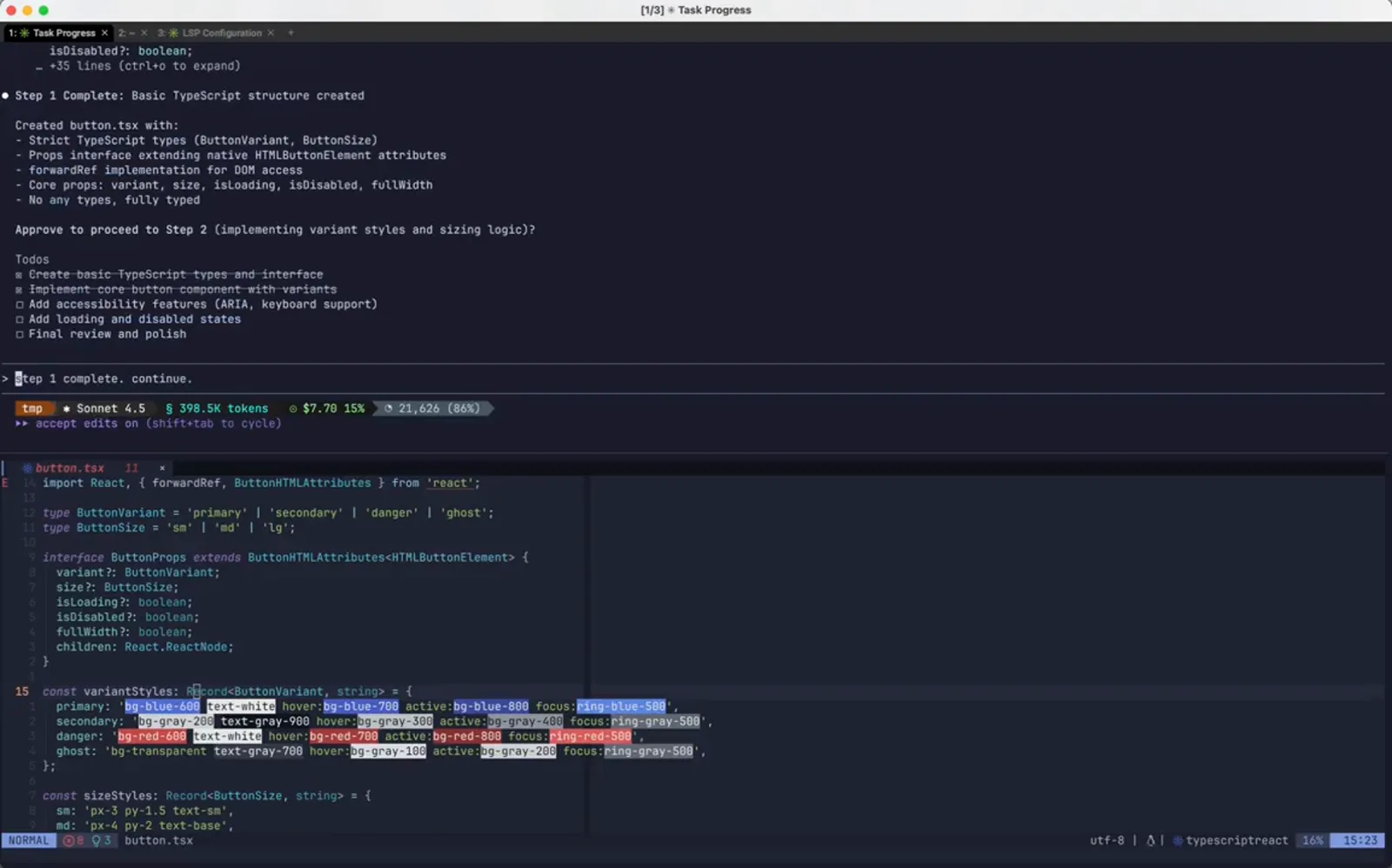
Chat and files rewound together.Watch at 1:48 - 9
Edit the restored prompt instead of retyping it
Because the rewound message comes back as editable input, you can change the instruction rather than repeat it. Here the author inserts please use only vanilla css into the same approval prompt: the rewind did the undo work, the edit supplies the new direction.
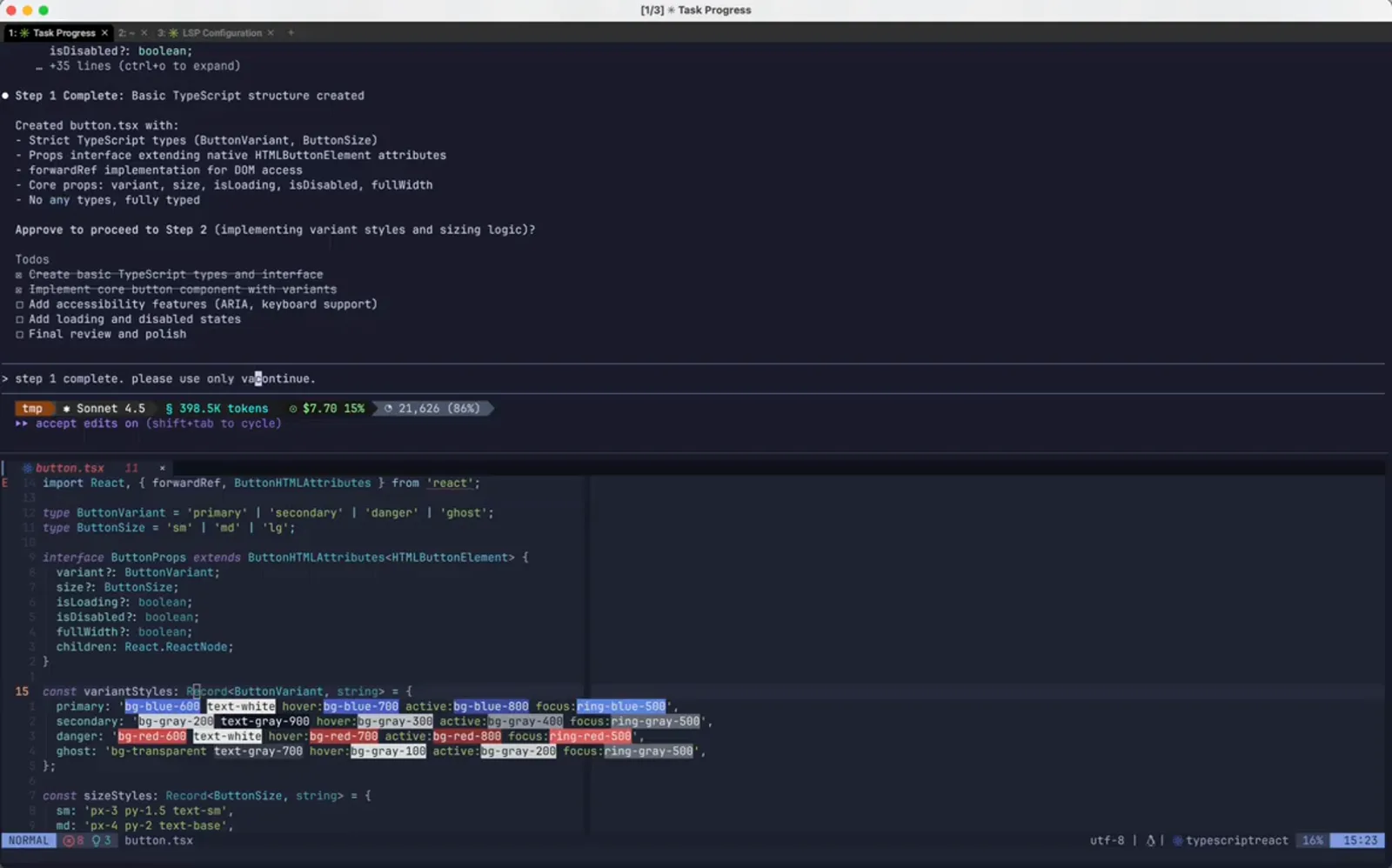
Same prompt, one extra constraint.Watch at 1:56 - 10
Send it and let the session continue
The amended prompt runs from the forked point. Claude Code shows its working state with the esc to interrupt hint, and the todo list is still the one from before the rewind. Nothing from the discarded branch is carried into the new turn.
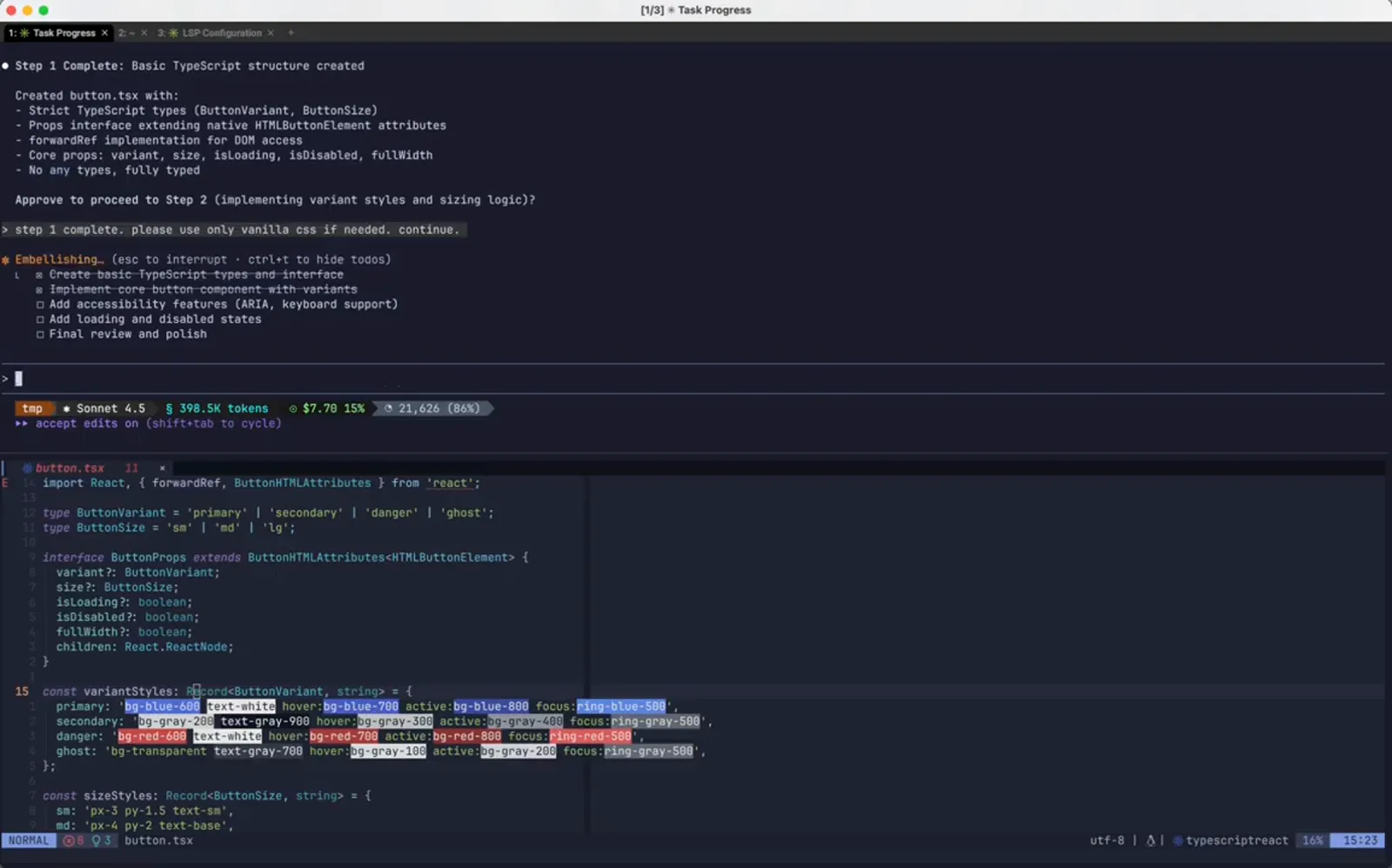
The redo, launched from the checkpoint.Watch at 2:04
After the rewind
The prompt is back in the input box ready to edit, and the timeline reopens with the new checkpoint in place.
- 11
Step 2, redone the way you asked
Step 2 Complete now lists baseStyles, variantStyles, sizeStyles and disabledStyles as plain style objects, and says Vanilla CSS via inline styles (CSSProperties). The same step with a different implementation, produced without hand-editing anything Claude wrote the first time.
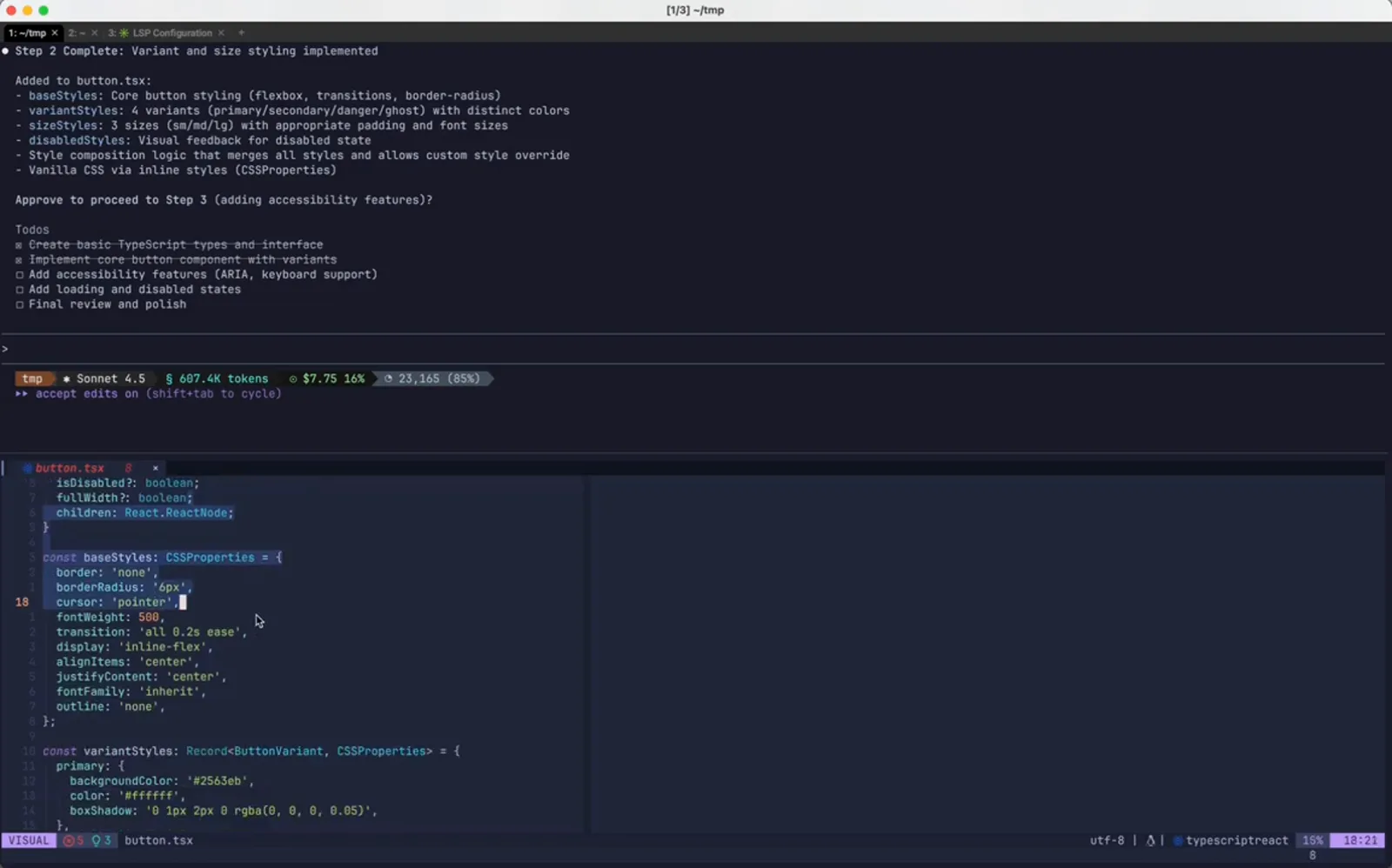
The same step, rebuilt without Tailwind.Watch at 2:14 - 12
Check the file, not just the summary
In VS Code, button.tsx imports CSSProperties from react and opens a baseStyles object holding border, borderRadius, cursor and transition. That is the proof the restore worked at the file level - the Tailwind class strings are gone, not merely hidden further up the transcript.
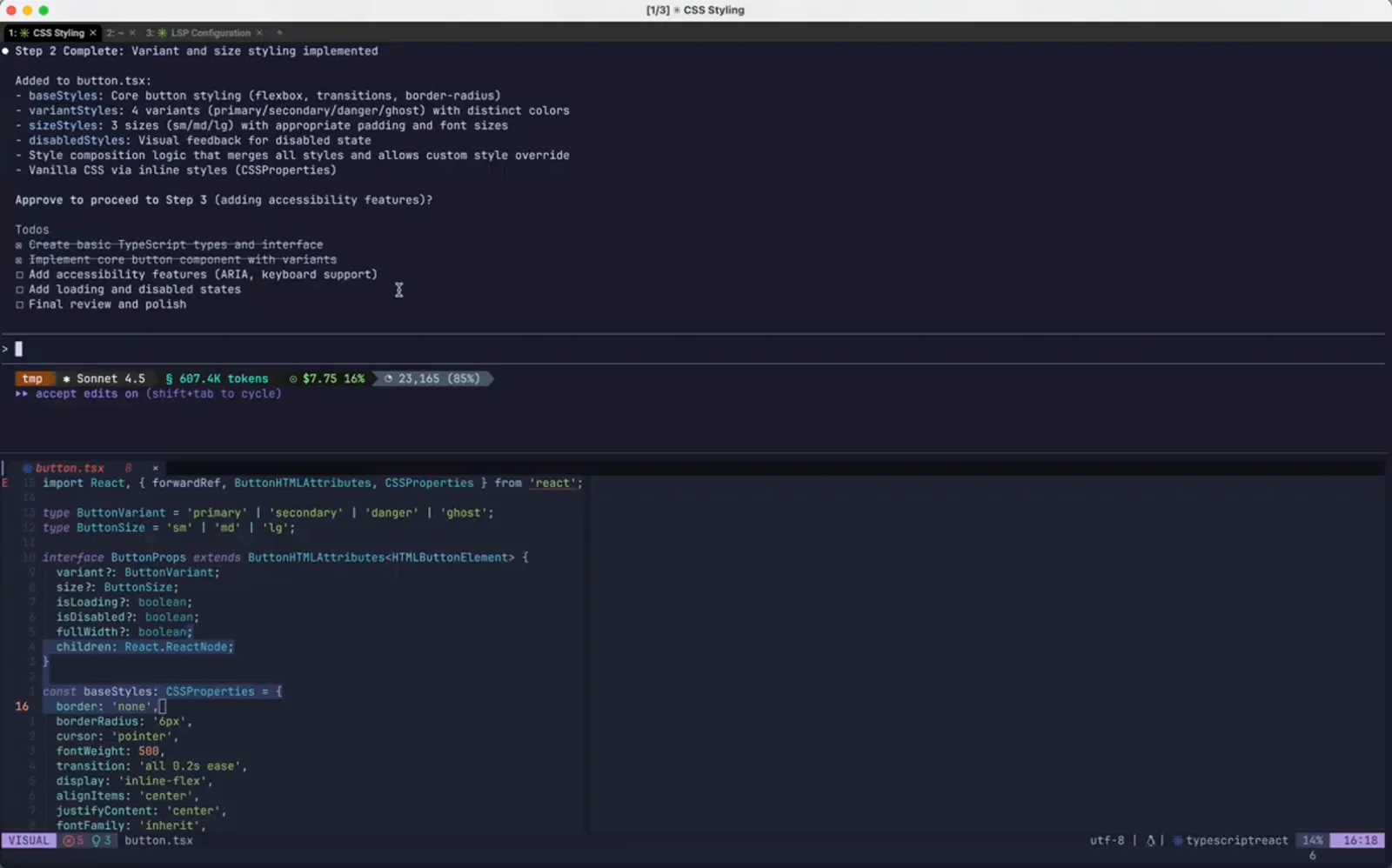
The rewound file open in the editor.Watch at 2:26 - 13
Reopen Rewind to see the new timeline
Opening the list again shows the session as it now stands: the original build prompt with button.tsx +45 -0, then the amended vanilla CSS message with button.tsx +71 -1, then (current). The rewound branch is no longer offered as a restore point, which is why a checkpoint you are happy with should become a git commit.
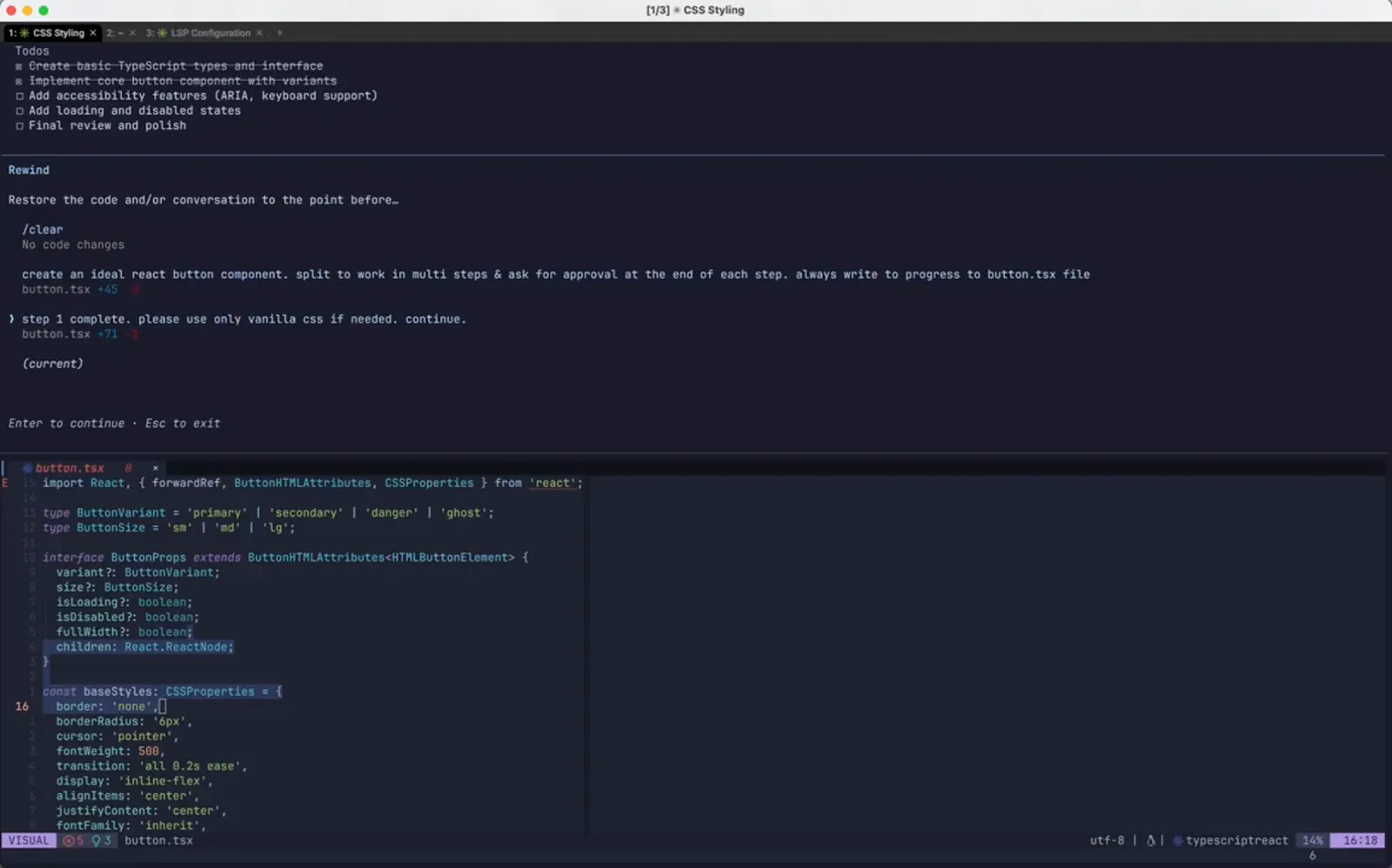
The rewound timeline, one checkpoint richer.Watch at 2:38