
Illustrated walkthrough
Claude Code in GitHub Actions: Set Up @claude for Issue Triage and Automated PR Reviews
Run /install-github-app once inside a Claude Code session and it writes the workflow files for you. After that, an @claude mention on any issue or pull-request comment runs the agent as a GitHub Actions job: it reads the repo, edits the code, pushes a dated branch, and the second workflow reviews the diff before you merge.
An illustrated walkthrough of 16 steps - about 6 minutes to read. Every step links back to the exact moment in the source video.
TL;DR
Run /install-github-app inside Claude Code with the GitHub CLI installed and signed in. It asks which repository to configure, opens github.com/apps/claude so you can authorise the app, then has you tick two workflows - @Claude Code, which answers @claude mentions in issues and pull-request comments, and Claude Code Review, which reviews every new pull request - and choose between a long-lived token billed to your Claude subscription or your own API key. Nothing is committed straight to main: the setup arrives as a pull request holding the action files, and its description shows the allowed_tools line where you grant npm commands. Merge it, then mention @claude on an issue. The bot replies with a to-do list, edits the code on a branch named claude/issue-<number>-<timestamp>, and posts a Create PR link when it finishes. Opening that pull request fires the review workflow, which grades the diff section by section before you merge.
Source video
This page follows the Net Ninja walkthrough of installing the Claude GitHub App and driving it from a plain bug report, rebuilt one screenshot at a time. Every screenshot links to the exact moment it appears.
Screenshots are frames from the video, credited to the creator; the write-up is our own. Steps verified against the video and the Claude Code docs in September 2026.
Before you run anything
The install is driven from inside a Claude Code session, but it talks to GitHub through the GitHub CLI - so that has to be present and authenticated first.
- 1
Install the GitHub CLI and sign in
The Claude GitHub App is set up from inside Claude Code, but the flow drives GitHub through the GitHub CLI. The recording opens the cli.github.com manual, which is the page it links to: install gh with Homebrew on macOS or winget on Windows, then run gh auth login to authenticate the account that will own the installation. The video treats this as the only prerequisite before the setup begins.
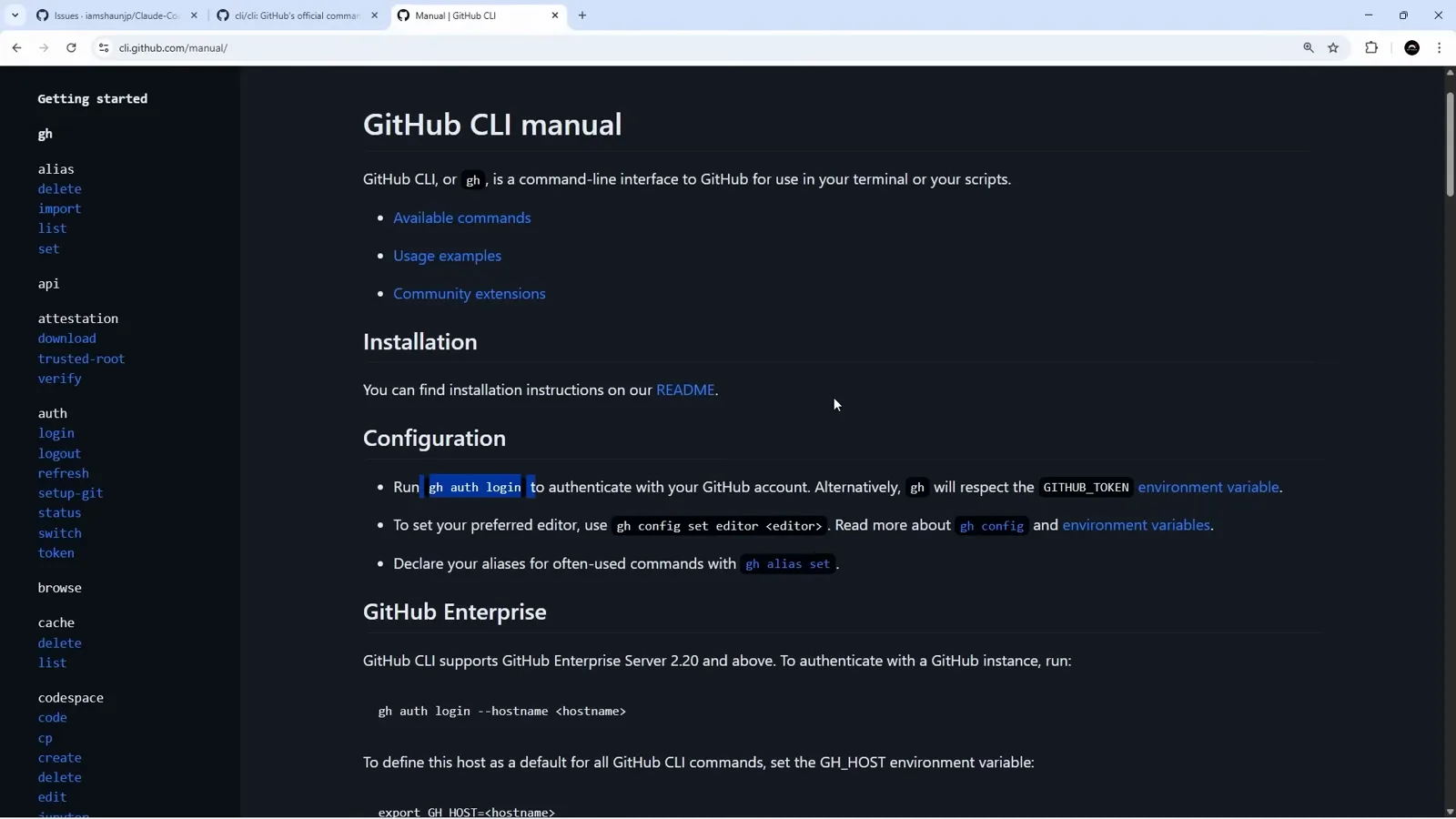
One command, gh auth login, and the rest of the install can find your account.Watch at 1:06 - 2
Run /install-github-app in the project you want wired up
Open Claude Code in the repository - in the recording it runs inside the Visual Studio Code panel, with the session's working directory printed at the top - and start typing /install-github. The built-in command list offers /install-github-app, described on-screen as "Set up Claude GitHub Actions for a repository". You do not have to remember the name; the autocomplete is doing the work here.
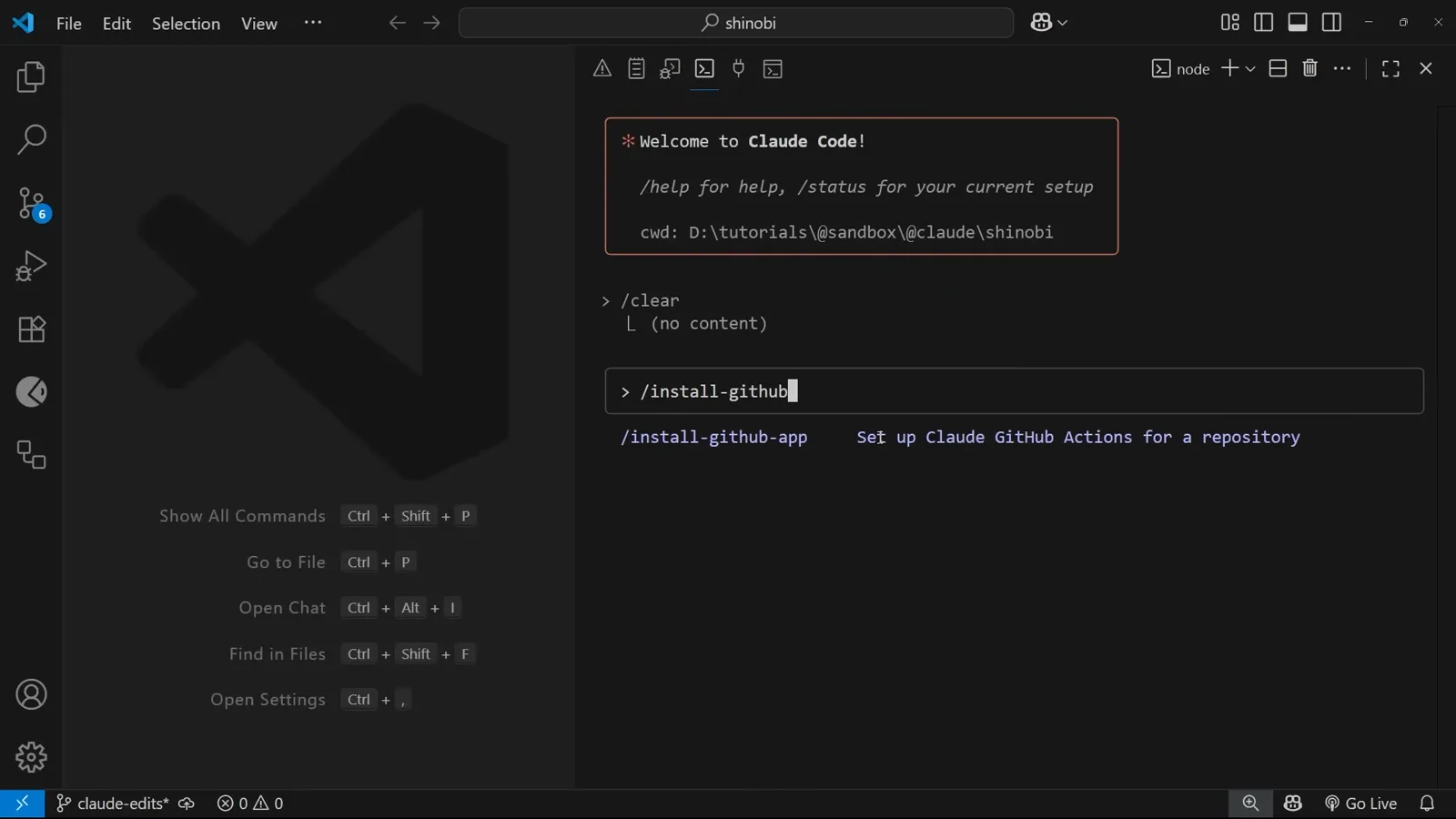
It is a built-in slash command, so there is nothing to add to .claude beforehand.Watch at 1:18 - 3
Choose which repository gets the workflows
The first prompt reads "Install GitHub App / Select GitHub repository". Claude Code offers "Use current repository" with the origin of the folder you are sitting in - here iamshaunjp/Claude-Code-Tutorial - and a second option, "Enter a different repository", that accepts owner/repo or a full github.com URL. Up and down move the cursor, Enter continues.
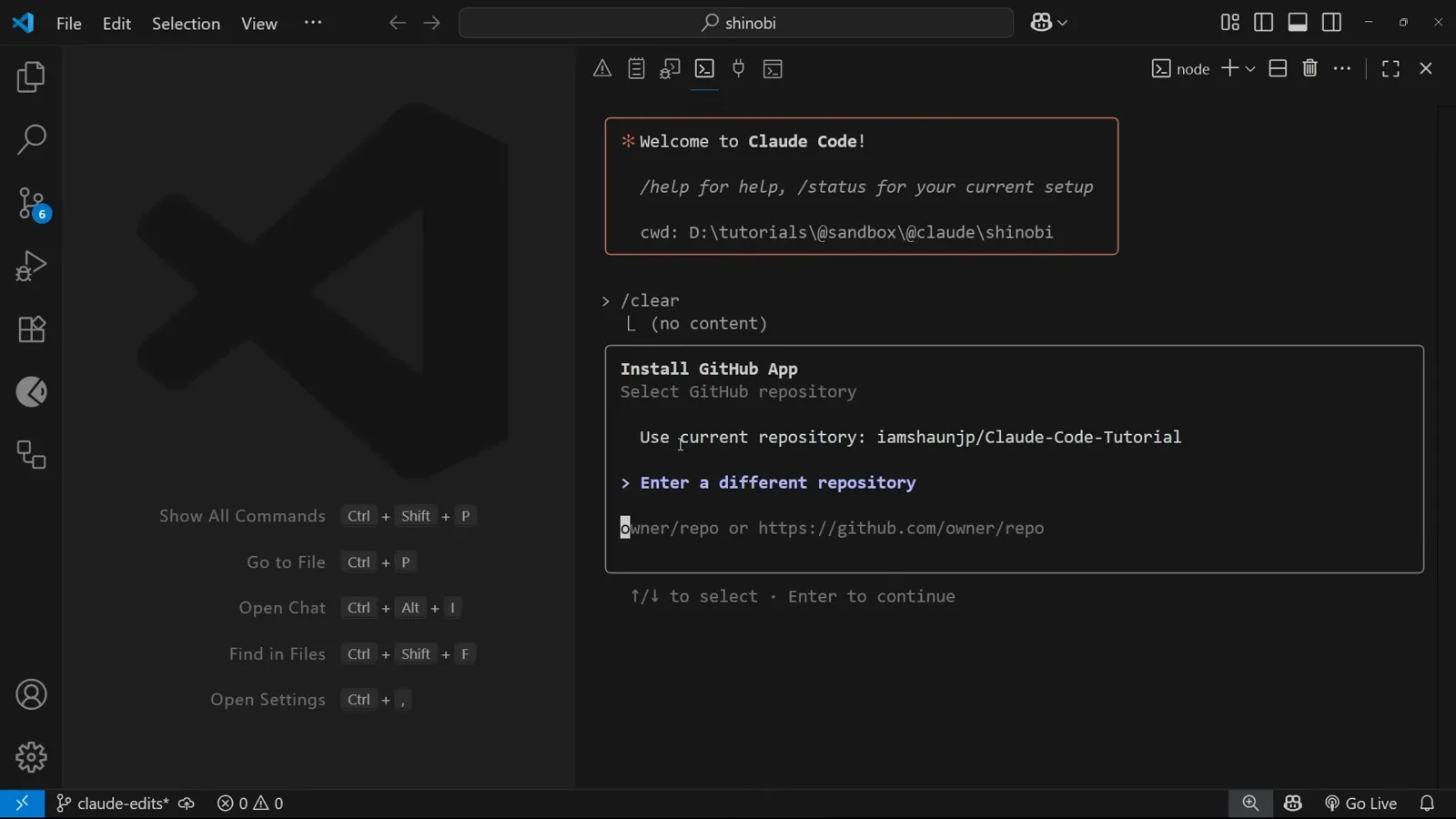
The repository is decided here, not later - the app install that follows is scoped to it.Watch at 1:30
Authorising Claude on GitHub
Four consecutive choices decide how much of your account the agent can touch: which repositories, which permissions, which workflows, and whose key pays for it.
- 4
The browser hands you the Claude GitHub App listing
The terminal opens github.com/apps/claude. The listing sits under the anthropics organisation and describes the integration as running "Claude Code from your GitHub Pull Requests and Issues to respond to reviewer feedback, fix CI errors, or modify code", adding that it is built on the publicly available Claude Code SDK. Install is the only action on the page.
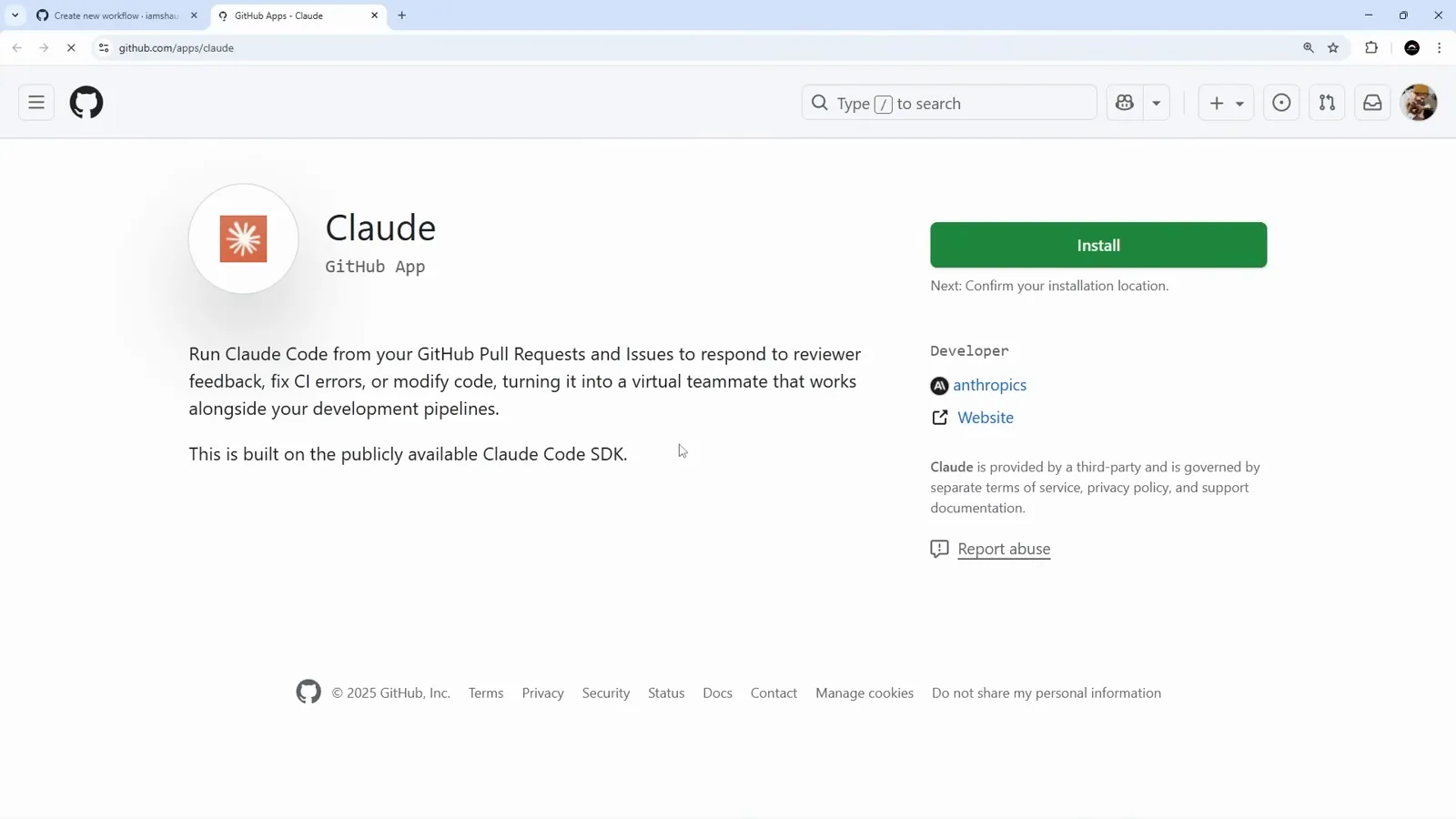
Worth reading this page once: "fix CI errors" is an advertised use, not a workaround.Watch at 1:38 - 5
Scope the repositories, then read the permission list
"Install & Authorize" offers All repositories or Only select repositories; the second keeps the agent out of everything else on the account. Underneath, GitHub spells out the request: Read access to metadata, plus Read and write access to code, issues, and pull requests. That write scope is what lets Claude push a branch and open a pull request later, so it deserves a deliberate decision rather than a click-through. The footer names the next hop as claude.ai/connect/github/callback.
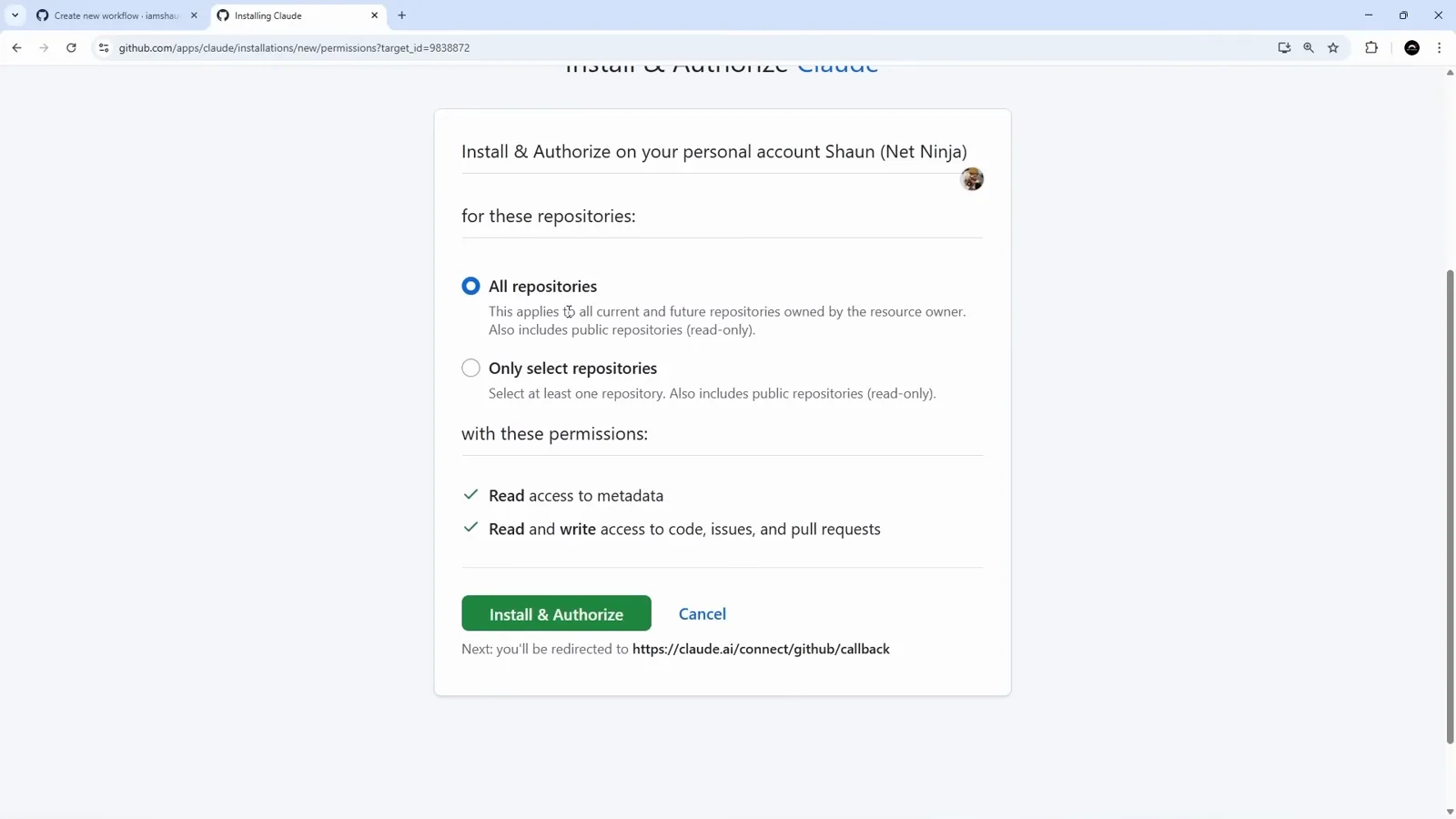
Only select repositories is the difference between a demo and something you would leave running.Watch at 1:50 - 6
Tick the two workflows you want
Back in Claude Code: "Select GitHub workflows to install - we'll create a workflow file in your repository for each one you select." Two entries appear, both already ticked. @Claude Code is the agent, captioned "Tag @claude in issues and PR comments". Claude Code Review is the reviewer, captioned "Automated code review on new PRs". Space toggles an entry, Enter confirms.
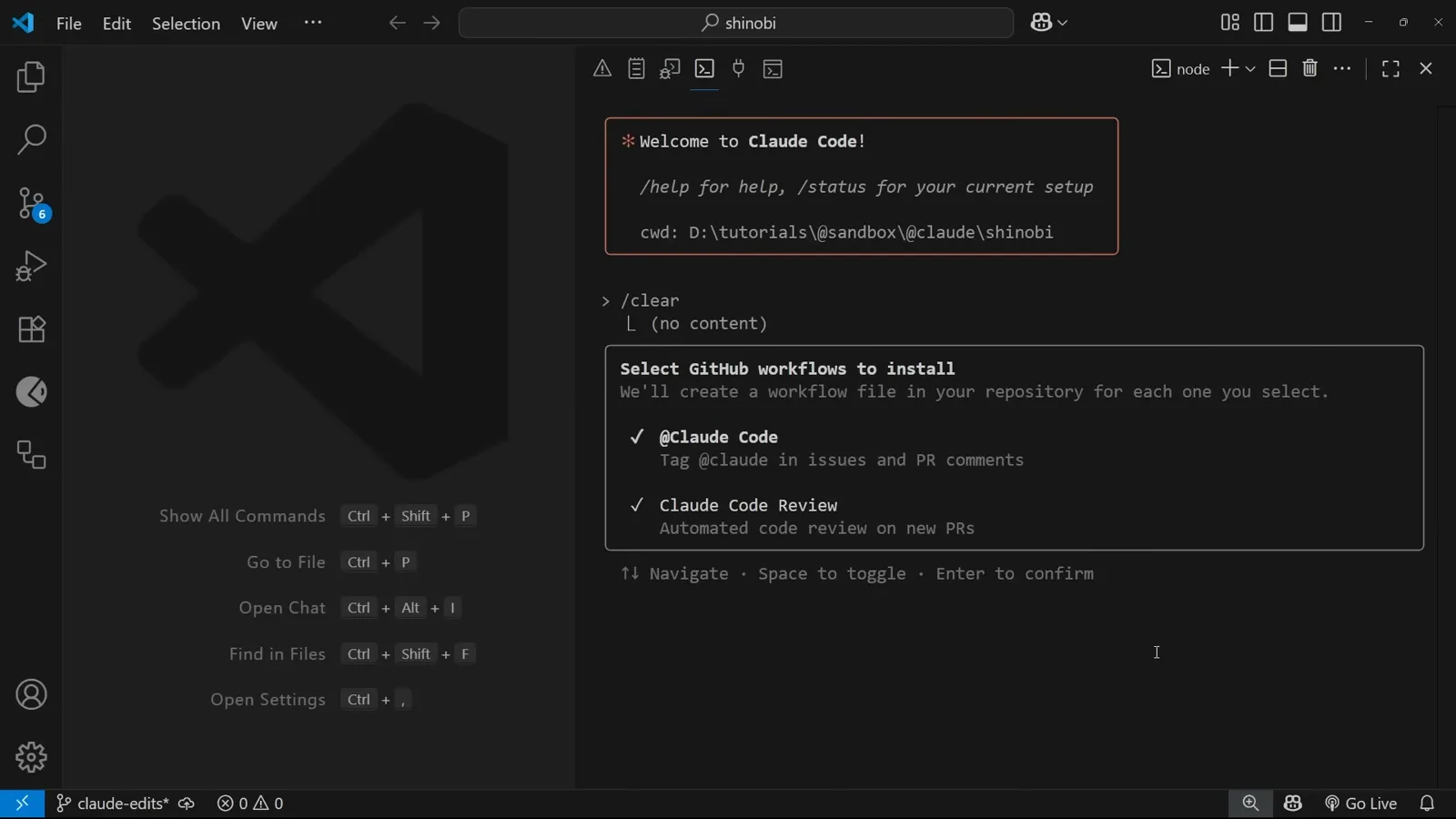
Two separate workflow files come out of this one screen - the doer and the checker.Watch at 2:10 - 7
Decide how the action gets billed
"Choose API key" is the step people skip. "Create a long-lived token with your Claude subscription" ties the action to your Claude plan, and the browser prompt that follows states that your account will be used to contribute to your Claude subscription usage. "Enter a new API key" asks for an Anthropic API key instead, which bills per token. Either way the credential ends up stored as a GitHub Actions secret, as the generated pull request later spells out.
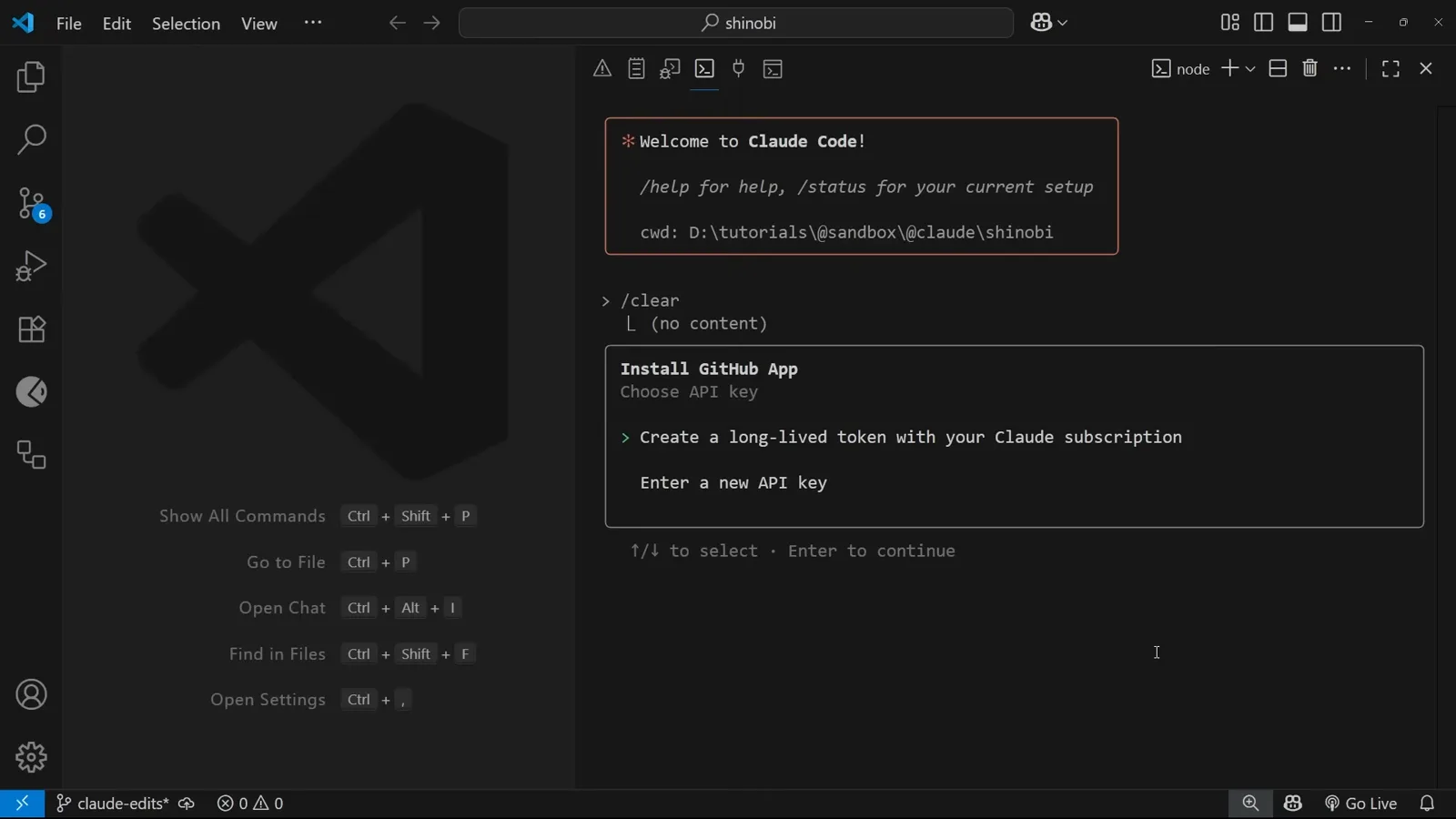
Plan usage versus metered API - the choice is made once, here, and forgotten.Watch at 2:16
The workflow pull request
/install-github-app never writes to your default branch. It opens a pull request containing the action files, and that pull request is the best documentation the feature has.
- 8
Setup produces a pull request, not a commit
Claude Code writes the action files onto a fresh branch named add-claude-github-actions followed by a long timestamp, then opens GitHub's compare view pre-filled: base main, the new branch, the title "Add Claude Code GitHub Workflow", and a description generated for you. Nothing reaches the default branch until you merge this yourself.
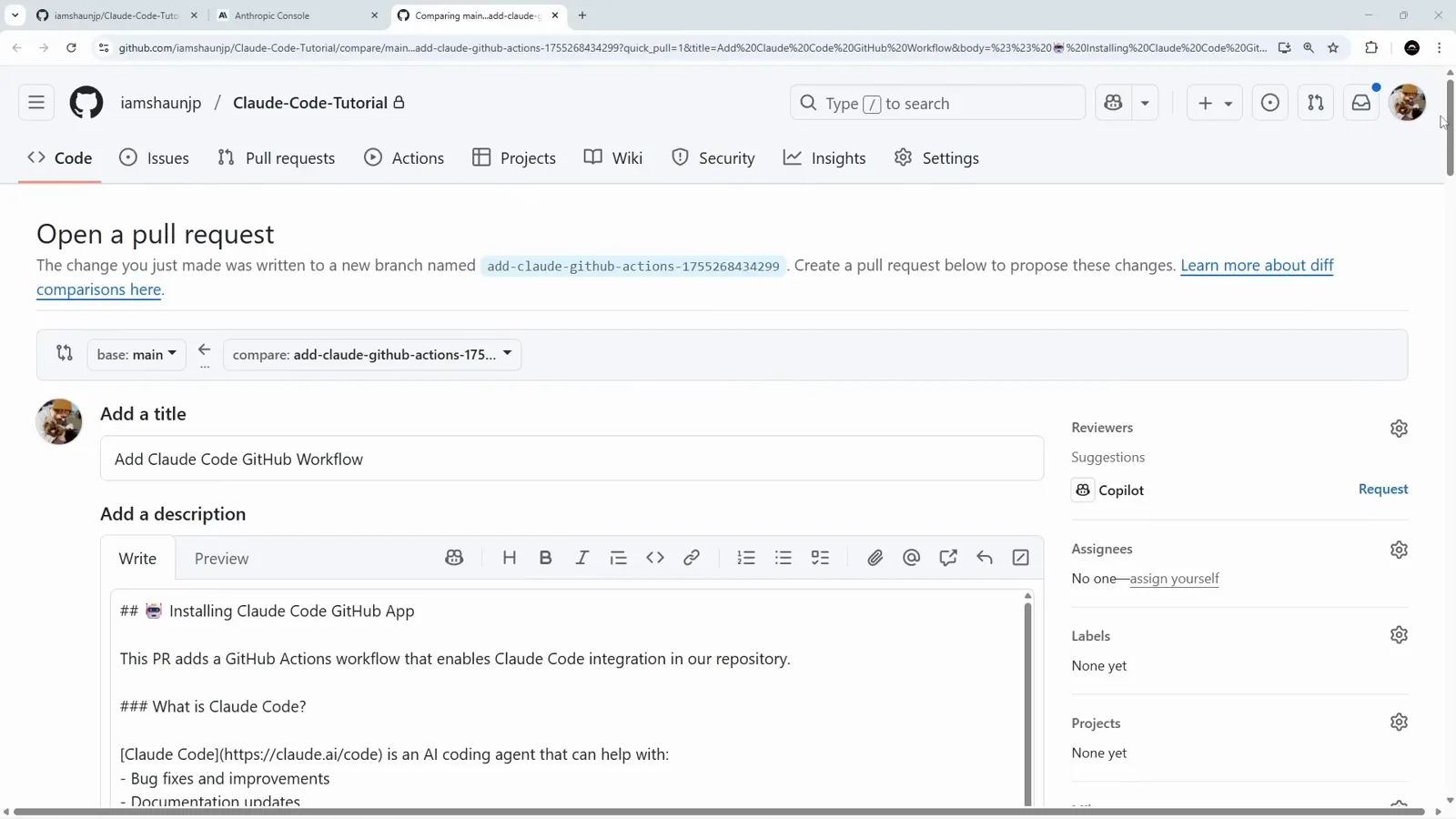
The generated branch name is the tell - the installer behaves like any other contributor.Watch at 2:28 - 9
Read the Security list and the allowed_tools line
The auto-written description is the best documentation of the whole feature. It says @claude mentions will not work until this pull request is merged, that the workflow runs whenever Claude is mentioned in a pull-request or issue comment, and that Claude gets access to the entire comment and surrounding context including files, diffs and previous comments. Under Security: the API key is stored as a GitHub Actions secret, only users with write access can trigger a run, every run is kept in the Actions history, and Claude's default tools are limited to reading and writing files plus creating comments, branches and commits. The line below that is where you widen it - allowed_tools: Bash(npm install),Bash(npm run build),Bash(npm run …, and the rest of the list runs off the right edge of the screen.
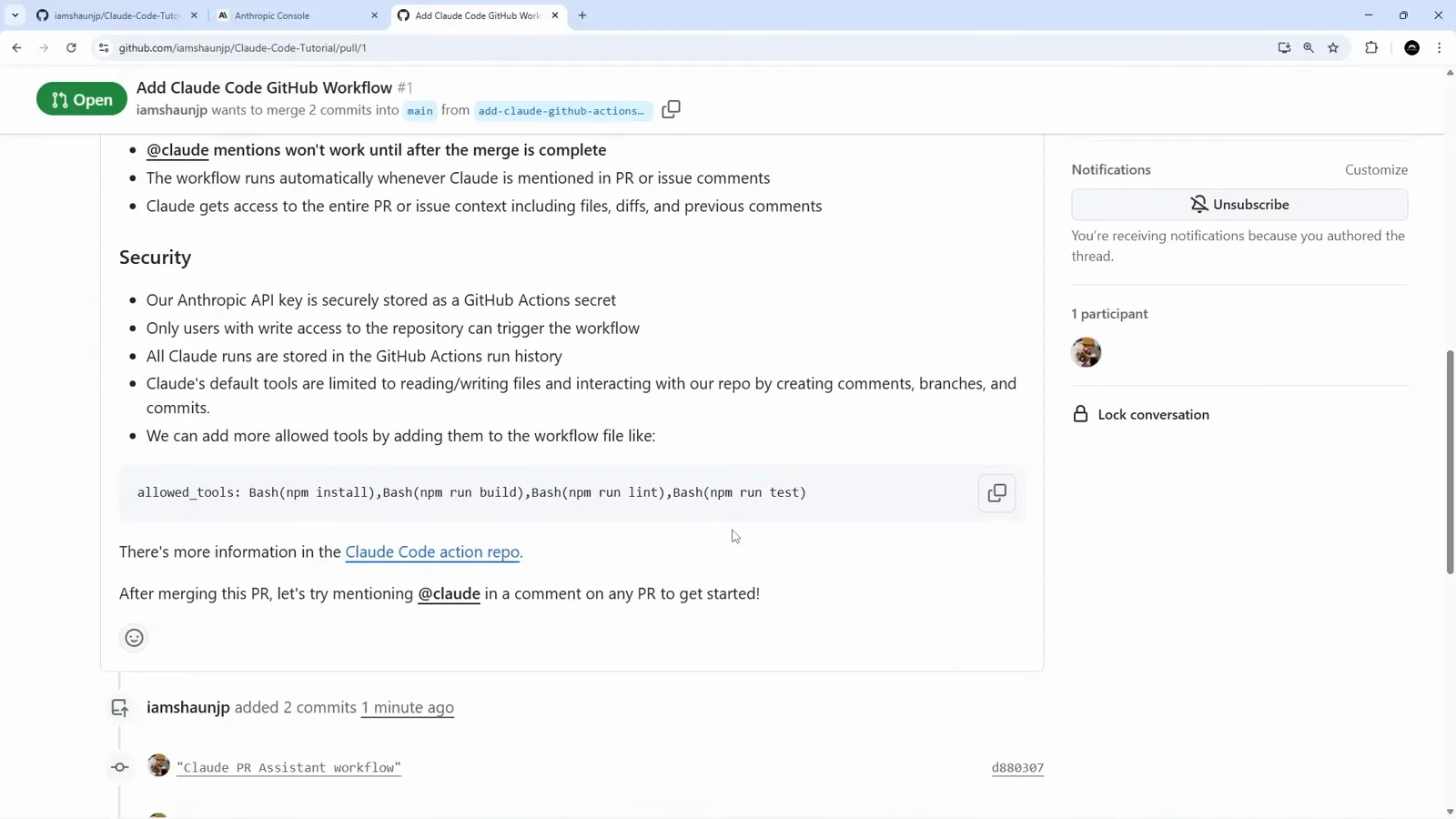
This is the screen to screenshot: it lists the defaults and the exact syntax for changing them.Watch at 2:42 - 10
The reviewer starts reviewing its own installation
The pull request carries two commits, "claude PR Assistant workflow" and "claude Code Review workflow". Because the reviewer file is already in the tree, GitHub reports "Some checks haven't completed yet" with claude-review (pull_request) started - the setup pull request is itself subject to automated review. "No conflicts with base branch" sits underneath, so the merge is entirely yours to make.
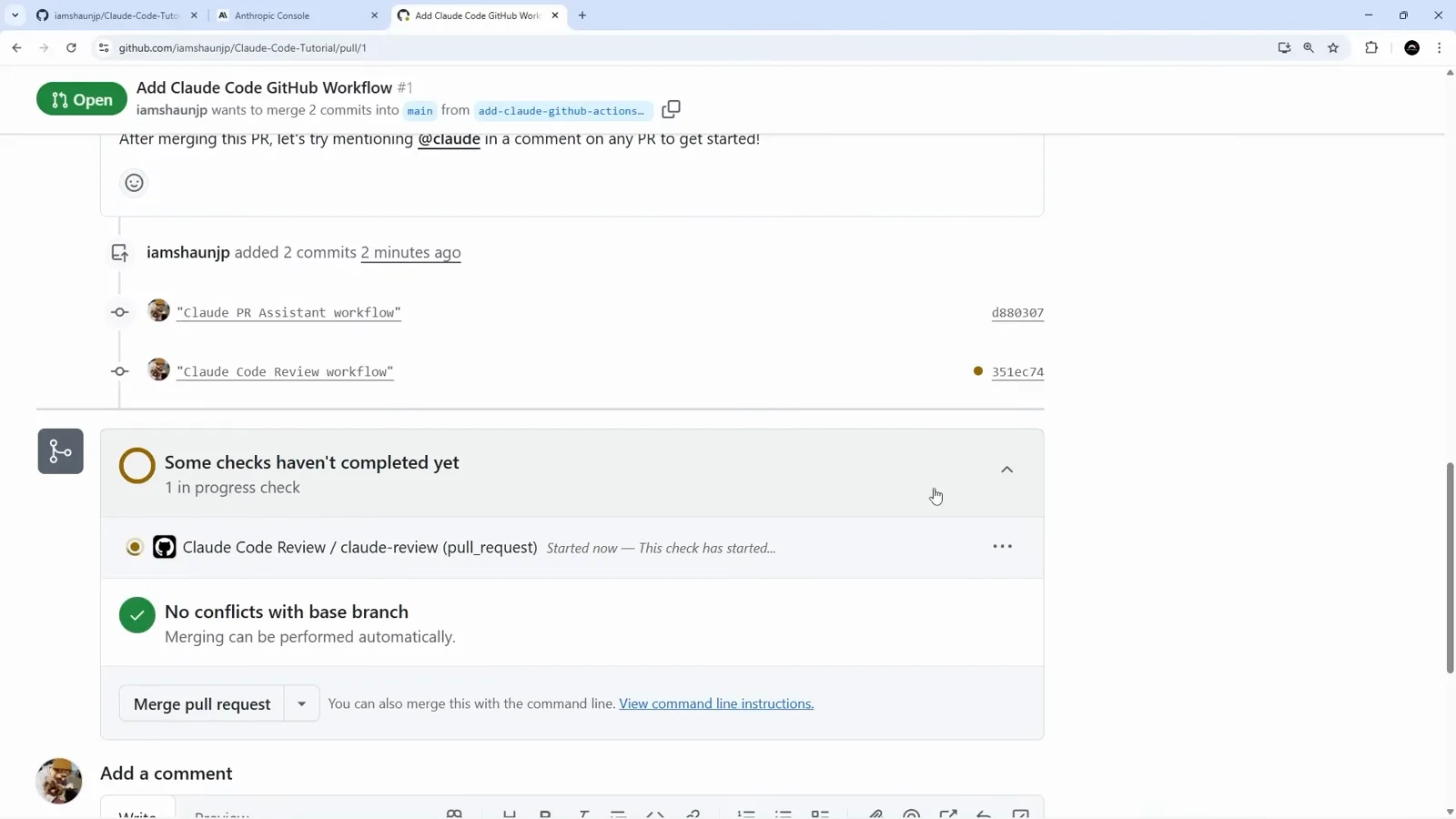
A workflow that installs a reviewer will get reviewed by it. That is a useful property, not a bug.Watch at 2:46
From issue to branch
The @claude mention is the trigger. Everything after it happens on GitHub, not on your laptop.
- 11
File the bug the way you would for a teammate
The demo repository is a small Next.js blog. The issue is deliberately plain: title "Link from title missing", body "There is no link from the title (in navbar) to the homepage." No labels, no assignee, no pointer to a file, no suggestion of how to fix it. That single sentence is the entire input.
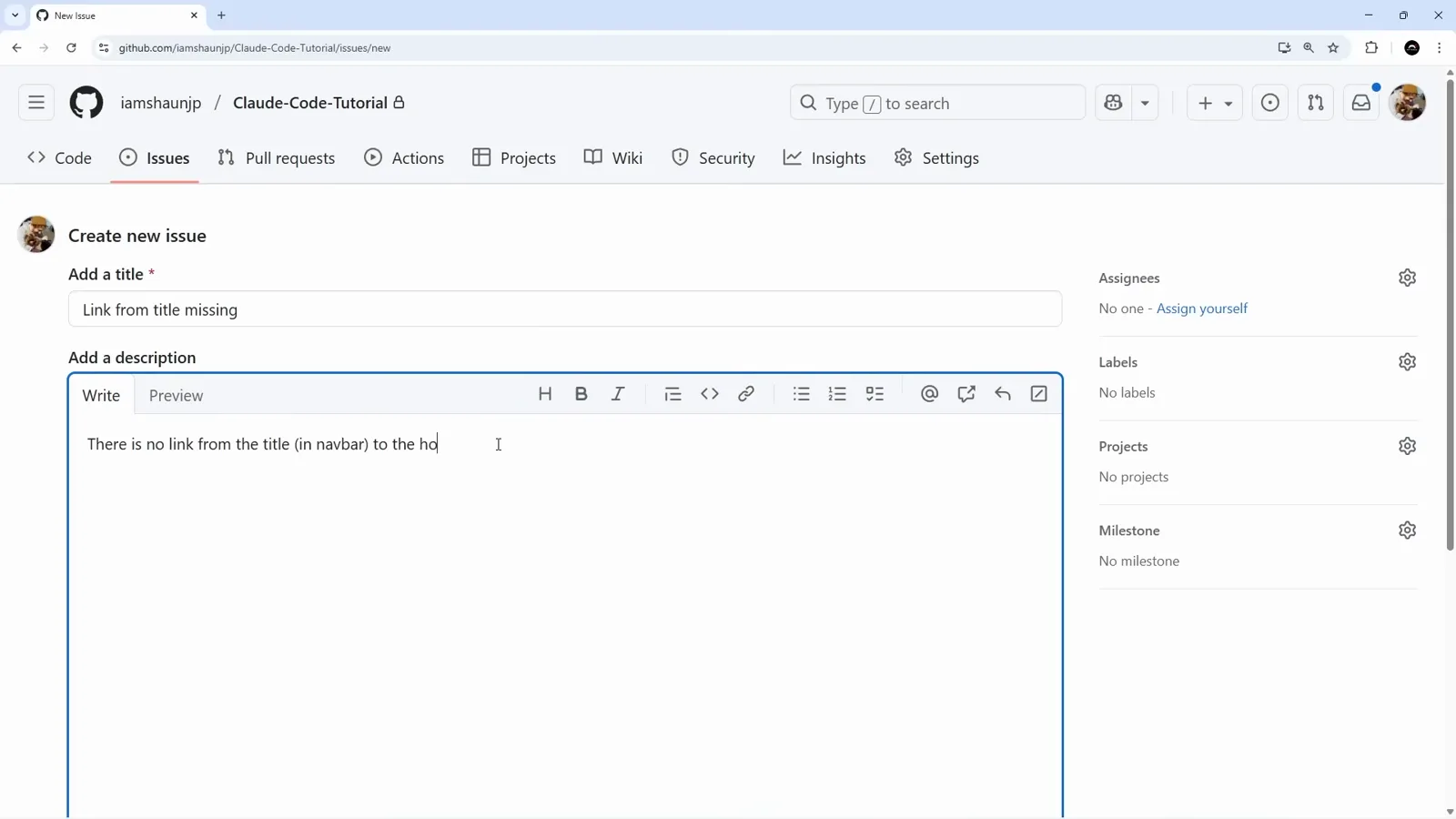
Nothing here is prompt-engineered - it reads like an issue a designer would file.Watch at 3:34 - 12
Mention @claude and the agent picks it up
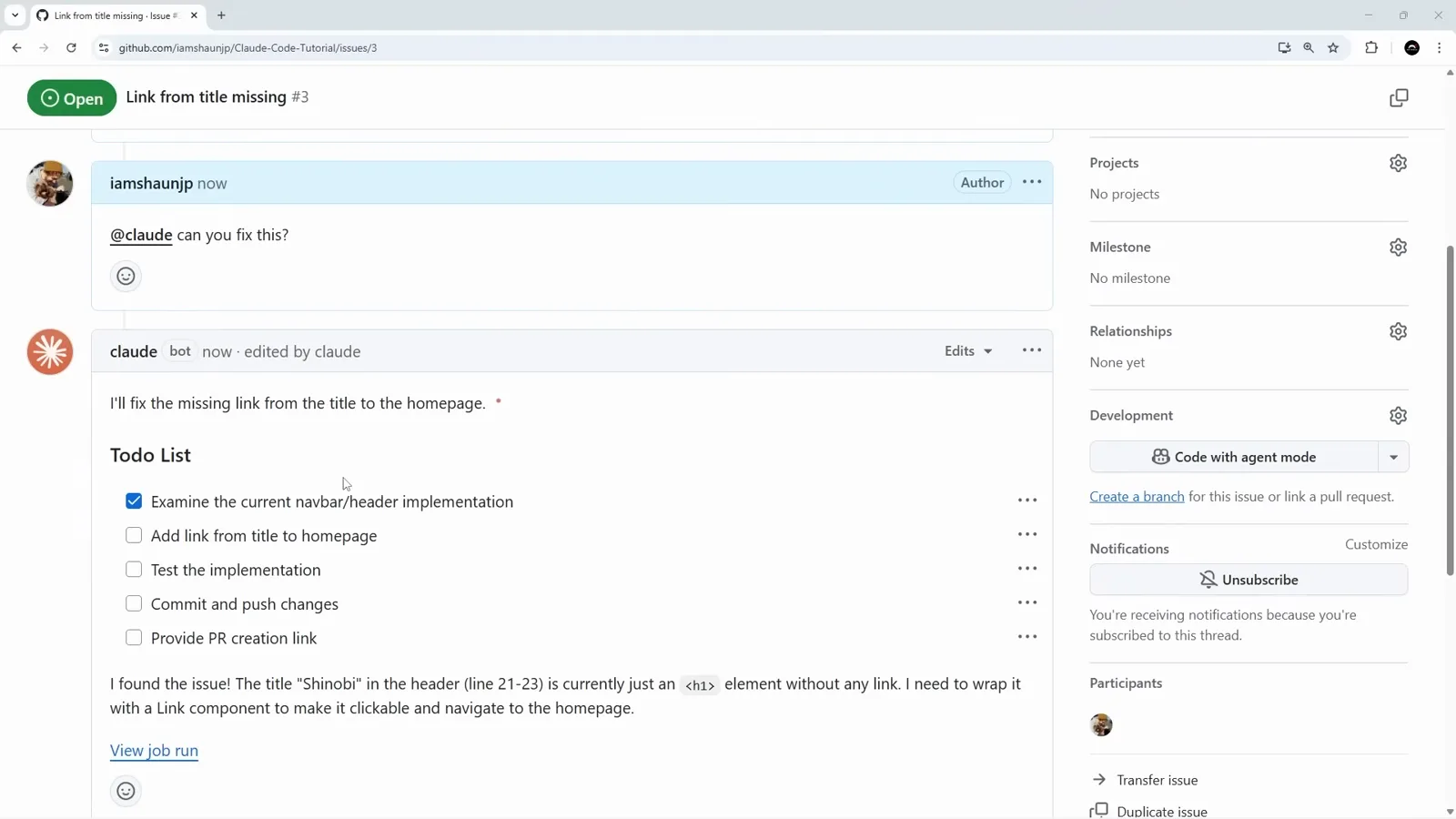
Creating the issue does nothing on its own. The trigger is a comment: "@claude can you fix this?" The bot answers in the same thread - "I'll fix the missing link from the title to the homepage" - with a five-item Todo List: examine the current navbar/header implementation, add link from title to homepage, test the implementation, commit and push changes, provide PR creation link. Under it sits the actual finding: the "Shinobi" title in the header is an <h1> element with no link. The comment is edited in place as items tick off, and a View job run link points at the Actions job doing the work.
The to-do list is a living comment, so you can watch progress without opening the job.Watch at 4:06 - 13
It stops one step short of a pull request
When the list is complete the header of the bot's comment changes to "Claude finished" with the requester's handle, and three links appear: View job, the branch claude/issue-3-20250815-1450, and Create PR. The branch name carries the issue number and a date stamp, which is what keeps parallel fixes on one repository readable. Clicking Create PR opens GitHub's form with the title and description already written for you.
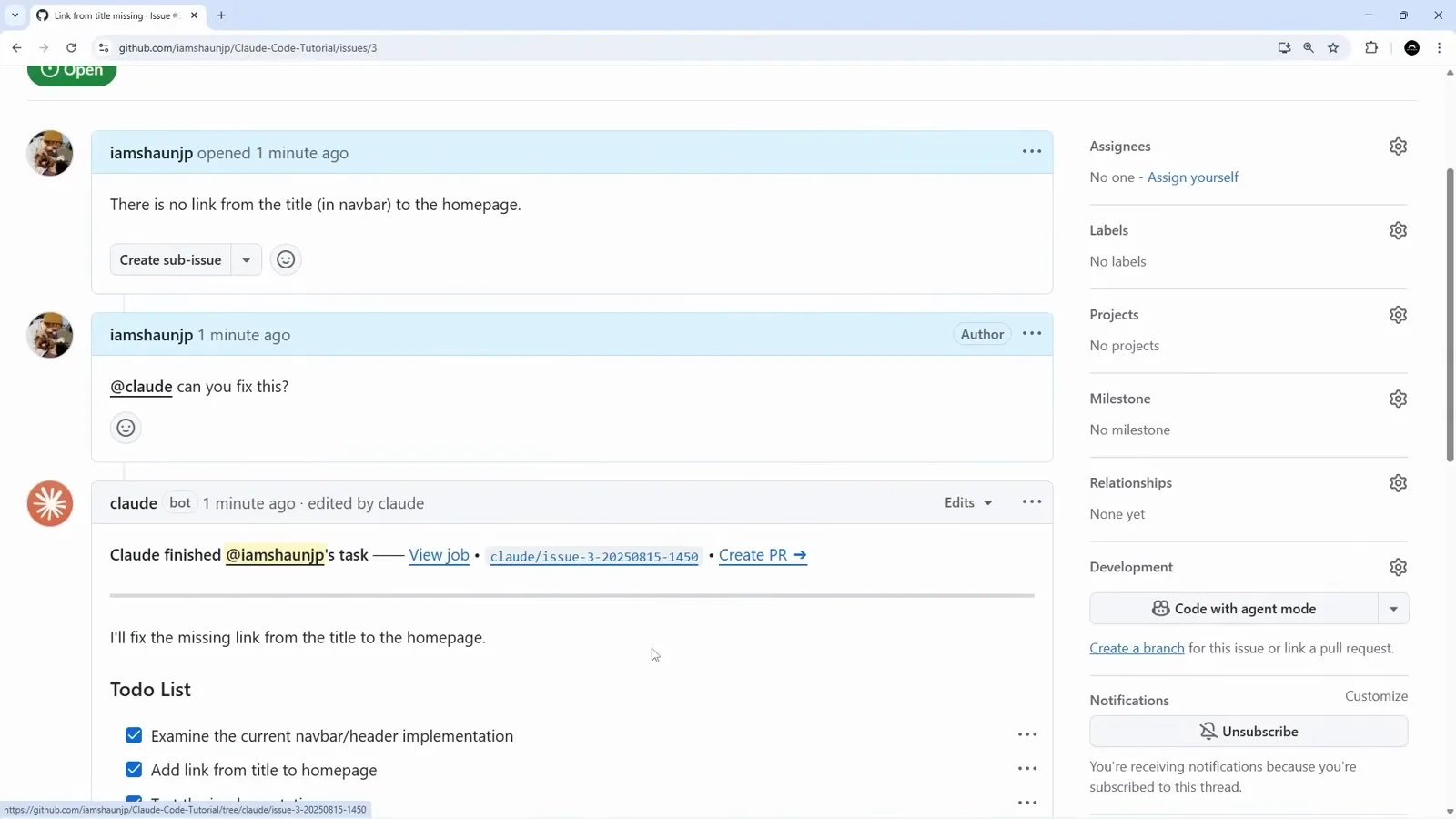
The human decision is deferred to the one click that is cheapest to review.Watch at 4:30
Review, merge, audit
The second workflow reads the diff Claude just wrote and reports on it, and the Actions tab is where you check what any of it actually cost.
- 14
The second workflow grades the diff
Opening the pull request fires Claude Code Review. Its comment is structured: an overall assessment, then green-checked sections for Code Quality & Best Practices, No Bugs or Issues Found, Performance Considerations and Security. The findings quote the diff rather than gesturing at it - the Link import from next/link, the hover:text-accent transition-colors classes, the href="/" target, and the fact that the h1 survives inside the link so heading order is preserved.
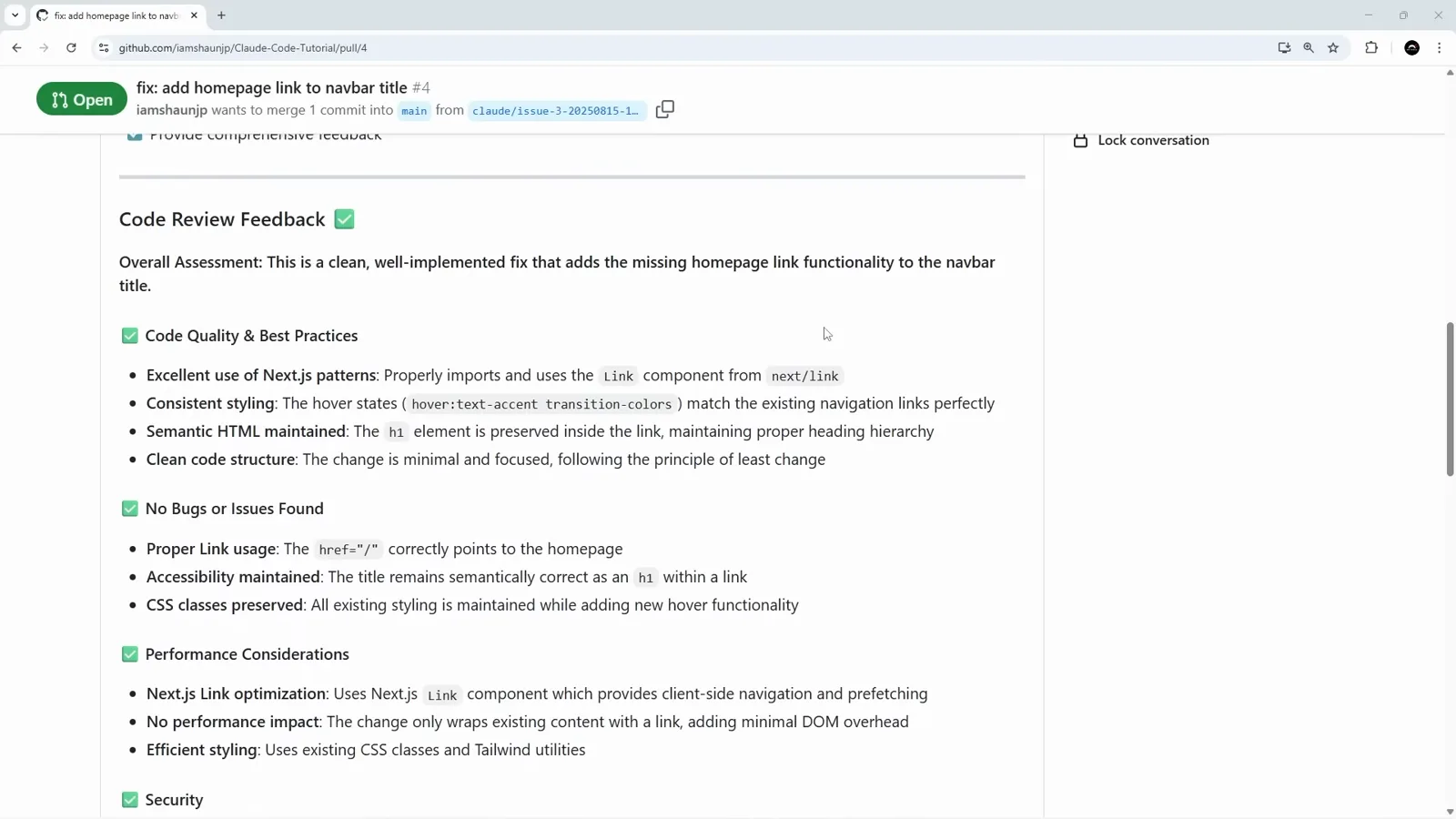
Two bots on one pull request: the one that wrote the code and the one that reads it.Watch at 4:58 - 15
Merge - and the commit author stays human
The merge box pre-fills "Merge pull request #4 from iamshaunjp/claude/issue-3-20250815-1450" with the pull-request title as the extended description, and states that the commit will be authored by the repository owner's noreply address rather than by the bot. Whatever Claude wrote, git history records the person who landed it.
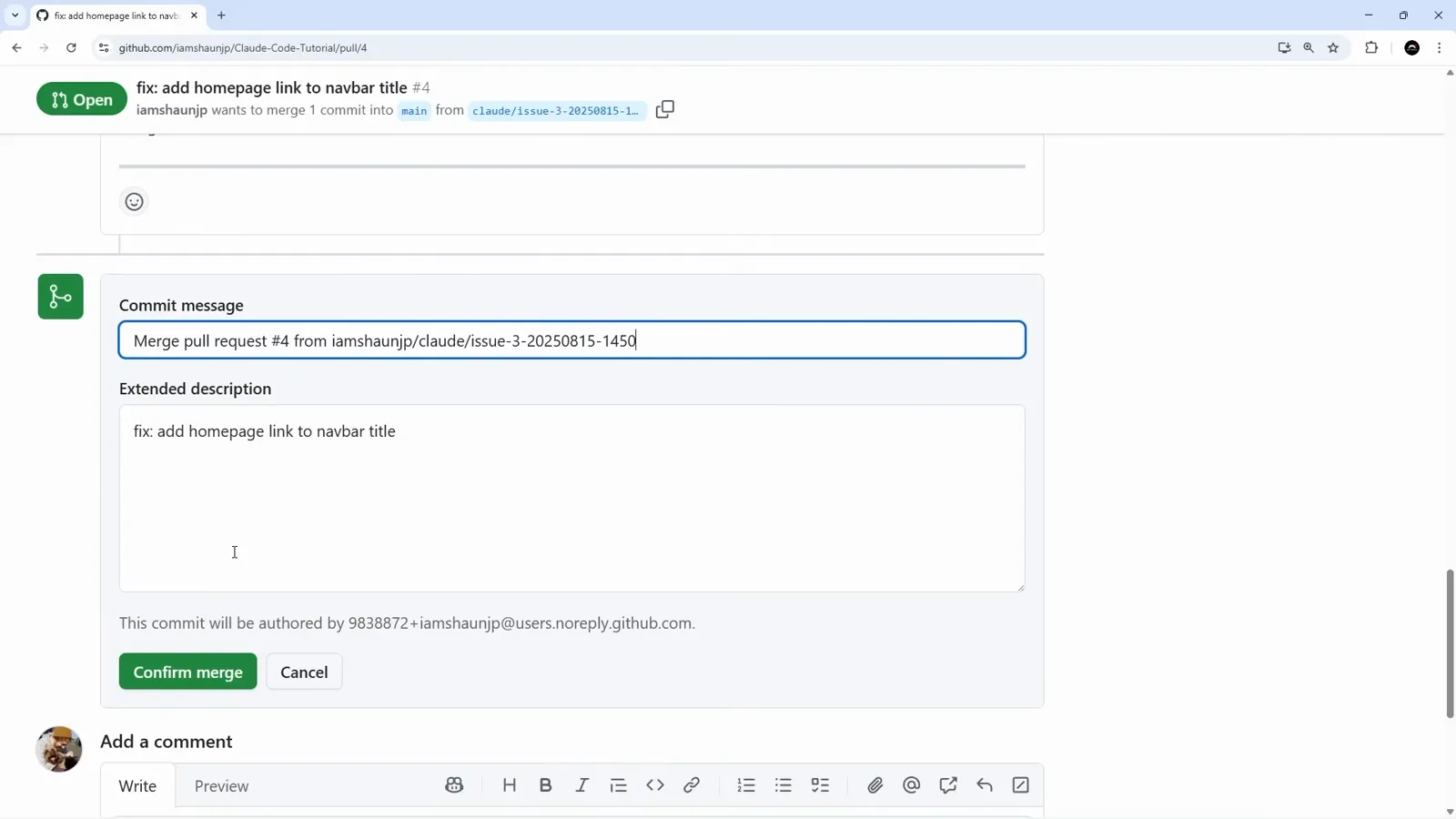
Blame points at a human. That is worth knowing before you adopt this on a shared repo.Watch at 5:13 - 16
Audit the whole loop in the Actions tab
Eight runs across two workflows tell the story of the exercise. Claude Code logged the issue being opened, the @claude comment, the bot's own replies and the follow-up on the pull request. Claude Code Review logged the review of pull request #4 on branch claude/issue-3-20250815-1450, which took 1 minute 11 seconds. Trigger comments finish in about a second because they only enqueue work. This is also the page you go to when a mention appears to be ignored.
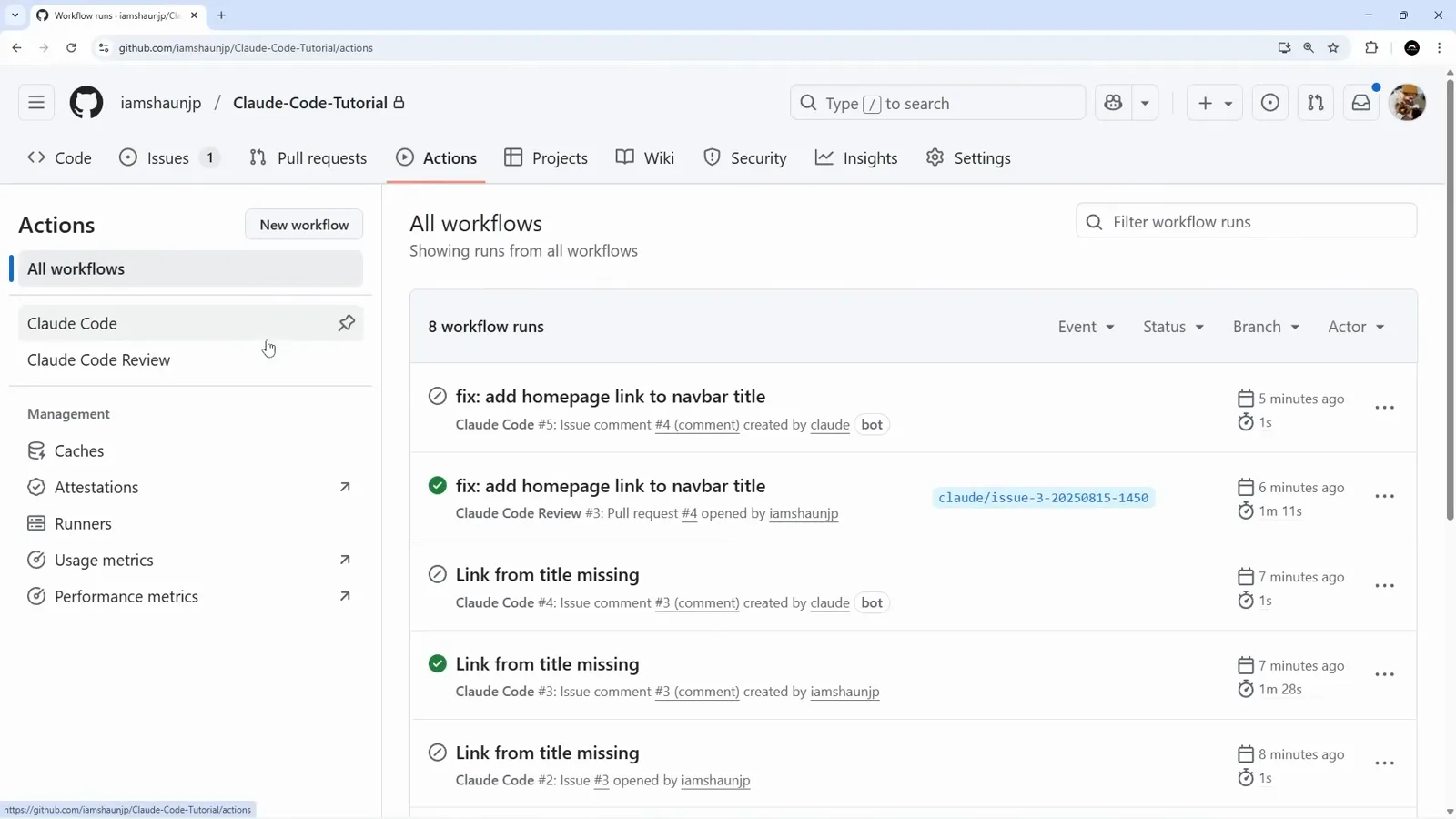
Run times separate the two jobs cleanly: one second to hand off, a minute to actually read code.Watch at 5:40