
Illustrated walkthrough · 13 screenshots
Claude Code Usage Limits: Cut the Cost of Every Task
When a plan disappears faster than you expect, the biggest lever is which model does the work. This walkthrough follows one real Claude Code session that keeps Sonnet 4.6 as the executor and calls Opus 4.6 in only when the task needs stronger judgment.
About 5 min · 13 steps, each linked to the exact moment in the source video
The short version
Expensive turns drain a plan faster than the number of prompts you type. In this recording the creator attaches an advisor model to a Sonnet executor: /advisor sets Opus 4.6 as a consultant that runs server-side, /model opusplan is the older one-model-at-a-time alternative, and the SWE-bench Multilingual chart the video walks through puts Sonnet 4.6 High with an Opus advisor at 74.8% for $0.96 per agentic task against 72.1% for $1.09 for Sonnet 4.6 High solo. The same split is available over the Message API, and Anthropic's Monitor Tool watches for problems in the background while spending tokens only when it triggers.
About the source video
Every screenshot on this page comes from “Software Engineer Meets AI”’s three-minute Claude Code advisor walkthrough, recorded in VS Code on the alldevneeds repository in Claude Code v2.1.104 on Sonnet 4.6 and a Claude Pro plan.
Frames are used with attribution and every step deep-links back to the exact second in the source video. Model prices, benchmark figures and command output are the video's own screen content — check Anthropic's current documentation before acting on them.
Three levers, one session
Before you can cut the bill, know which control does what.
- 1
The strategy in one line
The card at the top of the video states the trade in a single sentence: pair Opus as an advisor with Sonnet or Haiku as an executor, and get near Opus-level intelligence at a fraction of the cost. The rest of the recording is that sentence wired into a real session.
Near Opus-level intelligence, paid for only when it is needed.Watch at 0:08 - 2
Sonnet 4.6 opens the session at zero context
The session starts on Sonnet 4.6 under a Claude Pro plan, with the status line reading ctx 0% because nothing has been sent yet. Sonnet is the executor, so it handles the turns; the advisor is the model held in reserve.
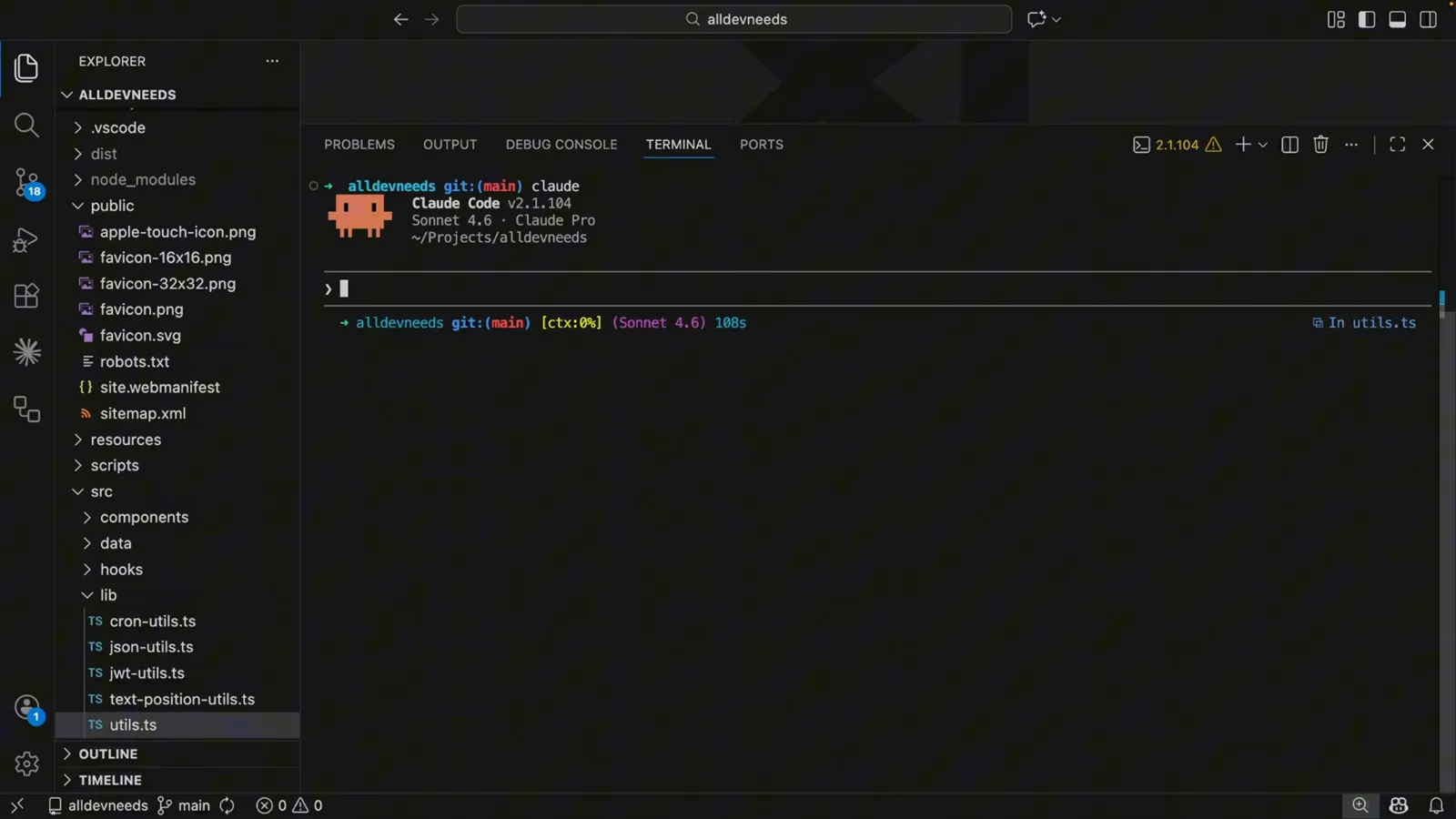
Claude Code v2.1.104 in VS Code: Sonnet 4.6, Claude Pro, ctx 0%.Watch at 0:16 - 3
Four commands that move the bill
Typing /model opens the command list, and four entries matter for cost: /model sets the AI model (it reports Sonnet 4.6 at this point), /effort sets the effort level for model usage, /advisor configures the Advisor Tool, and /status reports version, model, account and API connectivity.
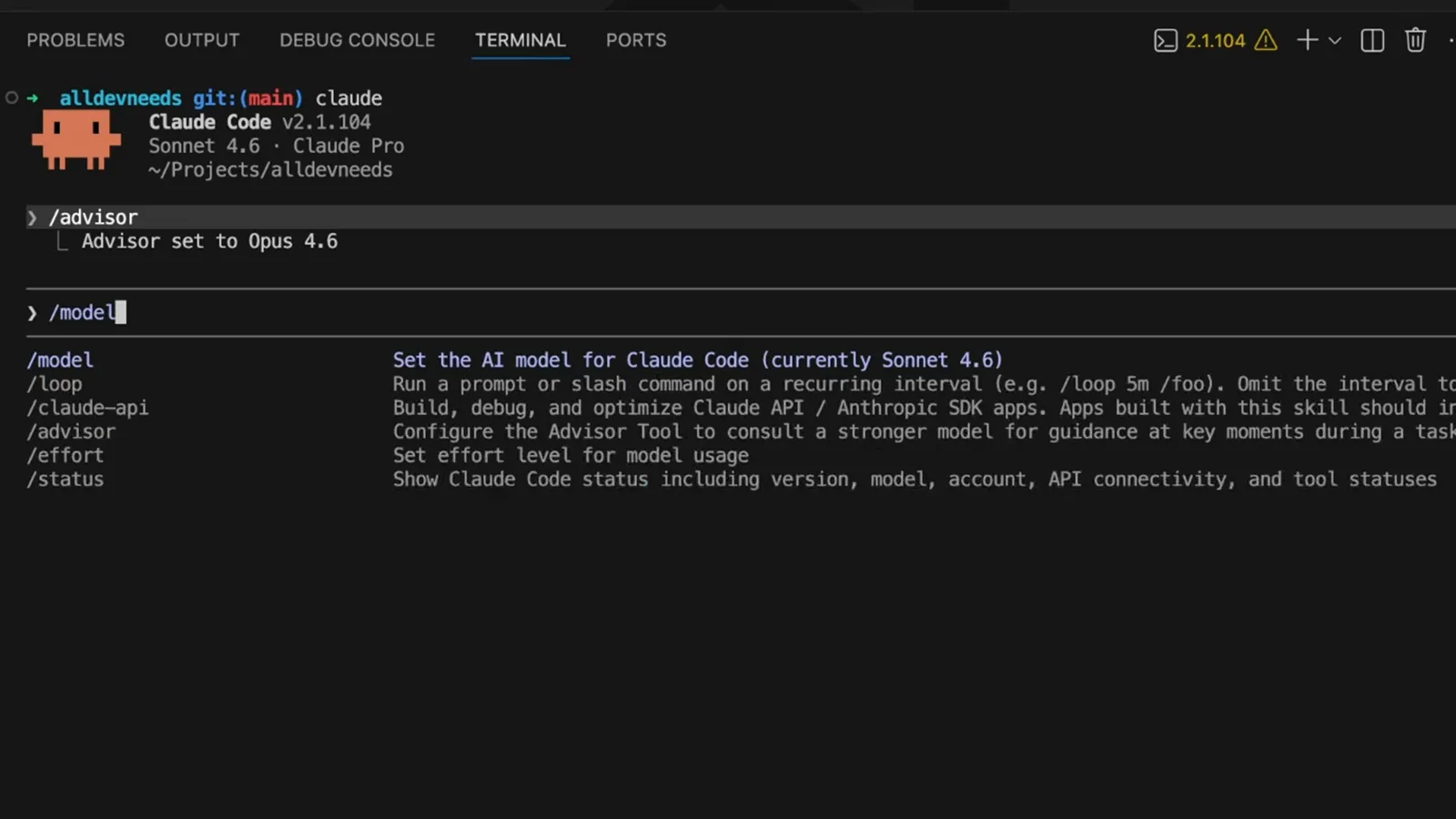
The same shortcut list holds the model, the effort level and the advisor.Watch at 0:49
Set up the advisor
A slash command, a picker and a confirmation — under a minute of setup.
- 4
Type the advisor command
/advisor is the entry point. Its inline description states the rule the whole page rests on: consult a stronger model for guidance at key moments during a task. The strong model is not invited to every turn.
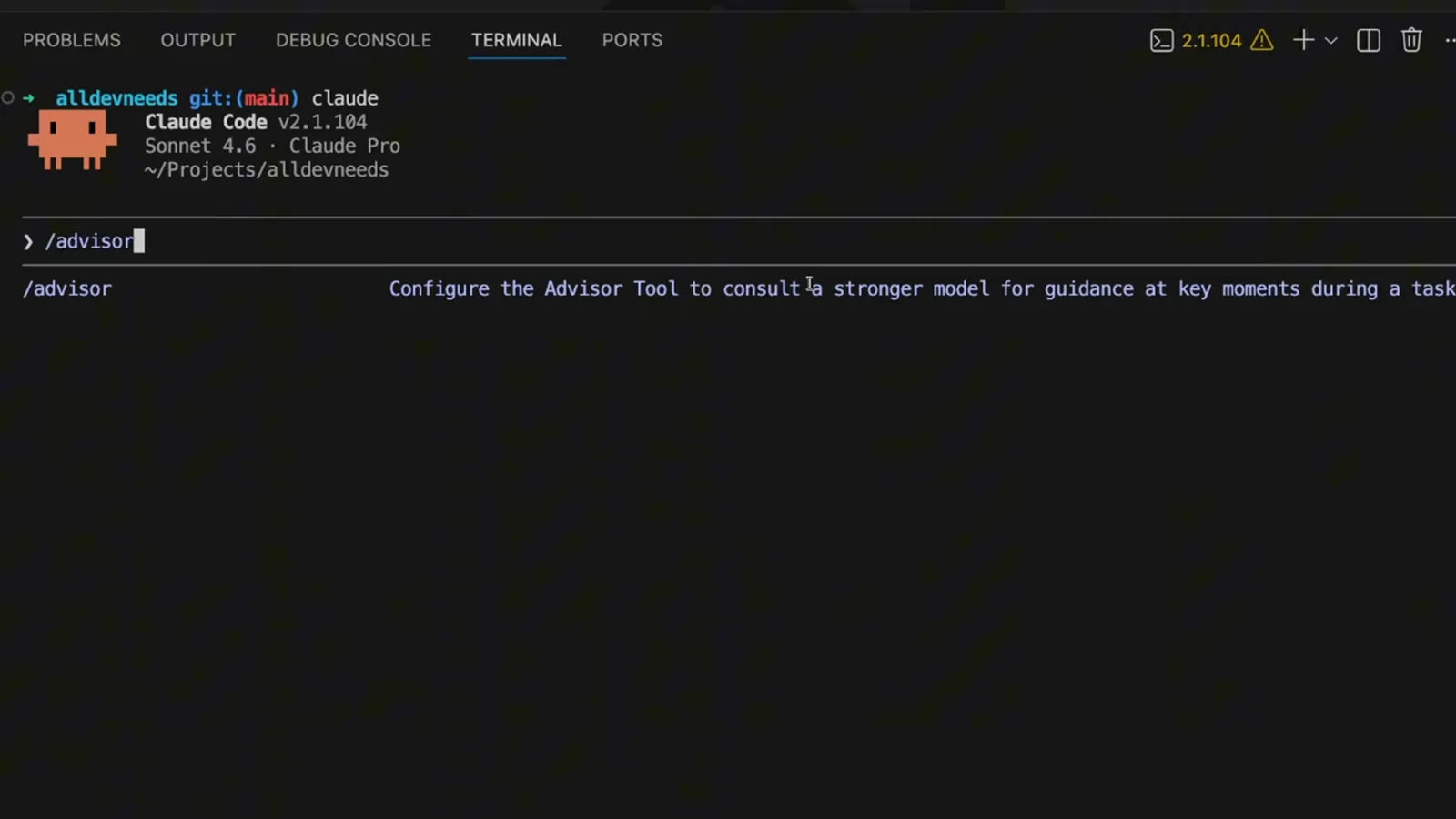
“Configure the Advisor Tool to consult a stronger model for guidance at key moments during a task.”Watch at 0:24 - 5
Choose which model advises the executor
The panel is explicit about the cost: the advisor runs server-side and uses additional tokens, and pairing Sonnet as the main model with Opus as the advisor gives near-Opus performance with reduced usage. Three options are on offer — Opus 4.6, Sonnet 4.6 and No advisor — with No advisor checked until you change it.
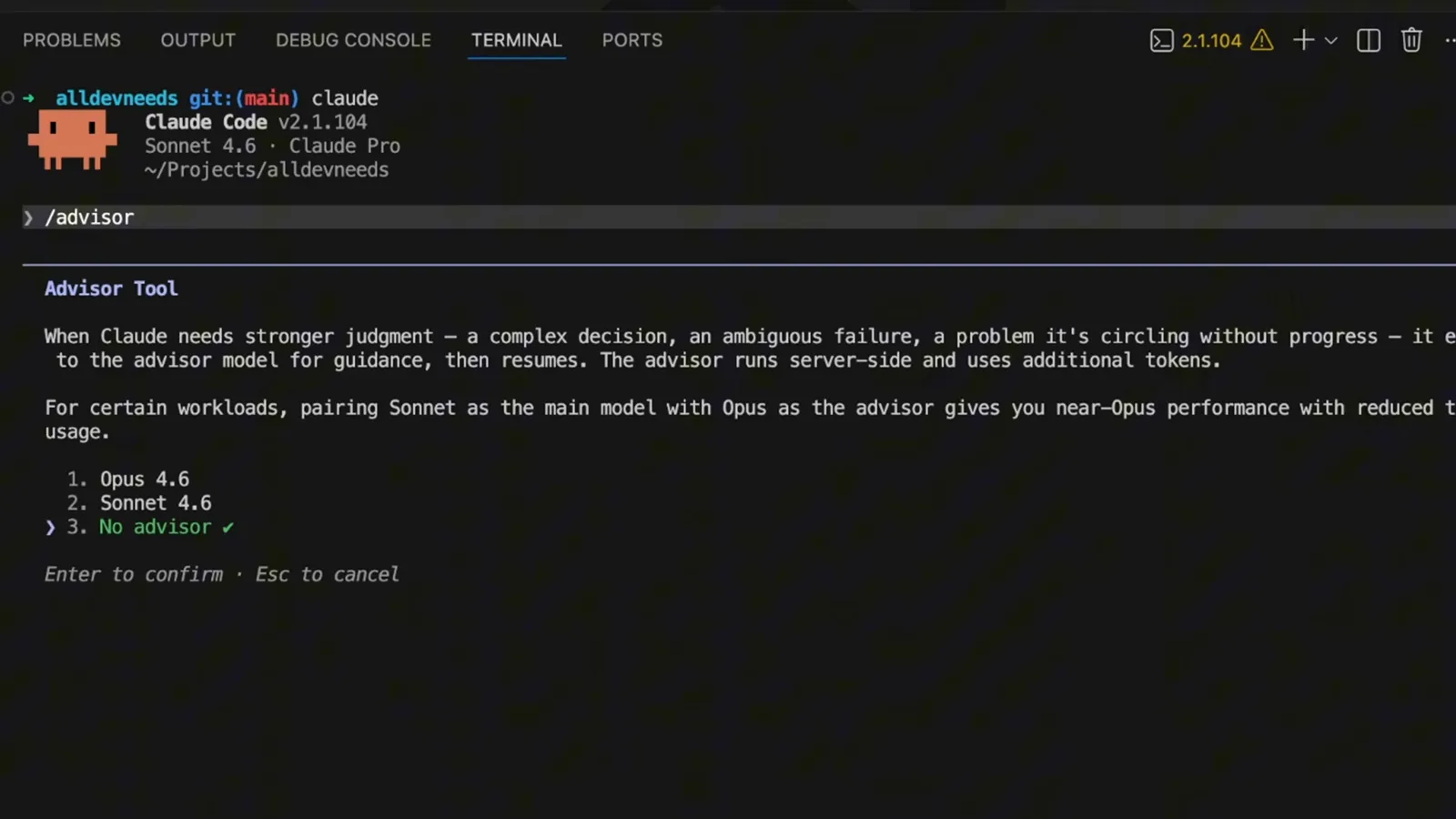
Three choices, and a warning that the advisor spends extra tokens.Watch at 0:32 - 6
Advisor committed as Opus 4.6
Confirming the pick leaves the line Advisor set to Opus 4.6 under the command. The prompt beside it is still empty and the status line still reads ctx 0%: nothing has been spent yet, and the executor is still Sonnet 4.6.
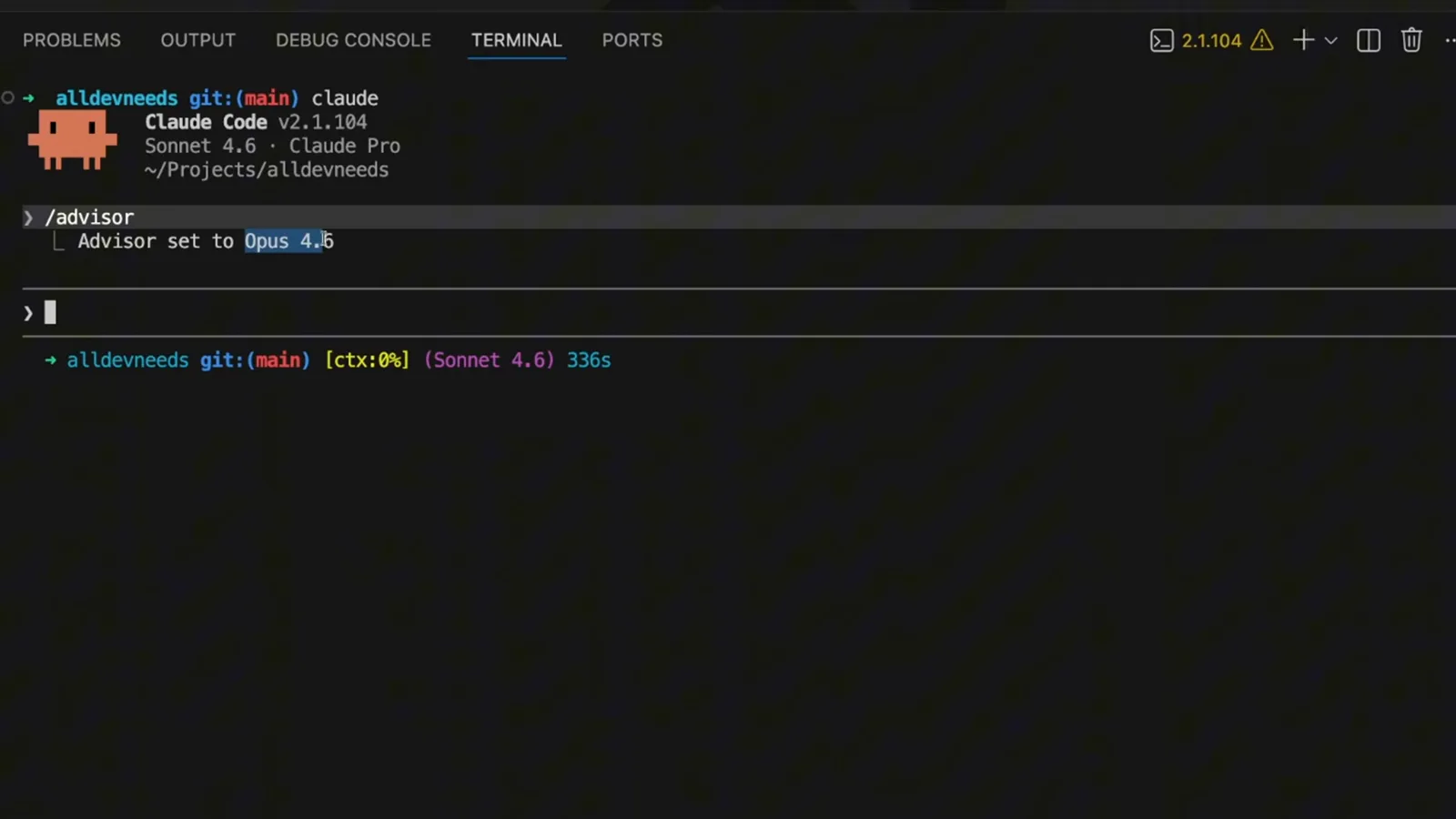
“Advisor set to Opus 4.6” — the split is armed before the first prompt.Watch at 0:40
Advisor versus the old Opus-plan setup
Two ways to use a strong model without paying for it on every turn.
- 7
The rule the old setup followed
The overlay names the habit the advisor replaces: planning goes to Opus, executing goes to Sonnet. That is one model at a time, swapped by hand — exactly the difference the next frame draws out.
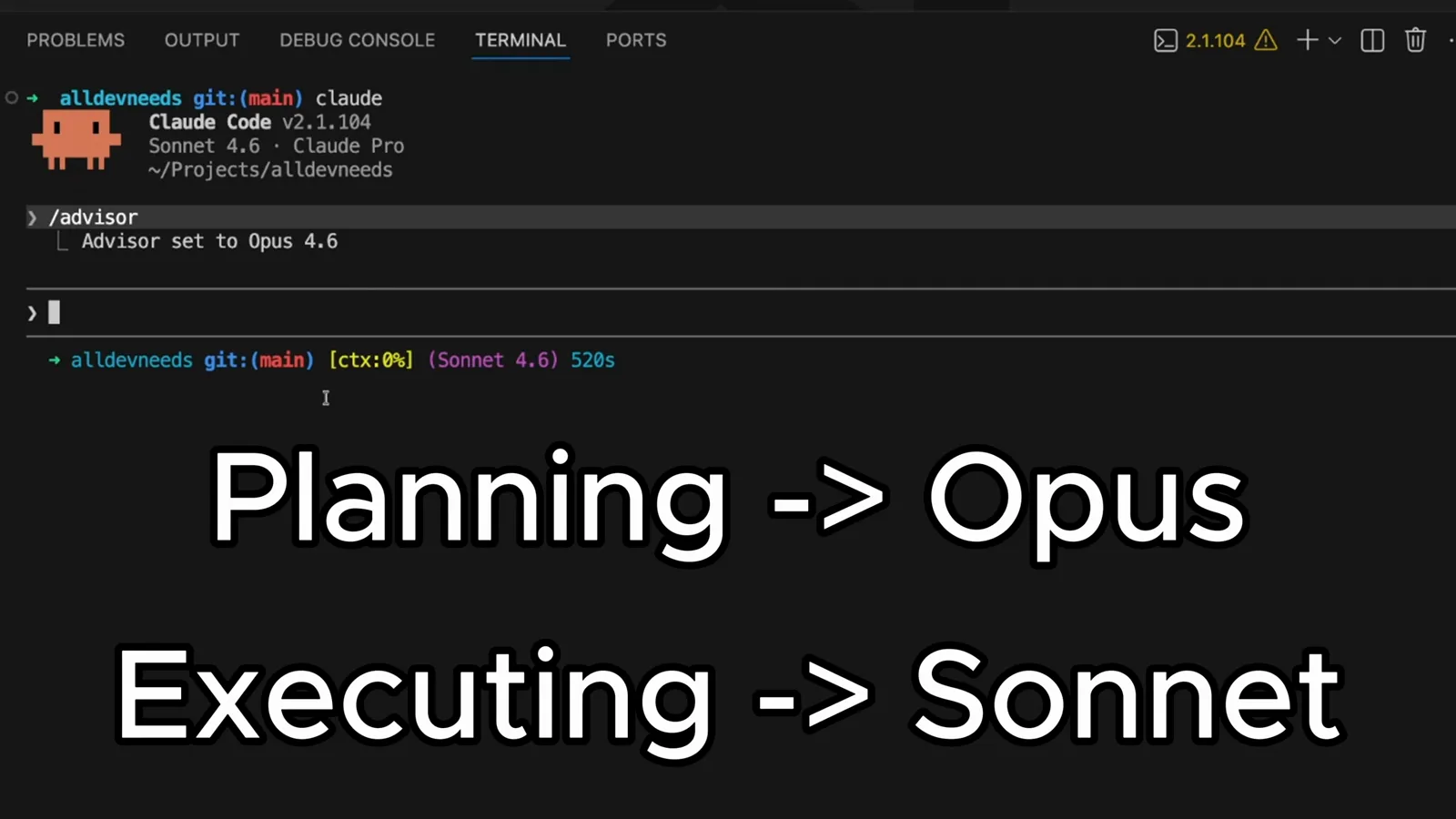
Planning → Opus, executing → Sonnet: the strong model for thinking, the cheap one for typing.Watch at 0:47 - 8
The two setups side by side
Both results sit in the same terminal. /advisor reports Advisor set to Opus 4.6; /model opusplan reports Set model to Opus 4.6 in plan mode, else Sonnet 4.6. In the video's own explanation, the advisor setup lets the executor call the advisor mid-task with a shared context, while Opus plan gives you one model at a time.
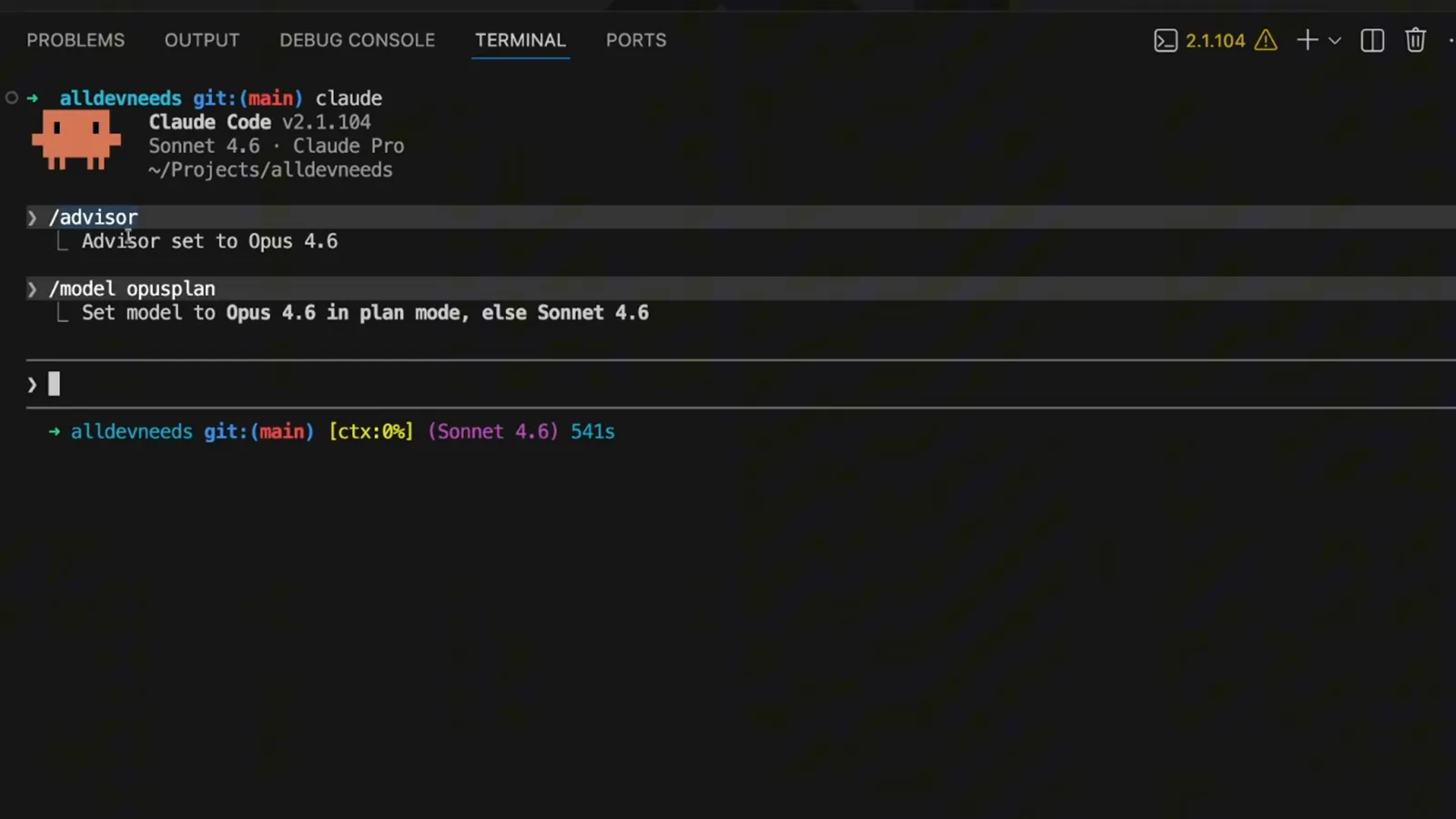
Two command results, one question: which one spends fewer tokens for the same result?Watch at 0:56
How the split actually works
One shared context, two models, and a tool call between them.
- 9
Executor every turn, advisor on demand
The diagram makes the roles concrete. The Executor is Sonnet and runs every turn in the main loop; the Advisor is Opus and is reached through a tool call, on demand. The advisor never produces user-facing output — it only sends guidance back to the executor.
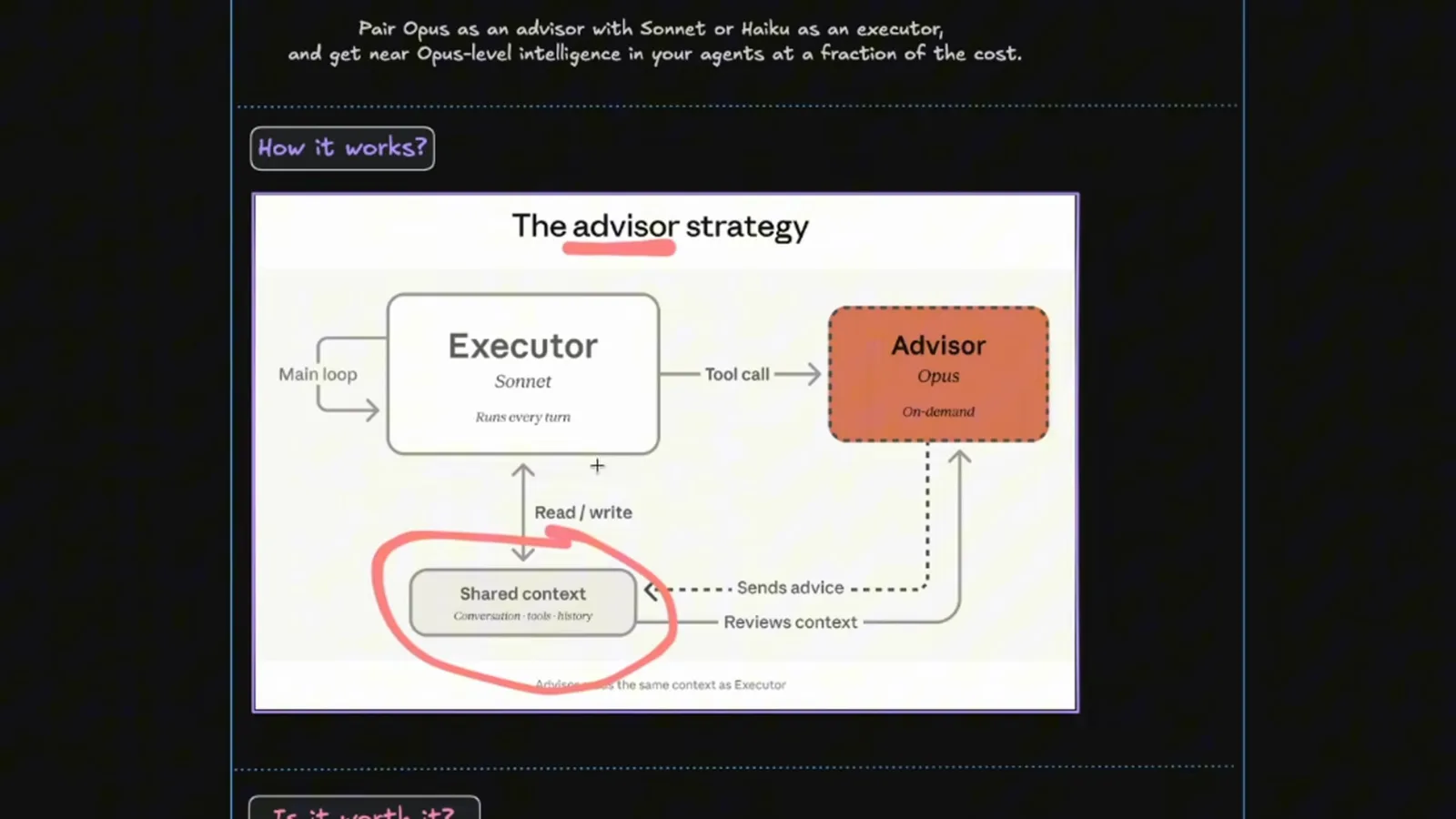
Sonnet in the main loop, Opus behind a tool call.Watch at 1:12 - 10
Why the two models share one context
The circled box is the point of the feature: the Executor reads and writes a Shared context of conversation, tools and history, and the Advisor reviews that same context and sends advice back into it, so the hand-off needs no re-explaining of the task.
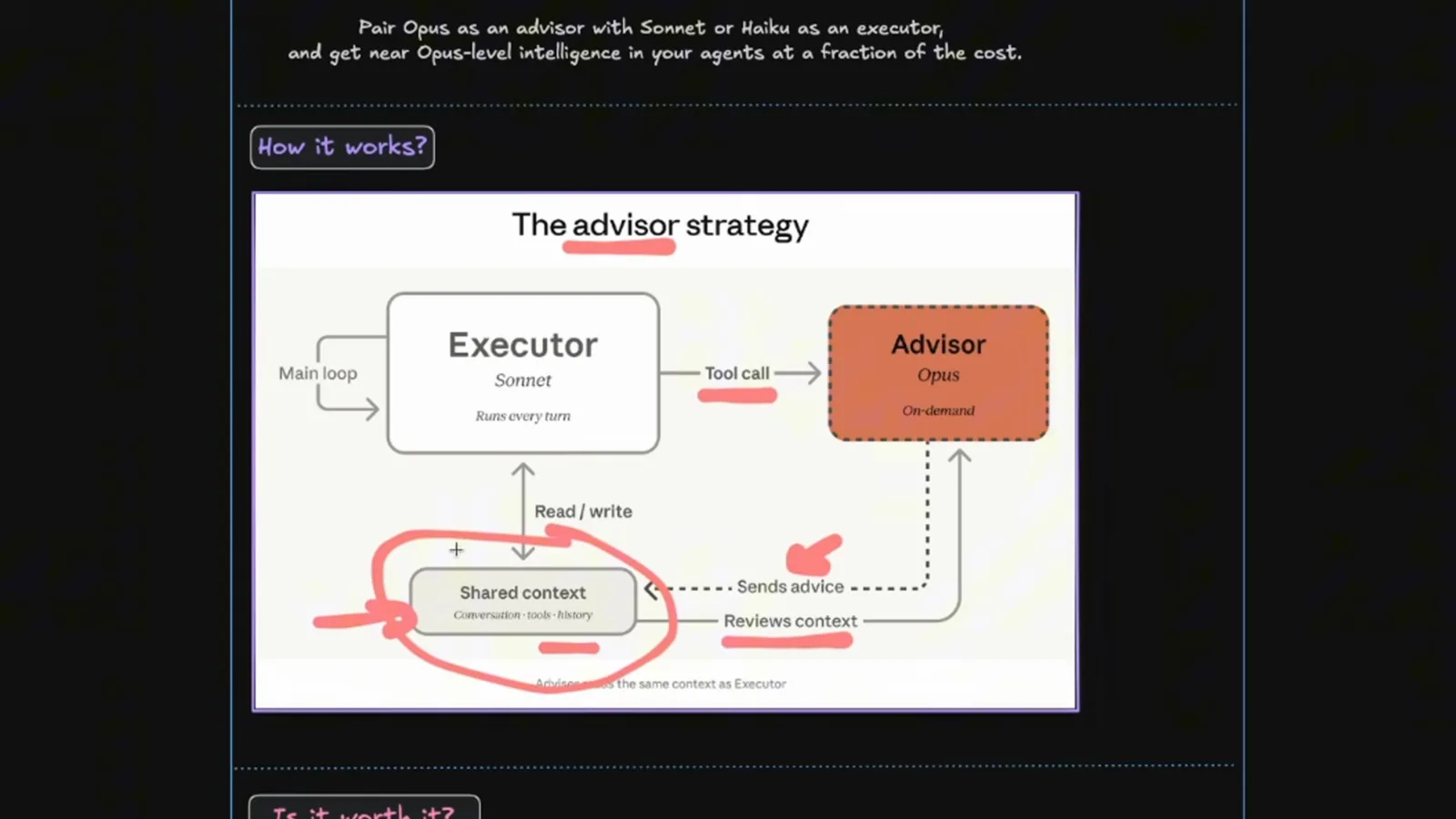
Shared context, circled in the video: the advisor sees what the executor sees.Watch at 1:28
What the video's chart shows
Higher score at a lower cost per task — and the same shape over the API.
- 11
More score at a lower cost per task
This is the video's own SWE-bench Multilingual chart, plotted against cost per agentic task. Sonnet 4.6 High with an Opus advisor sits at 74.8% for $0.96; Sonnet 4.6 High solo sits at 72.1% for $1.09. The creator reads that as roughly three points more for about twelve percent less, and says so in the narration.
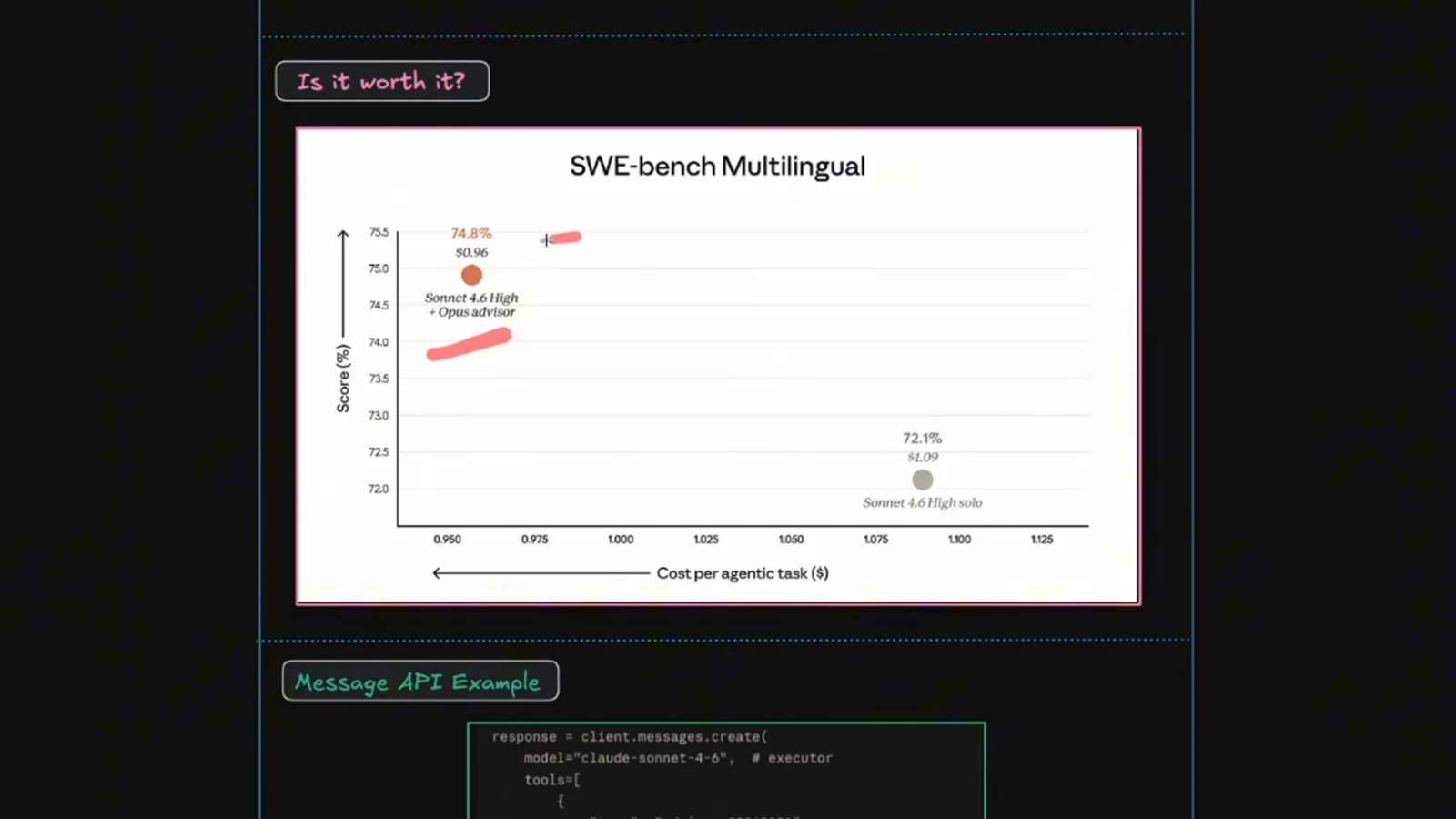
74.8% at $0.96 against 72.1% at $1.09 — the video's chart, not our measurement.Watch at 2:00 - 12
The same split over the Message API
The strategy is not Claude-Code-only. In the Message API example the executor is model: “claude-sonnet-4-6”, and the advisor arrives as a tool entry with type “advisor_20260301”, name “advisor”, model “claude-opus-4-6” and max_uses 3. The comment underneath is the reason to watch your meter: advisor tokens are reported separately in the usage block.
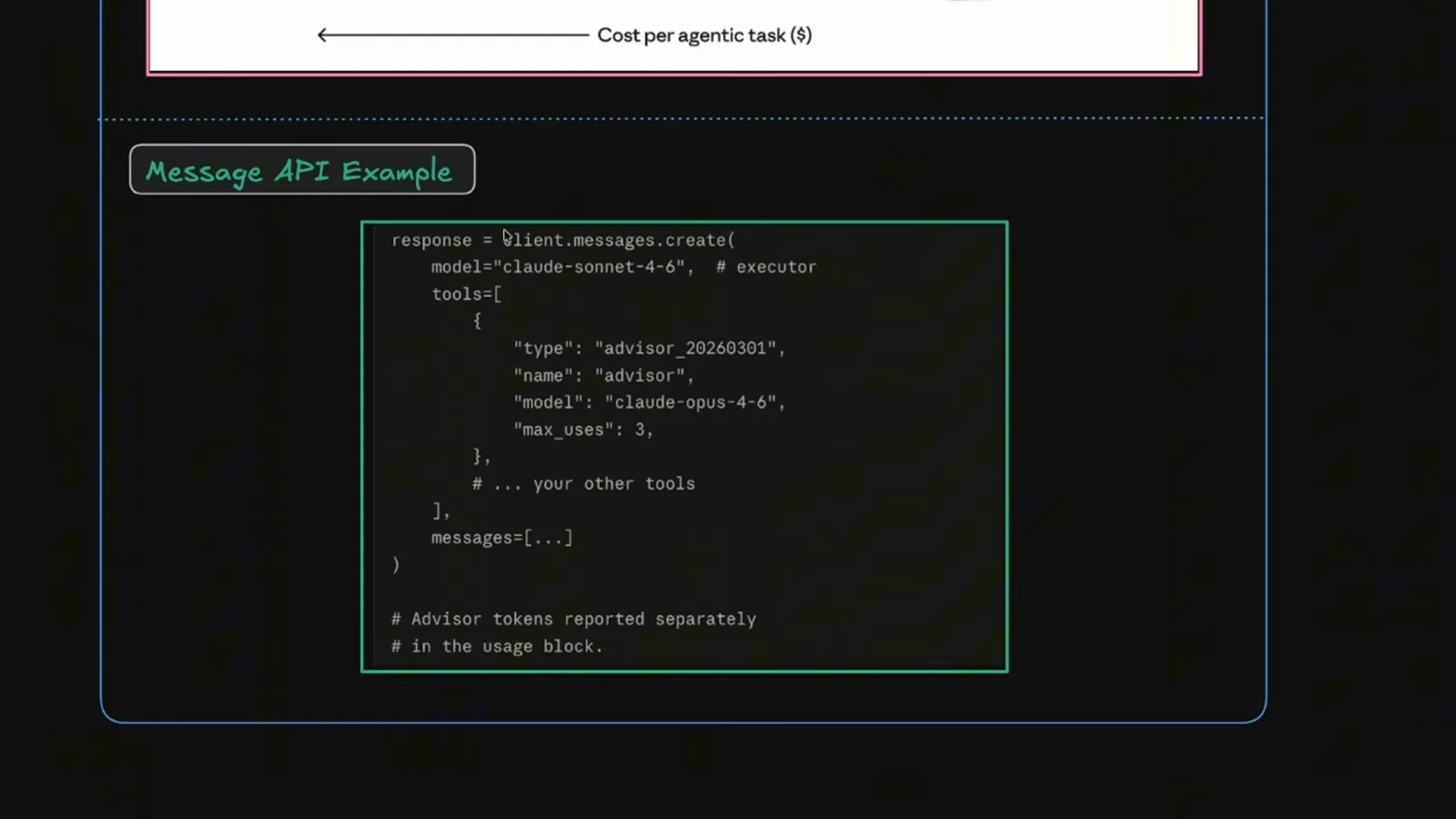
Advisor tokens are reported separately — the usage block keeps them visible.Watch at 2:20
Keep an eye on the meter
Background watchers spend tokens too.
- 13
A watcher that is not free either
Anthropic's Monitor Tool slide closes the video. The tool watches something in the background and reacts when it changes without pausing the main conversation, and the comparison table is blunt about the cost: the Monitor Tool consumes tokens when it triggers, while /loop consumes tokens with every execution.
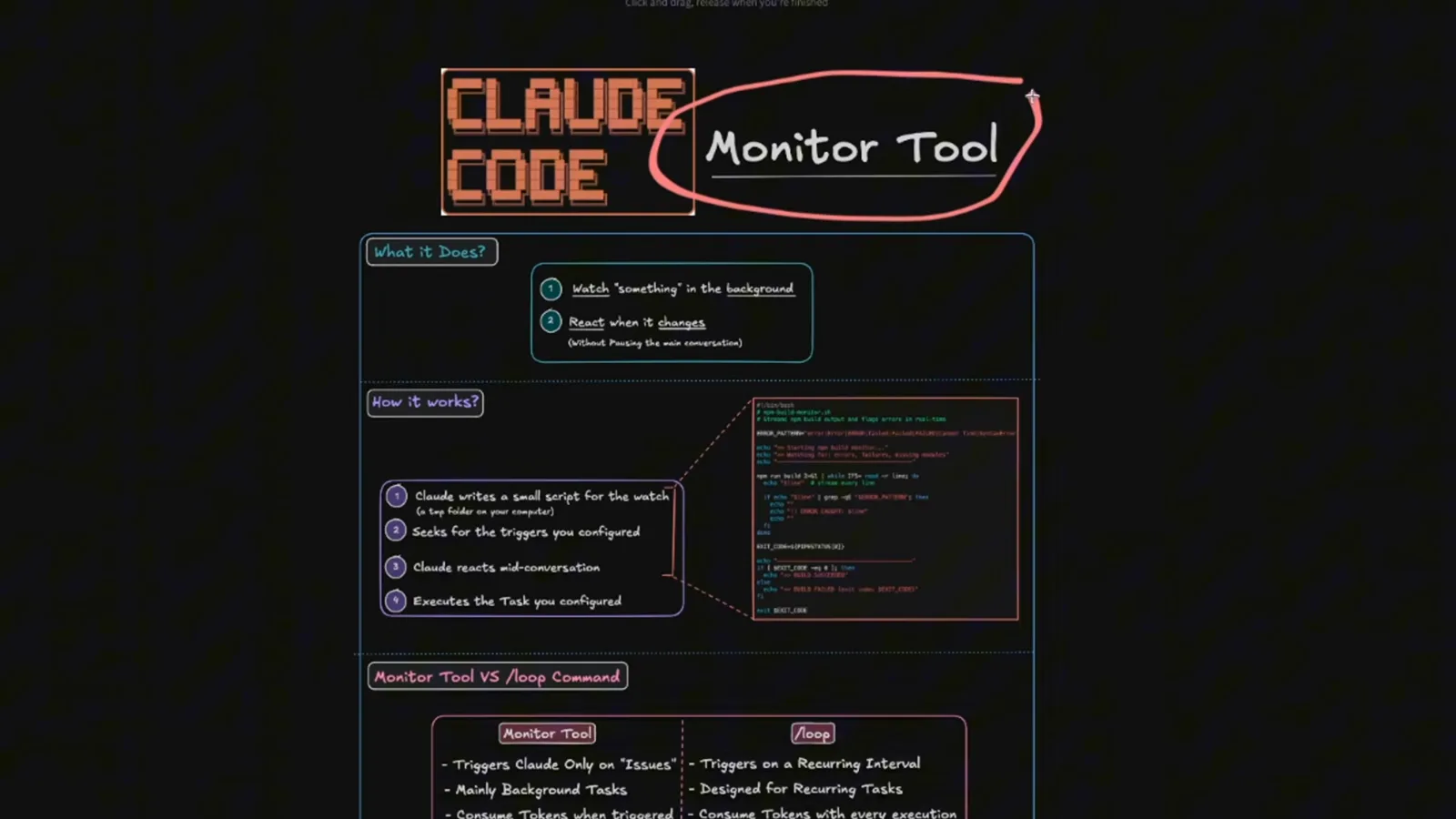
Monitor Tool versus /loop: tokens on trigger, or tokens on every run.Watch at 2:32